Verify PHP Laravel Quickstart
With just a few lines of code, your PHP Laravel application can verify phone numbers and add an additional layer of security with Twilio Verify.
This PHP Verify Quickstart will teach you how to do this using our Verify REST API, the Twilio PHP SDK, and Laravel PHP Framework to ease development.
In this Quickstart, you will learn how to:
- Sign up for Twilio
- Set up your development environment
- Send your first SMS phone verification
- Check verification codes
Info
Short on time? Spin up a low-code, fully editable verification demo in less than 2 minutes using Twilio's Code Exchange and Quick Deploy here.
If you already have a Twilio account, you're all set here! Feel free to jump to the next step.
Before you can send an SMS from PHP, you'll need to sign up for a Twilio account or sign into your existing account.
You can sign up for a free 30-day Twilio trial account here. For details on trial free units and restrictions, see Twilio trial account.
- When you sign up, you'll be asked to verify your personal phone number. This helps Twilio verify your identity and also allows you to send test verification messages to your phone from your Twilio account while in trial mode. This phone verification step is exactly what you'll learn how to build in this tutorial!
- Once you verify your number, you'll be asked to create a project. For the sake of this tutorial, you can click on the "Learn and Explore" template. Give your project a name, or just click "skip remaining steps" to continue with the default.
- Once you get through the project creation flow, you'll arrive at your project dashboard in the Twilio Console. This is where you'll be able to access your Account SID, authentication token, create a verification service, and more.
If you've sent SMS with Twilio in the past, you might remember needing to buy a phone number. With Twilio Verify, we take care of that for you! The Verify API selects the best routes for quickly and reliably delivering verification codes globally.
Verify uses Services for configuration. To send a Verify API request you will need both your Twilio Credentials and a Service SID. You can create and update a Service in two ways:
- In the Verify Console
- With the Verify API
Services can be used to edit the name (which shows up in the message template), set the code length (4-10 characters), enable settings like the "do not share warning" and more.
Now that you have a Twilio account and a verification service, you can start writing some code! To make things even easier we will use Twilio's official helper for PHP applications.
If you've gone through one of our other PHP Quickstarts already and have PHP and Composer installed, you can skip this step and get straight to sending your first verification.
To start a phone verification and send your first SMS, you'll need to have PHP 7 installed - if you don't know if you have PHP installed, run the following command to see what version you have:
php --version
The Twilio SDK requires PHP version 5.3 or higher, but we'll use PHP >= 7.1 in this tutorial as older versions are no longer supported.
If you have a not supported version of PHP you'll need to install it before going any further. Follow the directions for installing PHP for your platform (Windows, Mac, Linux).
The project dependencies are managed using composer. If you don't have it installed follow the instructions to download and install it.
1<?php23// Update the path below to your autoload.php,4// see https://getcomposer.org/doc/01-basic-usage.md5require_once "/path/to/vendor/autoload.php";67use Twilio\Rest\Client;89// Find your Account SID and Auth Token at twilio.com/console10// and set the environment variables. See http://twil.io/secure11$sid = getenv("TWILIO_ACCOUNT_SID");12$token = getenv("TWILIO_AUTH_TOKEN");13$twilio = new Client($sid, $token);1415$verification = $twilio->verify->v216->services("VAaaaaaaaaaaaaaaaaaaaaaaaaaaaaaaaa")17->verifications->create(18"+15017122661", // To19"sms" // Channel20);2122print $verification->status;
Response
1{2"sid": "VEaaaaaaaaaaaaaaaaaaaaaaaaaaaaaaaa",3"service_sid": "VAaaaaaaaaaaaaaaaaaaaaaaaaaaaaaaaa",4"account_sid": "ACaaaaaaaaaaaaaaaaaaaaaaaaaaaaaaaa",5"to": "+15017122661",6"channel": "sms",7"status": "pending",8"valid": false,9"date_created": "2015-07-30T20:00:00Z",10"date_updated": "2015-07-30T20:00:00Z",11"lookup": {},12"amount": null,13"payee": null,14"send_code_attempts": [15{16"time": "2015-07-30T20:00:00Z",17"channel": "SMS",18"attempt_sid": "VLaaaaaaaaaaaaaaaaaaaaaaaaaaaaaaaa"19}20],21"sna": null,22"url": "https://verify.twilio.com/v2/Services/VAaaaaaaaaaaaaaaaaaaaaaaaaaaaaaaaa/Verifications/VEaaaaaaaaaaaaaaaaaaaaaaaaaaaaaaaa"23}
1<?php23// Update the path below to your autoload.php,4// see https://getcomposer.org/doc/01-basic-usage.md5require_once "/path/to/vendor/autoload.php";67use Twilio\Rest\Client;89// Find your Account SID and Auth Token at twilio.com/console10// and set the environment variables. See http://twil.io/secure11$sid = getenv("TWILIO_ACCOUNT_SID");12$token = getenv("TWILIO_AUTH_TOKEN");13$twilio = new Client($sid, $token);1415$verification_check = $twilio->verify->v216->services("VAaaaaaaaaaaaaaaaaaaaaaaaaaaaaaaaa")17->verificationChecks->create([18"to" => "+15017122661",19"code" => "123456",20]);2122print $verification_check->status;
Response
1{2"sid": "VEaaaaaaaaaaaaaaaaaaaaaaaaaaaaaaaa",3"service_sid": "VAaaaaaaaaaaaaaaaaaaaaaaaaaaaaaaaa",4"account_sid": "ACaaaaaaaaaaaaaaaaaaaaaaaaaaaaaaaa",5"to": "+15017122661",6"channel": "sms",7"status": "approved",8"valid": true,9"amount": null,10"payee": null,11"sna_attempts_error_codes": [],12"date_created": "2015-07-30T20:00:00Z",13"date_updated": "2015-07-30T20:00:00Z"14}
Start by cloning our Verify Quickstart PHP repository.
git clone git@github.com:TwilioDevEd/verify-v2-quickstart-php.git
If you don't have git installed or prefer to download the source code you can grab a zip file of the project here.
Enter your new project directory with
cd verify-v2-quickstart-php/
Follow the steps to install Composer and run it
php composer.phar require Twilio/sdk
Copy .env.example to .env with this command
cp .env.example .env
and update the content to set your Twilio Account sensitive data.
1# Twilio API credentials2# (find here https://www.twilio.com/console)3TWILIO_ACCOUNT_SID=ACXXXXXXXXXXXXXXXXXXXXXXXXXXXXXXXXX4TWILIO_AUTH_TOKEN=xxxxxxxxxxxxxxxxxxxxxxxxxxxxxxxxxxx56# Verification Service SID7# (create one here https://www.twilio.com/console/verify/services)8TWILIO_VERIFICATION_SID=VAXXXXXXXXXXXXXXXXXXXXXXXXXXXXXXXX
Create the local SQLite database file
touch database/twilio_verify_quickstart.sqlite (Unix like OS only)
Run database migrations
php artisan migrate
Create an application encryption key
php artisan key:generate
Run the app
php artisan serve
If it is all set up correctly you'll soon get a message that the app is up!
Navigate to http://localhost:8000/register. You should see a registration form that looks like this:
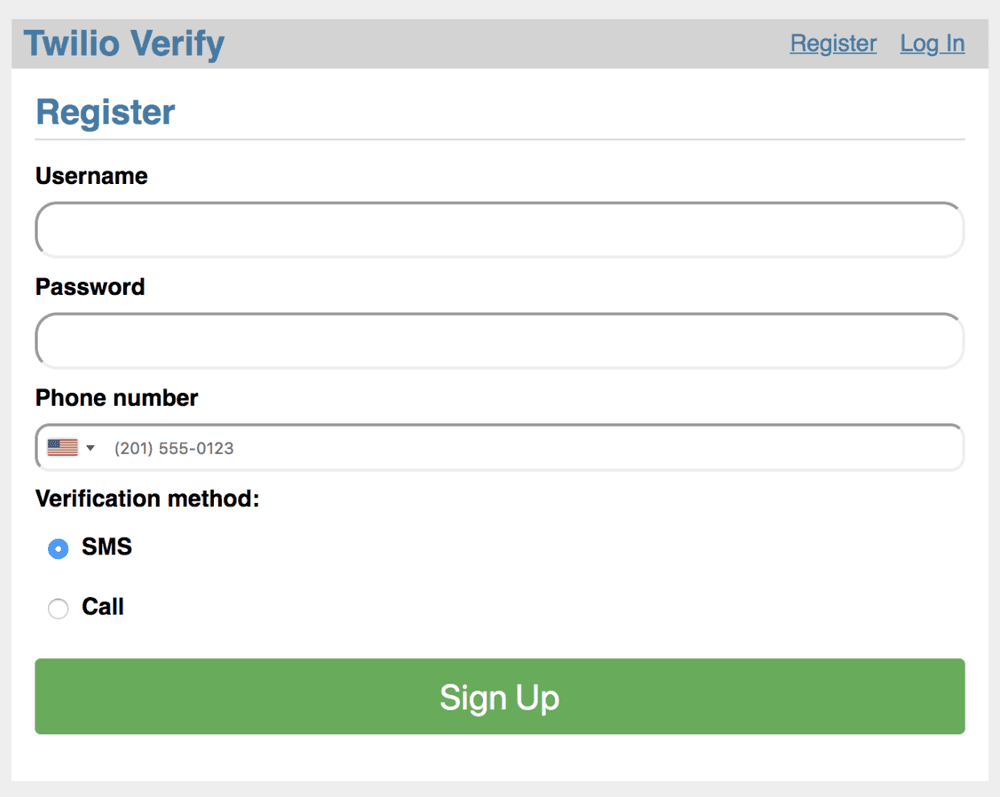
Enter your phone number and choose which channel to request verification over. Finally hit the green Sign Up button and wait. You'll either receive a phone call or an SMS with the verification token. If you requested a phone call, as an additional security feature you may need to interact to proceed (the call will tell you to enter a number on the phone keypad).
Enter the token into the Verification entry form and click 'Verify':
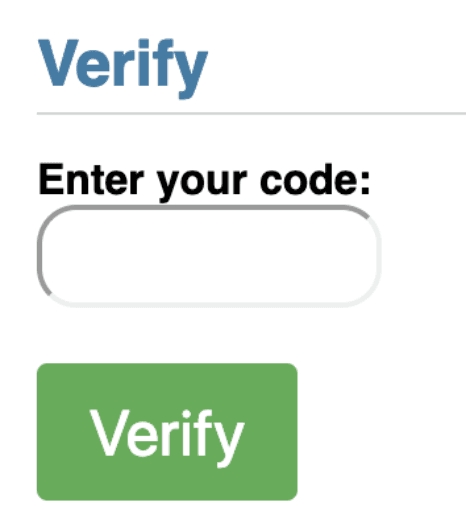
And with that, your demo app is protected with Twilio's Phone Verification! You can now log out to try the untried channel.
Your demo app is now keeping fraudulent users from registering with your business and polluting your database. Next, check out all of the variables and options available to you in the Verify API Reference.
After that, check out adding additional verification channels supported by the Verify API like:
Info
Lastly, to protect your service against fraud, view our guidance on Preventing Toll Fraud when using Verify.