Register your app in Twilio Verification API
For the Twilio Verification SDK for Android to receive SMS messages without requesting SMS read permissions, register your app's hash so that Google Play Services can route the SMS to your app.
This is the way Google Play Services redirects the SMS to the app without forcing it to request the SMS_READ permission.
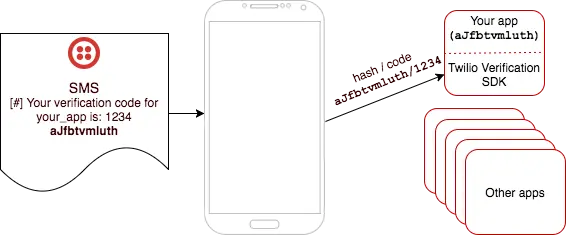
To obtain your app's hash you can use this script: sms_retriever_hash_v9.sh
Usage:
./sms_retriever_hash_v9.sh --package package_name --keystore keystore_file
For example
./sms_retriever_hash_v9.sh --package com.package.name --keystore ./debug.keystore
The script will prompt you to input the keystore password. For debug keystores the default password is android
This is the transformation the script does:
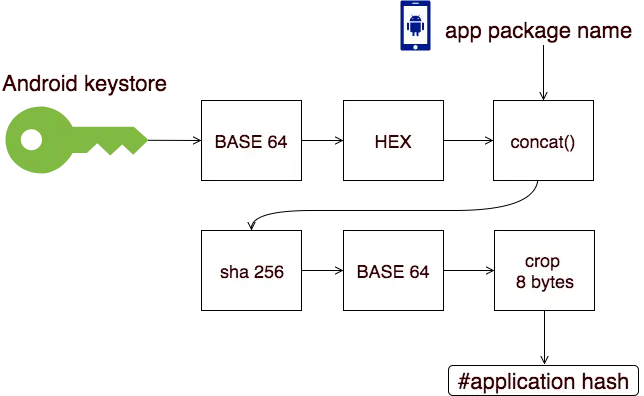
Once obtained, browse to the Twilio Console -> Verify -> (application) -> Settings and add the hash in the Android SDK Hash Signature field then save it:

For more information about how to generate your app's hash string, see Google's SMS Retriever documentation on computing your app's hash string.