Google Ads Remarketing Lists Destination
Destination Info
- Accepts Track calls.
- In Cloud-mode, refer to it as PERSONAS - Google AdWords, or Adwords Remarketing Lists, or Google Adwords Remarketing Lists (Customer Match), or Google AdWords Remarketing Lists (Customer Match), or Google Ads Remarketing Lists in the Integrations object
- This destination is only compatible with Twilio Engage.
Components
- Server
Use Google Ads Remarketing for use cases related to exclusion, acquisition (using Similar Audience), remarketing, and more.
This destination can send audiences created in Engage to Google Ads as a Customer List. Once you set this destination up, Segment sends an initial user list of users to the Google Ads API. As users move in and out of the audience, Segment automatically updates the list in Google. This allows you to run advertising campaigns without having to manually update the list of users to target in your Google Ads campaigns.
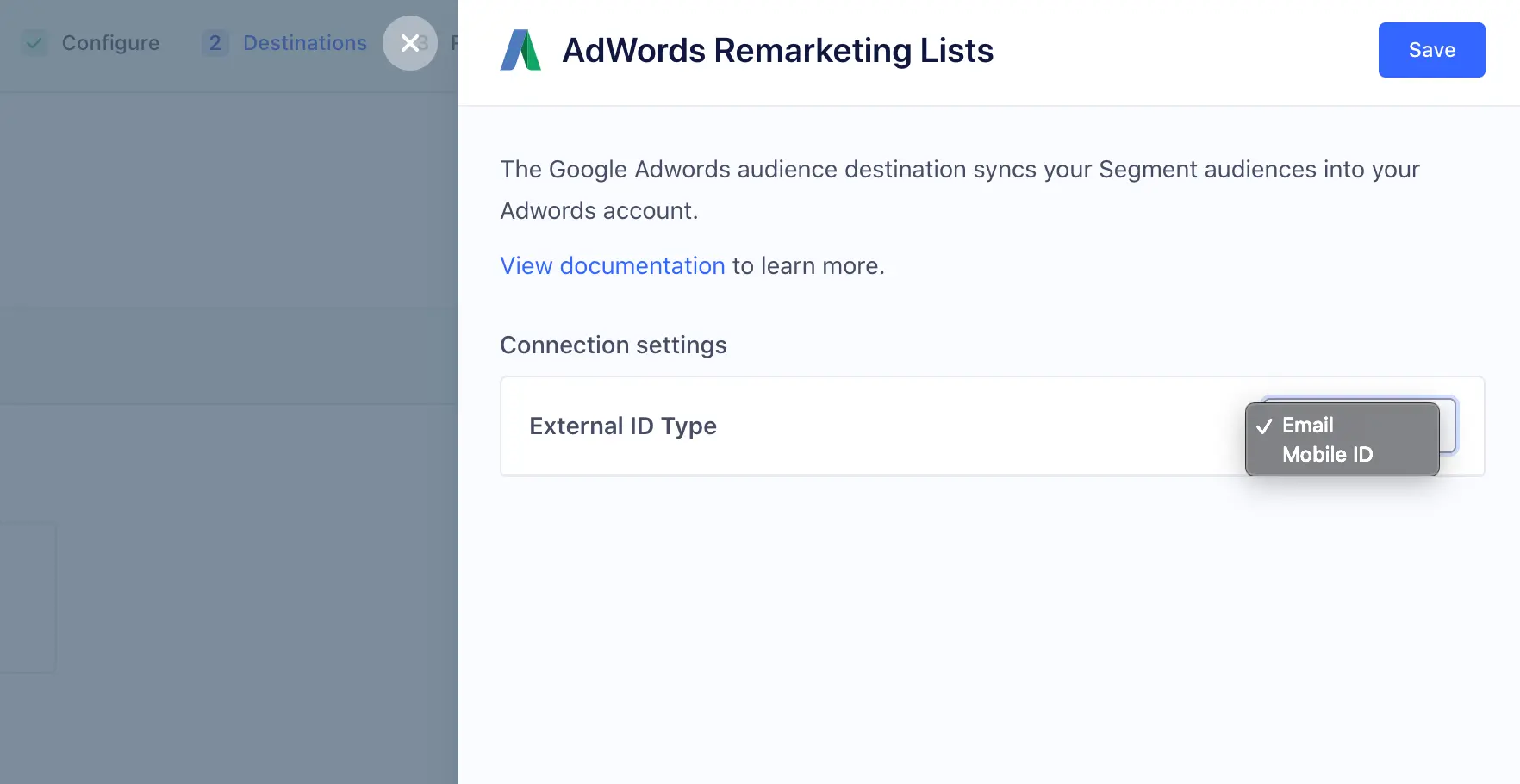
You can send either an email address or mobile device ID (IDFA) from Engage to Google as custom matchers. You can set an email address on the user profile by including email as a trait on an Identify calls, as a property on a Track calls, or as an external id for the user. If you use Segment's mobile SDKs to collect events from a mobile app, the user's IDFA is automatically captured. If you don't use Segment's mobile SDKs, you can set the user's IDFA by setting it within context.device.advertisingId. You must also collect context.device.type and context.device.adTrackingEnabled on the event payload. Additionally, ensure android.idfa and ios.idfa are enabled as identifiers in your Identity Resolution settings in Engage.
When you send an audience to Google Ads Remarketing Lists, you can choose which custom matcher (email or mobile device ID/IDFA) to match with. If a user has multiple emails or IDFAs on their account as external_ids, Engage sends the ID that was most recently added to the user profile to Google Ads.
You can use these audience lists to serve content on Google Search, YouTube, and Gmail. You can only target users with email addresses associated with a Google account, and you can target users in Gmail only if they have an @gmail.com address.
Twilio Engage is a paid feature
You must have access to Engage as part of your Segment plan to use this destination. Contact Segment's sales team to try this out.
Consent mode
Google enforced consent on March 6, 2024 for European Economic Area (EEA) users. Learn more about consent mode and how to set it up.
- Supports Engage: Yes
- Must create audience_name field before Engage can update those values?: No, Engage creates the audience for you.
- Audience appears as: A Customer list, in the Audience manager under Audience lists.
- Destination rate limit: No
- Lookback window allowed: Yes
- Identifiers required : Email or Mobile Device ID (IDFA)
- Identifiers accepted : Email and Mobile Device ID (IDFA)
- Client or server-side Connection: Server-side
- Minimum audience size required: 100
Google Ads Remarketing Lists allows you to efficiently run several marketing and advertising operations. The list below contains the most popular use cases when you know personally identifiable information (PII) about your users, such as email addresses or mobile device IDs (IDFA). When you send an Engage audience to Google Ads Remarketing Lists with email addresses or mobile device IDs (IDFA), Segment hashes the PII values before sending them to Google. Google then uses these identifiers to match with users on their ad network to allow the following use cases.
Create an audience of users that signed up, purchased a product, or otherwise performed some conversion event. You can then send those users to Google in a timely manner to prevent advertising to users that already converted. You can do this by creating an audience in Engage, syncing it to the Google Ads Remarketing Lists, and setting it as an Exclusion List in your Google Ads campaign.
You can use Engage to create a detailed profile of your most loyal customers (sometimes called a "seed audience") and then send this list of customers to Google. In Google, you can then use Google's Similar Audience features to find similar users to target. For example, you might want to create a group of high-value users who have spent a certain amount of money on your product, and then use Similar Audiences to find users who might also spend that much.
Warning
A "seed audience" must have at least 100 members.
You can use Engage to target users who completed some initial action, but didn't follow through on a purchase or other conversion event. You can create audiences to re-target these individuals and remind them to complete the purchase or other process. For example, you might send an email to someone who didn't complete a signup form or who didn't complete a shopping cart checkout.
When you create an audience in Engage and connect it to Google Ads Remarketing Lists, Segment performs the following actions:
- Creates a Google Ads User List (Customer List) with the name you entered in Engage.
- Adds any users that fit the audience definition based on email or mobile ID (IDFA). Google uses these identifiers to match users in your list to users in the Google system who can be served ads.
- Either adds or removes users from this audience based on the same identifiers.
Before you start, make sure you have administrative access to the Google Ads account so you can set up and link this destination.
- Navigate to the Destinations tab in the Engage Settings, and click Add Destination.
- Search for "Google Ads Remarketing Lists" and click Configure.
- Click Connect to Google Ads Remarketing Lists and sign in to a Google Ads account with administrator access.
- When prompted, click Allow. Segment needs this to update your Google Ads Remarketing Lists.
- Select the Google Ads account or sub-account to connect with Engage.
What are sub-accounts?
Because the Google My Client Center (MCC) account allows a user to access multiple Google Ads accounts through a single user account, Segment has updated the selector to include these additional "sub-accounts." By default, Segment syncs the "primary" Google Ads account connected to your Google account, but when using Google MCC, you can select any of the Google Ads accounts managed by your primary Google Ads account. If you're not using MCC, your primary Google Ads account is connected. MCC is typically used by advertisers or agencies that manage multiple client accounts.
-
Navigate to the Engage Audiences tab and create a new audience.
-
Give your audience a name, some event and trait criteria, then click Preview.
-
Select "Google Ads Remarketing Lists" as a destination for your audience.
-
Select either email or mobile ID to use as a custom matcher.
-
Give your audience a name, and click Create.
Warning
If you change the audience name in Engage, the change will not be reflected in Google Ads.
Open Google Ads and navigate to Tools & Settings > Shared Library > Audience manager > Audience lists.
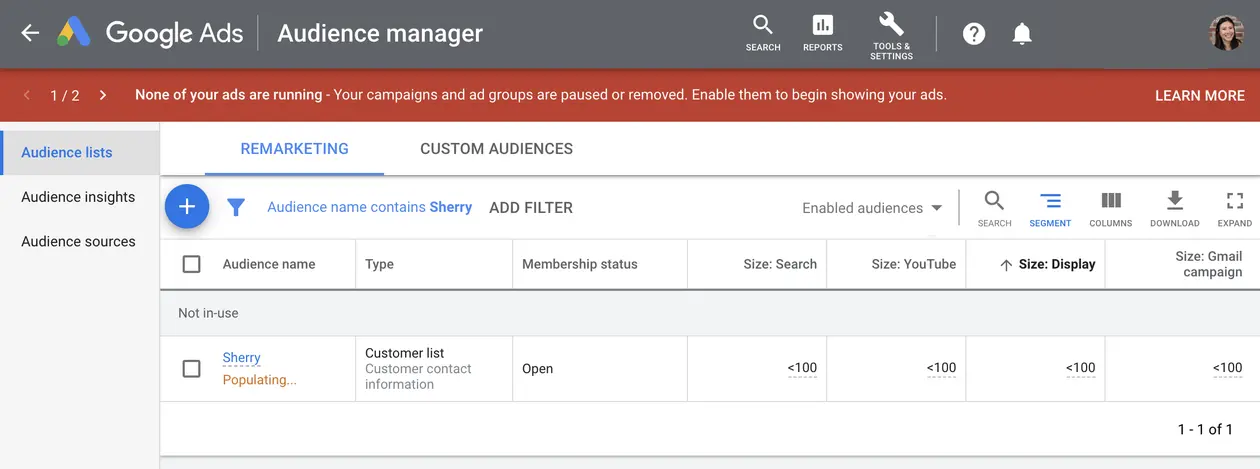
Google Ads can take 24+ hours to fully process initial audience uploads before they can be used for a campaign
If the audience is still processing, the list status appears as "Populating".
Consent mode is a feature provided by Google in the context of its products, particularly the Gtag library and Google Analytics. As of March 6, 2024, Google announced that consent mode must function for European Economic Area (EEA) users, otherwise data from EEA users won't process.
Consent mode in the Gtag library and Google Analytics is designed to help website owners comply with privacy regulations, such as the General Data Protection Regulation (GDPR) in the European Union. It allows website owners to adjust how these tools use and collect data based on user consent.
With consent mode, you can configure your website to dynamically adjust the tracking behavior of the Gtag library and Google Analytics based on the user's consent status. If a user provides consent to data processing, both the Gtag library and Google Analytics can collect and use that data for analysis. If a user doesn't provide consent, both tools limit data collection to essential functions, helping businesses respect user privacy preferences.
Consent mode may involve updates to your sources outside of Segment, such as incorporating a consent management system for consent functionality.
To enable consent mode for Google Adwords Remarketing Lists destination:
- Navigate to Connections > Destinations and select your Google Ads Remarketing Lists destination.
- Go to the Settings tab of the destination.
- Under the Connection Settings section, select Ad Personalization.
- Select
GRANTEDin the dropdown and click Save. - Under the Connection Settings section, select Ad User Data.
- Select
GRANTEDin the dropdown and click Save.
The consent fields apply universally to all audiences linked to the instance. The consent fields are intended for application across all audiences. If it's not intended for all audiences, you should create a new instance of the destination and associated non-consent audiences with the new instance. For more information, see FAQ about the EU user consent policy for Customer Match upload partners.
If you have any questions setting up consent mode, reach out to friends@segment.com.
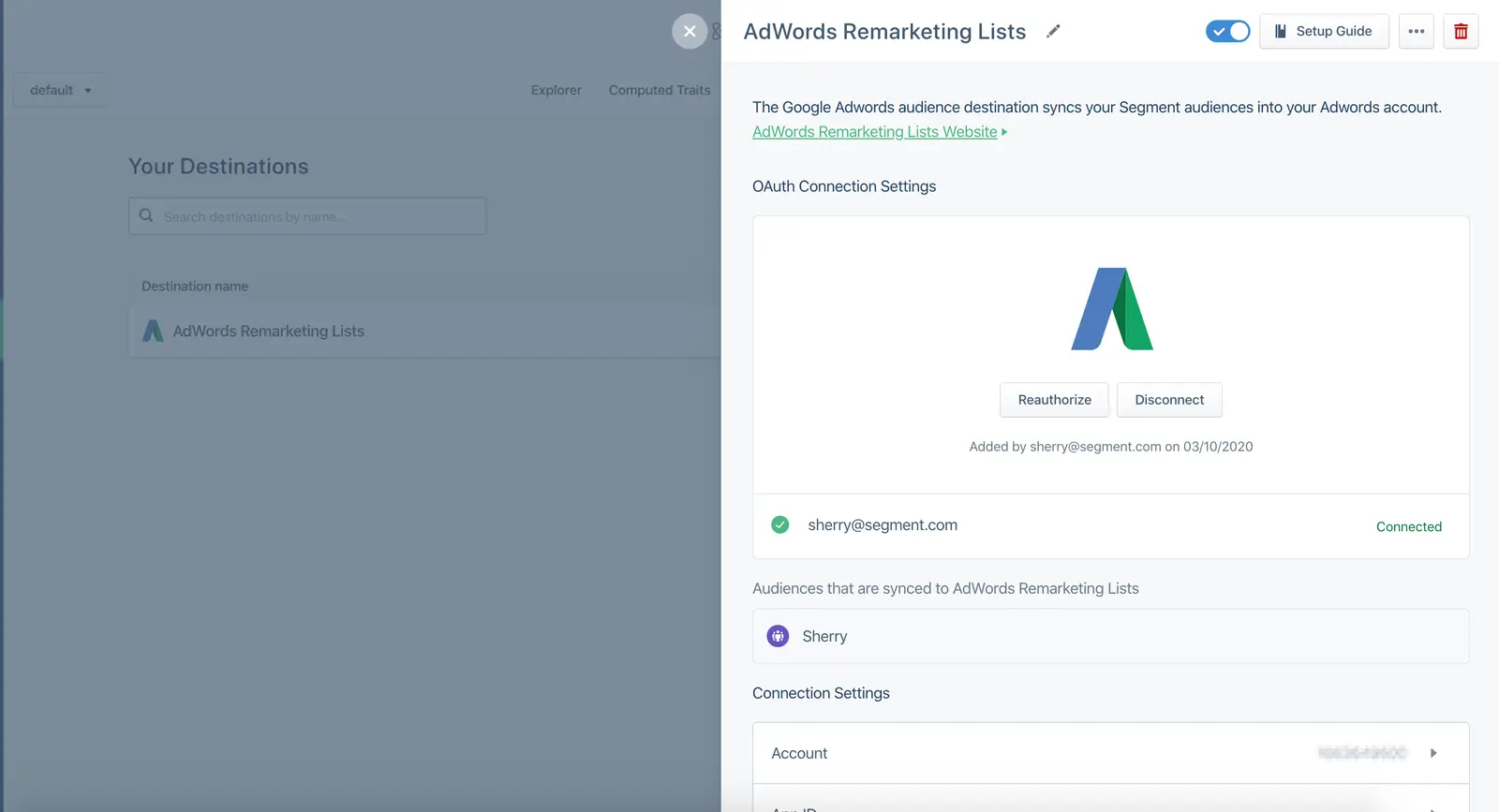
- Make sure you authorized Google Ads and selected the correct account.
- Make sure you have administrator access for your Google Ads account. You can check that your credentials are correct by navigating to the Google Ads Remarketing Lists destination in Engage Settings > Destinations, and viewing the settings.
Engage matches users in your audience using email and mobile device ID (IDFA) values. Make sure you are tracking these with Segment to have as high a match rate as possible.
You can set an email address on the user profile by including email as a trait on an Identify call, as a property on a Track call, or as an external id for the user. If you use Segment's mobile SDKs to collect events from a mobile app, the user's IDFA is automatically captured. If you don't use Segment's mobile SDKs, you can set the user's IDFA by setting it within context.device.advertisingId.
If a user has more than one email address or IDFA on their account as external_ids, Engage sends the most recent id on the user profile to Adwords for matching. The match rate will be low if Google can't identify users based on the data that you provide.
ID Sync
With Segment's ID Sync, you can send additional identifiers to Actions destinations. However, due to Google's restrictions on identifier limits per request, the Google Ads Remarketing Lists destination can only include one additional identifier in audience payloads. If the Google Ads Remarketing Lists destination is already receiving data from an audience and you enable ID Sync afterward, the new identifiers won't be applied retroactively to existing users. To update identifiers for the entire user base, a full resync is required. Trigger a self-service resync with your new ID Sync configuration.
Make sure that this destination was created in Engage, as it requires additional event data not available in standard destinations.
When you first connect a destination to an audience, Segment triggers a call to the destination to create the audience downstream. Once Segment creates the audience, the destination API returns an audience ID. For subsequent updates to the audience in the destination (adding or removing users), Segment uses this ID to send requests to the destination. The invalid user list ID error usually means that the audience ID no longer exists in the destination. To resolve this, you'll need to either recreate the audience or create a new instance of the destination and link it to the audience. Removing and re-adding the same instance of the destination won't work.
Engage audiences can only send to Google Ads Remarketing Lists for Google Search, YouTube, and Gmail campaigns. Gmail campaigns can only target users with an @gmail.com address.
You must have at least 100 users in your audience to use Google Ads Campaigns.
Engage sends either email or mobile device ID (IDFA) to Google Ads for matching. Segment may add support for additional matchers in the future.
Engage sends the most recent ID added to the user profile to Google Ads.
If you have more than one App ID (such as a separate App ID for Android and iOS apps), add a separate Google Ads Remarketing Lists destination for each App ID, and make sure the settings for these destinations include the correct App IDs.
When you create Engage audiences, add conditions to specify which App ID to send the audience to. For example, you might add a property condition of "where device.type contains iOS" to send only your iOS users to a specific destination.
Typically, this is a validation error and the permissions need to be reauthorized. Ensure the user who is authorizing has administration permissions.
When configuring ID Sync and Trait Enrichment for Google Ads Remarketing Lists, you can include one additional identifier in the payload. In the Customized Setup, only one Trait can be mapped, and it must be assigned to the phone field.