Facebook Custom Audiences Destination
Destination Info
- Accepts Track calls.
- In Cloud-mode, refer to it as PERSONAS - Facebook Ads, or Personas Facebook Custom Audiences in the Integrations object
- This destination is only compatible with Twilio Engage.
Components
- Server
The Facebook Custom Audiences Destination is one of the most popular Engage destinations. It has a variety of use cases related to suppression, acquisition (using lookalikes), retargeting, and more.
This destination can send audiences (lists of users) created in Engage to Facebook Custom Audiences as a User-List. Once you set this up, Segment sends an initial list of users to Facebook, and then keeps it up-to-date as new users enter or exit that audience.
This lets you run advertising campaigns in Facebook without having to manually find and upload a refreshed a csv of users. Facebook Custom Audiences is also supported for Known Users.
Other Facebook destinations
This page is about the Facebook Custom Audiences destination developed specifically for use with Engage. No other sources support this destination.
For documentation on other Facebook destinations, see the pages linked.
| Facebook Destination | Supported by Engage |
|---|---|
| Facebook App Events | Yes |
| Facebook Offline Conversions | Yes |
| Facebook Pixel | No |
| Facebook Custom Audiences | Yes |
| Facebook Conversions API | Yes |
| Property | Description |
|---|---|
| Supports Engage | Yes |
| Destination type | List |
| Connection type | Server-side |
| Lookback window | Allowed |
| Destination rate limit | None |
| Property | Description |
|---|---|
| Audience appearance | Facebook Custom Audience |
audience_name creation | Engage automatically creates the audience. You don't need to predefine the audience_name. |
| Minimum audience size | 100 |
| Identifier type | Description |
|---|---|
| Required identifiers | Email or Mobile Device ID (IDFA) |
| Accepted identifiers | Email and Mobile Device ID (IDFA). Other identifiers can be sent through Additional Traits Matching. |
Facebook Custom Audiences lets you efficiently run several marketing and advertising operations. The following list outlines the most popular use cases when you know personally identifiable information (PII) about your users, such as email address, name, or phone number. Facebook takes the data that you send to Facebook Custom Audiences and matches it to the users that are on Facebook to enable these use cases.
- Suppression Audiences. Create an audience of users that signed up, purchased a product, or otherwise performed some conversion event. Getting those users into Facebook in a timely manner (hourly syncs) prevents you from spending money targeting users that already converted. You can do this by creating an Audience in Engage, and syncing it to the Facebook Custom Audience Destination.
- Lookalikes and Seed Audiences. You can use Engage to create a detailed profile of your most loyal customers (sometimes called a "seed audience") and then send this list of customers to Facebook. In Facebook, you can then use Facebook's lookalike audiencing features to find similar users to target. For example, you can create a group of high-value users that have spent a certain amount of money on your product, and then use Facebook audiences to find similar users.
- Re-targeting Audiences. You can use Engage to target users who completed some initial action, but didn't follow through on a purchase or other conversion event. You can create audiences to re-target these individuals and remind them to complete the purchase or other process.
Sometimes, users visit your website and perform high-intent activities such as looking at a product or pricing page multiple times, but they don't convert (buy), and they don't provide any PII so you that can contact them later.
Facebook offers Meta Pixel, which lets you retarget these types of anonymous users with advertising. This works by identifying users based on a cookie set in their browser. You can create a Website Custom Audience in Facebook for this use case.
Every time you create an audience in Engage and connect it to Engage Facebook Custom Audiences, Segment:
- Creates a Facebook Custom Audience (of type Customer List) with a name that matches the Engage Audience.
- Adds any users that fit the audience definition, based on the matching identifiers that Facebook supports (hashed). Facebook uses these identifiers to match users to Facebook users in their ads system.
- Once the audience is configured, Segment checks which users still fit the audience definition based on the same identifiers, and adds or remove users from the audience, every hour.
Real-time to batch destination sync frequency
Real-time audience syncs may take six or more hours for the initial sync to complete. Upon completion, a sync frequency of two to three hours is expected.
You can use the Audience History feature in Facebook to see this change over time.
Prerequisites
Before you start, make sure you have a Facebook Ads account with "Advertiser" or "Admin" access to link Engage to Facebook Ads.
- Go to the Audience Builder in Engage and create a new Audience with your desired event and trait criteria.
- Go to your Space, and select the Facebook destination you added to connect the audience to Facebook.
- Give the audience a name and description, and click Create.
- Your audience starts syncing from Engage to Facebook Ads.
Note that if you change the name of the audience in Engage, it won't be reflected in Facebook.
Once created, the audience should be available in Facebook within ten minutes unless it's unusually large.
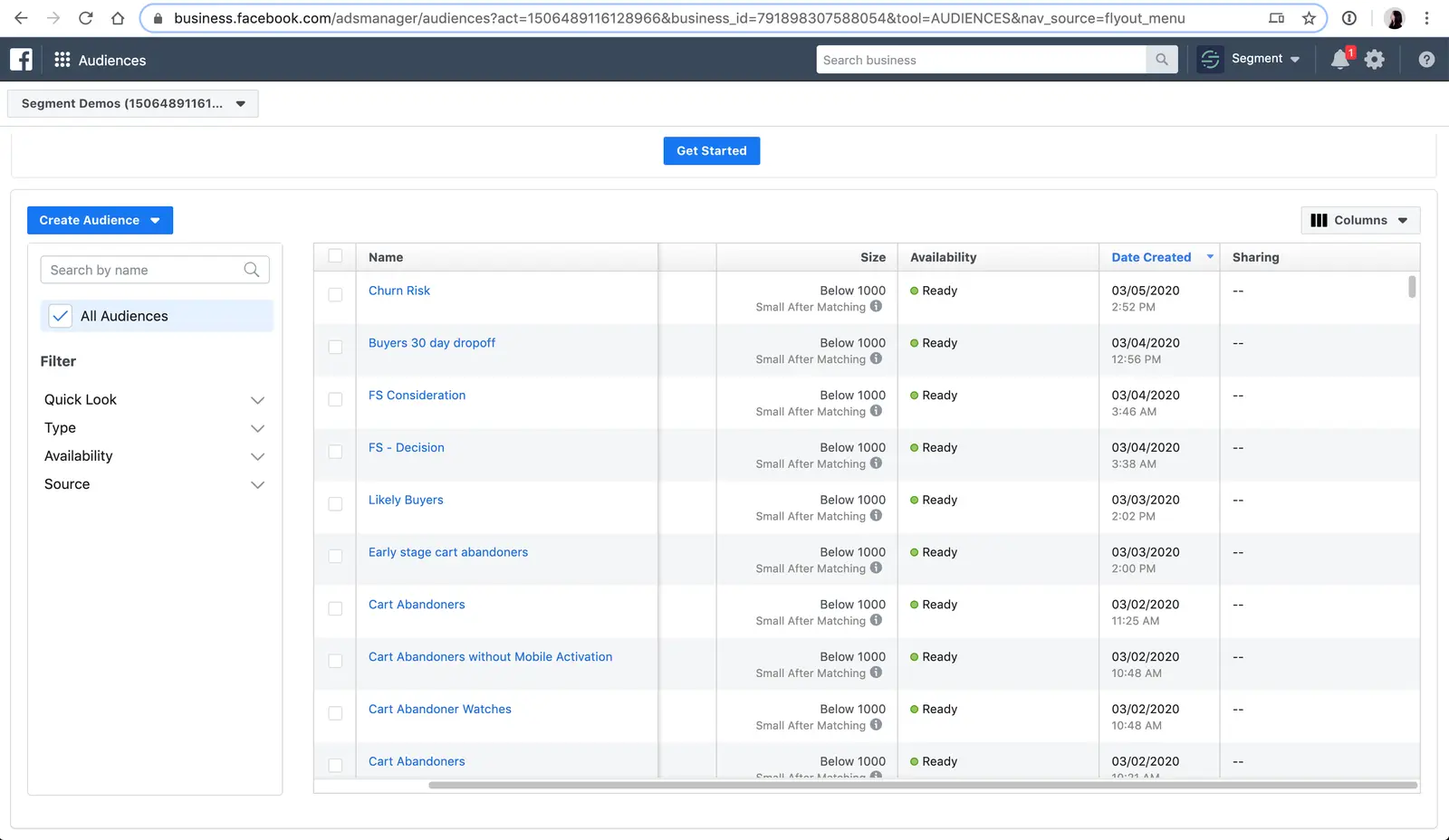
- From within Facebook Ads, go to Business Manager > All tools > Assets > Audiences.
- Click the Facebook audience name that matches your Engage audience name, and check Audience History to see how many users were added.
Trait Enrichment lets you send an expanded list of identifiers or traits to Facebook, so that Facebook can try to use these additional data points to match to their user profiles.
If you have this feature enabled and implemented any of these traits in your Segment tracking, Engage can send this data to Facebook. Segment can also sync multiple emails if the profile contains more than one. Additionally as part of this feature, Segment hashes fields before sending them downstream to Facebook, if required. For hashing requirements, see the following table.
Note that the trait data implemented in your Segment tracking must match the naming convention and format specified in the table, otherwise Segment can't send it to Facebook.
| Name | Trait Key formats supported | Facebook Keys | Facebook Hashing Required | Facebook Guideline |
|---|---|---|---|---|
| Yes. Segment hashes for you. In case you are already hashing emails, emails will get sent to Facebook double-hashed. Facebook will still match on double-hashed emails, but this is not recommended. | Trim leading, trail whitespace, and convert all characters to lowercase. | |||
| Mobile ID | MADID | No | Use all lowercase, keep hyphens. | |
| First Name | first_name firstname firstName first | FN | Yes | Use a-z only. Lowercase only, no punctuation. Special characters in UTF8 format. |
| Last Name | last_name lastname lastName last | LN | Yes | Use a-z only. Lowercase only, no punctuation. Special characters in UTF8 format. |
| Phone | phone phone_number phonenumber phoneNumber | PHONE (+1XXXXXXXXXX) | Yes | Remove symbols, letters, and any leading zeroes. If COUNTRY field isn't specified, add the country code prefix. |
| Gender | gender gen | GEN | Yes | Use values: m for male and f for female. |
| Birth Year | birth_year | DOBY | Yes | Use the YYYY format from 1900 to current year. |
| Birth Month | birth_month | DOBM | Yes | Use the MM format: 01 to 12. |
| Birth Day | birthday birth_day date_of_birth DOB dateOfBirth | DOBD | Yes | Use the DD format: 01 to 31. |
| State | state address_state | ST | Yes | Use the 2-character ANSI abbreviation code, lowercase. Normalize states outside U.S. in lowercase, no punctuation, no special characters, no white space. |
| City | city address_city | CT | Yes | Use a-z only. Lowercase only, no punctuation, no special characters, no white space. |
| Zipcode | zip zip_code zipCode | ZIP | Yes | Use lowercase, no white space. Use only the first 5 digits for U.S. Use Area/District/Sector format for the UK. |
| Country | country_code countryCode | COUNTRY | Yes | Use 2-letter country codes (lowercase) in ISO 3166-1 alpha-2. |
If syncs to the destination are failing, this might be due to an authorization error. Whoever created the destination account needs to accept the TOS. The account manager then needs to log in to their Facebook account, navigate to Audiences > Search Audience and click Accept Terms.
Segment sends lists of users with identifiers that Facebook supports to Facebook. The matching logic itself occurs within Facebook. Facebook is more likely to be able to match a user profile if you track as many identifiers as possible, including email, mobile advertising identifiers (IDFA, Google advertising ID), and others. If Facebook is unable to identify users based on the data that you provide, then the match rate will be low.
For example, many B2B SaaS businesses have users that sign up for their products with a work email address, like jane.doe@segment.com. However, most Facebook users sign up for Facebook with a personal email only, like janedoe@gmail.com. If you only provide the work email address, and no other identifiers, then Facebook can't match your user to the Jane Doe Facebook profile. This is the case for all identifiers - Facebook must have the identifier somewhere in a user's profile, or else they can't match on it.
This is most likely due to your Facebook account needing to be reauthorized, sometimes due to a password change. Reauthorize the Facebook destination connection. If the error persists, contact Segment Support.
Note, emails must be in a plain text format. Facebook also provides these guidelines for the emails that you send to them: trim leading, trail whitespace, and convert all characters to lowercase.
Facebook has a feature called value-based audiences where you can send an additional field like LTV, to tell Facebook how to optimize their advertising based on a customer's value. The Facebook Custom Audiences destination does not support value based audiences. If you're interested in this feature, contact Segment support.