Facebook Lead Ads Source
Source Info
- The Facebook Lead Ads Source is an Event Cloud source. This means that it sends data as events, which are behaviors or occurrences tied to a user and a point in time. Data from these sources can be loaded into your Segment warehouses, and also sent to Segment streaming destinations. Learn more about cloud sources.
- This source is in Beta
This Source is supported in US data processing regions.
This Source is only supported in workspaces configured to process data in the US region. Workspaces configured with data processing regions outside of the US cannot connect to this source. For more information, see Regional Segment.
Facebook Lead Ads help you capture contact information from people who have expressed interest in your product. Without leaving Facebook's interface, your prospects can now share helpful information with you including work email, name, phone number, and more.
Segment lets you make the most of your leads by automatically sending them to your business tools like CRM and email. Importantly, these destinations allow you to contact customers in real-time using your communication platform of choice, whether you've promised them a demo, a newsletter, a piece of content, or a call from a salesperson.
This document is about a feature in beta
This means the feature is actively being developed, and some functionality may change before it becomes generally available.
- See Facebook's steps on how to set up a Facebook Lead Ad campaign if you don't have one already.
- Connect Facebook Lead Ad with Segment. Search for Segment.com in the CRM provider search box.
- Go to the Segment UI and navigate to Connections > Catalog and search for Facebook Lead Ads.
- Select the Facebook Lead Ads source and click Add Source.
- Give the source a name. The name is a label used in the Segment interface, and Segment creates a related schema name which you query against in your warehouse. The nickname can be whatever you like, but Segment recommends sticking to something that reflects the source itself, like Facebook Lead Ads or Facebook Lead Ads Prod.
- Click Authenticate.
- Select which accounts you would like to sync (you may change this selection later).
- Verify that your leads are flowing into Segment. You can quickly test this connection by sending a test lead to Segment with Facebook's Lead Ad testing tool.
- Click on the Debugger to see a live stream of data coming in from Facebook. You should see your leads come in as Identify calls.
Use the following permissions to access the page and lead information for enrichment purposes with Facebook lead ads. You must have the following permissions to set this source up:
- pages_show_list
- pages_read_engagement
- pages_manage_ads
- leads_retrieval
- ads_management
Learn more about permissions in Facebook's Retrieving Leads documentation. Leads Access permissions are required to retrieve leads generated by Facebook Lead Ads. This is the default permissions for most roles. Learn more about permissions by following this link.
Stream
Facebook Lead Ads uses our stream Source component to send events to Segment. These events are then available in any destination that accepts server-side events, including your data warehouse.
The following table lists events that Facebook Lead Ads sends to Segment. These events will show up as tables in your Warehouse, and as regular events in your other destinations.
| Event name | Description |
|---|---|
| Identify | When a Facebook user clicks on your Lead Ad and fills out your form, Segment will fire an identify call with the user's Anonymous ID and any other traits from the form. |
The event properties included in the identify calls are dependent on the fields included in your Lead Ads form. When the user submits the form, an identify call is made. From the Segment Debugger, you can look at the raw code from the identify call.
See the following example:
1{2"anonymousId":"254875448264245",3"messageId":"fb_leadads-MND7ItD0c2-254875448264245",4"timestamp":"2016-12-08T16:39:58.000Z",5"traits": {6"adId": 6052204319312,7"email":"-----------@example.com",8"formId": 225571381194652,9"First_Name":"------------",10"Last_Name":"------------",11"job_title":"warehouse",12"work_email":"----------@example.com"13},14"type":"identify",15"writeKey":"-------------------",16"context": {17"integration": {18"name":"facebook-lead-ads",19"version":"0.0.3"20},21"library": {22"name":"unknown",23"version":"unknown"24}25},26"integrations": {},27"receivedAt":"2016-12-08T16:40:05.490Z",28"originalTimestamp":"2016-12-08T16:39:58.000Z"29}
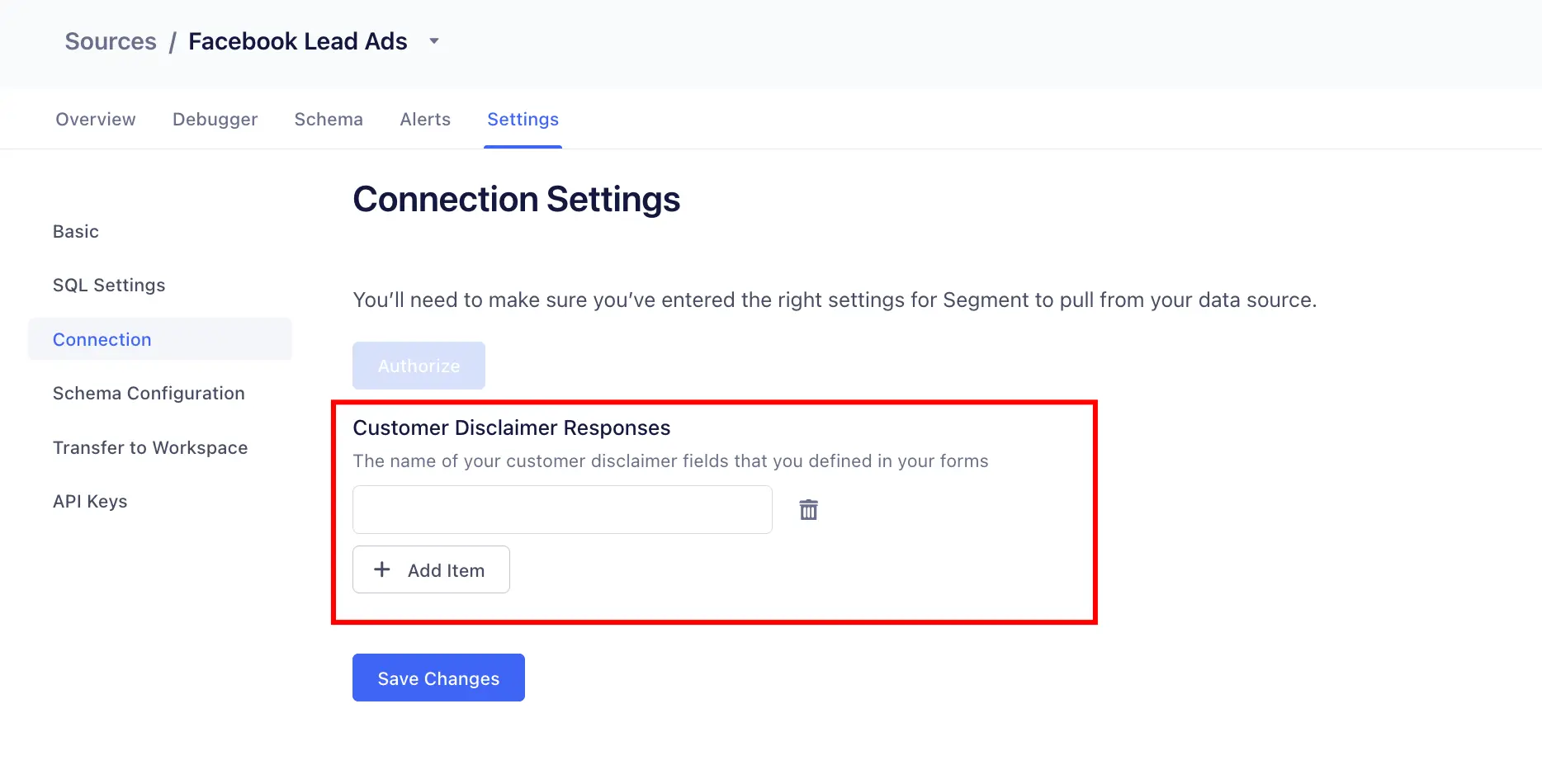
If you've selected any checkboxes on Facebook's Custom Disclaimer form, the custom_disclaimer_responses field is included in the data request sent to Segment. For more information, refer to Facebook's Retrieving Leads documentation.
Segment recommends updating the checkbox_key in your Facebook Lead Ads source settings to ensure that Segment accurately checks custom disclaimer responses. If no custom disclaimer checkboxes are selected, Segment does not forward lead information to the source.
If no checkbox_key is added to Segment's source settings, Segment sends lead information by default, regardless of your custom disclaimer selections.
Now that your source is set up, you can connect it to destinations.
Only the destinations listed can be used with Facebook Lead Ads. Facebook only passes an email address as a customer identifier, but not all destinations can use an email address instead of a User ID.
Log in to your downstream tools and check that your events are populating, and contain all of the properties you expect. If your events and properties are not showing up, refer to the relevant destination docs for troubleshooting.
When you update or change credentials on a connected account, you need to create a new Facebook Lead Ads source to reauthorize Facebook. Reauthorization implies that a new token is generated, but the token is not the only link between Segment and Facebook.
When you connect the Facebook Leads Ads source, a Segment application is installed on the connected Facebook account. If you were to generate a new token on the same source, it would invalidate all other tokens attached to that Facebook account.
For example, if you have a Facebook Account with three accounts: Account A, Account B, and Account C, you can connect Segment to all of them and then generate a token for each account. Later on, if you need to reauthorize the "Account A" page, the tokens for Account B and Account C are invalidated, and the pages stop working.