Recommended Items
With Recommended Items, you can add personalized item recommendations as a computed trait to each user profile.
Based on a user's past interactions, this trait generates a list of up to 5 items, like products, articles, or songs, that each user is most likely to engage with.
Segment designed Recommended Items for cases where you want to personalize experiences, like email content, in-app recommendations, or website suggestions, to fit each user's unique preferences.
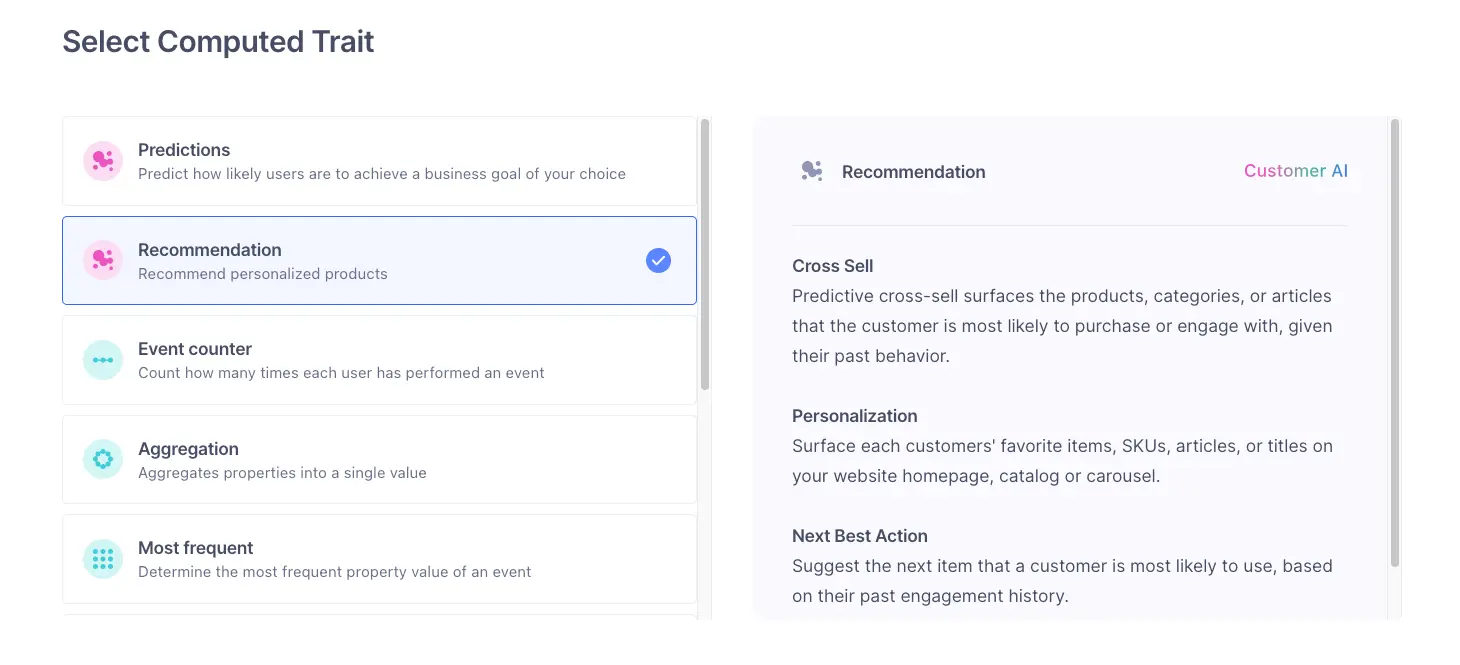
Recommended Items uses your interaction events (like order_completed, product_added, and product_searched) along with event metadata to generate personalized recommendations for each user. Here's an overview of the process:
- Data collection: Segment captures user interactions from your chosen events.
- Pattern analysis: Machine learning models analyze these interactions to recognize patterns and user preferences.
- Item ranking: Based on this analysis, Segment generates an ordered list of recommended items for each user, ranked from most to least likely to engage.
- Profile storage: Segment then saves these recommendations as an array on each eligible user profile.
Once Segment attaches the recommendation array to a profile, you can use it to:
- Personalize experiences with the Profile API
- Send Recommended Items traits to downstream destinations
- Build further segments based on Recommended Items
- Trigger customized campaigns and experiences tailored to individual users
Exclusion rules let you filter out specific items from recommendations, helping keep suggestions relevant and valuable. For example, you could use them to remove items a user has already purchased or exclude products above a certain price.
There are two types of exclusion rules:
- Item information: This filters out items based on product catalog metadata. For example, you can exclude items over a certain price, from a specific category, or by a particular brand.
- Past user action: This filters out items based on a user's interaction history. For example, you can remove items a customer already purchased or previously added to their cart.
Before you begin
Before you create Recommended Item traits, you'll first need to set up a Recommendation Catalog. The catalog setup process involves mapping your interaction events and providing product metadata to support recommendations. If you haven't yet set up your Recommendation Catalog, follow the steps in the Product Based Audiences documentation.
To create a Recommended Item trait:
- In your Segment workspace, navigate to Unify > Traits > + Create computed trait.
- In the New Computed Trait builder, click Recommendation, then click Next.
- In Select users, click + Add condition to choose the users who should receive recommendations.
- You can create recommendations for up to 2 million non-anonymous customers.
- In Define recommended items, choose the item type you want to recommend.
- This is based on your product catalog.
- Choose how many item types you want to return onto each profile.
- You can select up to 5 item types.
- Click Calculate to get a preview of the number of users who will receive your recommendations, then click Next.
- (Optional) Set exclusion rules to filter out specific items from recommendations.
- (Optional) Select destinations you want to sync the trait to, then click Next.
- Give your trait a name, then click Create Trait.
Segment begins creating your new trait. This process could take up to 48 hours.
Suppose you're managing a music streaming app and want to give each user personalized music recommendations based on their listening habits.
Here's how you could configure this trait:
| Step | Configuration |
|---|---|
| Select users | Use an audience based on up to 2 million active, non-anonymous listeners who played at least one song in the past month. |
| Item type | Select Albums as the item type to recommend. Because you have an extensive catalog of music, this lets each listener receive recommendations tailored to their interests. |
| Number of item types | You decide to return a maximum of 5 albums for each profile, keeping the recommendations relevant and concise. |
| Calculate | Clicking Calculate gives you an overview of how many users will receive the album recommendations. Use it to ensure your conditions and catalog mapping meet your criteria. |
| Sync to destinations | This optional step lets you sync the trait to third-party destinations to deliver album recommendations over email, in-app messaging, or push notifications. |
| Trait naming | Name your trait Personalized Album Recommendations, making it easy to identify for future campaigns. |
By setting up a trait like this, each user profile now includes personalized recommendations that reflect individual tastes. You can use these recommendations across a range of touchpoints, like in-app sections, personalized email content, or targeted messaging, to create a more engaging and customized user experience.
Keep the following in mind as you work with Recommended Items:
- Limit recommendations to key items: Start with 3-5 items per profile to keep recommendations concise and personalized.
- Consider audience size: Larger audiences can dilute engagement rates for each recommended item. Focusing on the top 20% of users keeps recommendations relevant and impactful.
- Give the system time to build the trait: Recommended Items traits can take up to 48 hours to generate, depending on data volume and complexity. Segment recommends waiting until 48 hours have passed before using the trait in campaigns.