Console: Getting Started with Phone Number Regulatory Compliance
Use the Twilio Console to provision phone numbers legally. This ensures that:
- Your phone numbers are not at risk of getting revoked.
- You can operate your business' communications locally.
For answers to common questions, see Phone Number Regulatory FAQ.
Follow these steps to get started with Phone Number Regulatory Compliance:
- Review the Phone Numbers Regulatory Compliance Guidelines for your region.
- Collect the required documentation from end-users.
- Log in to the Twilio Console.
- In the Console navigation, select Phone Numbers > Regulatory Compliance.
- Create a Regulatory Bundle and submit it for review.
- Wait for Twilio to review the Regulatory Bundle.
- After Twilio approves the Regulatory Bundle, assign it to the relevant phone numbers.
- Wait for Twilio to review the Regulatory Bundle assigned to phone number(s) — the review process will take up to 3 business days.
First, go to the Phone Number Regulatory Requirements for Customers to see what local regulators require.
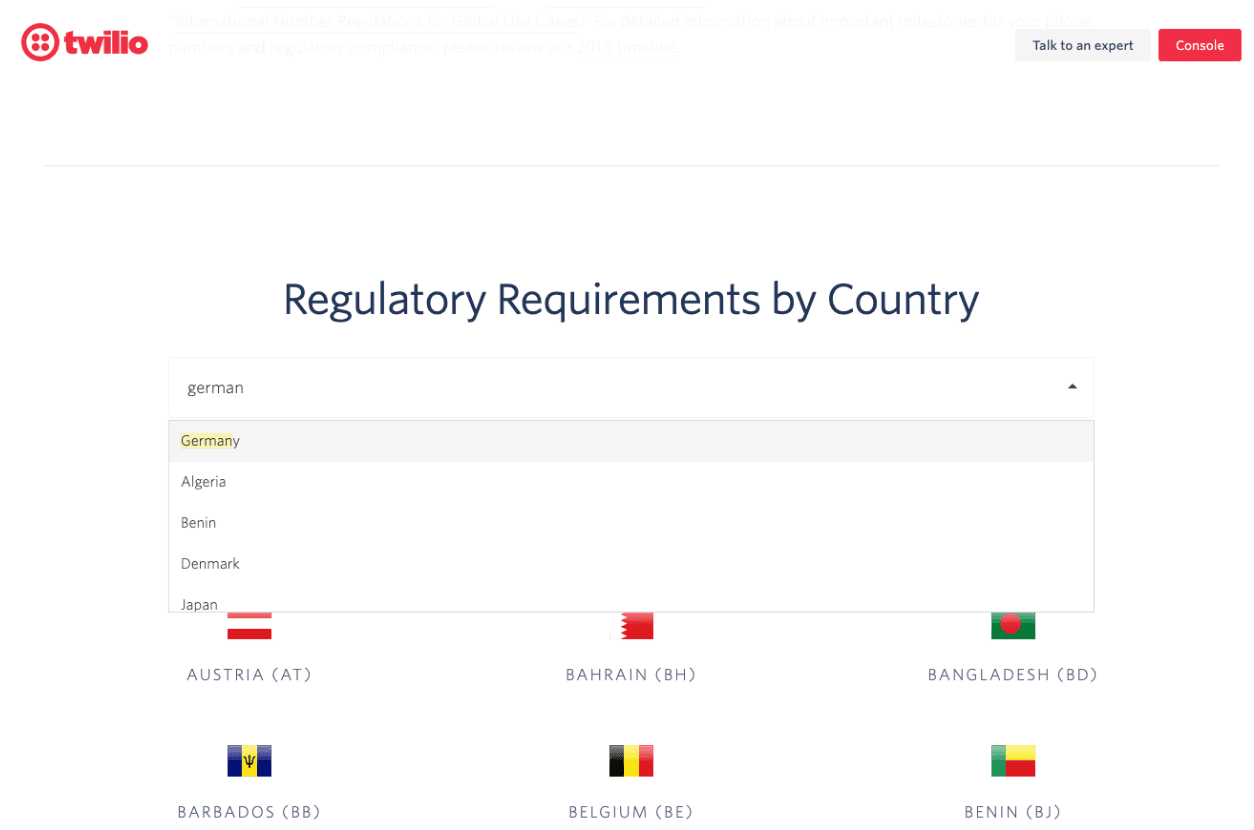
Let's say we own a chain of pizza shops. We need to make sure all of our German Local phone numbers are compliant. We're going to select Germany from the dropdown.
After selecting Germany from the dropdown and finding Local Business phone numbers for a business, we can find the regulation we need to follow. The regulation has a list of required information with accompanied Supporting Documents and a proof requirement.
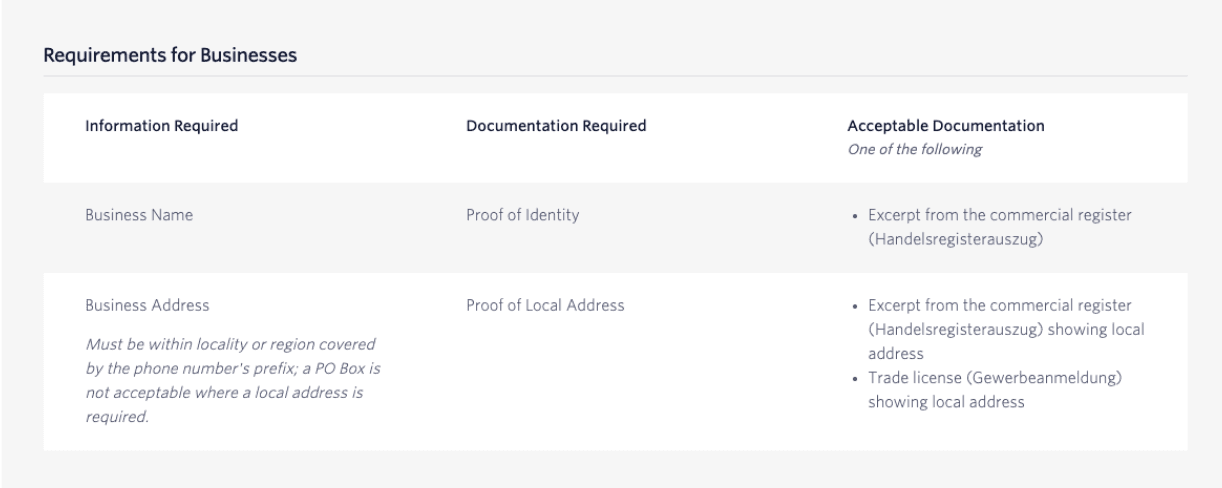
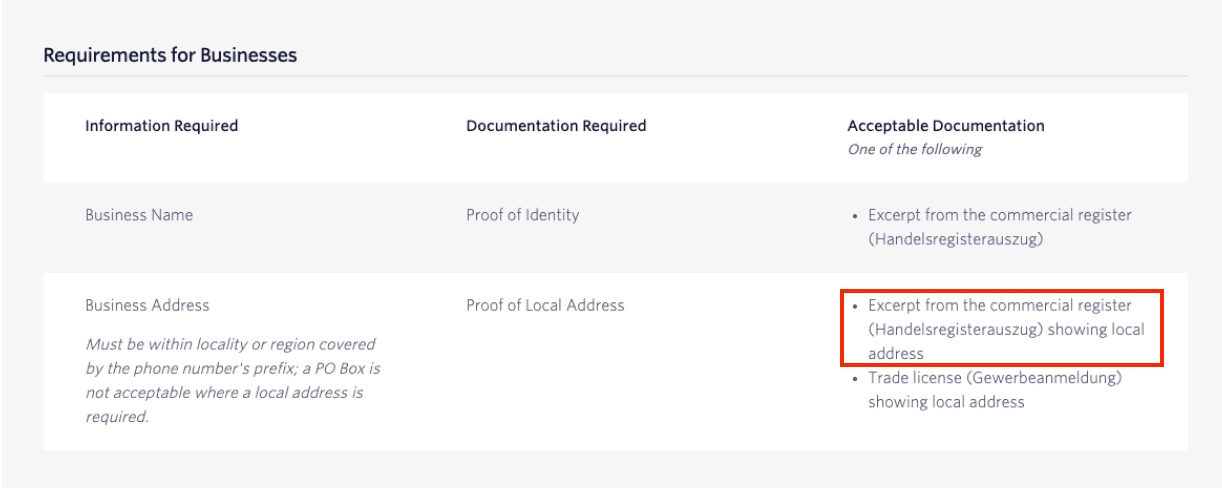
Next, you'll need to collect the required information with accompanying Supporting Documents from the end-user.
Note: There is a limit to how old the supporting documents can be. See our FAQ for more information: Is there a limit on how old supporting documentation can be?
End-users are the people who will answer the phone call or receive the message.
In this scenario, we are the End-Users who will provision German Local phone numbers for our business purposes. No one but us will answer the phone.
We'll collect an excerpt from the commercial register (called a Handelsregisterauszug in Germany) showing the local address.
In the left-hand navigation panel of the Console, click to expand the Phone Numbers option. Then click on Regulatory Compliance.
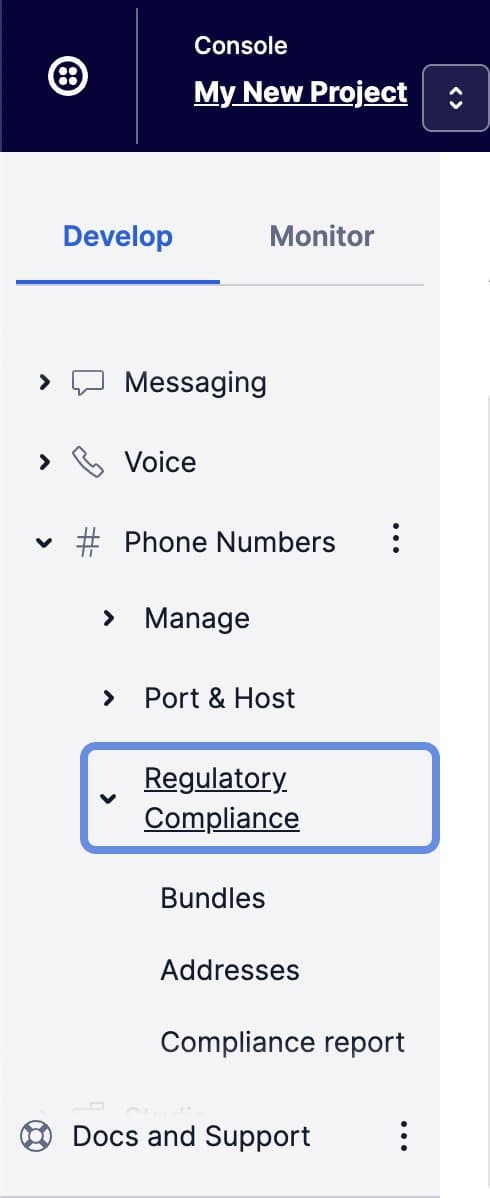
Next, click on Bundles to access your existing Regulatory Bundles or to create a new Bundle:
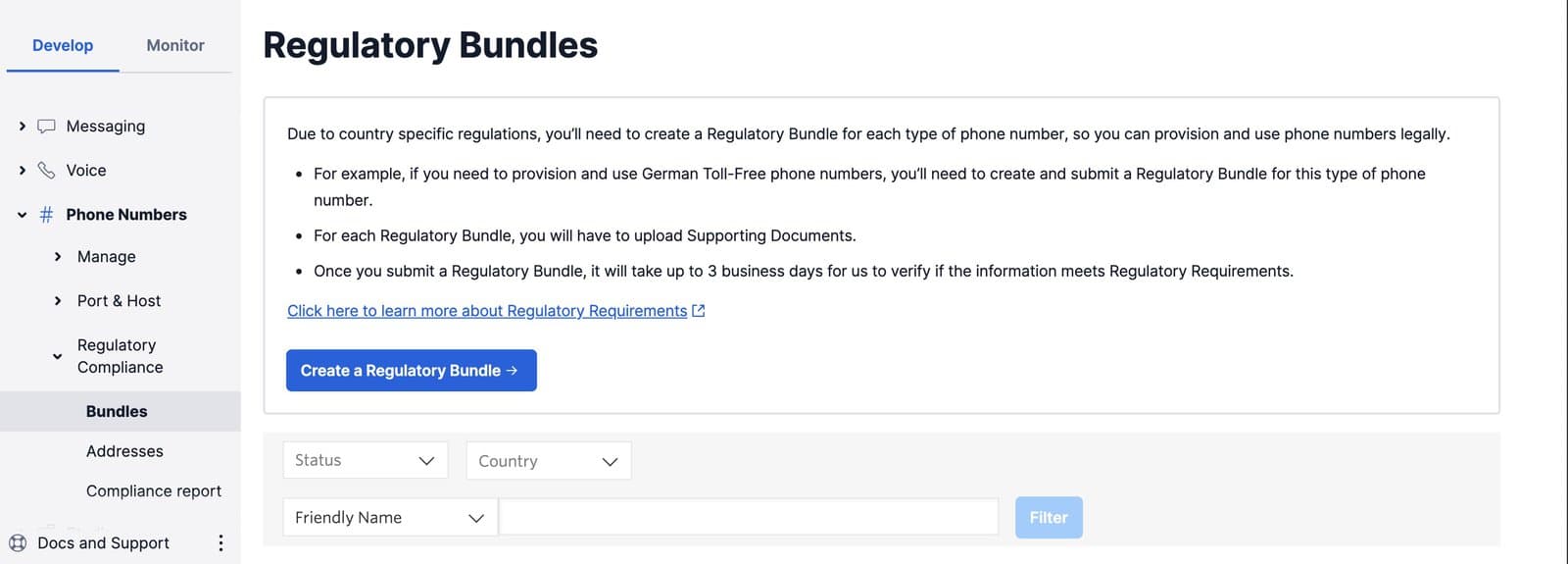
For a one-click shortcut to the Bundles section of the Console, click on this link: https://www.twilio.com/console/phone-numbers/regulatory-compliance/bundles
On the Bundles page, click on the Create a Regulatory Bundle button.
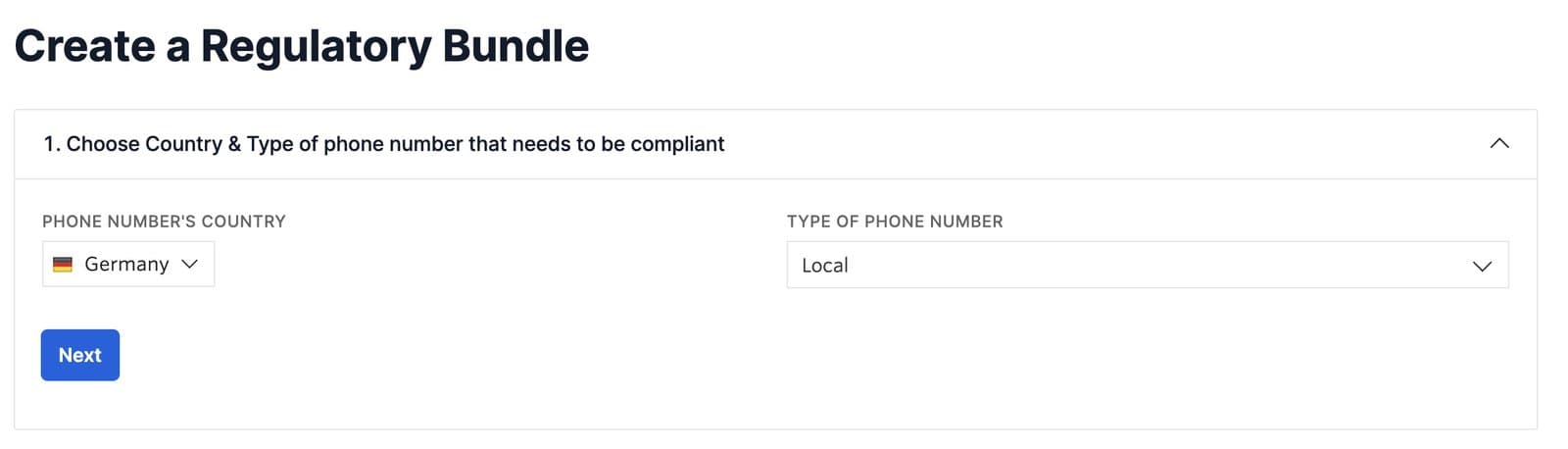
In this scenario, we want to make sure all of our German Local phone numbers for our example pizza chain business are compliant. We'll select Germany as the Phone Number's Country and Local as the Type of Phone Number.
Select Business as the end user.
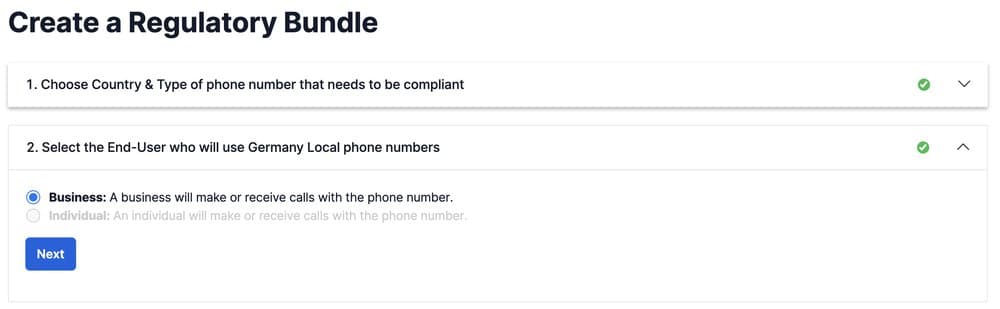
Once you click the Next button at the end of the second section, Twilio saves a Draft of your Regulatory Bundle. Go through each step within the form. When you're ready, click on the button that says Submit for review.
Regulatory Bundles in Draft status can be deleted from your account. To delete a Bundle draft, click the Delete Regulatory Bundle button at the bottom of the Bundle instance page. You will need to confirm that you're sure you want to delete this Bundle draft.
Deleting a Regulatory Bundle will unassign any End-Users and Supporting Documents associated with the Bundle. However, these objects will not be deleted. Once you click the Delete button, the Regulatory Bundle will be deleted immediately. You will not be able to undo this action.
When you submit your Regulatory Bundle, Twilio validates that all information conforms to local regulatory guidelines.
Note: The review process generally takes up to three business days, but in some regions it might take several weeks.
Twilio will email you when the status of the Regulatory Bundle has changed to Approved.
Within the Twilio Console, go to the Regulatory Information tab of the Phone Number that you want to make compliant. Select the Bundle or Address you would like to assign to the phone number.
Only approved Bundles that match the phone number type appear in the drop-down list. You can't map a Bundle in Rejected or Pending Review status to a phone number.
In this example, we'll assign the Regulatory Bundle that fulfills regulatory requirements for German Local phone number for Business purposes to a German Local phone number.
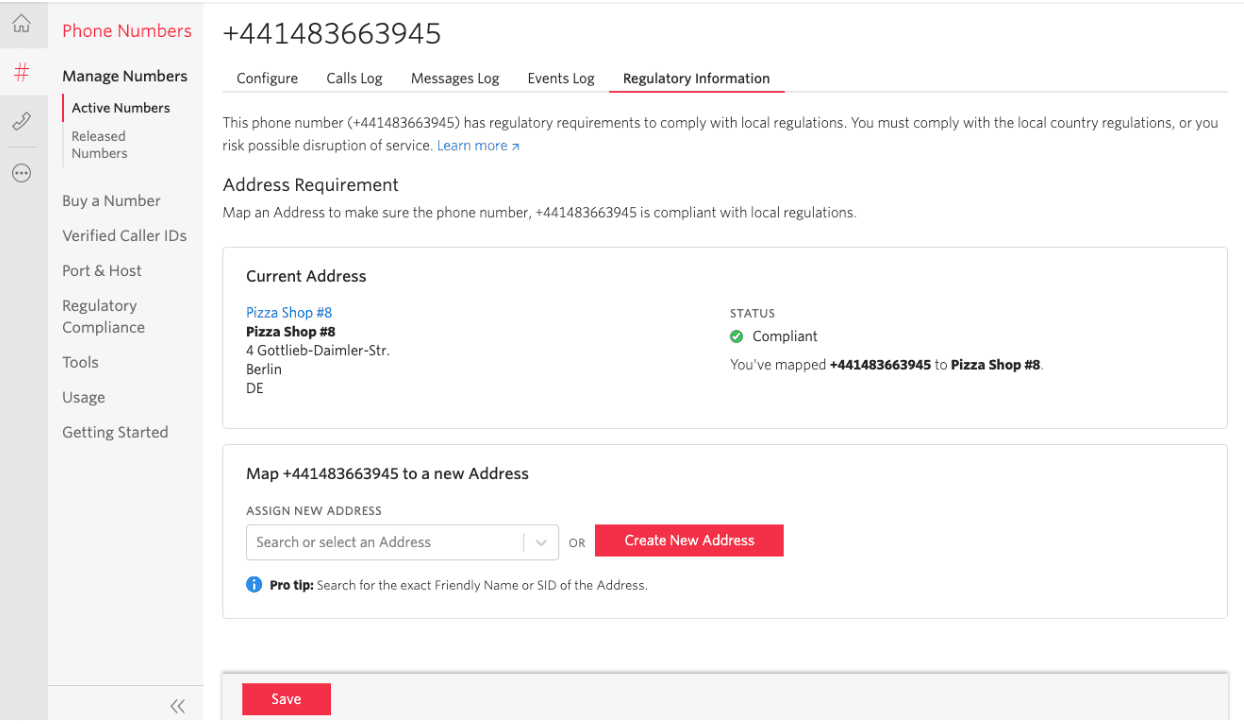
In the following example, we assign the Regulatory Bundle that fulfills the regulatory requirements for an Australia Mobile phone number for Individual purposes to an Australian Mobile phone number.
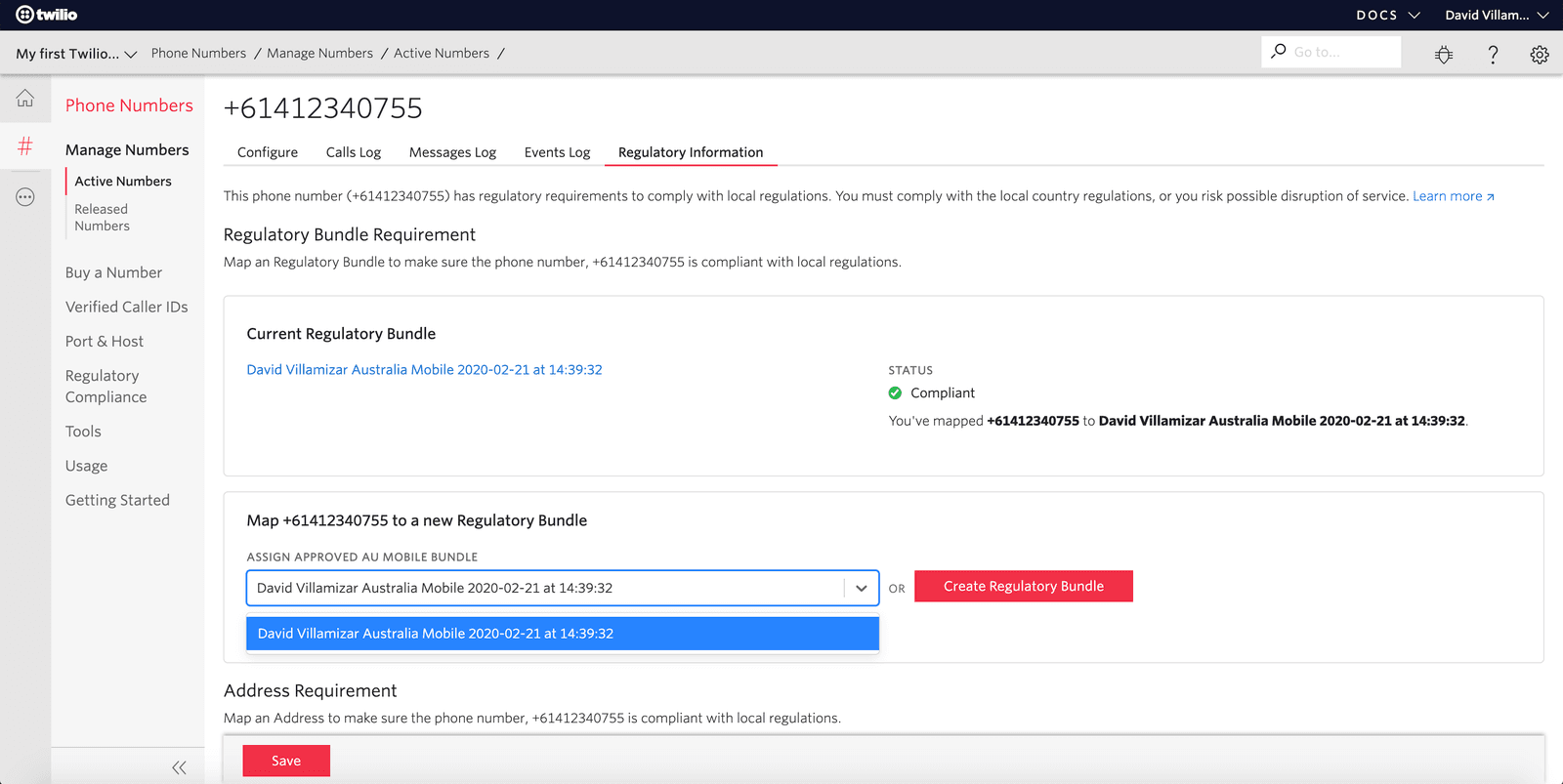
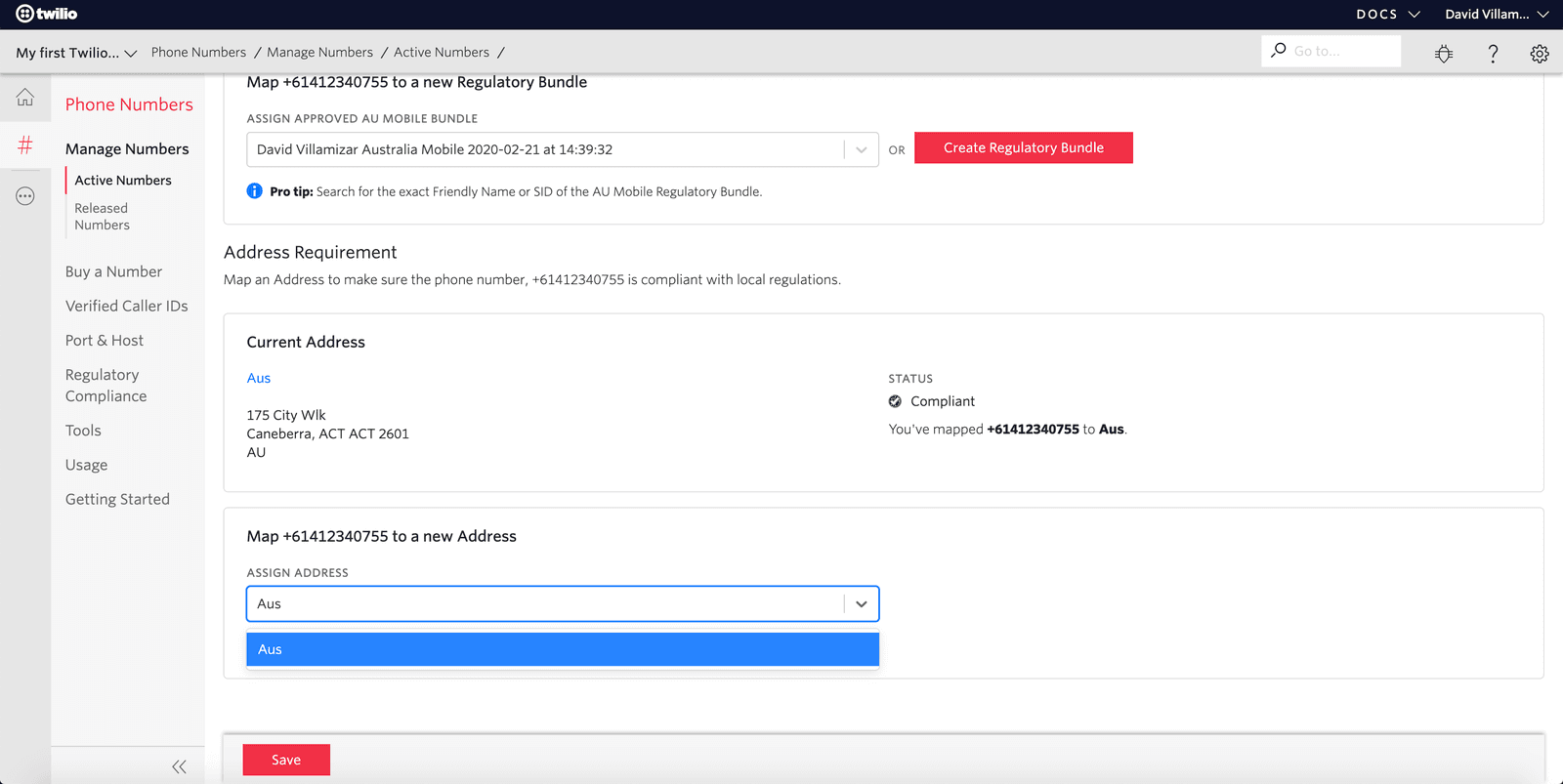
The following table shows the possible combinations of requirements, Regulatory Bundles, and addresses.
| Requirements | What you need to do |
|---|---|
| Regulatory Bundle Requirement & Address Requirement | You need to assign the phone number to a Regulatory Bundle and an Address. |
| Regulatory Bundle Requirement only | You need to assign the phone number to a Regulatory Bundle only. |
| Address Requirement only | You need to assign the phone number to an Address only. |
When you assign your Regulatory Bundle to a phone number and save it, Twilio sets the status to Pending Review and reviews your submission. The review process generally takes up to three business days, but in some regions it might take several weeks.
You can change the Bundle or Address SID that the phone number is mapped to at any time.
Warning
Changing a phone number mapping restarts the review process.
The following table describes the possible status values and what actions you need to take:
| Status | What it means | What you need to do |
|---|---|---|
| Pending Review | Twilio is reviewing the Regulatory Bundle that is assigned to phone numbers to verify that it meets local regulatory guidelines. | Nothing. Twilio will email you when the status of the Regulatory Bundle changes. |
| Compliant | Twilio has reviewed the Regulatory Bundle and its assignment to phone numbers. Twilio verified that it complies with local regulatory guidelines. | Nothing. You've successfully created a Regulatory Bundle and assigned it to phone numbers. |
| Not Compliant | Twilio has reviewed the Regulatory Bundle and its assignment to phone numbers. Twilio determined that it doesn't comply with local regulatory guidelines. | Fix the non-compliant assignments. |
| Provisionally Approved | Any phone numbers that only require an Address will be Provisionally Approved. | Nothing. |