Twilio for Salesforce - Set up message ownership determination order
(information)
Info
Custom message ownership ordering is available in version 4.129 and later.
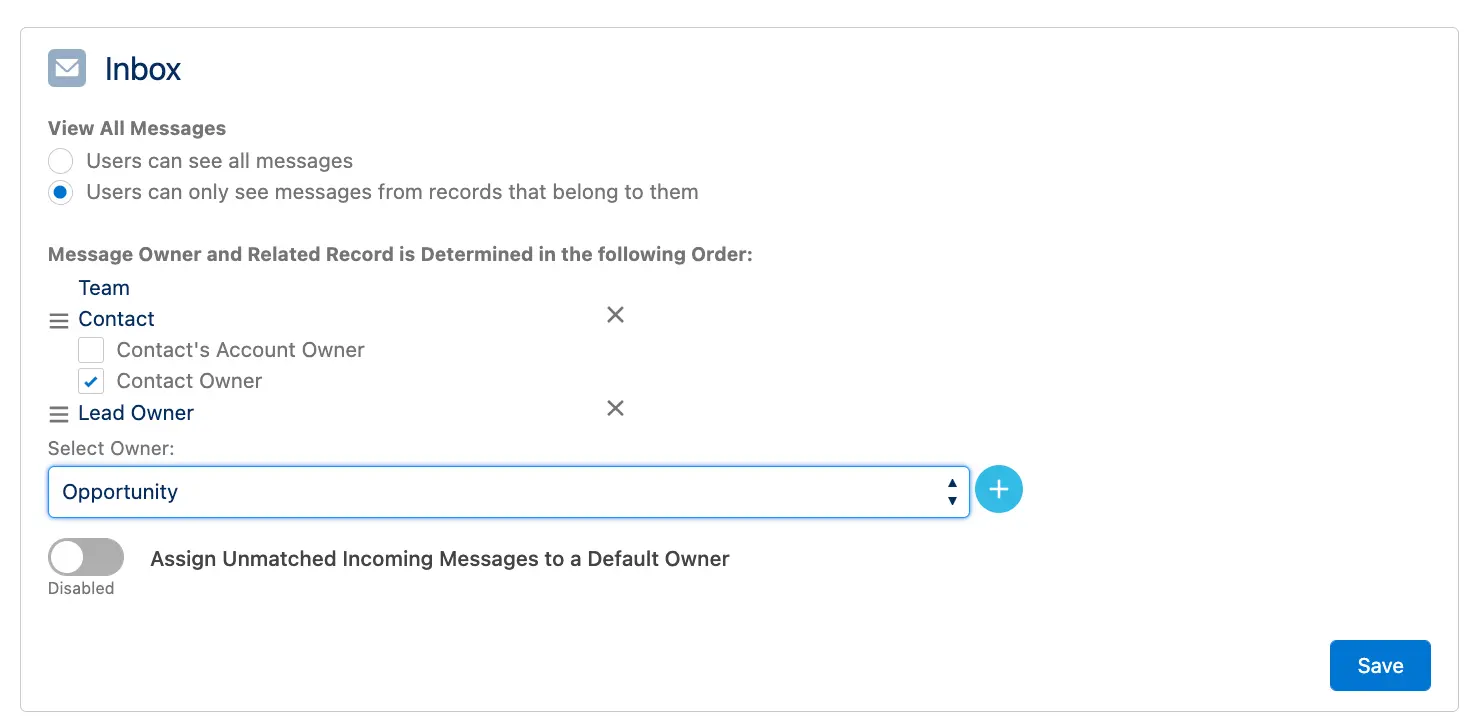
Twilio for Salesforce lets you set up a custom order to find the related record to the message and the message owner.
The message owner is always set to the first found related record's owner.
The message owner is used to route notifications and inbox display purposes.
The following rules apply to message ownership determination:
- Message ownership is determined in the order defined.
- For every incoming message, the system first checks if it belongs to a team.
- If not, it follows the custom order as configured.
- You can change the order of objects by moving them up or down.
- You can add custom or other standard objects from the Select Owner menu by clicking the + button.
- You can remove an object from the ownership determination order by clicking the x icon.
- For the Contact object, you can also choose the Contact's Account owner as the message owner.