Setup Email or Custom Notifications for Incoming Messages
Info
Email and custom notifications are available in version 4.129 and later.
Twilio for Salesforce can send email and custom notifications for incoming messages without the need to set up any process builders or flows in Salesforce.
Configure notifications under the Notifications section on the Twilio Configuration page in Salesforce.
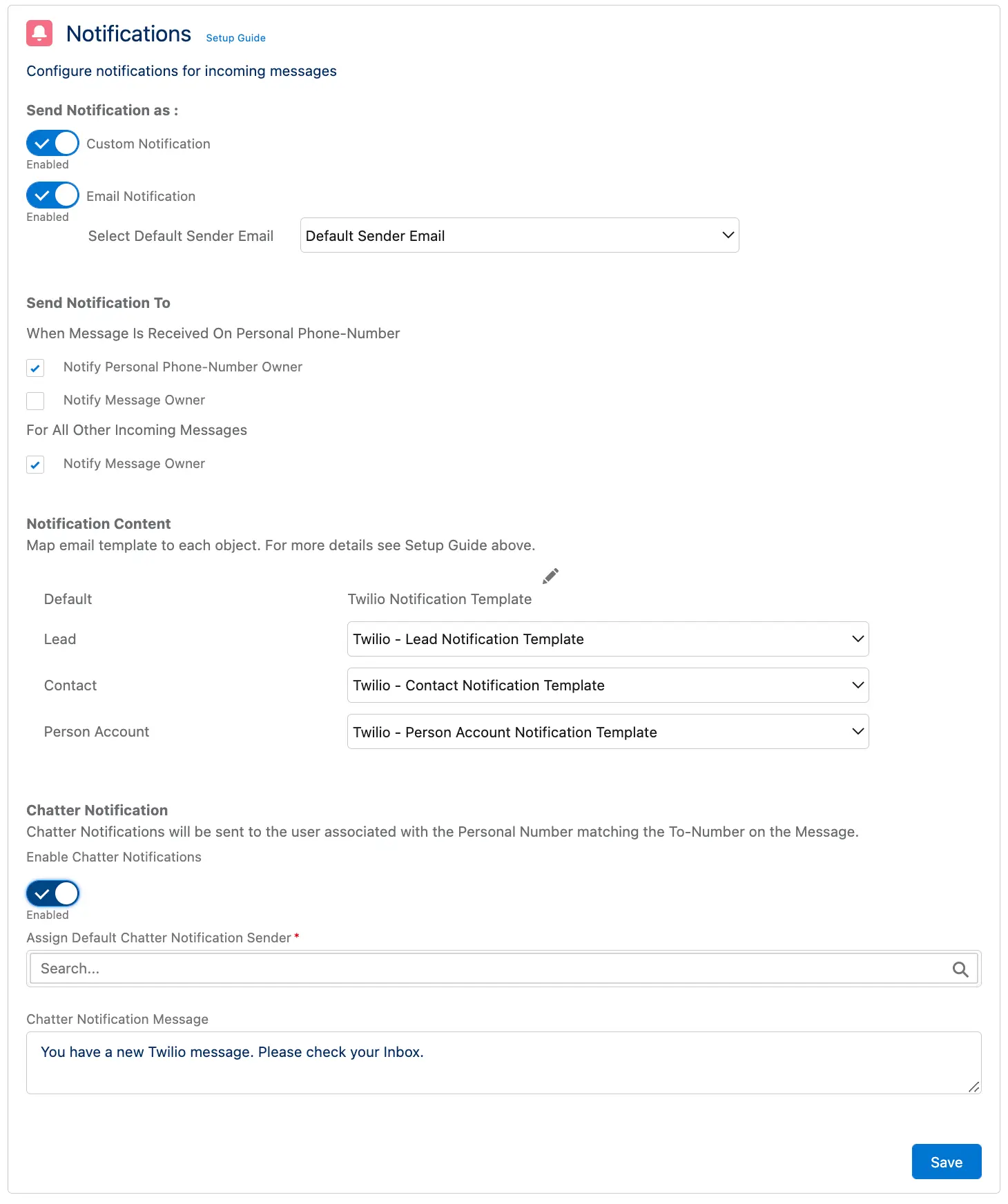
- Allows you to setup push notification on desktop and mobile for agents
- You can find the TwilioCustomNotification in Setup -> Notification Builder -> Custom Notifications and customize its settings
- More details on custom notifications from Salesforce
- Allows you to send an email notification to agents
- You will need to select an email address in the Select Default Sender Email from which the notifications will be sent
- Note from Salesforce on setting up org wide email address
-
For messages received on a Personal number, you can choose to notify the owner of the personal number or the owner of the record(lead or a contact or custom object) to which the message belongs
-
For messages received on the numbers in the Default Messaging Service, you can choose to notify the record owner
- For messages received on a Team's Messaging Service, the entire team will be notified - there is no additional setup required for this
- You can map notification templates for each of the object types shown
- These notification templates can be customized from Email Templates in Setup
- Allows you to push chatter notifications to the personal number owner
- Setup the default sender and content for chatter messages
- The Notification Templates, and which Agent to Notify settings are not applicable for chatter notifications
Info
We encourage the use of custom or email notifications as opposed to chatter notifications because of better customizations.