Destination Insert Functions
Use Destination Insert Functions to enrich, transform, or filter your data before it reaches downstream destinations.
With Destination Insert Functions you can:
- Implement advanced data computation: Write custom computation, operations, and business logic on streaming data that you send to downstream destinations.
- Enrich your data: Use destination insert functions with Segment's Profile API or third party sources to add additional context to your data and create personalized customer experiences.
- Support data compliance: Use destination insert functions to support data masking, encryption, decryption, improved PII data handling, and tokenization.
- Customize filtration for your destinations: Create custom logic with nested if-else statements, regex, custom business rules, and more to filter event data.
Destination Insert Functions aren't compatible with IP Allowlisting
For more information, see the IP Allowlisting documentation.
There are two ways you can access destination insert functions from your Segment space:
- From the Connections catalog.
- From the Destinations tab.
To create an insert function from Segment's catalog:
- Navigate to Connections > Catalog > Functions and click New Function.
- From the Select Type screen, select Insert and click Next: Build Function.
- Write and test your function code. Manually enter a sample event and click Run to test.
- Click Next: Configure & Create to add a function name, description, and logo.
- Click Create Function to create your insert function. You'll see the insert function displayed in the Functions tab.
For data to flow to your downstream destinations, you'll need to connect your insert function to a destination:
- Select the insert function you'd like to connect. From the side pane, you can edit, delete, and connect the insert function.
- Click Connect a destination.
- Select the destination you'd like to connect to and click Connect to destination.
Storage destinations are not compatible with Destination Insert Functions
You cannot connect an Insert Function to a storage destination at this time.
To access insert functions through the Destinations tab:
- Navigate to Connections > Destinations.
- Select your destination.
- Select Functions and then select your insert function.
Use this page to edit and manage insert functions in your workspace.
You can also use this page to enable destination insert functions in your workspace.
Info
To prevent "Unsupported Event Type" errors, ensure your insert function handles all event types (page, track, identify, alias, group) that are expected to be sent to the destination. It is highly recommended to test the function with each event type to confirm they are being handled as expected.
Segment invokes a separate part of the function (called a "handler") for each event type that you send to your destination insert function.
Info
If you've configured a destination filter and the event doesn't pass the filter, then your function isn't invoked for that event as Segment applies destination filters before insert functions. The same is true for the integrations object). If an event is configured with the integrations object not to go to a particular destination, then the insert function connected to that destination won't be invoked.
The default source code template includes handlers for all event types. You don't need to implement all of them - just use the ones you need, and skip the ones you don't. For event types that you want to send through the destination, return the event in the respective event handlers.
Info
Removing the handler for a specific event type results in blocking the events of that type from arriving at their destination. To keep an event type as is but still send it downstream, add a return event inside the event type handler statement.
Insert functions can define handlers for each message type in the Segment spec:
onIdentifyonTrackonPageonScreenonGrouponAliasonDeleteonBatch
Each of the functions above accepts two arguments:
- event - Segment event object, where fields and values depend on the event type. For example, in Identify events, Segment formats the object to match the Identify spec.
- settings - Set of settings for this function.
The example below shows a function that listens for "Track" events, and sends some details about them to an external service.
1async function onTrack(event) {2await fetch('https://example-service.com/api', {3method: 'POST',4headers: {5'Content-Type': 'application/json'6},7body: JSON.stringify({8event_name: event.event,9event_properties: event.properties,10timestamp: event.timestamp11})12})1314return event;1516}
To change which event type the handler listens to, you can rename it to the name of the message type. For example, if you rename this function onIdentify, it listens for Identify events instead.
To ensure the destination processes an event payload modified by the function, return the event object at the handler's end.
Info
Functions' runtime includes a fetch() polyfill using a node-fetch package. Check out the node-fetch documentation for usage examples.
When declaring settings variables, make sure to declare them in the function handler rather than globally in your function. This prevents you from leaking the settings values across other function instances.
The handler for insert functions is event-specific. For example, onTrack(), onIdentify(), and so on.
Segment considers a function's execution successful if it finishes without error. You can throw an error to create a failure on purpose. Use these errors to validate event data before processing it to ensure the function works as expected.
You can throw the following pre-defined error types to indicate that the function ran as expected, but the data was not deliverable:
EventNotSupportedInvalidEventPayloadValidationErrorRetryErrorDropEvent
The following examples show basic uses of these error types.
1async function onGroup(event) {2if (!event.traits.company) {3throw new InvalidEventPayload('Company name is required')4}5}67async function onPage(event) {8if (!event.properties.pageName) {9throw new ValidationError('Page name is required')10}11}1213async function onAlias(event) {14throw new EventNotSupported('Alias event is not supported')15}1617async function onTrack(event) {18let res19try {20res = await fetch('http://example-service.com/api', {21method: 'POST',22headers: {23'Content-Type': 'application/json'24},25body: JSON.stringify({ event })26})2728return event;2930} catch (err) {31// Retry on connection error32throw new RetryError(err.message)33}34if (res.status >= 500 || res.status === 429) {35// Retry on 5xx and 429s (ratelimits)36throw new RetryError(`HTTP Status ${res.status}`)37}38}3940async function onIdentify(event) {41if (event.traits.companyName) {42// Drop Event | Do NOT forward event to destination43throw new DropEvent('Company name is required')44}45return event;46}47
If you don't supply a function for an event type, Segment throws an EventNotSupported error by default.
See errors and error handling for more information on supported error types and how to troubleshoot them.
Segment Functions run on the Node.js LTS runtime (currently v22). This keeps the runtime current with industry standards and security updates.
Based on the AWS Lambda and Node.js support schedule, production applications should only use Node.js releases that are in Active LTS or Maintenance LTS.
When Segment upgrades the Functions runtime to a new LTS version, existing functions automatically use the new runtime after their next deployment. Segment recommends checking your function after deployment to ensure everything works as expected, since dependency or syntax changes between Node.js versions might affect your function's behavior.
Functions don't support importing dependencies, but you can contact Segment Support to request that one be added.
The following dependencies are installed in the function environment by default:
-
atob v2.1.2exposed asatob -
aws-sdk v2.814.0exposed asAWS -
AWS SDK for JavaScript v3.660.0exposed asAWSv3 -
btoa v1.2.1exposed asbtoa -
fetch-retryexposed asfetchretrylib.fetchretry -
form-data v2.4.0exposed asFormData -
@google-cloud/automl v2.2.0exposed asgoogle.cloud.automl -
@google-cloud/bigquery v5.3.0exposed asgoogle.cloud.bigquery -
@google-cloud/datastore v6.2.0exposed asgoogle.cloud.datastore -
@google-cloud/firestore v4.4.0exposed asgoogle.cloud.firestore -
@google-cloud/functions v1.1.0exposed asgoogle.cloud.functions -
@google-cloud/pubsub v2.6.0exposed asgoogle.cloud.pubsub -
@google-cloud/storage v5.3.0exposed asgoogle.cloud.storage -
@google-cloud/tasks v2.6.0exposed asgoogle.cloud.tasks -
hubspot-api-nodejsexposed ashubspotlib.hubspot -
jsforce v1.11.0exposed asjsforce -
jsonwebtoken v8.5.1exposed asjsonwebtoken -
libphonenumber-jsexposed aslibphonenumberjslib.libphonenumberjs -
lodash v4.17.19exposed as_ -
mailchimp marketingexposed asmailchimplib.mailchimp -
mailjetexposed asconst mailJet = nodemailjet.nodemailjet; -
moment-timezone v0.5.31exposed asmoment -
node-fetch v2.6.0exposed asfetch -
oauth v0.9.15exposed asOAuth -
@sendgrid/client v7.4.7exposed assendgrid.client -
@sendgrid/mail v7.4.7exposed assendgrid.mail -
skyflowexposed asskyflowlib.skyflow -
stripe v8.115.0exposed asstripe -
twilio v3.68.0exposed astwilio -
uuidv5 v1.0.0exposed asuuidv5.uuidv5 -
winston v2.4.6exposed asconst winston = winstonlib.winston -
xml v1.0.1exposed asxml -
xml2js v0.4.23exposed asxml2js -
zlib v1.0.5exposed aszlib.zlib
uuidv5is exposed as an object. Useuuidv5.uuidv5to access its functions. For example:1async function onRequest(request, settings) {2uuidv5 = uuidv5.uuidv5;3console.log(typeof uuidv5);45//Generate a UUID in the default URL namespace6var urlUUID = uuidv5('url', 'http://google/com/page');7console.log(urlUUID);89//Default DNS namespace10var dnsUUID = uuidv5('dns', 'google.com');11console.log(dnsUUID);12}zlib's asynchronous methodsinflateanddeflatemust be used withasyncorawait. For example:1zlib = zlib.zlib; // Required to access zlib objects and associated functions2async function onRequest(request, settings) {3const body = request.json();45const input = 'something';67// Calling inflateSync method8var deflated = zlib.deflateSync(input);910console.log(deflated.toString('base64'));1112// Calling inflateSync method13var inflated = zlib.inflateSync(new Buffer.from(deflated)).toString();1415console.log(inflated);1617console.log('Done');18}
The following Node.js modules are available:
cryptoNode.js module exposed ascrypto.httpsNode.js module exposed ashttps.
Other built-in Node.js modules aren't available.
For more information on using the aws-sdk module, see how to set up functions for calling AWS APIs.
Basic cache storage is available through the cache object, which has the following methods defined:
cache.load(key: string, ttl: number, fn: async () => any): Promise<any>- Obtains a cached value for the provided
key, invoking the callback if the value is missing or has expired. Thettlis the maximum duration in milliseconds the value can be cached. If omitted or set to-1, the value will have no expiry.
- Obtains a cached value for the provided
cache.delete(key: string): void- Immediately remove the value associated with the
key.
- Immediately remove the value associated with the
Some important notes about the cache:
- When testing functions in the code editor, the cache will be empty because each test temporarily deploys a new instance of the function.
- Values in the cache are not shared between concurrently-running function instances; they are process-local which means that high-volume functions will have many separate caches.
- Values may be expunged at any time, even before the configured TTL is reached. This can happen due to memory pressure or normal scaling activity. Minimizing the size of cached values can improve your hit/miss ratio.
- Functions that receive a low volume of traffic may be temporarily suspended, during which their caches will be emptied. In general, caches are best used for high-volume functions and with long TTLs. The following example gets a JSON value through the cache, only invoking the callback as needed:
1const ttl = 5 * 60 * 1000 // 5 minutes2const val = await cache.load("mycachekey", ttl, async () => {3const res = await fetch("http://echo.jsontest.com/key/value/one/two")4const data = await res.json()5return data6})
A payload must come into the pipeline with the attributes that allow it to match your mapping triggers. You can't use an insert function to change the event to match your mapping triggers. If an event comes into an actions destination and already matches a mapping trigger, that mapping subscription will fire. If a payload doesn't come to the actions destination matching a mapping trigger, even if an insert function is meant to alter the event to allow it to match a trigger, it won't fire that mapping subscription. Segment sees the mapping trigger first in the pipeline, so a payload won't make it to the insert function at all if it doesn't come into the pipeline matching a mapping trigger.
Unlike Source functions and Destination functions, which return multiple events, an insert function only returns one event. When the insert function receives an event, it sends the event to be handled by its configured mappings.
If you would like multiple mappings triggered by the same event:
- Create different types of mappings (Identify, Track, Page, etc) or multiple mappings of the same type.
- Configure the mapping's trigger conditions to look for that event name/type or other available field within the payload.
- Configure the mapped fields to send different data.
You can also configure the insert function to add additional data to the event's payload before it's handled by the mappings and configure the mapping's available fields to reference the payload's available fields.
You may want to consider the context object's available fields when adding new data to the event's payload.
Settings allow you to pass configurable variables to your function, which is the best way to pass sensitive information such as security tokens. For example, you might use settings as placeholders to use information such as an API endpoint and API key. This way, you can use the same code with different settings for different purposes. When you deploy a function in your workspace, you are prompted to fill out these settings to configure the function.
To use settings:
- Add a setting in the Settings tab in the code editor:
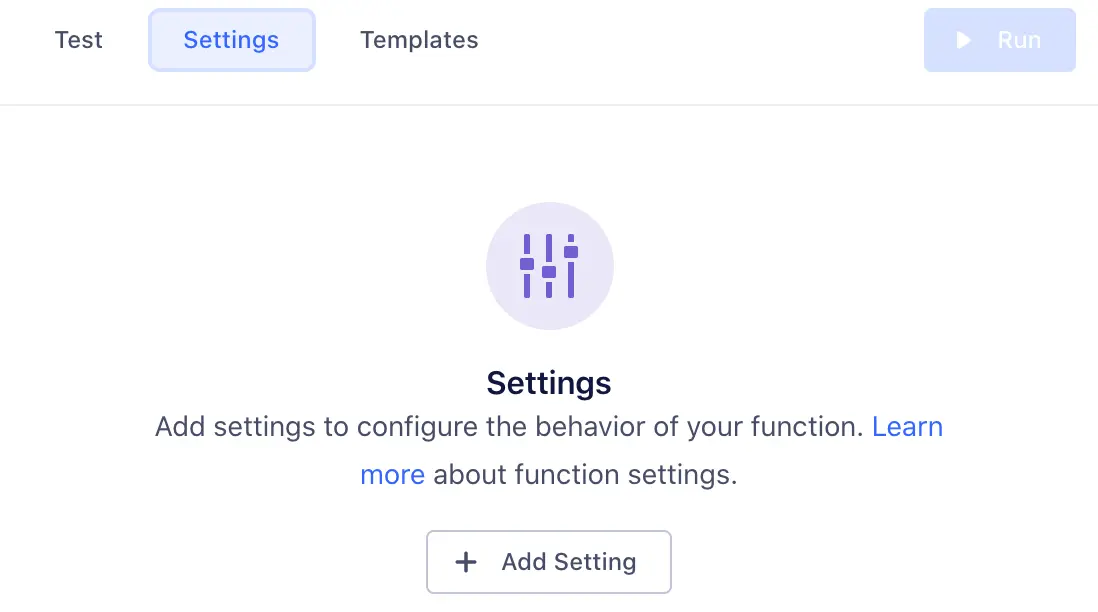
- Click Add Setting to add your new setting.
- Configure the details about this setting, which change how it's displayed to anyone using your function:
- Label - Name of the setting, which users see when configuring the function.
- Name - Auto-generated name of the setting to use in function's source code.
- Type - Type of the setting's value.
- Description - Optional description, which appears below the setting name.
- Required - Enable this to ensure that the setting cannot be saved without a value.
- Secret - Enable this to ensure that sensitive data, like API key values or passwords, are not displayed in the Segment UI.
As you change the values, a preview to the right updates to show how your setting will look and work.
- Click Add Setting to save the new setting.
Once you save a setting, it appears in the Settings tab for the function. You can edit or delete settings from this tab.
- Fill out this setting's value in the Test tab, so you can run the function and verify that the correct setting value is passed. (This value is only for testing your function.)
- Add code to read its value and run the function, as in the example below:
1async function onTrack(request, settings) {2const apiKey = settings.apiKey3//=> "super_secret_string"4}
When you deploy your destination insert function in your workspace, you fill out the settings on the destination configuration page, similar to how you would configure a normal destination.
You can manually test your code from the functions editor:
- From the Test tab, click customize the event yourself and manually input your own JSON payload.
- If your test fails, you can check the error details and logs in the Output section.
- Error messages display errors surfaced from your function.
- Logs display any messages to console.log() from the function.
Success!
Segment supports Insert Functions in both the Event Tester and Mapping Tester.
Once you finish building your insert function, click Next: Configure & Create to name it, then click Create Function to save it.
Once you do that, you'll see the insert function from the Functions page in your catalog.
If you're editing an existing function, you can save changes without updating the instances of the function that are already deployed and running.
You can also choose to Save & Deploy to save the changes, then choose which already-deployed functions to update with your changes.
Info
You may need additional permissions to update existing functions.
You need to enable your insert function for it to process your data.
To enable your insert function:
- Navigate to Connections > Destinations.
- Select your destination, then select the Functions tab.
- Select the Enable Function toggle, and click Enable on the pop-out window.
To prevent your insert function from processing data, toggle Enable Function off.
Batch handlers are an extension of insert functions. When you define an onBatch handler alongside the handler functions for single events (for example, onTrack or onIdentity), you're telling Segment that the insert function can accept and handle batches of events.
Info
Batching is available for destination and destination insert functions only.
Consider creating a batch handler if:
- You have a high-throughput function and want to reduce cost. When you define a batch handler, Segment invokes the function once per batch, rather than once per event. As long as the function's execution time isn't adversely affected, the reduction in invocations should lead to a reduction in cost.
- Your destination supports batching. When your downstream destination supports sending data downstream in batches you can define a batch handler to avoid throttling. Batching for functions is independent of batch size supported by the destination. Segment automatically handles batch formation for destinations.
Info
If a batched function receives too low a volume of events (under one event per second) to be worth batching, Segment may not invoke the batch handler.
Segment collects the events over a short period of time and combines them into a batch. The system flushes them when the batch reaches a certain number of events, or when the batch has been waiting for a specified wait time.
To create a batch handler, define an onBatch function within your destination insert function. You can also use the "Default Batch" template found in the Functions editor to get started quickly.
You must preserve the original order in the onBatch implementation, as Segment's function invoker service relies on positional consistency in the onBatch handler between the input and output arrays. When a function returns a transformed batch, Segment pairs each output event with its corresponding input using array index positions, not event IDs or timestamps.
1async function onBatch(events, settings){2// handle the batch of events3return events4}
Info
The onBatch handler is an optional extension. Destination insert functions must still contain single event handlers as a fallback, in cases where Segment doesn't receive enough events to execute the batch.
The handler function receives an array of events. The events can be of any supported type and a single batch may contain more than one event type. Handler functions can also receive function settings. Here is an example of what a batch can look like:
1[2{3"type": "identify",4"userId": "019mr8mf4r",5"messageId": "ajs-next-1757955997356-c029ce21-9034-45a6-ac62-b8b23b655df5",6"traits": {7"email": "jake@yahoo.com",8"name": "Jake Peterson",9"age": 2610}11},12{13"type": "track",14"userId": "019mr8mf4r",15"messageId": "ajs-next-1757955997356-bde2ad8e-2af9-45f5-837b-993671f6b1b0",16"event": "Song Played",17"properties": {18"name": "Fallin for You",19"artist": "Dierks Bentley"20}21},22{23"type": "track",24"userId": "971mj8mk7p",25"messageId": "ajs-next-1757955997356-9e2ba07c-0085-4a5b-8928-e4450a417f74",26"event": "Song Played",27"properties": {28"name": "Get Right",29"artist": "Jennifer Lopez"30}31}32]
Segment batches together any event of any type that it sees over a short period of time to increase batching efficiency and give you the flexibility to decide how batches are created. If you want to split batches by event type, you can implement this in your functions code by writing a handler.
1async function onBatch(events, settings) {2// store original order3const originalOrder = events.map(event => event.messageId);45// group events by type6const eventsByType = {}7for (const event of events) {8if (!(event.type in eventsByType)) {9eventsByType[event.type] = []10}11eventsByType[event.type].push(event)12}1314// concurrently process sub-batches of a specific event type15const promises = Object.entries(eventsByType).map(([type, events]) => {16switch (type) {17case 'track':18return onTrackBatch(events, settings)19case 'identify':20return onIdentifyBatch(events, settings)21// ...handle other event types here...22}23})24try {25const results = await Promise.all(promises);26const batchResult = [].concat(...results); // Combine arrays into a single array2728// restore original order29const resultMap = new Map(batchResult.map(e => [e.messageId, e]));30return originalOrder.map(id => resultMap.get(id));31} catch (error) {32throw new RetryError(error.message);33}34}3536async function onTrackBatch(events, settings) {37// handle a batch of track events38return events39}4041async function onIdentifyBatch(events, settings) {42// handle a batch of identify events43return events44}
By default, Functions waits up to 10 seconds to form a batch of 20 events. You can increase the number of events included in each batch (up to 400 events per batch) by contacting Segment support. Segment recommends users who wish to include fewer than 20 events per batch use destination insert functions without the onBatch handler.
The Functions editing environment supports testing batch handlers.
To test the batch handler:
- In the right panel of the Functions editor, click customize the event yourself to enter Manual Mode.
- Add events as a JSON array, with one event per element.
- Click Run to preview the batch handler with the specified events.
Info
The Sample Event option tests single events only. You must use Manual Mode to add more than one event so you can test batch handlers.
The editor displays logs and request traces from the batch handler.
The Public API Functions/Preview endpoint also supports testing batch handlers. The payload must be a batch of events as a JSON array.
Events in a batch can be filtered out using custom logic. The filtered events will be surfaced in the Event Delivery page with reason as Filtered at insert function
1async function onBatch(events, settings) {2let response = [];3try {4for (const event of events) {5// some business logic to filter event. Here filtering out all the events with name `drop`6if (event.properties.name === 'drop') {7continue;8}910// some enrichments if needed11event.properties.message = "Enriched from insert function";1213// Enriched events are pushed to response14response.push(event);15}16} catch (error) {17console.log(error)18throw new RetryError('Failed function', error);19}2021// return a subset of transformed event22return response;23}
Standard function error types apply to batch handlers. Segment attempts to retry the batch in the case of Timeout or Retry errors. For all other error types, Segment discards the batch.
- Bad Request - Any error thrown by the function code that is not covered by the other errors.
- Invalid Settings - A configuration error prevented Segment from executing your code. If this error persists for more than an hour, contact Segment Support.
- Message Rejected - Your code threw
InvalidEventPayloadorValidationErrordue to invalid input. - Unsupported Event Type - Your code doesn't implement a specific event type (for example,
onTrack()) or threw anEventNotSupportederror. - Retry - Your code threw
RetryErrorindicating that the function should be retried.
Segment only attempts to send the event to your destination insert function again if a Retry error occurs.
You can view Segment's list of Integration Error Codes for more information about what might cause an error.
If your function throws an error, execution halts immediately. Segment captures the event, any outgoing requests/responses, any logs the function might have printed, as well as the error itself.
Segment then displays the captured error information in the Event Delivery page for your destination. You can use this information to find and fix unexpected errors.
You can throw an error or a custom error and you can also add helpful context in logs using the console API. For example:
1async function onTrack(event, settings) {2const userId = event.userId34console.log('User ID is', userId)56if (typeof userId !== 'string' || userId.length < 8) {7throw new ValidationError('User ID is invalid')8}910console.log('User ID is valid')11}
Warning
Don't log sensitive data, such as personally-identifying information (PII), authentication tokens, or other secrets. Avoid logging entire request/response payloads. The Function Logs tab may be visible to other workspace members if they have the necessary permissions.
Functions execute only in response to incoming data, but the environments that functions run in are generally long-running. Because of this, you can use global variables to cache small amounts of information between invocations. For example, you can reduce the number of access tokens you generate by caching a token, and regenerating it only after it expires. Segment cannot make any guarantees about the longevity of environments, but by using this strategy, you can improve the performance and reliability of your Functions by reducing the need for redundant API requests.
This example code fetches an access token from an external API and refreshes it every hour:
1const TOKEN_EXPIRE_MS = 60 * 60 * 1000 // 1 hour2let token = null3async function getAccessToken () {4const now = new Date().getTime()5if (!token || now - token.ts > TOKEN_EXPIRE_MS) {6const resp = await fetch('https://example.com/tokens', {7method: 'POST'8}).then(resp => resp.json())9token = {10ts: now,11value: resp.token12}13}14return token.value15}
Functions have specific roles which can be used for access management in your Segment workspace.
Access to functions is controlled by two permissions roles:
- Functions Admin: Create, edit, and delete all functions, or a subset of specified functions.
- Functions Read-only: View all functions, or a subset of specified functions.
You also need additional Source Admin permissions to enable source functions, connect destination functions to a source, or to deploy changes to existing functions.
If you are a Workspace Owner or Functions Admin, you can manage your function from the Functions page.
Yes, Functions access is logged in the Audit Trail, so user activity related to functions appears in the logs.
Yes, Segment retries invocations that throw RetryError or Timeout errors (temporary errors only). Segment's internal system retries failed functions API calls for four hours with a randomized exponential backoff after each attempt. This substantially improves delivery rates.
Retries work the same for both functions and cloud-mode destinations in Segment.
No, Segment can't guarantee the order in which the events are delivered to an endpoint.
No, specifying an endpoint is not always required for insert functions. If your function is designed to transform or filter data internally—such as adding new properties to events or filtering based on existing properties—you won't need to specify an external endpoint.
However, if your function aims to enrich event data by fetching additional information from an external service, then you must specify the endpoint. This would be the URL of the external service's API where the enriched or captured data is sent.
No, Destination Insert Functions are currently available for use with Cloud Mode (server-side) destinations only. Segment is in the early phases of exploration and discovery for supporting customer web plugins for custom Device Mode destinations and other use cases, but this is unsupported today.
Insert Functions are only supported by Cloud Mode (server-side) destinations and aren't compatible with Storage destinations.
Yes, you can connect an insert function to multiple destinations.
No, you can only connect one insert function to a destination.
Yes, you can have both destination filters and destination insert functions in the same connection.
Segment's data pipeline applies Destination Filters before invoking Insert Functions.
There is an 120-Character limit for the insert function display name.
Why does the Event Delivery tab show "Unsupported Event Type" errors for events supported by the destination after I enabled an insert function?
This error occurs because your insert function code might not be handling all event types (Page, Track, Identify, Alias, Group) that your destination supports. When these unlisted events pass through the function, they are rejected with the "Unsupported Event Type" error.
To resolve this, verify your insert function includes handlers for all expected event types and returns the event object for each. Here's an example of how you can structure your insert function to handle all event types:
1async function onTrack(event, settings) {2//Return event to handle page event OR Your existing code for track event3return event;4}56async function onPage(event, settings) {7//Return event to handle page event OR Your existing code for track event8return event;9}1011async function onIdentify(event, settings) {12//Return event to handle page event OR Your existing code for track event13return event;14}1516async function onAlias(event, settings) {17//Return event to handle page event OR Your existing code for track event18return event;19}2021async function onGroup(event, settings) {22//Return event to handle page event OR Your existing code for track event23return event;24}2526// Ensure that all expected event types are included in your function
By including handlers for all the major event types, you ensure that all supported events are processed correctly, preventing the "Unsupported Event Type" error. Always test your updated code before implementing it in production.
Only cloud-mode event destinations support destination Insert Functions. List destinations aren't compatible.
The test function interface has a 4KB console logging limit. Outputs surpassing this limit won't be visible in the user interface.