Mixpanel Cohorts Source
Source Info
- The Mixpanel Cohorts Source is an Event Cloud source. This means that it sends data as events, which are behaviors or occurrences tied to a user and a point in time. Data from these sources can be loaded into your Segment warehouses, and also sent to Segment streaming destinations. Learn more about cloud sources.
Mixpanel Cohorts are groups of users defined by a set of criteria. The Mixpanel Cohorts Source allows you to export Cohorts of users from Mixpanel to Segment so that you can better target users across many downstream connections. You can sync Cohorts of users to your Segment-connected raw data warehouses and downstream destinations that accept Segment identify events.
This source is maintained by Mixpanel. For any issues with the source, contact the Mixpanel Support team.
-
From your workspace's Sources catalog page click Add Source.
-
Search for Mixpanel Cohorts in the Sources Catalog and click Add Source.
-
On the next screen, give the source a nickname and configure any other settings.
-
From the new Source's Overview page, copy the Segment write key.
-
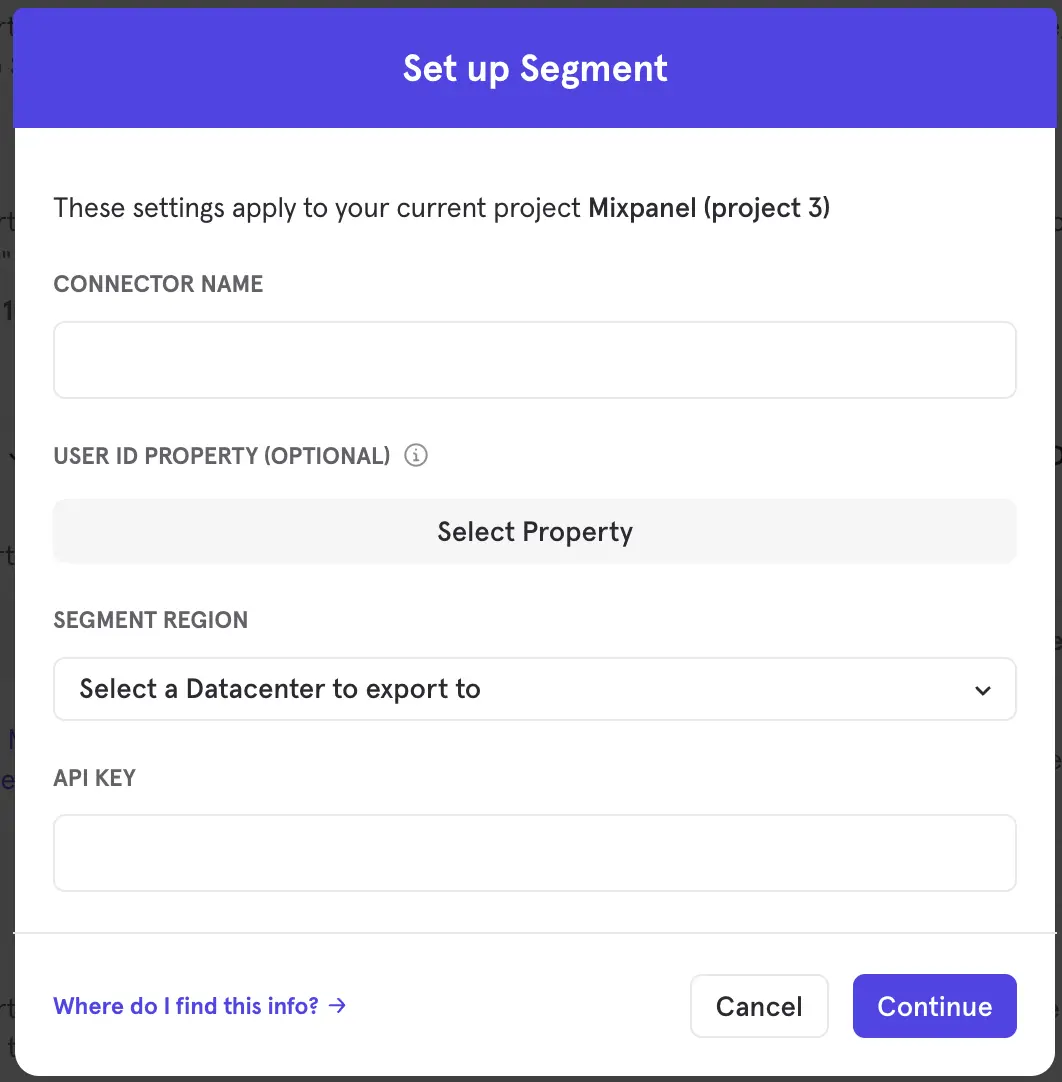
Open Mixpanel, navigate to the Integrations page, and paste your write key under the Connect Your Segment Workspace section in the API KEY field. Enter a name for your connection in the CONNECTOR NAME field.
-
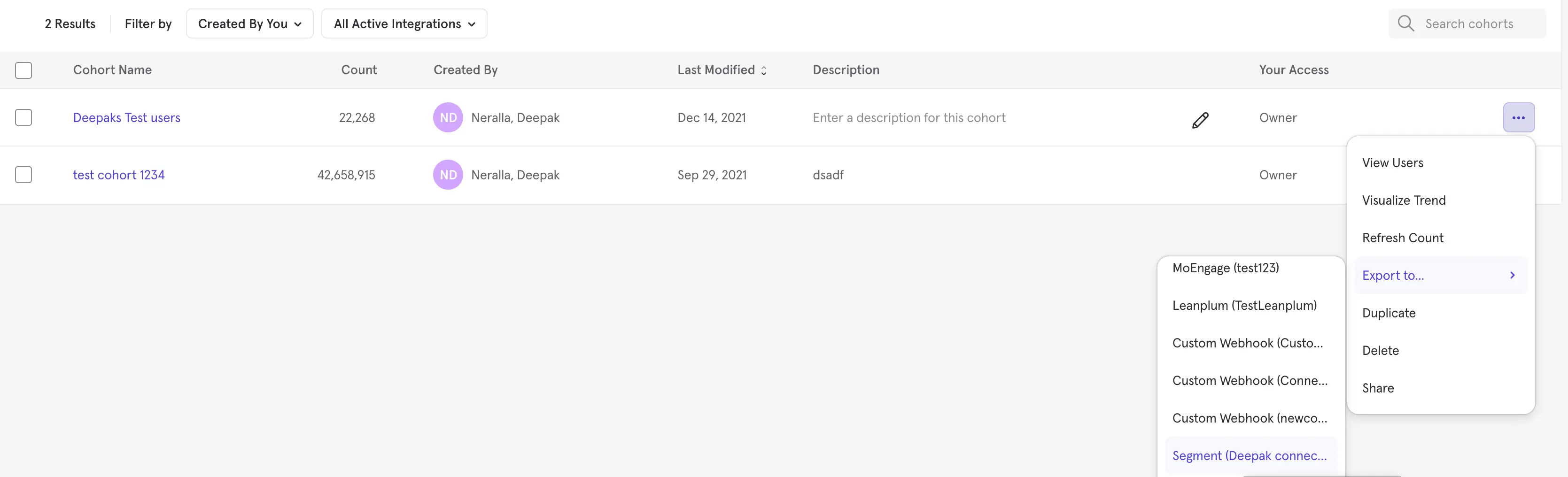
Once connected, open the Cohorts page and export any cohort to the connection you created in the last step.
-
Once configured, Cohorts sync to Segment based on the sync schedule set in Mixpanel. For more information, see Mixpanel's Segment Integration documentation.
Mixpanel sets a property on the user's profile in Segment indicating whether they are currently part of the cohort.
Mixpanel sends the following Identify call to Segment when a user enters the cohort:
1{2"type": "identify",3"traits": {4"Mixpanel - <Cohort Name in Mixpanel>": true,5},6"userId": "user@email.com" // mixpanel uses the distinct_id property here7}
Mixpanel sends the following Identify call when a user exits the cohort:
1{2"type": "identify",3"traits": {4"Mixpanel - <Cohort Name in Mixpanel>": false,5},6"userId": "user@email.com" // mixpanel uses the distinct_id property here7}
To send your Cohorts data to Engage, connect a Mixpanel Cohorts source in the Unify settings.
To connect Mixpanel Cohorts:
- Navigate to Unify > Unify settings and select the Profile sources tab.
- Click Connect source to open the Connect sources window.
- Select Replay data to replay the last month of data into Engage.
- Locate Mixpanel Cohorts and click Connect source.
Mixpanel Cohorts data will begin to flow into Engage.