Customer.io Source
Source Info
- The Customer.io Source is an Event Cloud source. This means that it sends data as events, which are behaviors or occurrences tied to a user and a point in time. Data from these sources can be loaded into your Segment warehouses, and also sent to Segment streaming destinations. Learn more about cloud sources.
This Source is supported in US data processing regions.
This Source is only supported in workspaces configured to process data in the US region. Workspaces configured with data processing regions outside of the US cannot connect to this source. For more information, see Regional Segment.
Customer.io is an automated email tool. It lets you set up rules to automatically send emails to your users after they perform actions, making drip email campaigns really easy.
Take your company's email analysis to the next level by *adding Customer.io as a Source to Segment. Segment automatically collects email events like Email Delivered and Email Opened, forward them to your destinations, and load them into your data warehouse.
In a BI or analytics tool of your choice, you can analyze your email campaigns in SQL or through drag-and-drop reports. You can also join your Customer.io data with the event data you're already sending through Segment to analyze the down-funnel effects of your emails. To learn more about more about how you can use Customer.io with Segment see the Customer.io source docs
Success!
This page is about the Customer.io Segment source, which sends data into Segment. There's also a page about the Customer.io Segment destination, which receives data from Segment.
If you previously sent email events using the Customer.io destination during the beta (using a project write key), you don't need to create new Customer.io source. Your email data will continue to flow as normal.
-
Go to Connections > Sources and click Add Source in the Segment app.
-
Search for Customer.io in the Sources Catalog and click Add Source.
-
Give the Source a name and add any labels to help you organize and filter your sources. You can give the source any name, but Segment recommends a name that reflects the source itself, as this name auto-populates the schema name. For example, the source name
Customer.iocreates the schemacustomerio. -
The Overview page displays your Segment write key for Customer.io. Copy this write key.
-
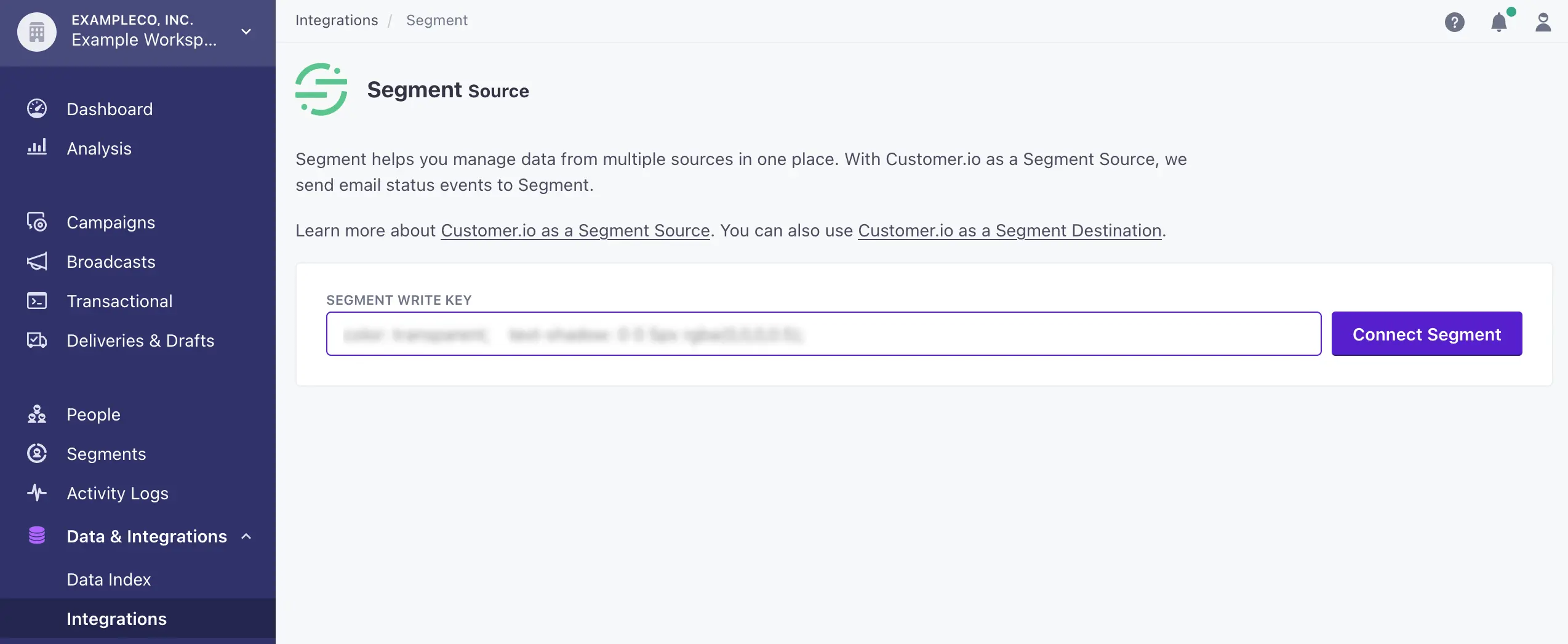
To finish the set up, go to your Customer.io account, go to Data & Integrations > Integrations > Segment, and enter the Segment write key.
-
Click Connect Segment.
-
In Segment, click Add Destinations in your Customer.io source to add destinations for your Customer.io data.
As you send emails, events will now be sent to your destinations and automatically loaded into any warehouses you have enabled.
Stream
Customer.io uses Segment's stream Source component to send Segment email events. It uses a server-side track method to send data to Segment. These events are then available in any destination that accepts server-side events, and available in a schema in your data warehouse, so you can query using SQL.
The default behavior is for Customer.io to pass the userId associated with the email recipient as the userId. There are cases in which Customer.io does not have an associated userId, in which case the email address will be passed in as the anonymousId.
Collections are the groupings of data Segment pulls from your Source. In your warehouse, each collection gets its own table, as well as a tracks table that aggregates all the events into a single table.
| Collection | Type | Description |
|---|---|---|
| Email Delivered | Event | Message has been successfully delivered to the receiving server |
| Email Opened | Event | Recipient has opened the HTML message. You need to enable Open Tracking for this kind of event |
| Email Link Clicked | Event | Recipient clicked on a link within the message. You need to enable Click Tracking for this kind of event |
| Email Unsubscribed | Event | Recipient clicked on message's subscription management link |
| Email Bounced | Event | Receiving server could not or would not accept message |
| Email Marked as Spam | Event | Recipient marked message as spam |
The Customer.io Source works better when you also connect Customer.io as a destination. With the Customer.io destination, you can use Segment to send Cusotmer.io user and event data from which you trigger email campaigns. To start sending website or mobile data to Customer.io, see the Customer.io destination docs.