analytics.js Vimeo Plugin
With the analytics.js Vimeo Plugin you can collect Vimeo player events into the Segment ecosystem.
To use the Vimeo plugin:
-
Generate an access token in Vimeo. The plugin uses this token to access metadata about the playing video content. Vimeo provides documentation to generate the access token.
- Note: Make sure to select the access scopes you need as the plugin only needs to read information about your video(s).
-
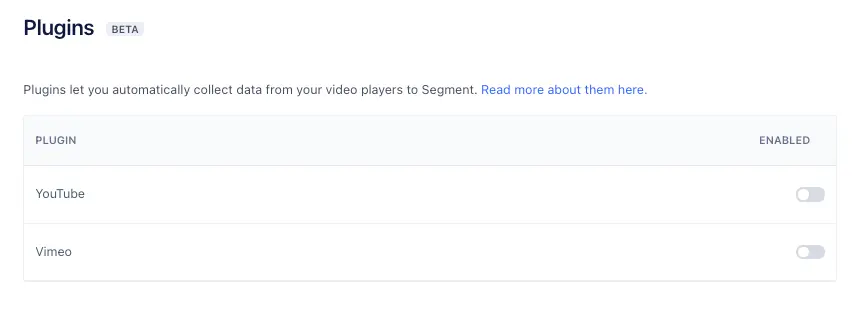
Enable a new plugin by navigating to the settings for your Source and clicking Plugins. You can enable the Vimeo plugin from this menu:
-
Initialize the plugin by entering your Vimeo access token and granting it access to the Vimeo video player instance(s) running on the page. Use this initialize method:
1<iframe src="https://player.vimeo.com/video/76979871" width="640" height="360" frameborder="0" webkitallowfullscreen mozallowfullscreen allowfullscreen></iframe>2<script src="https://player.vimeo.com/api/player.js"></script>3<script>4var iframe = document.querySelector('iframe');5var player = new Vimeo.Player(iframe);6analytics.ready(function () {7var VimeoAnalytics = window.analytics.plugins.VimeoAnalytics8var vimeoAnalytics = new VimeoAnalytics(player, 'XXXXXXXXXXXXXXXXXXXXXXXXXXXX0365')9vimeoAnalytics.initialize()10})11</script>
The plugin listens to the Vimeo player for events, and responds by firing the corresponding Segment Video Spec events on Analytics.js.
The plugin tracks the following Segment Video Spec events:
- Video Playback Started
- Video Playback Completed
- Video Playback Paused/Resumed
- Video Content Started/Completed
The plugin automatically attaches the following Segment Video Spec properties to the above events:
'Playback' Events
- Total Length
- Position
- Video Player
- Sound
'Content' Events
- Title
- Description
- Publisher