What is Twilio Flex?
Twilio Flex is a digital engagement center for Sales and Service that provides a single user interface and native channels to manage personalized, omnichannel customer experiences. It enables you to deploy the exact customer experience your business needs by simplifying the orchestration of data, channels, and integrations in a single pane of glass. You can customize every layer of your deployment including the call flow, routing, queue assignment, pre-agent experience, agents' skills and capacities, UI layout, and more. Flex consists of a set of backend services that are hosted on Twilio's cloud, and a React-based frontend that can be hosted on your own infrastructure and used to augment existing on-premise technology with cloud-based functionality.
The fastest way to try out Flex is to create a new project from the Twilio Console and access Flex at flex.twilio.com.
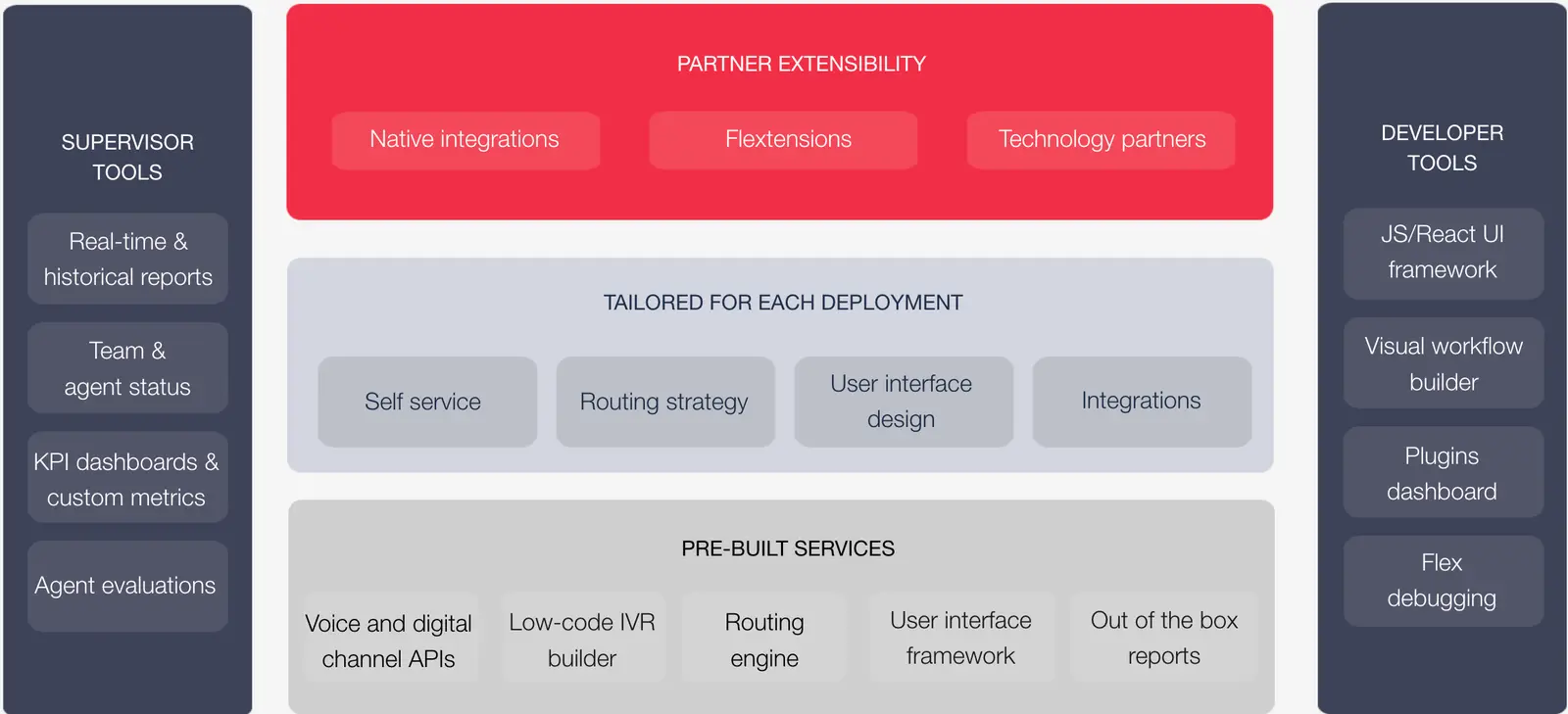
Flex leverages the entirety of Twilio's cloud communications platform, including services like Twilio Functions (Serverless functions), Twilio TaskRouter (attributes-based routing), Twilio Pay (PCI-compliant payments), and Twilio's Super Network (Global Connectivity). This means that as Twilio's platform improves, Flex inherits those improvements.
Flex has built-in support for inbound (or customer-initiated) voice calls and messaging communication channels (SMS, Facebook Messenger, WhatsApp, and WebChat). Flex also supports custom channels that you can implement, such as custom in-app chat, email, and video. While outbound messaging requires additional work, the Flex Dialpad supports outbound (or agent-initiated) domestic and international calls.
One key feature of Flex is its programmability, enabling use cases like:
- Adding your own custom channels, and managing, routing, and reporting all of them through Flex.
- Customizing the UI as you like. Add custom widgets, configure the look and feel, or apply your brand to it.
- Integrating data from your own custom sources (like CRMs) to provide contextual intelligence to agents.
- Integrating contextual information from your own data sources to build custom routing logic.
- Controlling the call flow programmatically with the Studio drag-and-drop interface.
- Defining custom logic that triggers conditionally before or after an agent handles a task.
For a more comprehensive overview of Flex's features and benefits, see the Flex product page.
There are two ways to start using Flex:
- Create a dedicated Flex account
- Once you create your Flex account, it starts in a trial state. After upgrading your account (you need to accept Flex's Fair Usage Policy with your new account selected and add a payment method), you get 5,000 free Flex Active User Hours as part of the trial.
- Once you're ready to go into production, you can choose between Named User Pricing and Active User Hour Pricing.
- Add Flex to your existing paid Twilio account from the Flex Overview page.
- Once you add Flex to your account, all Flex features are available to you.
- This option uses User + Usage Pricing.
- This option doesn't include a free trial, so you incur Flex charges as you start using Flex features.
For more information about pricing plans, see How Does Twilio Flex Pricing Work?.
Learn more about Flex core concepts and setup by visiting the following docs: