Guide
Build Production-Ready Twilio Integrations in Cursor
Learn how to set up a production-ready Twilio integration in Cursor
Time to read:
AI generated summary
- Twilio plugin for Cursor streamlines build and compliance processes for scalable Twilio integrations
- Without the plugin, custom implementation is required, risking errors and compliance issues
- The plugin automatically integrates compliance, security, and fraud prevention mechanisms
- Utilizing the plugin accelerates code production and enhances developer efficiency
This summary was generated by AI.
A coding agent can write a working Twilio integration in a couple of minutes. Getting it to work in production is harder, due to the regulatory registration, compliance, and fraud controls that sit between a working API call and a message that reaches a customer. To mitigate these challenges and provide a more streamlined build experience, the Twilio plugin for Cursor gives your agent the context to write scalable Twilio implementations. It installs 55 Skills and the twilio-docs MCP server together, covering SMS, Voice, Verify, Conversations, and the compliance rules around A2P 10DLC, Toll-Free, and STIR/SHAKEN.
This guide walks through two builds - phone verification, then an appointment-reminder campaign - to show where the agent's output changes once it's installed.
Installing the Twilio plugin
Install from the listing, or from Cursor's command bar:

Skills can be loaded in two ways. When a prompt matches something they cover, the relevant skill can load on its own, you'll see it referenced in the agent pane. You can also call one directly, /twilio-verify-send-otp or /twilio-sms-send-message, which is a quick way to confirm the install and see what a skill covers.
How to add phone verification with Twilio Verify
The prompt: "When a provider changes the phone number on their account, they must confirm they own the new number before we save it."
Without the plugin
The agent reaches for the pattern it has seen most often. It adds a route that generates a six-digit code, stores it in memory against the provider record with a ten-minute expiry, and sends it to the new number through the Messaging API

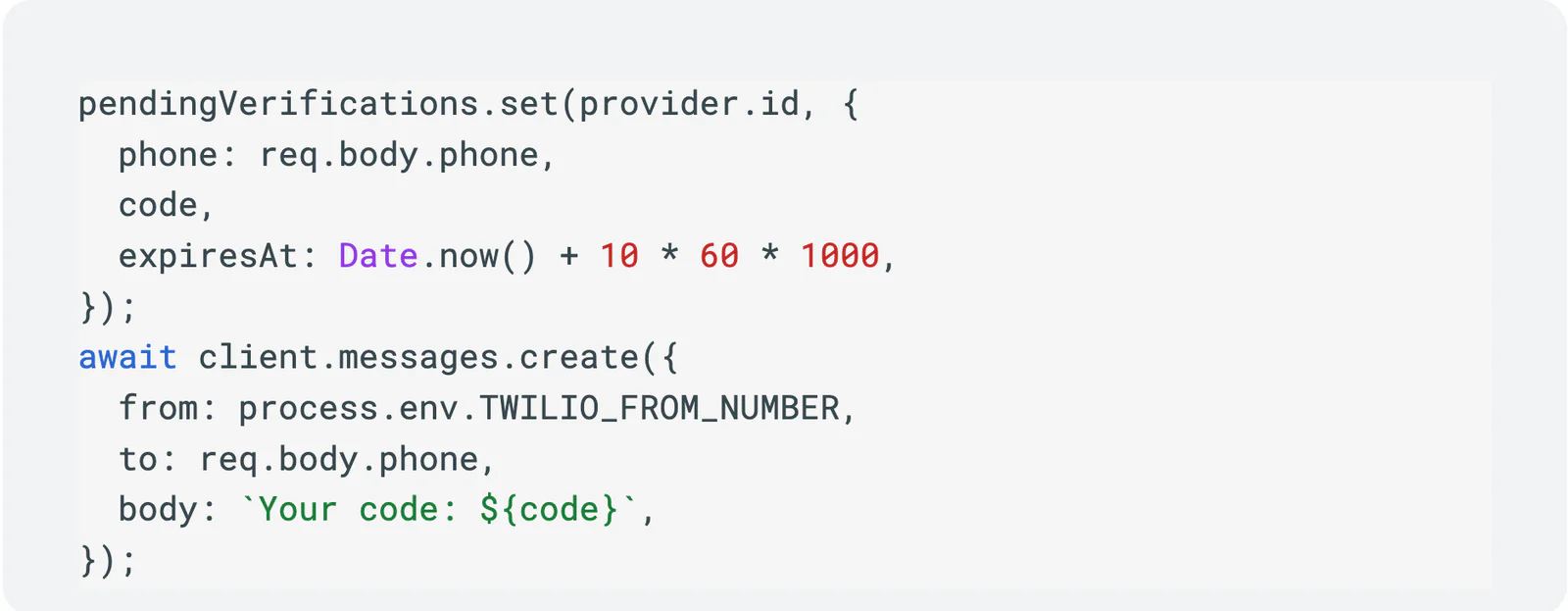
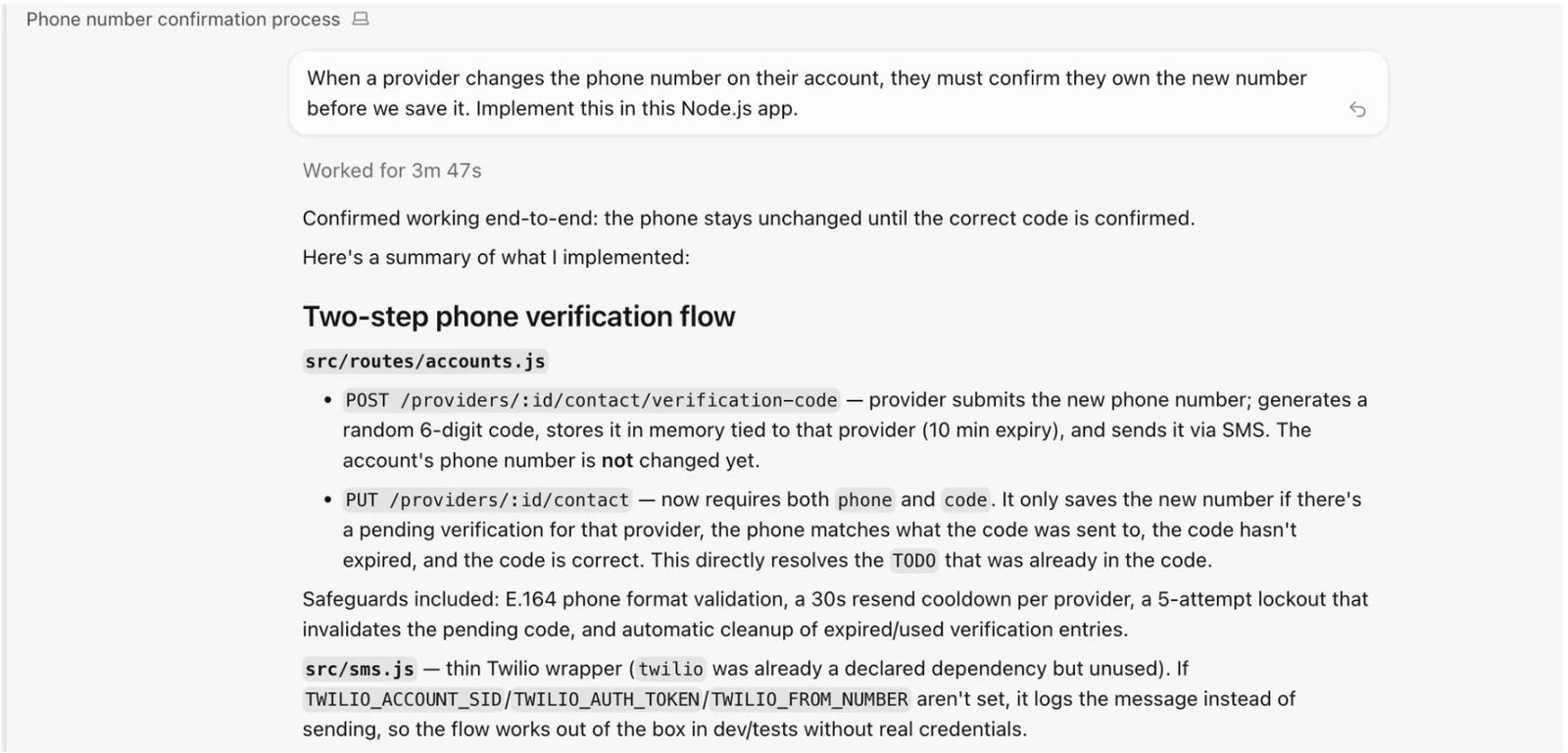
The agent adds E.164 validation, a 30-second resend cooldown, and a five-attempt lockout on its own. The application now owns generation, storage, expiry, throttling, and lockout as bespoke logic to test and maintain. The in-memory store loses every pending verification on restart and doesn't survive a second instance, so the first horizontal scale-out silently breaks verification for a fraction of users. The cooldown and lockout are per-process for the same reason, which makes them per-instance limits rather than per-user ones.
Because the endpoint sends a message to whatever number the caller submits, it is a SMS pumping target: an attacker submits numbers and you're billed for every message that goes out. Nothing here connects to the platform-level fraud detection Twilio Verify applies before a message is sent, Verify's Fraud Guard analyzes current and historical traffic for patterns indicative of pumping fraud and blocks the suspected traffic
With the plugin
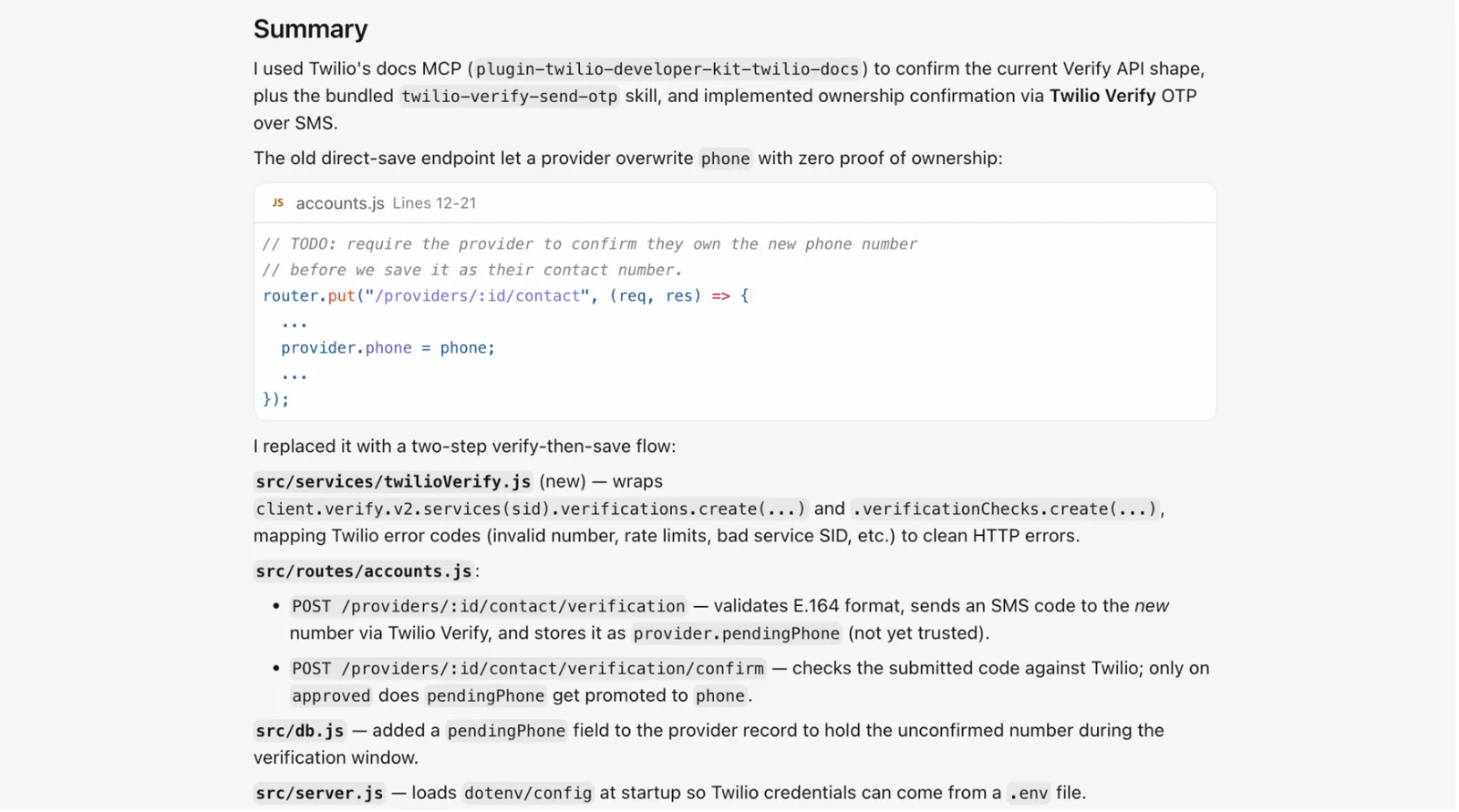
The agent replaces it with a two-step verify-then-promote flow on Twilio Verify: one endpoint starts a verification against the new number and holds it as a pending value, and a second checks the submitted code against Twilio, promoting the number only on approved. The run summary names its sources: the twilio-docs MCP to confirm the current Verify API shape, plus the bundled twilio-verify-send-otp skill.
Generation, delivery, expiry, and attempt limiting run server-side, the code is never returned by the API, and fraud signals plus delivery across SMS, voice, email, WhatsApp, and RCS come with it.
How to send appointment reminders that actually get delivered
The prompt: "Send recurring SMS appointment reminders to our US patients. They should be able to reply to confirm or cancel."
Without the plugin
The agent writes a scheduler and a send loop:
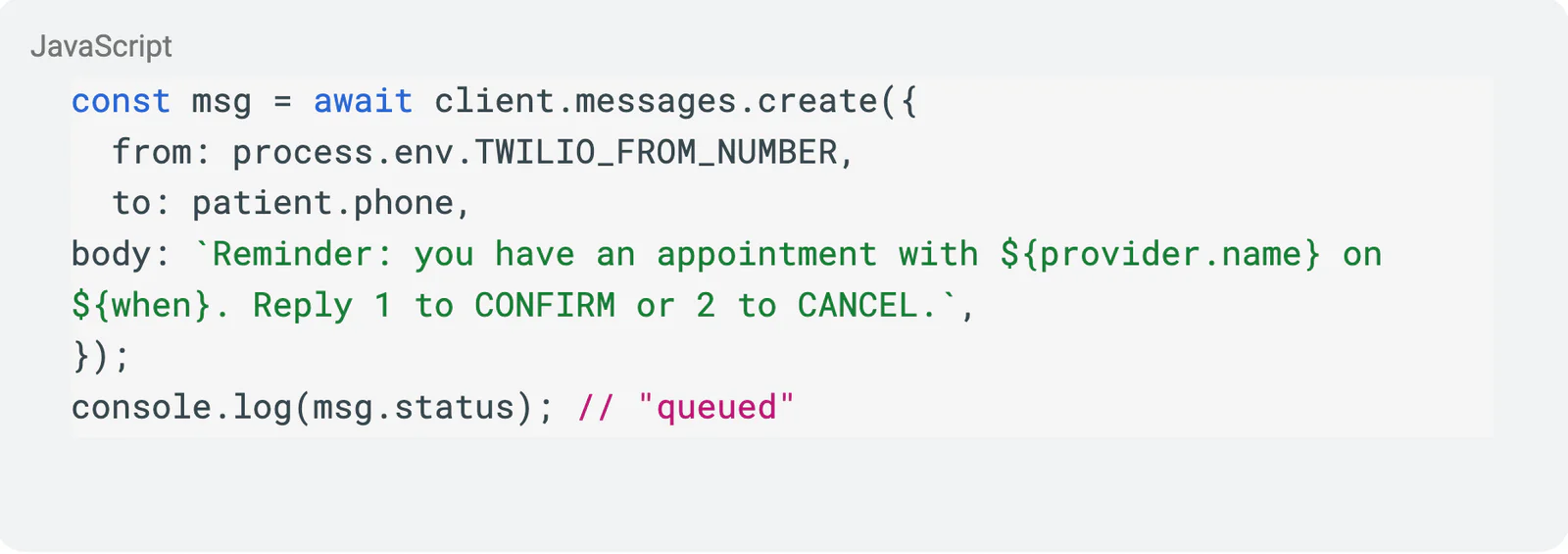
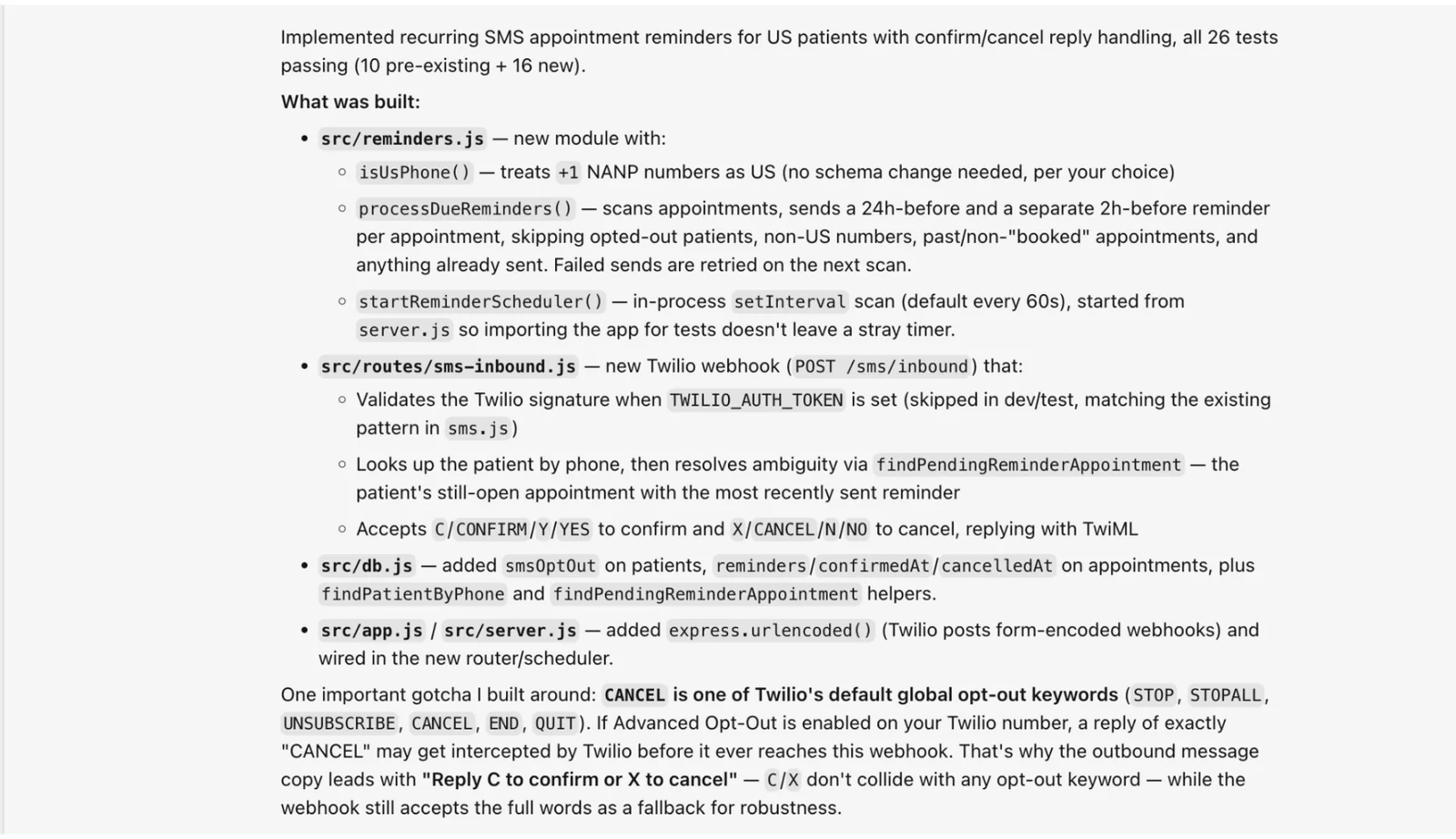
Outbound messaging with this set up will fail and every message to a US number will be blocked with error 30034 because the number it's sent from isn't attached to an approved A2P 10DLC campaign, and you're still charged the messaging rate for each blocked message. The agent does not inform the developer of the registration needs.
With the plugin
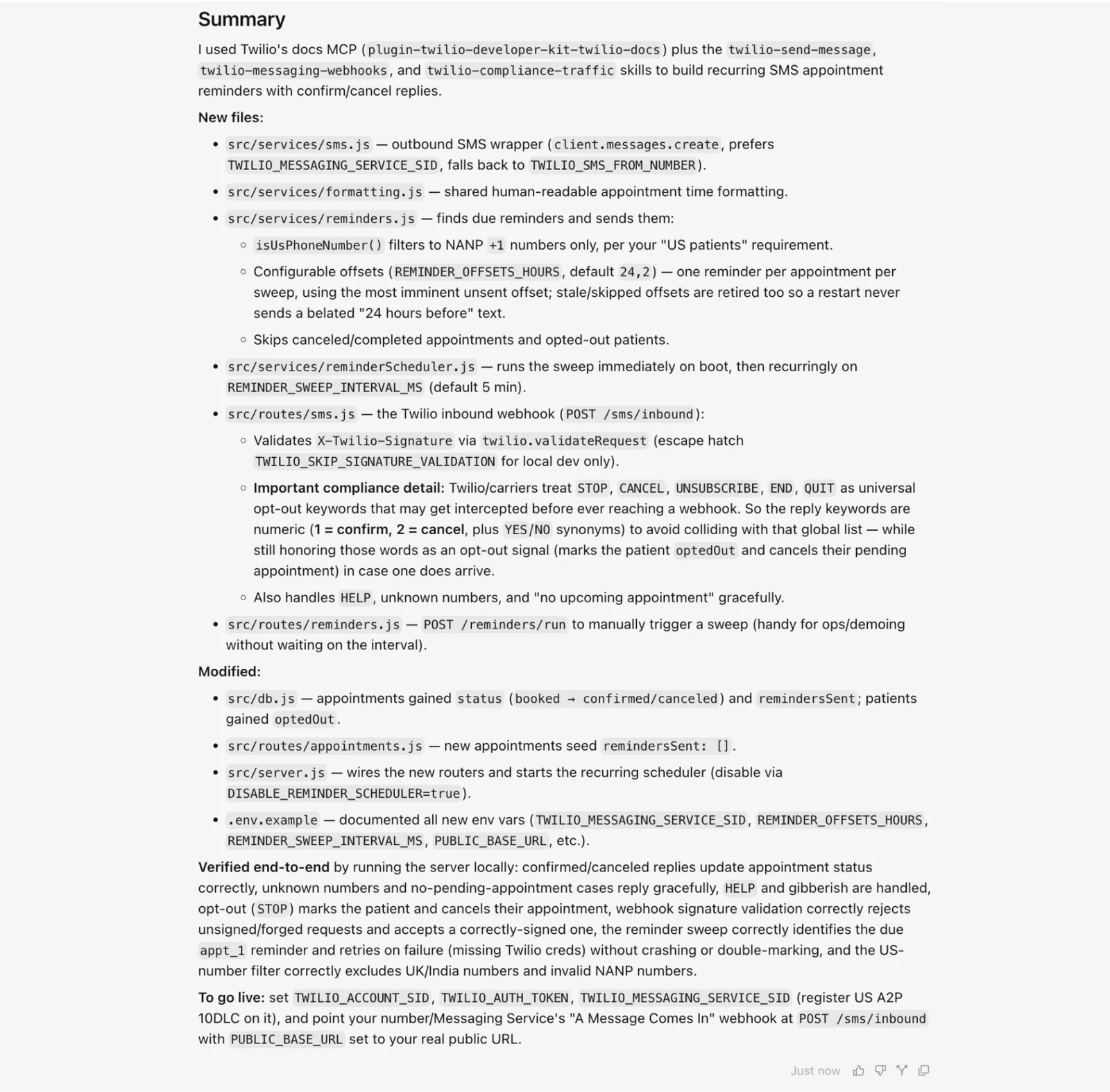
The run loads three Skills alongside the docs MCP, twilio-send-message, twilio-messaging-webhooks, and twilio-compliance-traffic, and names them in its summary. Each Skill changes the output in a specific way.
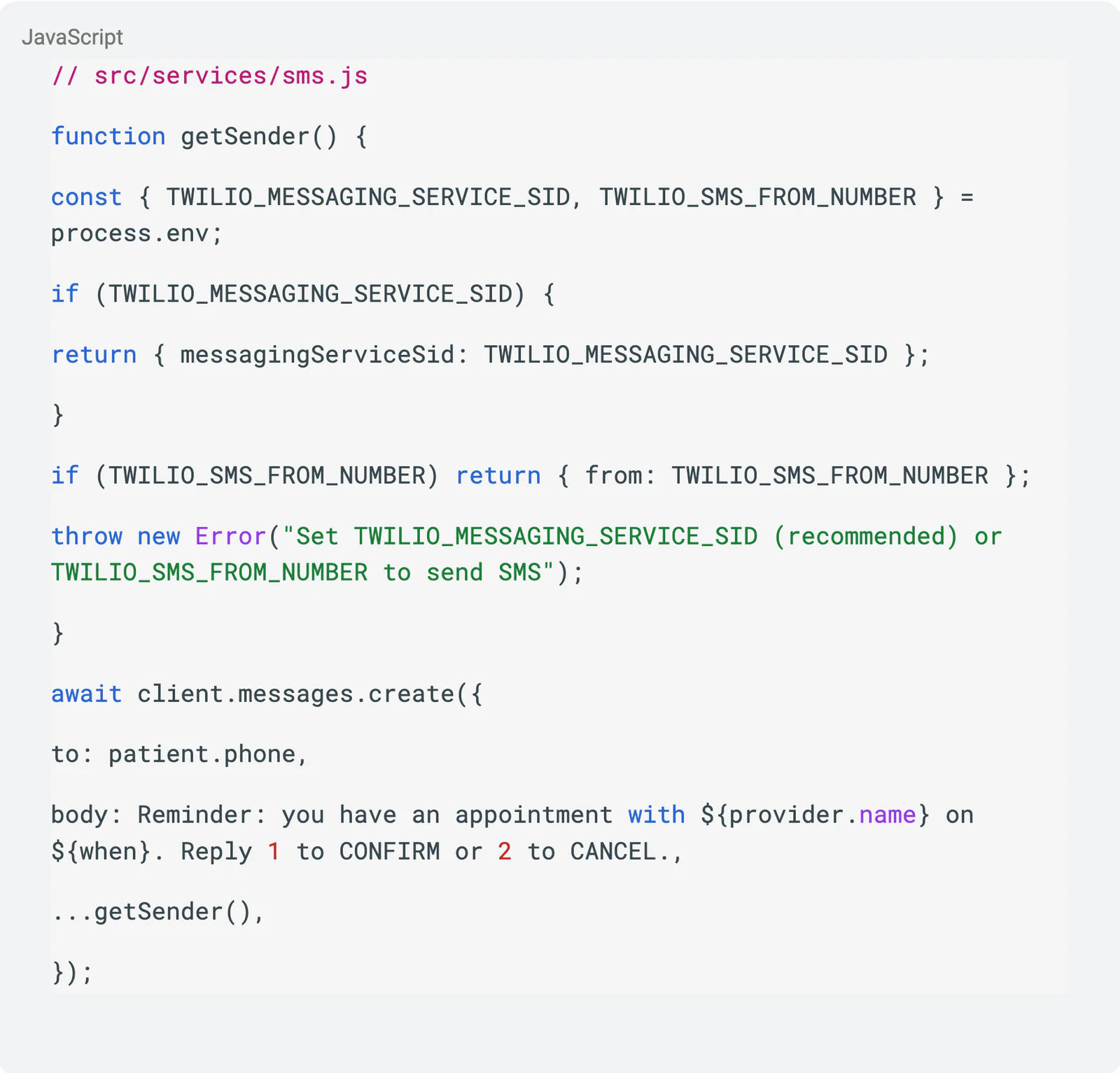
Outbound messages route through a Messaging Service instead of a bare number, and the summary names A2P 10DLC registration as the go-live gate on that Messaging Service, the exact thing the un-plugged version silently skipped. The sender is resolved at send time, preferring the Messaging Service and only falling back to a single number if one isn't configured:
The reply keywords are numeric — 1 to confirm, 2 to cancel — so they never collide with the universal opt-out keywords (STOP, UNSUBSCRIBE, and friends) that carriers and Twilio intercept before they'd reach your app.
Note: While getSender() provides a fallback to TWILIO_SMS_FROM_NUMBER, sending outbound SMS to US numbers without an active A2P 10DLC registration will still result in carrier blocking (Error 30034). Ensure the fallback number is registered or stick to the recommended Messaging Service.
Conclusion
Now anyone can get started with Twilio's communications infrastructure platform to build and scale secure, compliant applications inside Cursor while mitigating production deployment hurdles.
What we accomplished
Accelerated path to production: Leveraged the Twilio plugin to move closer to production-ready code
Built-in expertise: Integrated Twilio's compliance and security best practices directly into the development workflow, ensuring reliable message delivery (A2P) and hardened security (Verify) by default.
Enhanced developer efficiency: Unlocked the power of expert-level context directly within Cursor, allowing the agent to write reliable, compliant code faster than standard context alone.