Recipe
Streamline Cross-Channel Targeting with Vibe + Twilio Segment
Build trust, boost performance, and keep your brand top of mind, all with Vibe.co and Twilio Segment.

What do you need?
-
Twilio Segment account
-
Vibe account
-
Data source and Engage must be set up
Steps
What you’ll learn
Are your marketing campaigns missing the mark on Streaming TV? This Twilio Segment recipe shows you how to easily connect your CRM data from Twilio Segment to Vibe.co: unlocking precise audience targeting and measurable growth on the fastest-growing advertising channel. With this simple integration, B2B marketers can launch powerful ABM campaigns on Streaming TV, while B2C marketers can retarget high-intent audiences with unmatched efficiency. Build trust, boost performance, and keep your brand top of mind, all with Vibe.co and Twilio Segment.
Step 1: Create your audience in Twilio Segment
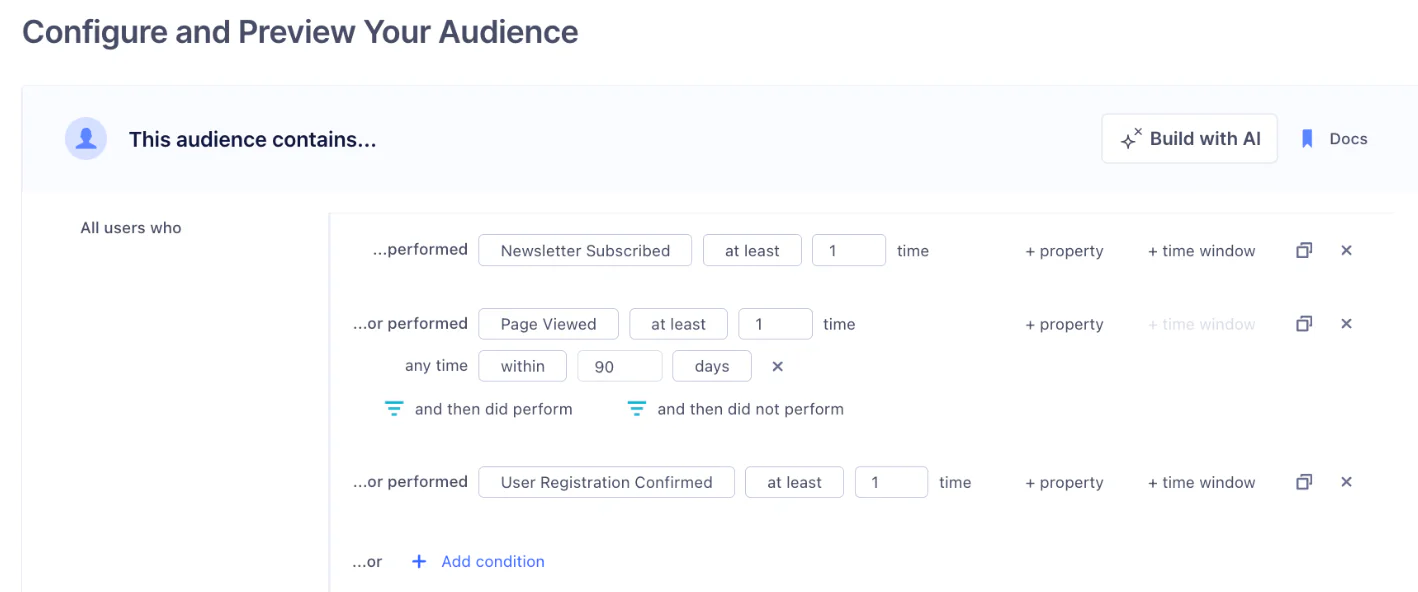
You will first want to start by defining your target audience. For retargeting purposes, we recommend you target higher intent customer segments. These could be customers who have visited your site in the past 90 days, or have subscribed to your newsletter, but not yet booked a demo or registered to your site.
Step 2: Connect your audience to Vibe.co
Next, you will need to connect the integration within Vibe.co in order to sync and track these audiences within the Vibe dashboard:
Here is how it works:
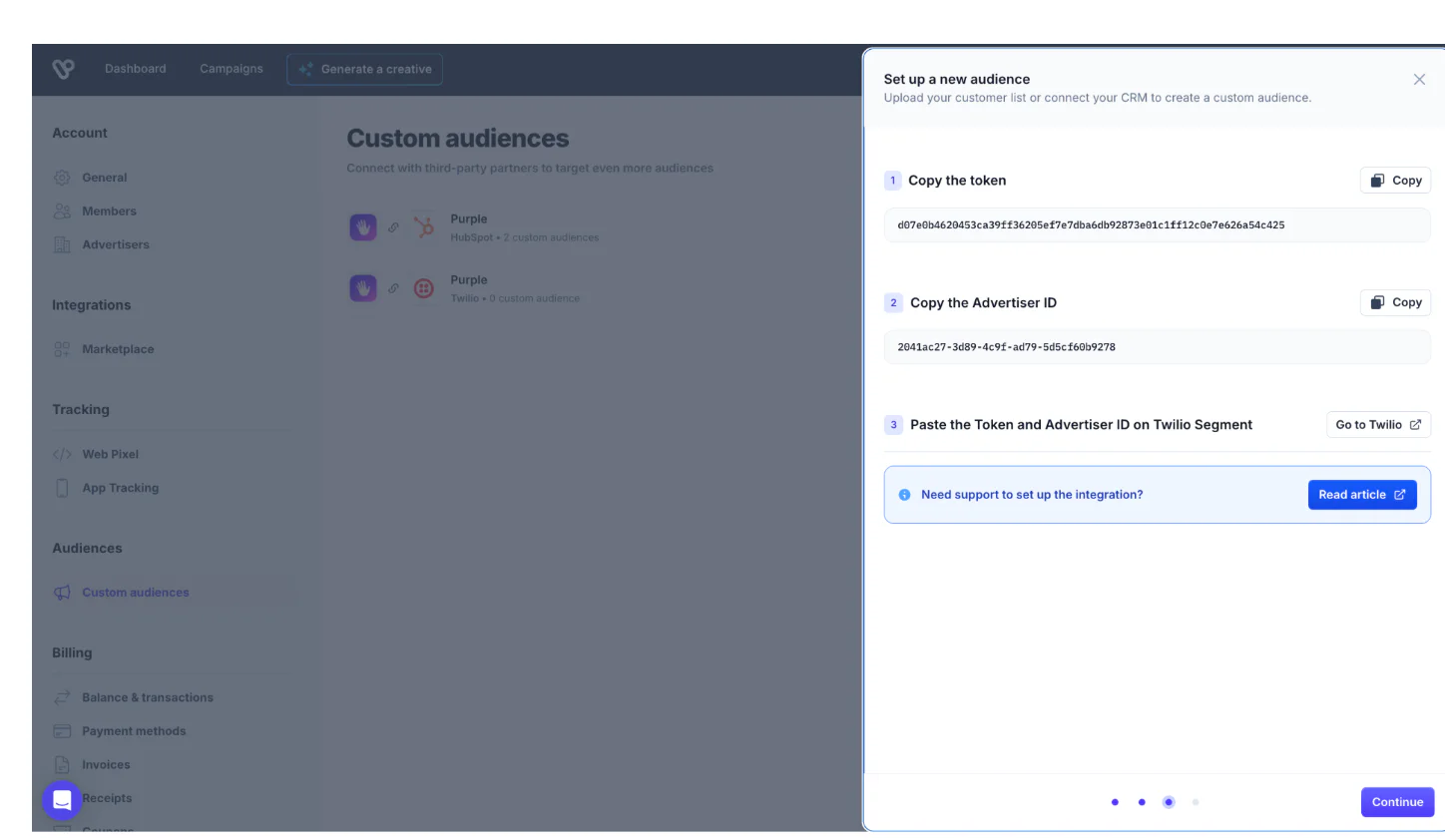
First, log in to Vibe and navigate to Settings
Select Custom Audiences
Choose Twilio Segment as your source
Select the relevant advertiser
Copy your Advertiser ID and Vibe Token
Click on Go to Twilio
Here, you will need to set up your destination in the Twilio Segment Audience that you previously created.
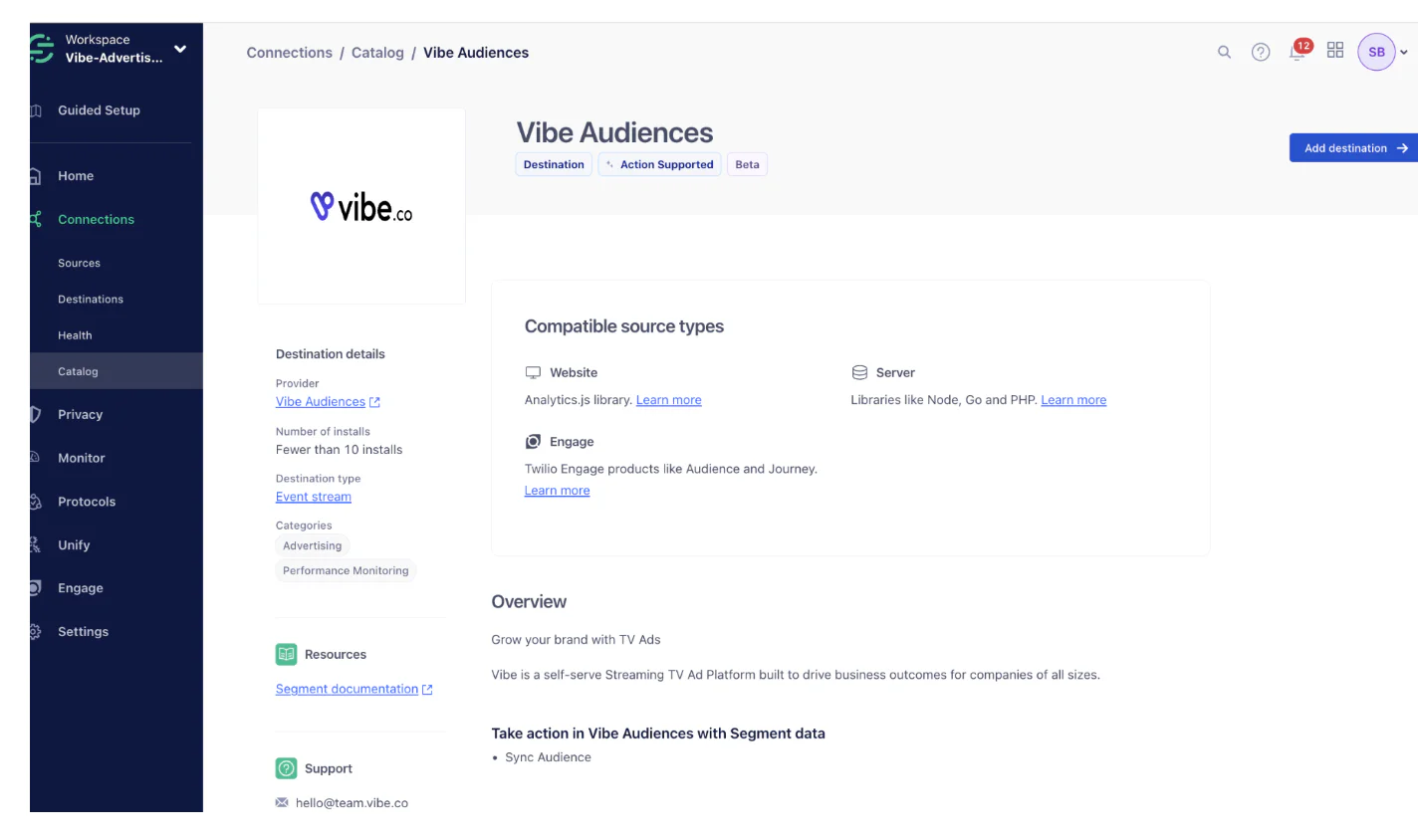
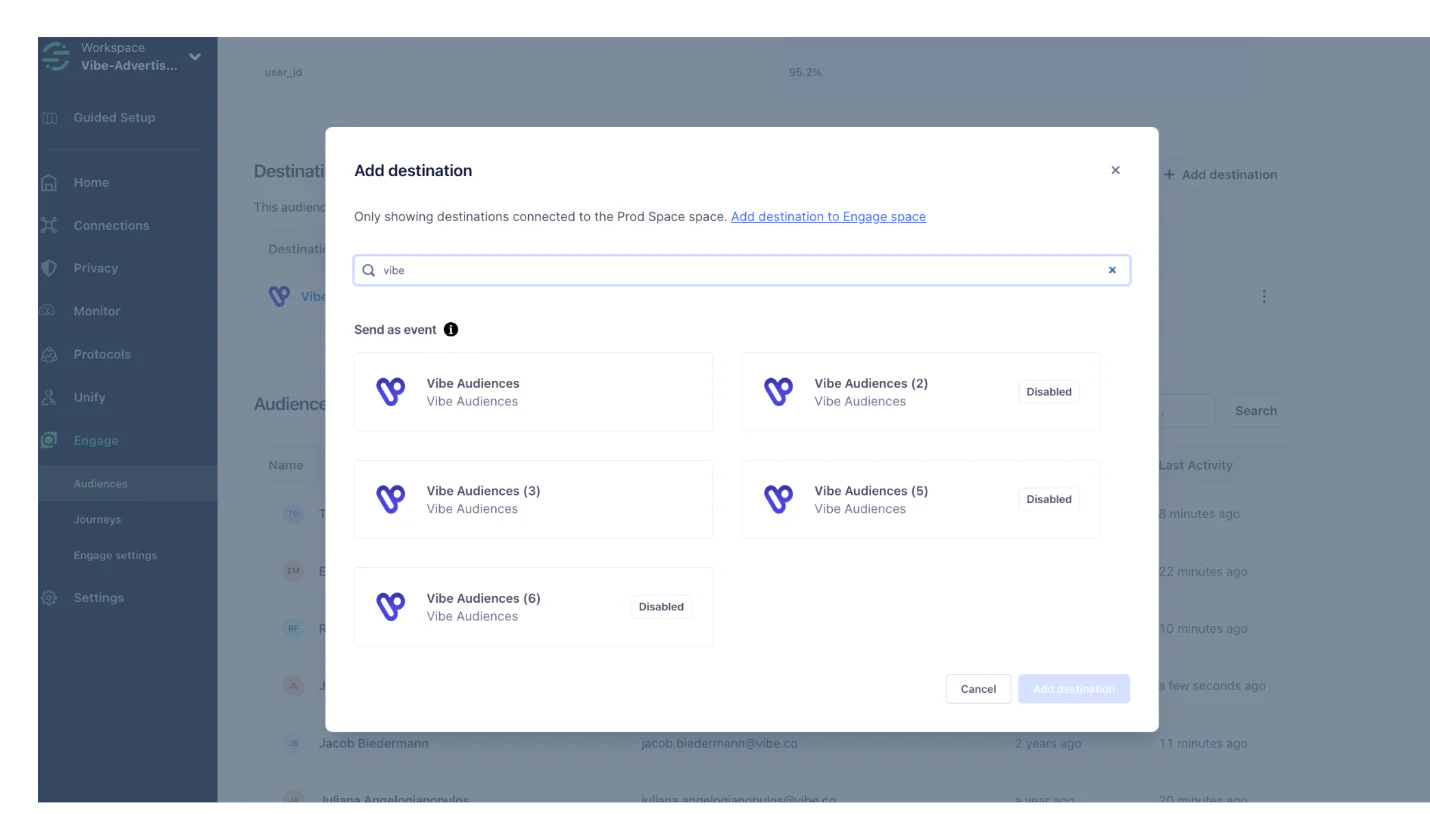
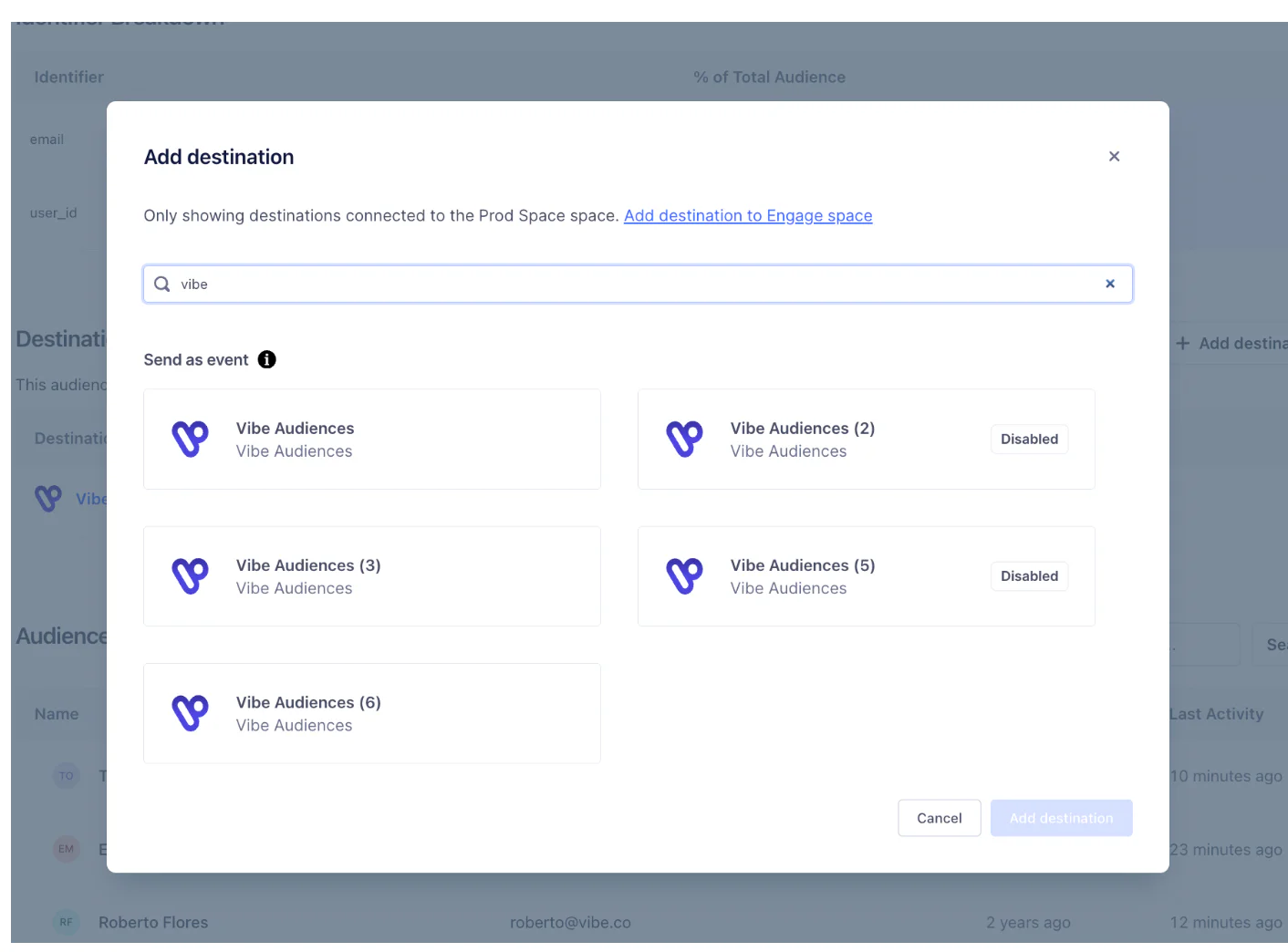
Click Add destination and select the Engage Space you want to use as the Source
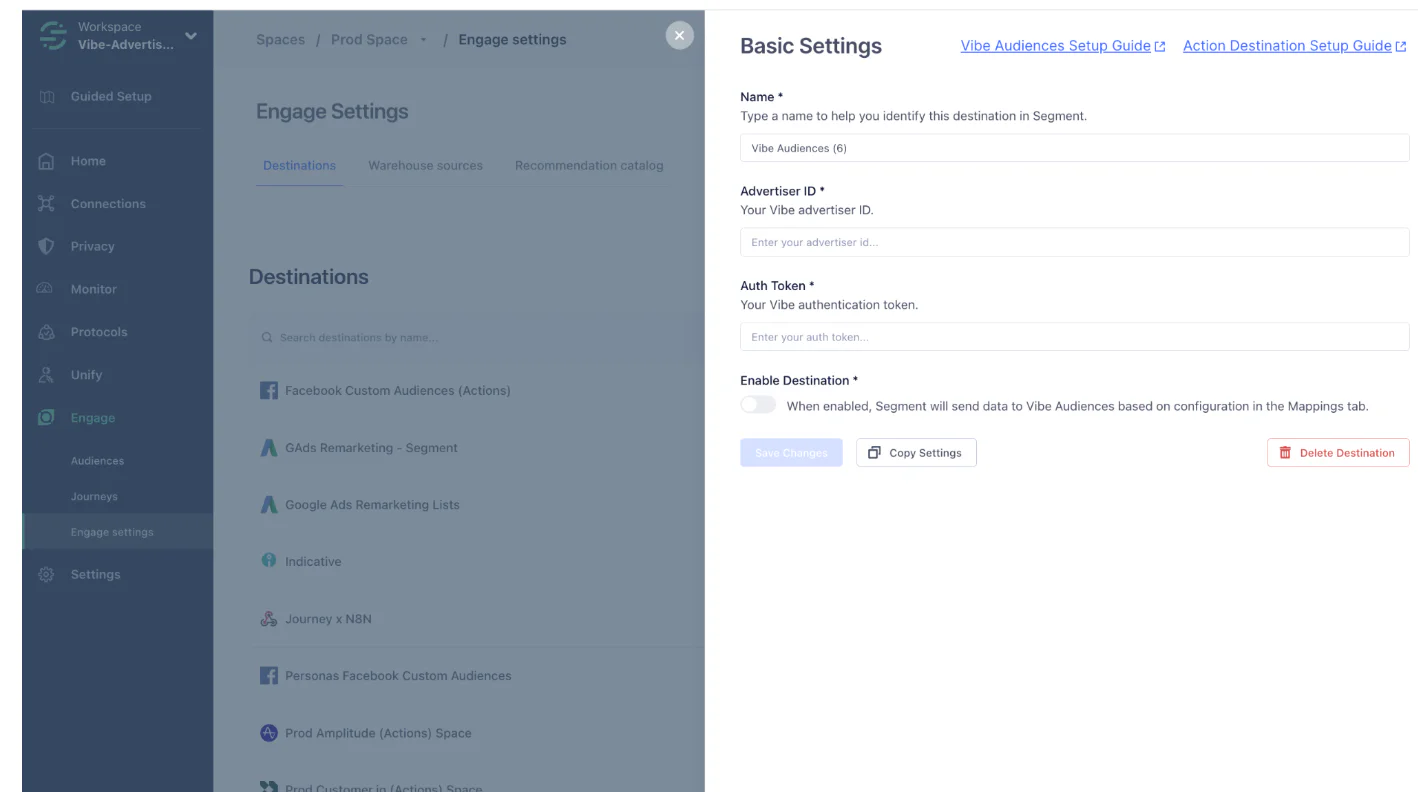
Simply copy-paste your Vibe token and advertiser ID to Twilio Segment. Don’t forget to enable your destination
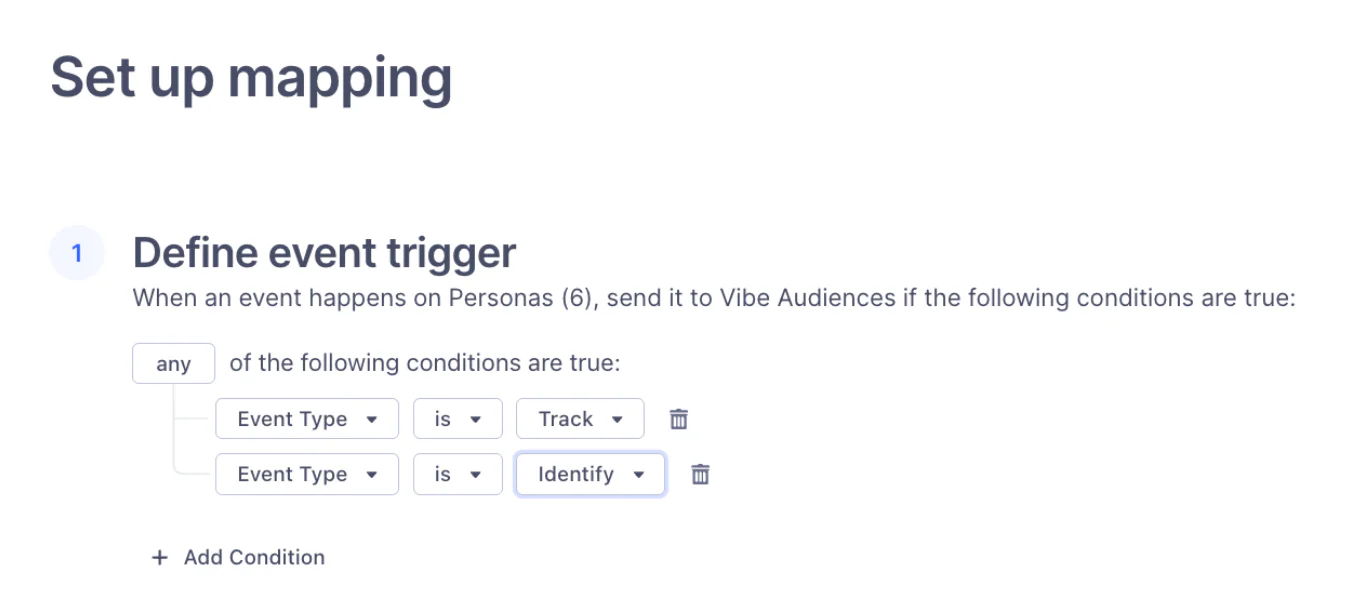
Add a destination to your Audiences, and set up mapping. This will enable the audiences to sync with your space
Now define the event trigger as “any of Event type” is “Track” & “Identify”
Finally, go to the relevant Engage space, and click ’add destination’
You can then select these audiences directly when creating or editing your CTV campaigns within Vibe

Step 3: Launch impactful retargeting campaigns on TV
Go to Vibe.co, and launch your retargeting campaign.
Choose the right campaign goal for your campaign (from awareness to sales)
Choose your CRM audience
Create personalized creatives for your audience (or use Vibe studio to do so)
Launch your campaign and measure your results in real-time using Vibe’s reporting
To Recap
Here’s what we’ve done in this growth recipe:
Create your high-intent audience in Twilio Segment
Connect the audience to Vibe.co using your Advertiser ID and Vibe Token
Enable the destination and allow up to one hour for audiences to sync
Launch your CTV retargeting campaign in Vibe and track performance in real time
Easily personalize customer experiences with first-party data
With a huge integration catalog and plenty of no-code features, Twilio Segment provides easy-to-maintain capability to your teams with minimal engineering effort. Great data doesn't have to be hard work!