How Email Rendering Impacts Sender Reputation
Time to read:
December 10, 2025
Written by
Reviewed by
AI generated summary
- Proper email rendering is crucial for maintaining a good sender reputation.
- Issues with rendering can lead to negative engagement, affecting deliverability.
- Inbox Monster's new Chrome Extension helps ensure consistent email rendering across devices.
This summary was generated by AI.
How Email Rendering Impacts Sender Reputation
We could spend days discussing everything that goes into your reputation as an email sender. But at a high level, inbox providers are paying close attention to one key area: how their users interact (or don’t interact) with your emails. And one factor that many senders overlook is how emails actually render inside the inbox.
How Does Email Rendering Impact My Sender Reputation?
As the email inbox evolves, rendering has become increasingly complex — especially with features like dark mode, AI summaries, and new client behaviors. When an email appears broken or visually inconsistent, it often leads to less positive engagement (opens, clicks, read time) and more negative signals (spam complaints, unsubscribes, or users simply ignoring messages).
Inbox providers notice these patterns. When engagement shifts from positive to negative, it can directly affect your sender reputation — and ultimately your deliverability. That’s why ensuring proper email rendering across devices, clients, and environments isn’t just a design preference — it’s a deliverability priority.
The best way, and most efficient way, to test how your emails render is using a rendering tool and the folks at Inbox Monster just made it that bit easier.
New Chrome Extension
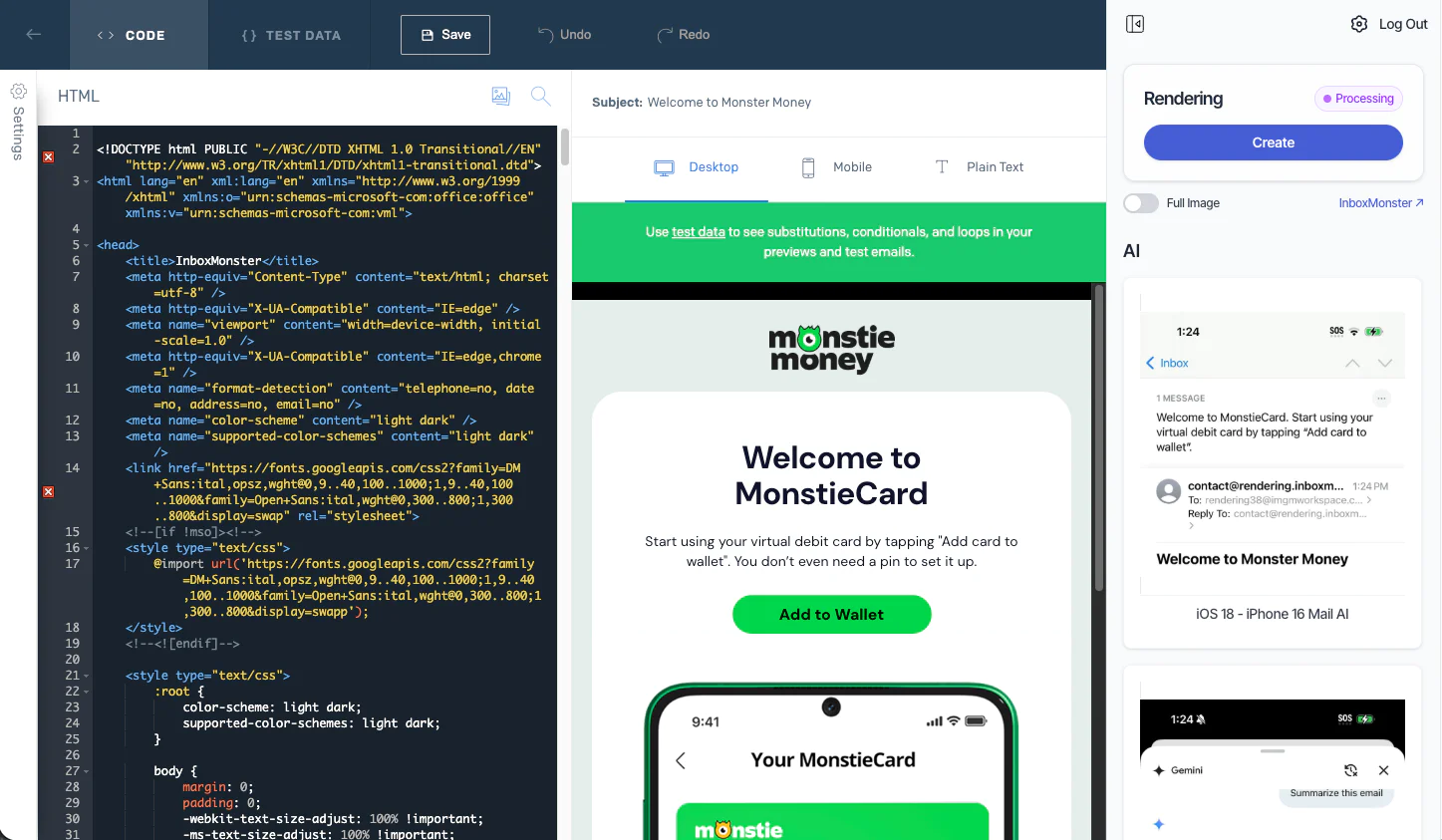
Inbox Monster has developed a Chrome Extension that is fully integrated with Twilio SendGrid. This new extension brings enterprise-grade creative rendering at your fingertips - without ever leaving the Twilio SendGrid console. You’ll be able to preview your emails across 110+ devices and clients - mobile, desktop and webmail.
What Steps Do I Need To Take?
Setting up your Inbox Monster rendering Chrome extension is quite simple and laid out in easy to follow steps.
Check Out The Webinar
Inbox Monster is also hosting a webinar on December 17th at 3pm ET to dive into the new Chrome extension: how it works, how to access it, etc. If you want to register for the event, you can do so here.
If you’re running into sender reputation issues, our professional services team is here to assist and figure out what changes need to be made to your email program to turn the ship the right direction.


Related Resources
Twilio Docs
From APIs to SDKs to sample apps
API reference documentation, SDKs, helper libraries, quickstarts, and tutorials for your language and platform.
Resource Center
The latest ebooks, industry reports, and webinars
Learn from customer engagement experts to improve your own communication.
Ahoy
Twilio's developer community hub
Best practices, code samples, and inspiration to build communications and digital engagement experiences.