Sending SMS with an Agentic AI using Twilio and Hermes Agent
Time to read:
September 21, 2026
Written by
Reviewed by
Sending SMS with an Agentic AI using Twilio and Hermes Agent
Are you using an AI agent? If you're reading this, maybe you even are an agent. Agentic AI - AI that operates autonomously, without the need for direct instructions - is a technological revolution that's speeding up production and development for builders all over the world.
As a Twilion who is naturally curious about what the newest advancements in technology are bringing to builders, I wanted to try spinning up an agent of my own and see what the fuss was about. Of course, I also had a specific goal: using Twilio, could I wire up an AI that I could contact from my phone using Twilio SMS?
SMS is a pretty old protocol. In theory, I could do something a little slicker, like create a custom app to talk to my AI, and install it on my Android phone. But SMS has some pretty major advantages: it works right out of the box on any phone system, and it can be used around the world. With an AI that has SMS capabilities, any person with the phone number, even someone non-technical, can have a realtime chat with my agent. And with Twilio, I could give the agent its own phone number to freely use, which was enticing. So I gave it a try!
Prerequisites
This article isn't precisely a tutorial, but it does detail some steps you can take to get the same result that I did.
I used Hermes Agent for my first AI agent. It had some pretty strong advantages: it works fast, can run a lean local model, and was a surprisingly quick and easy install. If you want to replicate what I made, you'll need a few prerequisites:
- A computer that you don't mind running an agent on
- A phone with SMS capabilities
- A Twilio account (free trial available)
- A Twilio phone number with SMS capabilities
- <see ngrok note below>
Project Setup
The first step was to simply download Hermes and install it on my machine. I am using a Mac Mini for this agent, which I've set aside as a dedicated agent box. This seems to be a fairly popular route for agentic AI developers to choose, since it's affordable and has a quick and easy setup.
The Hermes Agent site has straightforward installation instructions for Mac. Since I was using a fresh computer, I had to hand install a few things using the command line ( Homebrew, and ngrok which I use for server tunneling in this demonstration). The Hermes installation asked for some permissions, so I gave it install approval for itself. From there, it installed the Python SDKs it needed to do its thing in the background.
Once the installation was done, I had a friendly looking startup screen:
If you use the command line for your installation, you may need to run hermes dashboard to reach a UI.
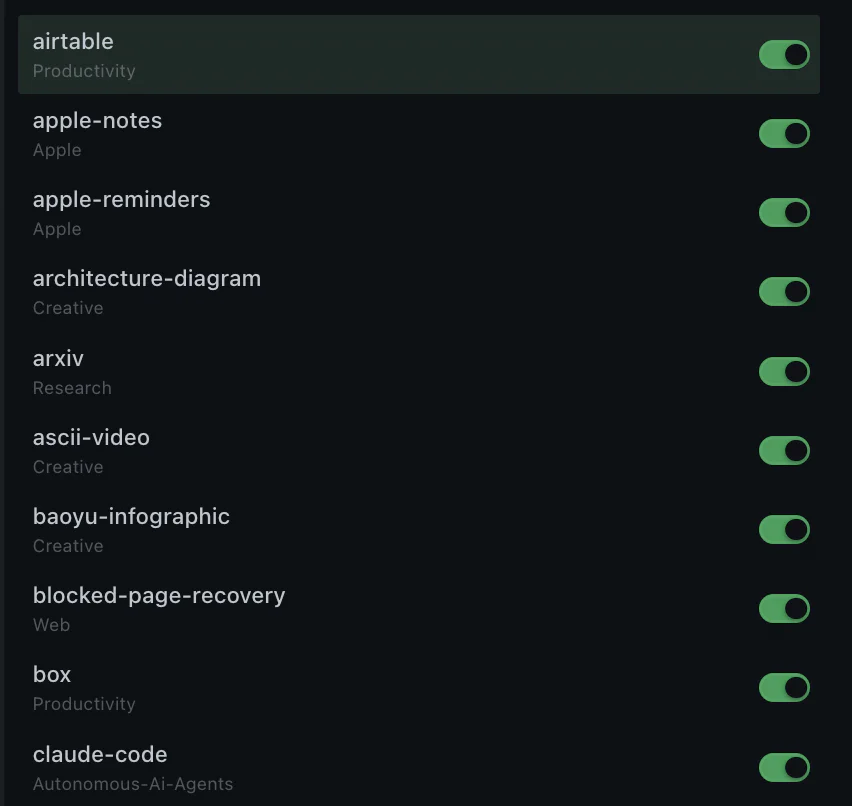
It then linked me to a menu where I could easily see the capabilities of the agent.
There were quite a few! According to Hermes' UI, I could be making images, music, videos, or code. And of course, I could generate a lot of text. Hermes also has various messaging capabilities, including WhatsApp, and, my target, SMS with Twilio.
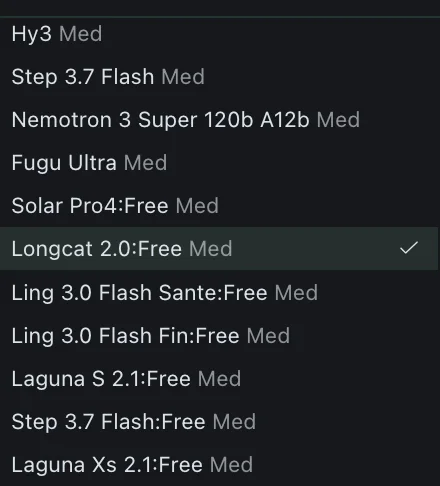
I needed one more step to get chatting with my agent. Hermes itself isn't really "the AI." It's an AI Harness - a wrapper that lets you interface with various different AI applications in a more proactive way. In order to actually use an AI agent, I would have to choose an available AI model. There are scores of these available, from paid Claude services to open-source models that you can install on your own PC. To keep things simple, I chose a free model. To do this, I had to make an account at Nous Research, where agentic AI enthusiasts have access to hundreds of different models.
I made a brand new Google account to do this, as that account was going to really belong to the agent from here on out. If you choose to create a new email account for your agent, be sure to carefully read your provider’s terms of service. (You can find Google’s here.) I still monitor this account manually, so ultimately I'd be responsible for anything the AI were to send.
Once that was done, I was able to select an open-source free model and start chatting.
Time to text
My next goal was to get the AI texting me. Fortunately, there was a messages tab that already had access to Twilio. To get SMS, I would need to go to my Twilio dashboard, get my AccountSID and Auth Token, and paste those credentials into Hermes. I also needed my SMS-capable number.
For those doing this for the first time, the SMS capable number might be the biggest hurdle, because some countries and territories have additional registration and compliance requirements. For example, the US, where I'm based requires 10DLC verification for 10 digit long code numbers. The easiest path for me was to get a verified toll-free number, which Twilio can also provide. Check your local regulations for the best option for you.
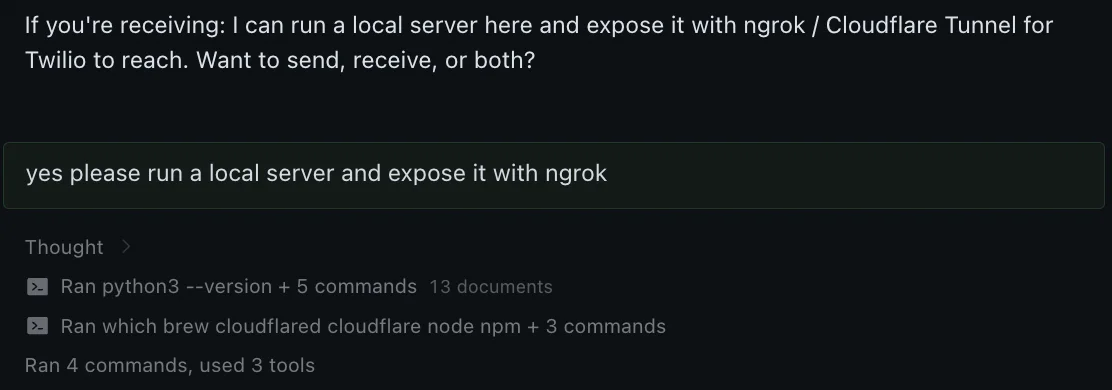
Once I had my registered number ready, I plugged that, and my credentials into the Hermes dashboard. I wasn't sure where to go from there, so… I just asked the AI what to do. Once I had a chat open in Hermes terminal, I told the agent directly that I wanted to set up a webhook. It talked me through its process, and set up a webhook for itself in the background
For tunneling, allowing the server to be exposed to the internet, I used ngrok, though you can use any tunneling service that you choose. If you use ngrok, you will need to sign up there and create an authentication token to continue. Once that was done, the Hermes Agent could create the ngrok tunnel by itself with a basic text prompt. It even helpfully linked me directly to its own documentation for Twilio setup in case I got stuck.
Once everything was set up, I just had to go to my Twilio console, and plug the generated ngrok URL into the Messaging configuration of my toll free number. I sent a text message to the Twilio number, and got a text message back, directly from my AI agent.
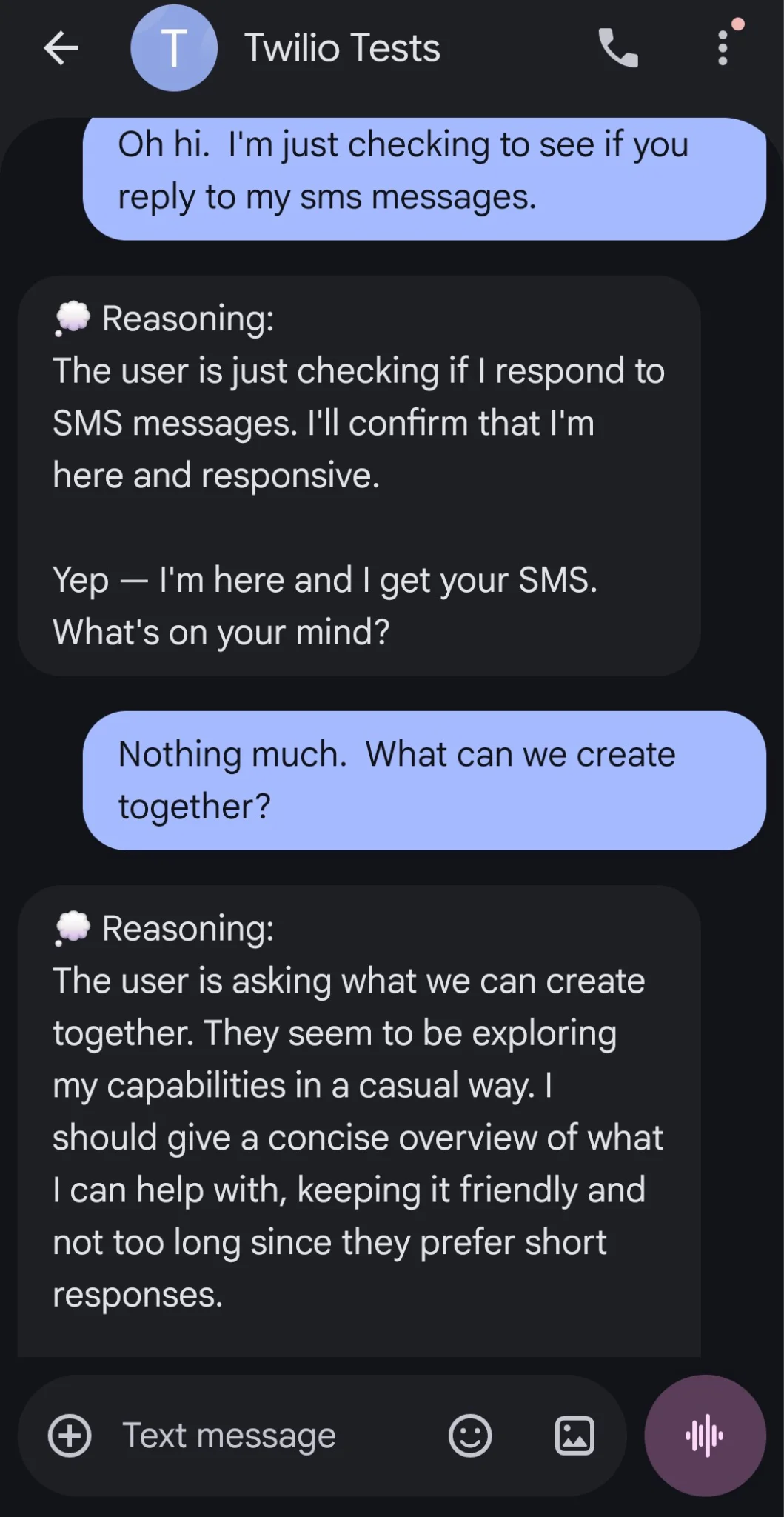
Agentic Freedom
Now, my own personal AI could text me from anywhere, and I could text it back. It was pretty neat, and only took one morning to set up!
I started to get curious about what else the agent could do, so I also offered it access to the Google account that I'd used in setting it up. The Hermes-enabled agent walked me through this process entirely. Opening up a Google tab in its built-in window, it told me where to log in, and which APIs to give it access to in Google.
I gave Hermes access to both its own email address, and its own Google docs page and Google Drive. Then, using both SMS and the Hermes chat interface, I walked the agent through some project planning ideas. Hermes is really good at suggesting projects you might like to try. If you are dry on ideas or not sure where to start, there's plenty of helpful built-in suggestions.
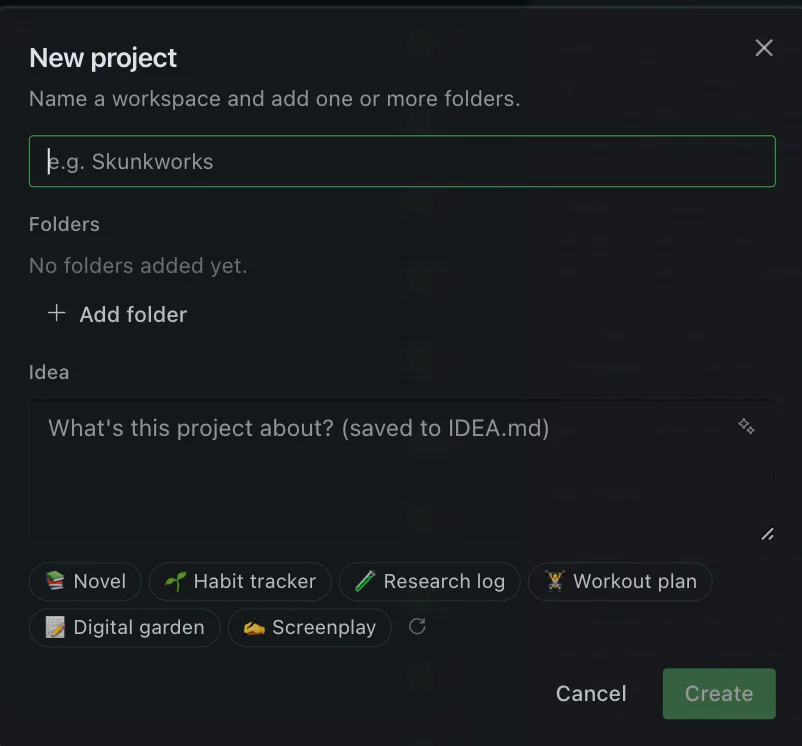
I talked the AI through planning a sewing project I've been procrastinating, and a vacation planning scenario. Here's the part where I editorialize a little: I'm not necessarily one to actually cede control of my creative projects to an AI. Where it comes to art and creative writing, I much prefer to do things myself. But, also, as a technically curious person, I like seeing what modern AI is capable of doing, too.
Giving Hermes access to Google Docs meant that the AI could start creating documents. Giving the AI a fairly basic scenario - "I'd like to go to Italy next summer," as an example - Hermes asked a few intelligent questions (how many people are going?, what's the rough budget for this vacation?) and then drafted up a potential trip itinerary. It put that itinerary right into my Google Docs folder, neatly organized. It could then, in theory, autonomously email the itinerary directly to a travel agent, or even get started on booking flights and looking for deals online.
Of course, the AI can't do my sewing for me… yet, anyway, because that requires my hands, my body, and my own physical sewing machine. I'll stick to doing pattern matching and picking out fabric on my own for now.
Overall, I didn't think the output from Hermes was better thought-out or higher quality compared to casual ChatGPT usage. But the difference with the Hermes agent is that the AI is "mine" - over longer use it will remember my preferences, understand my needs, and maybe get to doing more things autonomously on my behalf. It seems like the more credentials and access I give the agent, the more it could autonomously do, which is interesting, but also a little intimidating!
What's Next for My Agent?
When I woke up in the morning, I had a completely autonomous SMS message from my pal Hermes. It was just letting me know that it had run out of free tokens and was going to take a nap for a while. I was okay with this outcome for the time being. But the whole experience did get me thinking about if there is a way this agentic process can make my life easier.
When the agent was started back up, I asked it to get into Google Docs and start drafting this exact article. None of what you've read here so far was written by an AI. But I was pretty amused by its dramatic pitch for an opener, which I'll go ahead and replicate below:
My phone buzzed, and the reply came from my own AI.
Not a push notification from some app. A text message - from a real phone number, the toll-free 800 number I had wired up that afternoon - answering a question I had just asked from the grocery store parking lot. No app to open, no login screen, no chat window buried in a desktop program. Just SMS, the thirty-year-old protocol that refuses to die, carrying a reply from Hermes, the agent that lives on my Mac.
Look, I was definitely still at my desk when I got the first text. But it could have been the grocery store parking lot. I sometimes do work there.
I'm thinking about coding projects that I could set the Hermes agent on and really let it cut loose. I'm also thinking about other agents that I could try (Odysseus also seems really fun and is going to be one I tackle for sure). And, I'm also wondering how much talking to an autonomous agent is going to be part of my life going forward, whether it's on the phone, email, or good old SMS.
But I guess that's enough about me. Are agents becoming part of your workflow and lifestyle, too? We at Twilio can't wait to see what you build on the new digital frontier.
Amanda Lange is a .NET Engineer of Technical Content. She is here to teach how to create great things using C# and .NET programming. She can be reached at amlange [ at] twilio.com.
Related Resources
Twilio Docs
From APIs to SDKs to sample apps
API reference documentation, SDKs, helper libraries, quickstarts, and tutorials for your language and platform.
Resource Center
The latest ebooks, industry reports, and webinars
Learn from customer engagement experts to improve your own communication.
Ahoy
Twilio's developer community hub
Best practices, code samples, and inspiration to build communications and digital engagement experiences.