Creating a Halloween Escape Room Hotline for Twilio
Time to read:
November 17, 2026
Written by
Reviewed by
Happy Holidays!
We're coming up on the end of the year here at Twilio. For many of us, this is the middle of the holiday season, leading up to end-of-the-year festivities. If you're anything like me, the holidays start in October, with Halloween, the coolest time of the year for those of us who love horror!
For the past couple years, Twilio has played into the season with Halloween campaigns that include a fun spin on a horror concept. Our campaign video for Halloween this year starred a scared family that was trying to do a task that shouldn't be scary at all: cancel their gym membership over the phone. But as we all know, bad customer communication can turn the simplest task into a real nightmare…
As a companion piece to our Halloween video, I was tasked with making a horror-themed escape room experience, virtually.
That way if anyone called the number in the video, they'd get a fun surprise: a chance to cancel their own gym membership…or become trapped forever in the fitness nightmare.
Here's how we got this experience out to the world for everyone to check out over Halloween!
Pre-production Experience
All great projects start with planning. In this case, we started with a design doc with an outline and flowcharts. We wanted it to feel like a certain horror franchise…but, of course our experience is more of a vibe, as the actual escape room is copyright free. And though it's a little bit spooky, we didn't threaten our players with any kind of death or physical punishment…unless you consider the gym a physical punishment of course.
Here was the plan:
- An escape room game experience…
- That would use both voice, and SMS channels
- Have a spooky theme
- Could be completed in 10 minutes or less
- And allow the user to solve password puzzles using just the number keys on their smartphone
Here, you can see a (puzzle spoiler-free) flowchart showing some early planning for our hotline experience. We wanted to layer a few puzzles together, so that multiple steps were required to escape the gym. If it was simply one password and one door, the puzzle would be a little too easy to "speedrun", so multiple steps are required. The player must both cancel their membership and figure out the door code to unlock and leave the gym for good.
Coming up next was the script. The puzzles had to make sense, so when you call the number, you will get a bespoke experience. Though some AI agents allow for fully interactive conversations with an AI bot, this experience does not hit a live AI API during the call. Every line of text was written out first and discussed internally by our team, until we thought we had a good selection of puzzles and challenges. That way the solution for the puzzle would make sense each time, with no AI hallucinations or randomness.
Our design document went into detail, with every line of text we needed to create, as well as multiple endings for success or failure. Coming up with a plan to start made it much easier to create and iterate the hotline itself.
Developing the Hotline
Securing a Twilio phone number for this experience, we also made sure to get it 10DLC verified so that it could interact with players via SMS. This allows Twilio to send automated text messages to users if they win…or if they lose, telling them how close they came to completing the series of puzzles.
Getting the phone number was step one. Next, I wrote out a Twilio Interactive Voice Response (IVR) system using C#. The power to play a game using an interactive phone tree is, under the hood, the same kind of system you might use to call your dentist to schedule an appointment…and it works great!
How does it work? By using a webhook, Twilio directs the call to an interactive menu. Selecting a number on the keypad forwards the call to a series of different hooks, which allows the user to navigate a maze of options. If you were creating an IVR for a business, you'd want a simple series of option selects. But for this game, the options had to be a little more complex.
I won't replicate all of the code for the demo in this post (to avoid spoiling all the puzzles), but here's an example showing webhook and touchpad selection.
Check it out! When the user calls the phone tree and hits the membership hook, the program first does a quick check to make sure they haven't run out of their ten minute time limit. If that's all good, it supplies a response in TwiML. It then uses the <Gather> verb to collect a user selection for the phone tree. The hook membership/choice contains the instructions for the <Gather>, which is a simple case statement that routes the user to the next webhook.
Each time the user hits a new webhook, they get a new response from the system. For testing, we used text-to-speech to test these variables. These used the basic Amazon Polly voices at first. This allowed for quick iteration and testing of the dialog, to make sure that it worked and explained the puzzles adequately.
To save time while iterating through the script, spoken voice lines were all sorted into a single VoiceLines.cs file. This file used a dictionary to keep track of any lines that might be spoken by the narrator.
The initial entry dialog for a room is detailed, so we wanted to make sure it was quicker when returning to a room the player has already visited. The first time the player goes to the front door, they hear the entire narration. The second time, they get a shorter version of the narration, FrontDoorReturn, so that lines aren't as repetitive, and they have a better chance of making it out within the ten minute time limit.
The game also has an SMS component! Calling the number gets the voice experience, but if you're shy, texting the number will also allow a user to navigate the puzzle through text. The SMS version of the game uses, mostly, the same narration text, though it renders selection options as a menu, as in this (truncated) example:
Twilio Programmable Messagingis a great choice for interactive phone gaming. Keep in mind that if you want to use this feature in the US, it does require certification. However, the text message based version does offer some advantages. Users might have trouble parsing a puzzle given by voice, but also, crucially, a text message allows you to scroll back up and see passwords and clues. That means you won't have to rely on old-fashioned pen and paper to remember the passwords for the game (though some people, like me, love that analog approach).
Testing and feedback
Initial testing showed that the game was really fun, but that when we originally designed it, it was a bit too difficult. For example, secret passcodes in the first draft were up to six digits, which we mostly shortened to four for the final iteration. Especially with an audio based puzzle tree, the puzzles needed to be easy enough to both write down the solution and quickly remember.
We also had too much ambition with the first version of the locker room in particular. It originally featured eight lockers, many of which were red herrings! This felt like a waste of the player's time, so we cut this scene down to what was really important.
Most IVR experiences won't require too many password gates. But, you might find yourself needing this feature if you, for example, are trying to keep users out of a locked voicemail box. They're also great for use in games as well.
Any time the user hits a locked menu, the system has to check if they have entered the correct password. Originally, this required a user to enter the entire password, then press the # key, which works in most password mailbox solutions. But, since the user might want to hit the * key to go back, instead, the password check had to check every digit that was input, in case it was * instead of a password digit. One compromise that had to be made here was that, during the game, if the user hits 0, they can check their remaining time. But, this option can't be available during password entry, since some passwords also use the number 0.
The secret passcodes are stored in a JSON file — which, like the voice lines, allows for easy editing. I won't replicate any of that code here so you can discover the passwords for yourself!
No AI generation was used in the creation of the text or puzzles. But, to get the game working, I used Claude Code to assist with the process. This was my first time truly pair programming with an AI, and I admit it was very fun. Not all code was supplied by the AI, so it wasn't a completely 'vibe coded' project, as there were also manual edits.
A couple of tips I learned from doing this:
- Be sure that you don't get too 'chatty' with an AI assistant — after all, it's a tool and not a friend, and chatting with the AI still uses tokens.
- Make sure that you have a good grounding in foundational skills in how to code what you want to make, so that you aren't relying on it for everything. This makes it easier to problem-solve rather than have to guess at what the AI was 'thinking' during development and deployment.
- Be willing to reject the AI's suggestions! Sometimes AI will circle around a problem for longer than it should and it's better to use your own solution.
Once all the testing for the game was completed and we were close to our deadline, the voice was still in text-to-speech mode. Using ElevenLabs, we replaced all the TTS (Text-to-Speech) voice lines with MP3 instead. Except for the timer, which still uses the Polly voice, the puzzle voice lines are "pre-rendered," saving API calls. Claude Code helped me with this, generating a quick Python script that sent the written lines to the ElevenLabs APIand returned the MP3s in batch!
The ElevenLabs voice was created by iterating on their custom voice properties, until I had one that was suitable. It took a while to get the right spooky whisper cadence we were going for: it had to be creepy-sounding, but also easily understandable and not too slow. Then, I used the method of returning MP3s instead of TTS audio for the generated voice entries.
Finalizing and Deployment
Once the MP3 files were all rendered, they needed to be stored someplace that was accessible from the web. For this, I used Microsoft Azure, utilizing blob storage as an easy place to stash the files.
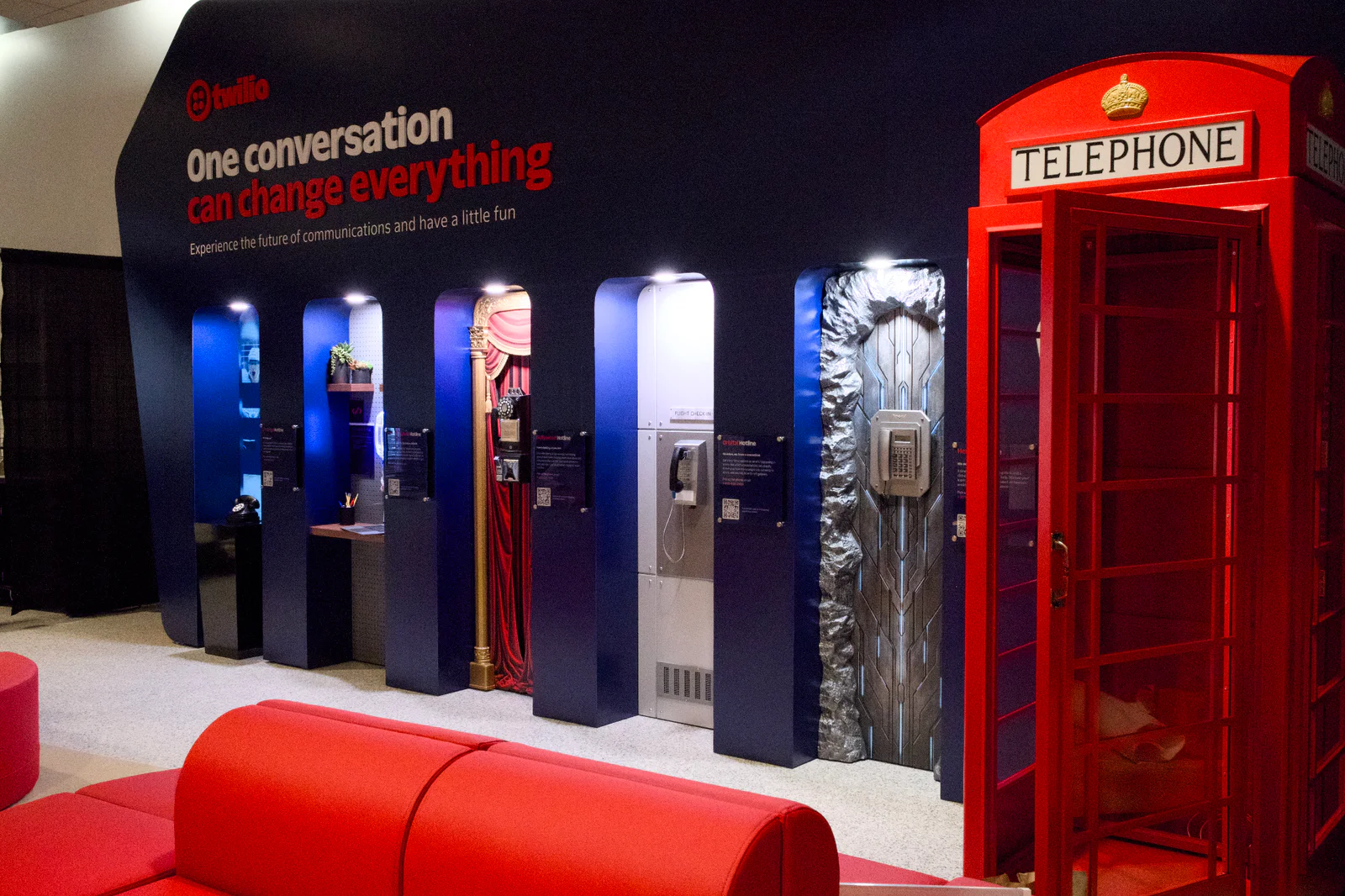
The final build was containerized and runs as an Azure Container Application. This was particularly useful since the application had to be deployed twice… There's also a ground-based version of the Escape Room experience running right now at Crypto Arena as part of our Twilio phone booths!
You Can Build It Too!
I have always loved PC adventure games, escape room puzzles, and interactive text-based experiences. And I also love Halloween and horror! Writing this program was really fun, and I'm so glad that I got the chance to work on my very own escape room project! It was a real honor to be able to create this experience with Twilio, and share it with the world this Halloween season. And now that you've seen a little bit behind the scenes, maybe you have an idea that inspires you and you want to build one too.
There's one thing not many people know about this game. If you're a particularly astute player, you might try putting in some silly membership numbers in the computer and see if you get surprising results. There's some Easter Eggs hidden in that menu…
It's particularly exciting to me to be featured on the ground at the arena for everyone to check out the game we worked on. Hundreds of people have already experienced the puzzle-solving room…and now you can too. But, what you can also do is make one of your very own!
If you build one, let me know, so I can try to solve the puzzles you've created! I'm always up for a challenge.
Amanda Lange is a .NET Engineer of Technical Content. She is here to teach how to create great things using C# and .NET programming. She can be reached at amlange [ at] twilio.com.



Related Resources
Twilio Docs
From APIs to SDKs to sample apps
API reference documentation, SDKs, helper libraries, quickstarts, and tutorials for your language and platform.
Resource Center
The latest ebooks, industry reports, and webinars
Learn from customer engagement experts to improve your own communication.
Ahoy
Twilio's developer community hub
Best practices, code samples, and inspiration to build communications and digital engagement experiences.