How brands start trusted conversations on Apple Messages for Business
Time to read:
November 05, 2026
Written by
How brands start trusted conversations on Apple Messages for Business
A text arrives: "Your card was used for $482. Reply YES if this was you." It comes from an unknown number. Is it your bank, or a scam? Most people can't tell, and that doubt is the biggest problem with business messaging today. It gets bigger as more brands, and the AI assistants that work for them, move customer conversations into messaging apps.
We explained in our previous blog, how the grey bubble, Apple Messages for Business (AMB), gives brands a verified presence in the thread and an experience where iOS consumers can pay, book, or get help without leaving the native Messages app. This post covers what brands ask next: how do customers get there in the first place?
What's new
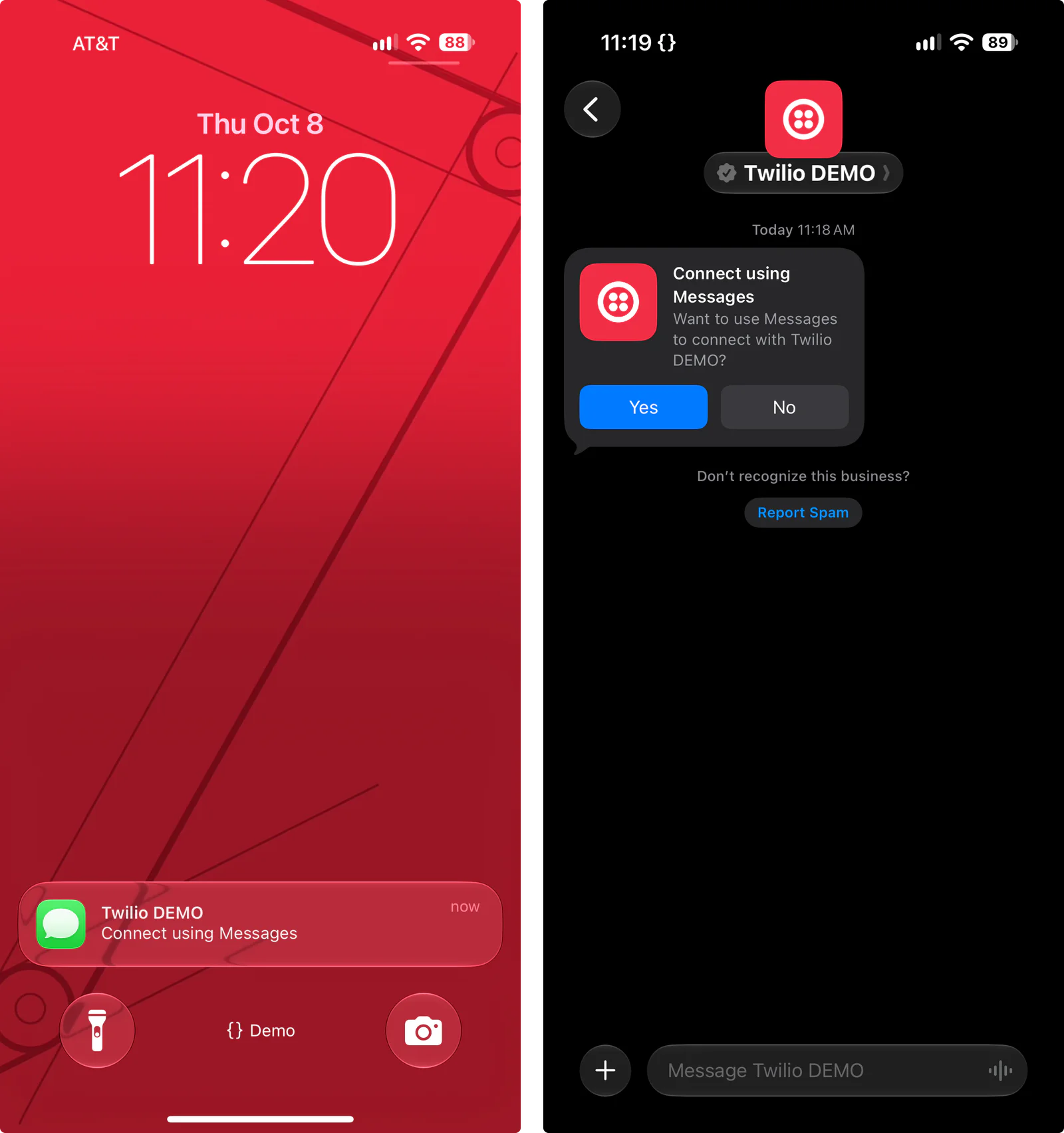
Apple Business Invites is now part of Twilio's AMB private beta. It is a short invitation template on the Messages app that collects opt-in for approved brands.
The first-message problem
AMB is purposely designed so the customer starts the conversation. That's a big part of why people trust it: no cold messages and no spam. It also means a brand's hardest job is getting found.
That's why some businesses turn to vendors offering "business iMessage blue bubble”, so they can message customers first. The catch is that there's no official API for iMessage.
These services rely on workarounds that break Apple's terms of service, and Apple can shut them down at any time. That puts the business at risk, along with every conversation it builds there.
The Messages app is built around a trusted experience for users, and Apple works hard to keep spam out of it. As Apple gets stricter about who can reach people in the Messages app, unofficial blue bubble messaging gets riskier. Apple Messages for Business is the official channel, and Business Invitations proactively get users to engage and acquire opt-in.
How customers find you on AMB
Customers start AMB conversations from wherever they already meet your brand:
Voice call deflection through Message Suggest
Email or social media: a link that starts the conversation
Website or app: a Messages button opens the chat
Apple Maps or search engine
Great use cases for AMB
AMB works best when a customer has something to get done and wants to do it in one place. Use cases that stand out:
Customer service experiences: Customers start a chat from Apple Maps, Safari, or by tapping your phone number. Bots handle the quick questions and a live agent steps in when needed, all in the same thread, so fewer customers wait on hold.
Alerts and notifications: Fraud alerts, account updates, flight changes, and order tracking arrive from a verified sender with the brand's name and logo, for customers who have connected with you on AMB, including through Apple Business Invites.
Interactive commerce: Customers browse with list pickers, share details through forms, and pay with Apple Pay without leaving Messages.
App-like experiences: Ticket purchases, fan experiences, and personal assistants run right in the thread, with lists, forms, and Apple Pay, so customers get things done without downloading an app.
AI assistants: Customers can talk to an AI assistant right in Messages, with no app to download. The assistant can handle longer back-and-forth conversations while helping customers finish tasks with lists, forms, and buttons.
These use cases fit especially well in airlines and travel, financial services, retail, and ticketing and live events as well as companies whose product is an AI assistant where great user experience can drive outcomes.
Whatever the use case, Apple asks every brand for three things. The ability to reply to customers, a path to a human agent inside the conversation, and an experience that covers more than a single task.
Where Apple Business Invitations fits
Business Invitations adds one more entry point. An invitation is a short Apple template sent to a customer's phone number where it asks the customer to connect. Once a customer opts in, the brand can send service messages like order updates, account alerts, and support replies for up to a year after the customer's last interaction. A few rules apply:
Marketing needs its own opt-in: Accepting an invitation doesn't cover promotional messages. Consumers opt-in to marketing separately, inside the AMB conversation. An SMS opt-in doesn't carry over.
Service experiences come first: Apple doesn't approve deployments built only for marketing.
Additional approval is selective: Every brand on AMB goes through Apple's review to launch. Invitations require a separate approval on top of that.
Join the AMB private beta
Ready to bring your brand into the grey bubble? Join the AMB private beta to start building your AMB experience along with Twilio’s help. Joining the beta is the first step, and Apple approves Business Invitations separately for each brand.
New to AMB? Start with The Power of the Grey Bubble


Related Resources
Twilio Docs
From APIs to SDKs to sample apps
API reference documentation, SDKs, helper libraries, quickstarts, and tutorials for your language and platform.
Resource Center
The latest ebooks, industry reports, and webinars
Learn from customer engagement experts to improve your own communication.
Ahoy
Twilio's developer community hub
Best practices, code samples, and inspiration to build communications and digital engagement experiences.