Recipe
Personalization at Scale Using Twilio Segment Events to Boost Product Adoption
In this recipe, you’ll learn why milestone and recap emails are important to drive product adoption, what makes them effective, and how product activity data from Twilio Segment can help personalize and add context to these emails.

What do you need?
-
Inflection.io
Steps
Product adoption is one of the key indicators of a SaaS company’s financial health and growth. When customers fully adopt your product, businesses can achieve substantial revenue growth through increased subscriptions, longer customer relationships, and reduced churn.
You can achieve better product adoption in different ways. One of the most lucrative and efficient ways to do so is with emails. From this recipe, you’ll learn how to personalize milestone and recap emails using product events from Twilio Segment at scale in Inflection.io.
Why are milestone and recap emails important for product adoption?
Milestone emails are triggered when the users cross or need a nudge to reach an important inflection point in product usage. A good recap email helps users reminisce and re-evaluate something that took place over time. Peloton’s "Month in Review" and Uber’s "n the Rear-view" are great examples of recap emails that earned an iconic status among their users. Milestone and recap emails are important tools for improving product adoption and engagement for several reasons:
- Celebrating achievements: Recognizing users’ accomplishments, such as reaching a certain usage level, completing a key task, etc., reinforces their positive experience with your product. This positive reinforcement is a great motivator to continue using your product.
- Enhancing user experience: Recap emails serve as a helpful reminder of your product’s value. By highlighting key activities and outcomes, recap emails can help users see the tangible benefits of your product.
- Education and guidance: Milestone and recap emails can also serve as a means to educate users about advanced features or functionalities they might not have explored yet. By providing tips, best practices, and resources relevant to their usage, you can help users unlock additional value from your product.
- Timing and Relevance: Sending these emails at strategic moments increases the likelihood that users will pay attention to, and act on, the information provided.
- Reactivation: Recap emails, in particular, can be an effective tool for reactivating dormant users. A recap of the user's previous activities can help them remember the value they are missing out on and nudge them to re-engage. This can help reduce churn and boost long-term retention rates.
- Retention and loyalty: By regularly acknowledging user milestones and summarizing their engagement, you foster a sense of loyalty and commitment to your product. These are more likely to be your sticky product users and advocates.
- Data-driven insights: The data collected from user interactions with milestone and recap emails can provide valuable insights into user behavior and preferences. This information can be used to refine your product and tailor future communication for improved engagement. The key to improving product adoption using milestone and recap emails is to personalize them to each user's unique journey and usage patterns. We’ll show you how to do that at scale leveraging Twilio Segment.
Step 1: Connect Twilio Segment as a source
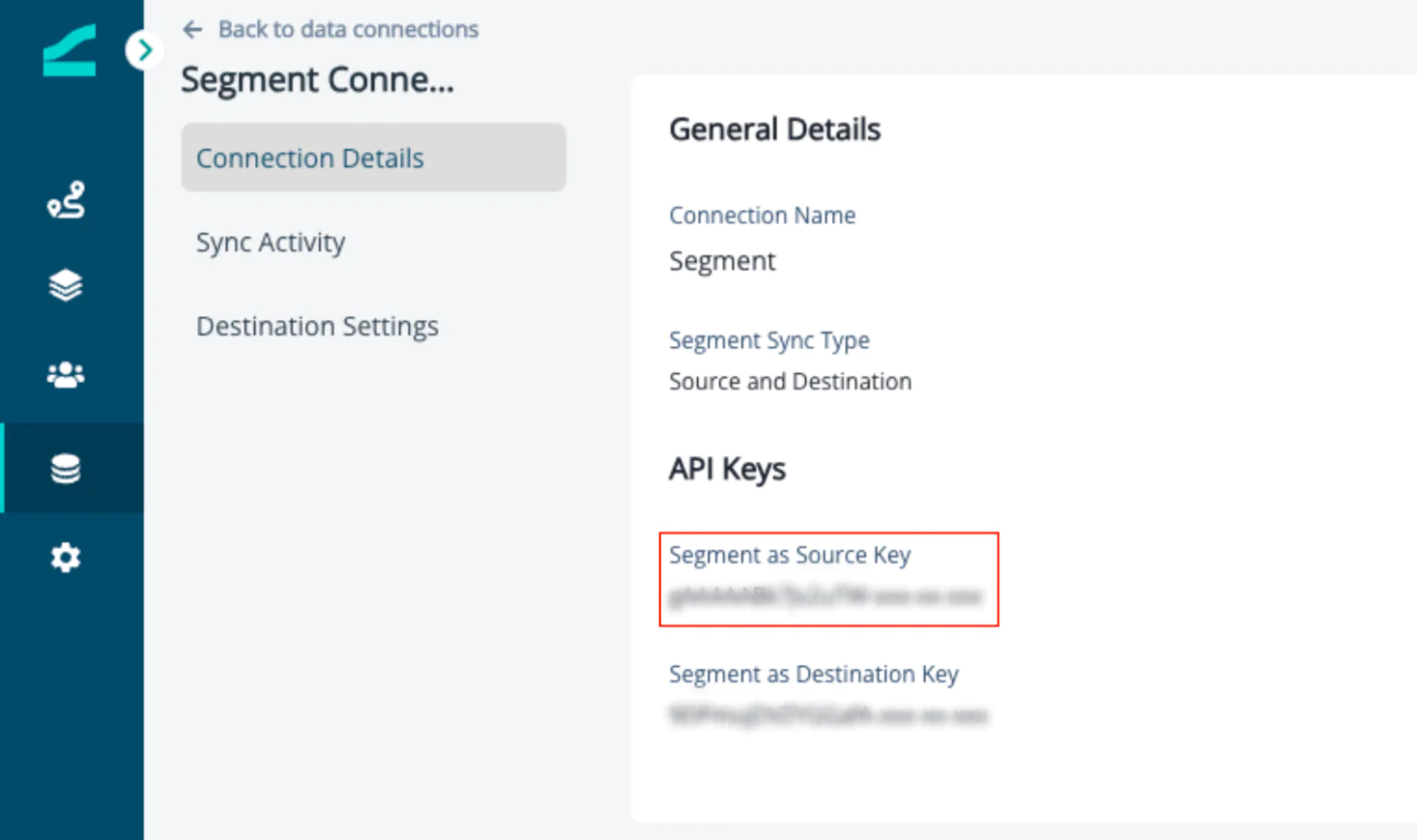
1. Login to Inflection go to Connections > Data Connections and select Twilio Segment. If you are not an Inflection user, contact us to set up an Inflection account.
2. Choose Source and Destination as the Twilio Segment Source Type from the drop-down menu.
3. Copy the Twilio Segment as Source key and keep it handy.
To start receiving product data via Twilio Segment, you must add Inflection as a destination.
4. Login to your account and choose a workspace for this exercise.
5. Navigate to Connections > Destinations. Search and select Inflection from the available destinations.
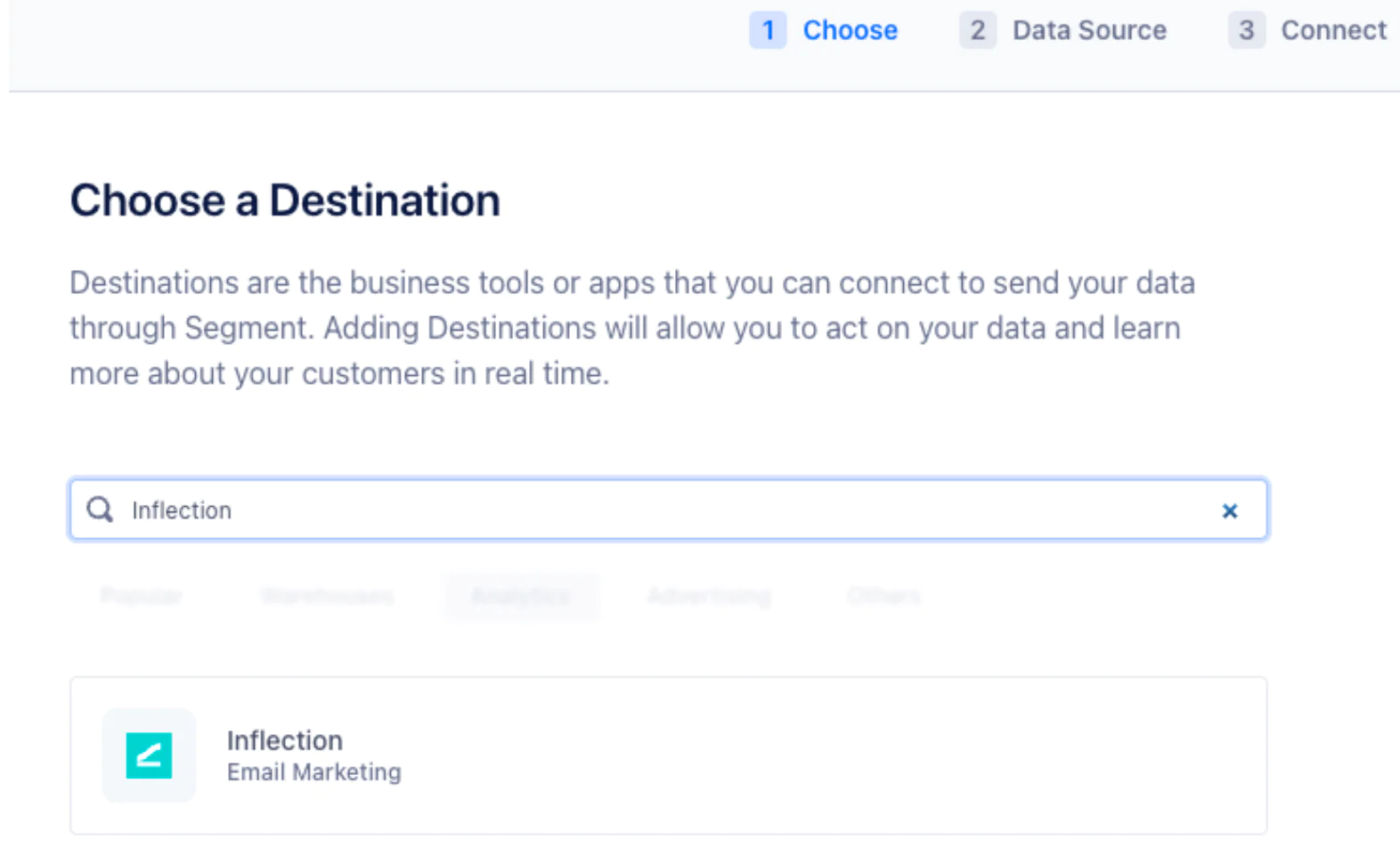
6. Select the source from which you need to get your product activity data. This may be your website, application, data warehouse, etc.
7. Name the connection and click "connect", you can see the Inflection as a destination in the flow.
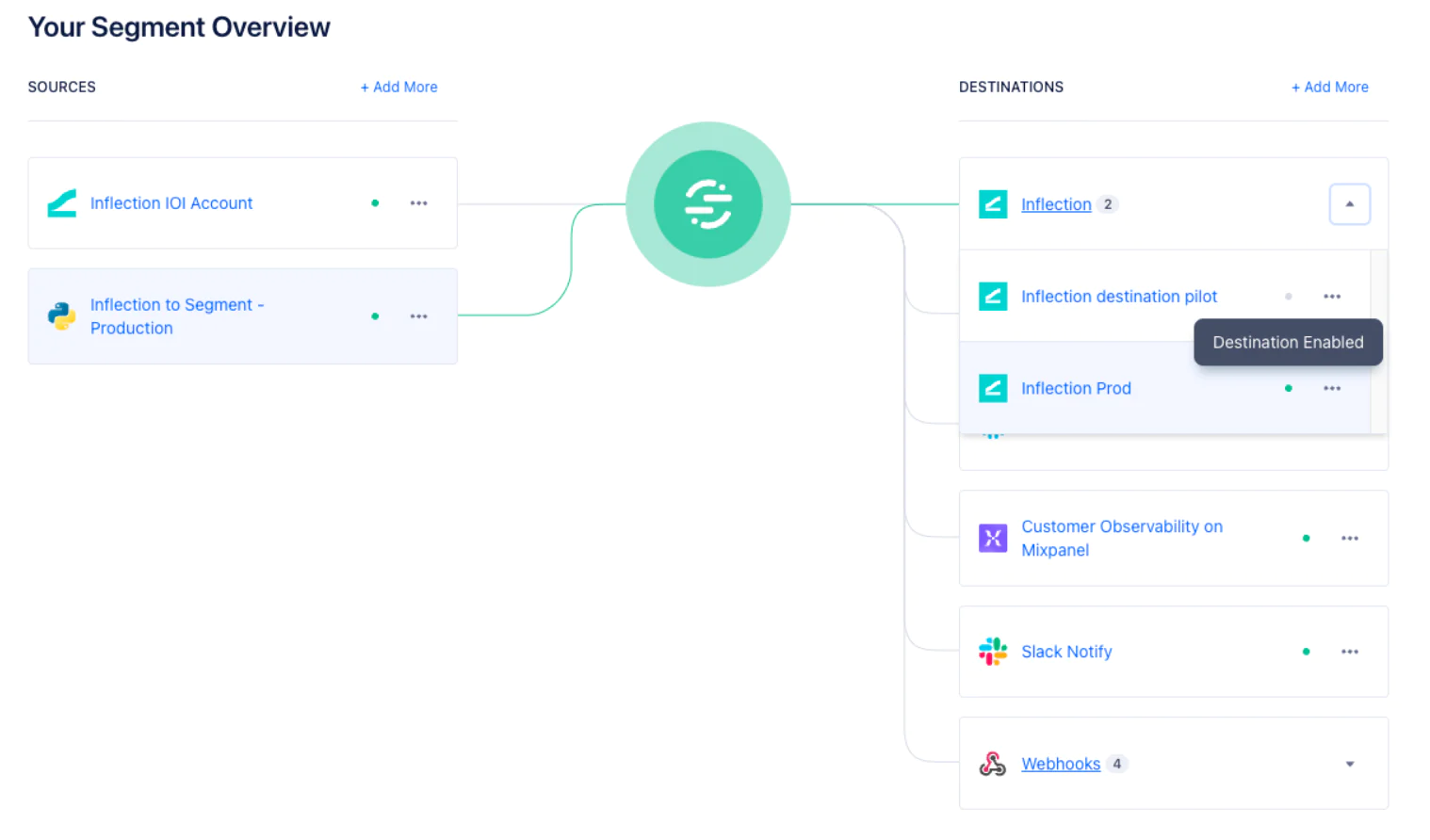
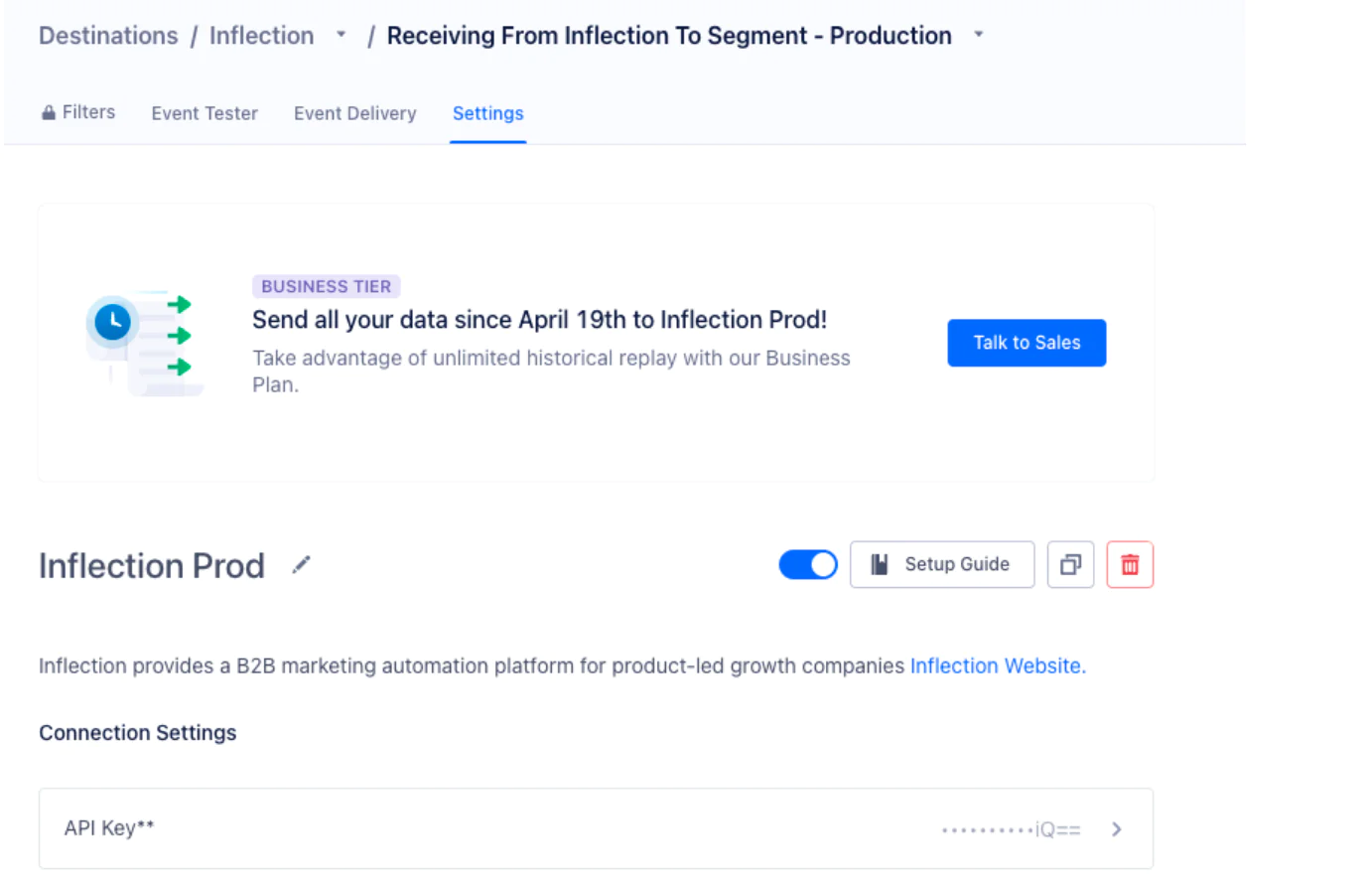
8. The destination is disabled by default. Navigate to the Destination Settings and click the toggle button to enable the destination. Enter the API key when prompted.
Step 2: Personalizing emails with product activity data from Twilio Segment
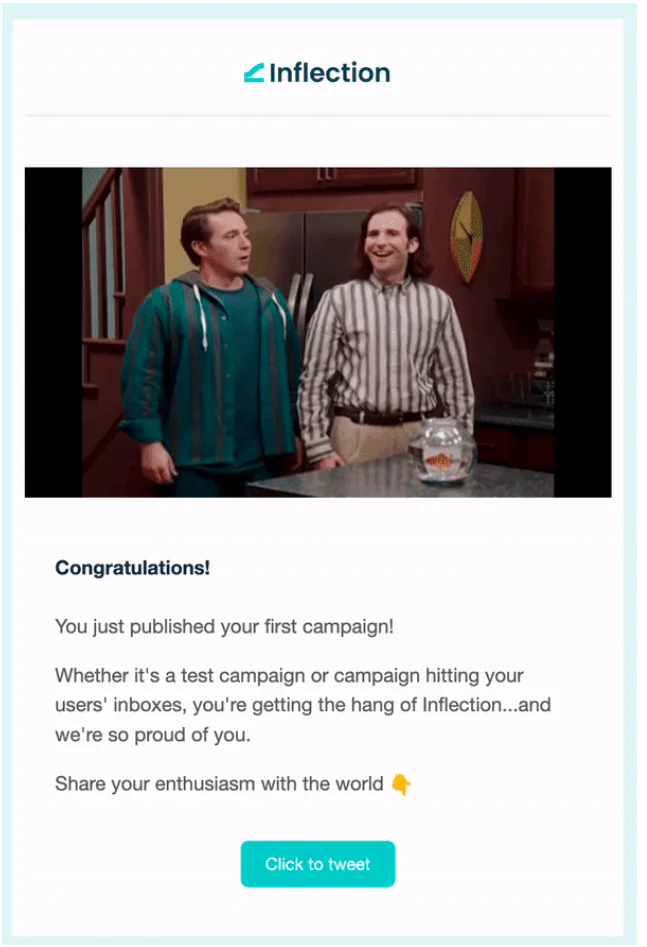
Identify the product events you want to use in your emails. For example, at Inflection, we send a milestone email like this when a user publishes their first campaign using our platform.
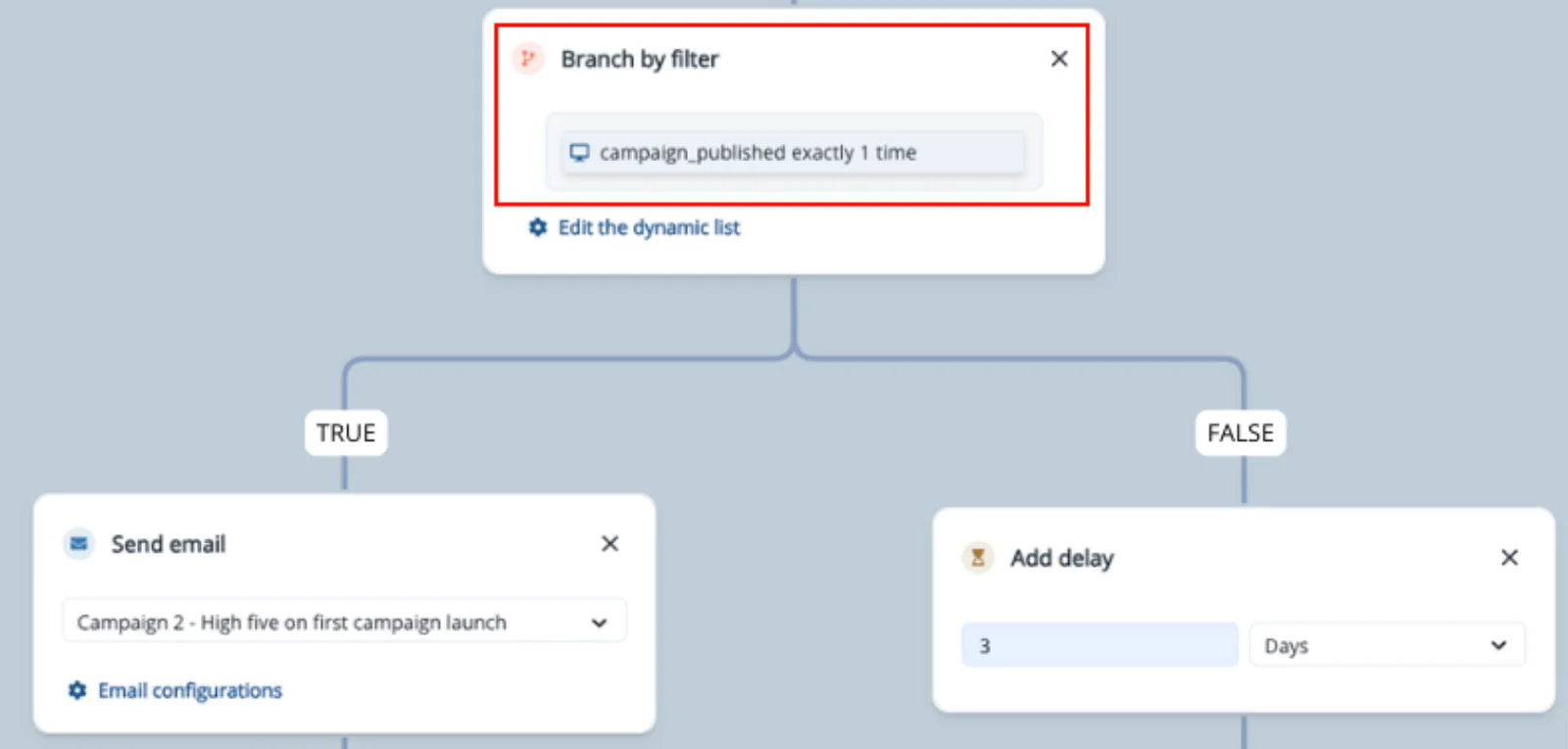
This email is triggered as part of the onboarding flow where the filter checks for the number of campaigns a new user published.
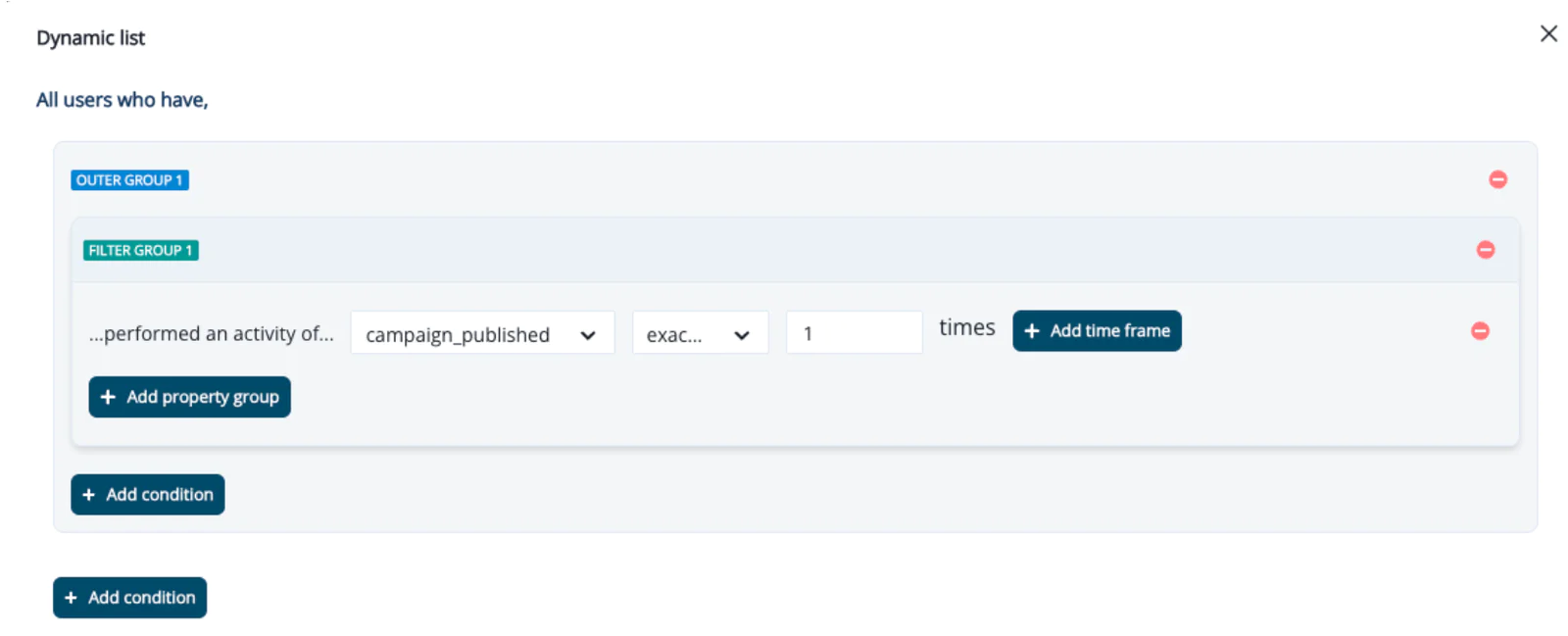
The product event ‘campaigns_published’ is one of the product events we track for personalizing and contextualizing our customer communications.
Let’s do the same for a recap email.
Stack Moxie is a customer of Inflection. They have an amazing digest email that their customers love and talk about. They use Inflection to curate and send a matrix of metrics that they identified as the most valuable to their customers, especially the decision-makers in the team.
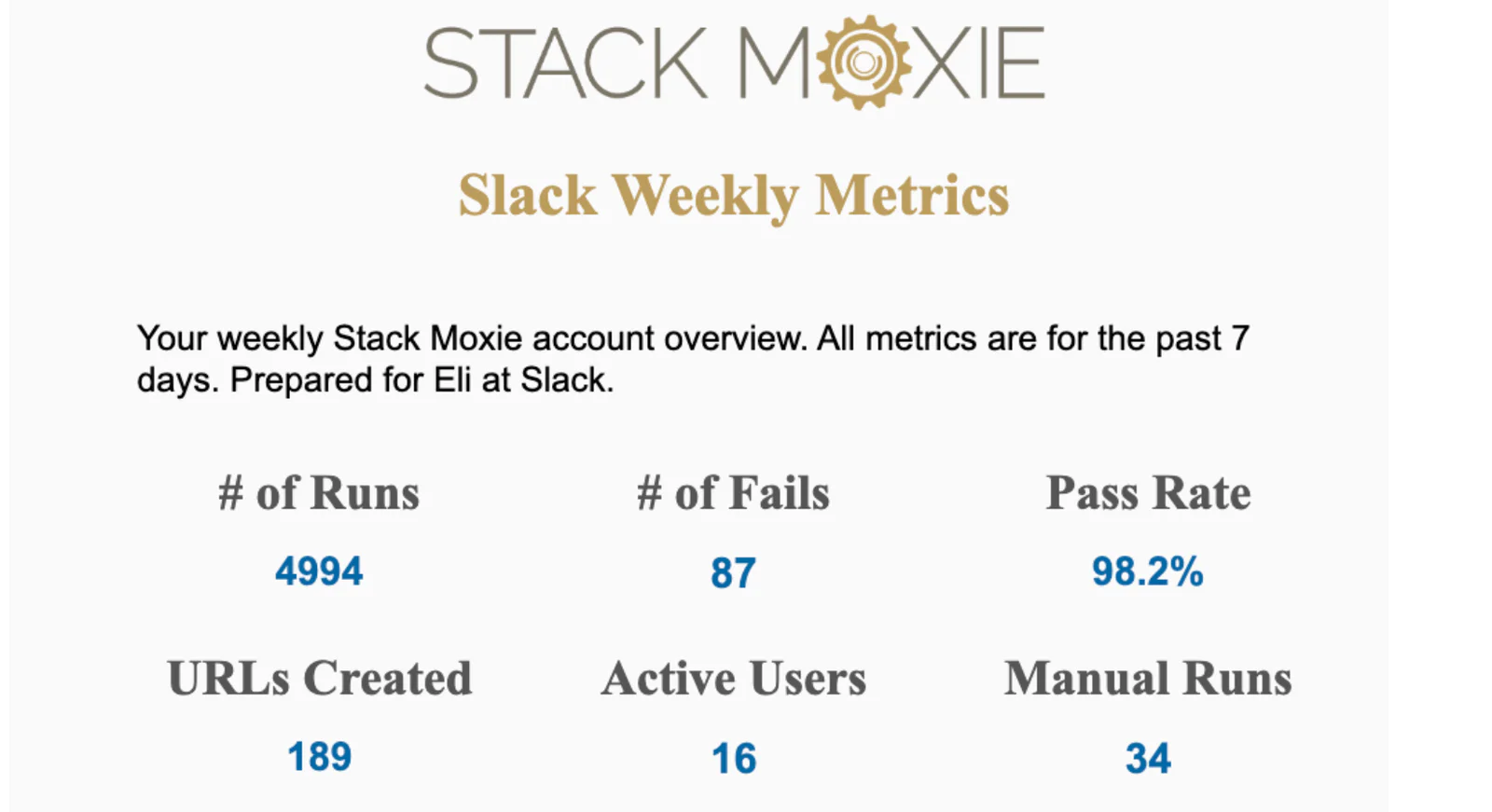
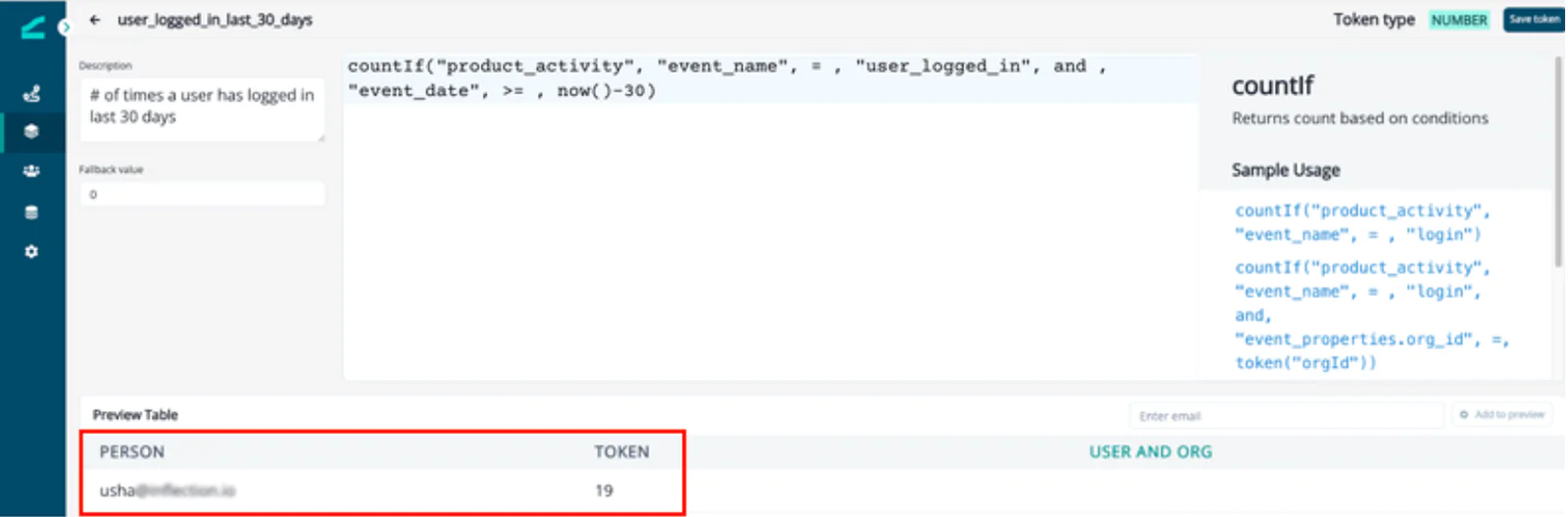
Let’s say this is a similar value metric matrix we want to send to the Admins among Inflection’s customers. We track the product activity event ‘user_logged_in’ from Twilio Segment and add up the number of times the event occurs using Inflection’s Tokens feature.
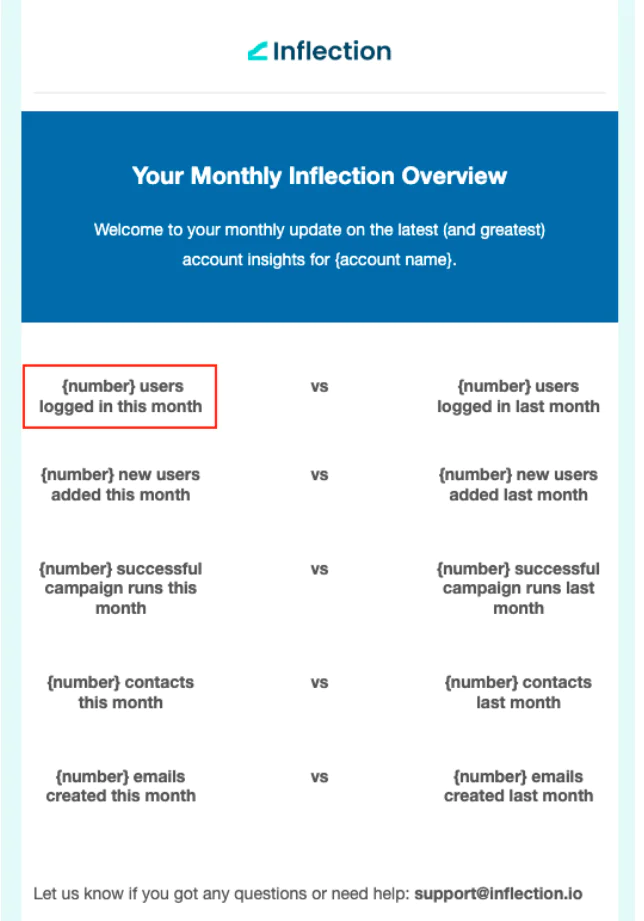
The token is called in the email, and it returns the calculated value shown in the preview.
There is more than one way to build a milestone or a recap email. But the key ingredient behind their effectiveness remains the same - personalization.
The uniqueness of these emails has to go beyond using the customer’s first name in the email. Leverage Twilio Segment CDP to get the necessary product data that matters to your customers and use it in your messages and to decide the timing of your communications.
Wrapping Up
In this recipe we’ve detailed:
- The importance of using milestone and recap emails in product adoption and engagement.
- How to connect Twilio Segment as a source to Inflection.
- Building personalized emails with product activity data from Twilio Segment .
You can learn more about Inflection and Twilio Segment here.
Easily personalize customer experiences with first-party data
With a huge integration catalog and plenty of no-code features, Twilio Segment provides easy-to-maintain capability to your teams with minimal engineering effort. Great data doesn't have to be hard work!