MMS
Elevate engagement with reliable MMS messaging
Send and receive rich media like images, audio, video, and more with Messaging, the trusted platform for MMS at scale.

Enhance conversations and drive conversions with rich media
MMS elevates the customer experience to drive growth. Enable transactional deliveries, GIF-marketing, contact sharing, and group chat. With Twilio’s developer-friendly APIs and scalability, MMS is just a few lines of code away.
Developer friendly APIs proven to deliver at scale

Programmable Messaging API
Send transactional MMS, SMS, and
WhatsApp messages with a single API.
-
Reach 180+ countries reliably with localized senders, compliance tools, and global guidelines.
-
Manage compliance, deliverability, replies, and more with Twilio’s programmable software.
-
Monitor and troubleshoot message delivery and engagement with real-time analytics.
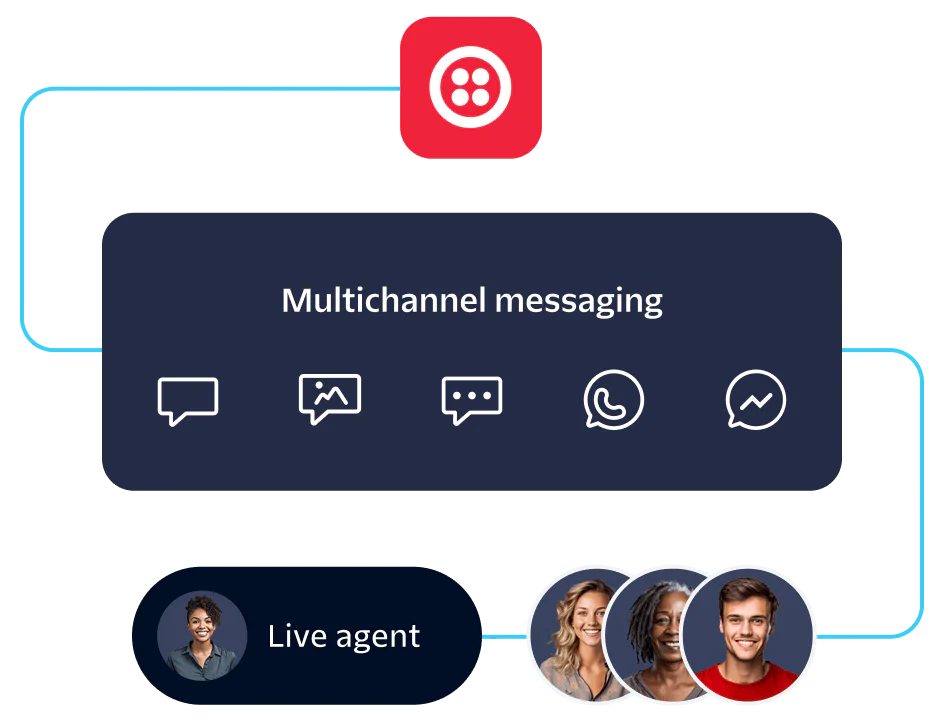
Conversations API
Drive two-way engagement with cross-channel messaging for MMS and more using a single API.
-
Power commerce and support on SMS, MMS, chat, Facebook Messenger, and WhatsApp.
-
Manage participants, archive messages, and orchestrate workflows without additional code.
-
Get to market faster with quick-starts, sample apps, and SDKs.
Grow relationships at scale
Read the Docs
Explore quick-start guides, sample apps, SDKs, and more in our comprehensive resource library to kickstart your build for web and in-app chat with Messaging.
Send a Message with an Image URL
Business MMS made easy with Messaging
Enrich customer relationships over MMS using two APIs in one trusted platform, Messaging. Pay as you go and enjoy scaling discounts for high-volume and long-term use.
FAQ
Twilio MMS availability depends on the type of number you’re using, the carrier, and the country.
If you’re sending an MMS with a long code (10-digit number) from the US and Canada, you can send it through major carriers like AT&T, Verizon, T-Mobile, Sprint, Rogers, Bell, Fido, Telus, Wind Canada. See additional minor carriers here.
If you’re sending an MMS with a US Short Code that’s enabled for MMS, you can send it through major carriers like AT&T, Verizon, T-Mobile, Sprint, and US Cellular. However, Twilio short code numbers in non-US countries do not support MMS.
And if you do end up sending an MMS to an unsupported network, we have an MMS Converter feature to automatically convert your MMS to SMS so it can still be sent and received by your customer.
Twilio supports MMS for the following sender types:
A2P 10DLC
Short codes
Toll-free numbers
But, MMS support varies based on the number type and the destination. Refer to Twilio’s Regulatory guidelines to confirm whether a specific number type supports MMS in your target country.
Common media types, like (JPEG, PNG, GIF) are supported. Here’s a breakdown:
Image formats: JPEG, PNG, GIF
Video formats: MP4
Audio formats: Audio-only files are supported but limited by carrier compatibility
Max file sizes vary by carrier. We recommend using attachments 600KB or smaller when sending files that are not jpeg, png, or gif images because some carriers may impose lower size limits.
Twilio’s MMS pricing varies by number type, destination country, and carrier. For the US, our current prices are:
Long codes and toll free:
Sending MMS: starts at $0.0220 per message plus media charges (varies by media size)
Receiving MMS: starts at $0.0165 per inbound message
Short codes:
Sending MMS: starts at $0.0220 per message
Receiving MMS: starts at $0.0165 per message
There are additional carrier fees for all messages sent over short code, along with a one-time $500 carrier fee to enable MMS on a short code. See detailed pricing by country and use case on Twilio Messaging pricing page.
We offer an MMS Converter that can convert your message to SMS if your recipient’s carrier or device doesn’t support MMS. The MMS Converter will include a shortened link that points to your media, so the recipient can still see the content even if they can’t receive your MMS.
If you don’t have the MMS Converter feature enabled, your MMS message will return an HTTP 400 error (error code 21612) and the message will not be delivered.
Delivery rates depend on carrier support, recipient device compatibility, message content, and sender reputation. To give you the best delivery success rates, we take steps to ensure high deliverability like:
Direct carrier relationships and routes
Real-time delivery status callbacks (webhooks)
Automated message retry and fallback mechanisms to convert MMS to SMS if MMS isn’t supported
Throughput and rate limits depend on the number type you use to send MMS. Rate limits control the number of MMS messages that we send to wireless carrier networks and impact typical throughput:
10DLC numbers: 1 message per second (MPS) is typical
Toll-free numbers: 3 messages per second (MPS) is typical
Short codes: 30 messages per second (MPS), depending on carrier and use case
See more information about rate limits.
To scale MMS messaging, you can pool numbers with Twilio Messaging Services. This distributes messages across your number pools to maximize throughput. You can also manage content size and media type to optimize message deliverability across carriers and destinations, knowing different carriers and locations have their own limits. You can also comply with Twilio’s Messaging Policy to follow carrier rules and give your messages the best chance at delivery.
Twilio provides compliance tooling and best practices, including:
Advanced opt-out of Messaging Services: Built-in keywords for STOP, START, HELP to handle opt-out and opt-in across all senders.
Reassigned number protection: Twilio Lookup identifies numbers that have been reassigned since you got opt-in, so you can avoid sending unwanted messages.
To implement MMS with Twilio, sign up for a Twilio account if you don’t already have one. If you do, login to the Twilio Console and start with a Twilio phone number that supports MMS (10DLC, toll-free, or short code) in supported regions like the US or Canada.
You can send MMS messages by using the Programmable Messaging API and including mediaURL parameters pointing to your hosted images or videos. The mediaURL parameter can be a single URL or a list of URLS, and the media must be hosted at a publicly accessible URL.
For receiving MMS, configure your phone number’s messaging webhook to your application endpoint, where Twilio will send incoming message data and media URLs. You can also track message status via delivery callbacks for monitoring purposes.
Get more detailed instructions in our getting started docs:
Set up a webhook
Configure your Twilio Phone Number to send incoming messages to your webhook URL in the Twilio Console or via the API.
Handle the incoming request
When an MMS is received, Twilio makes an HTTP request (webhook) with message details including media URLs.
You can then programmatically access sender information, retrieve media URLs to download and process attached media files, and respond to the sender using TwiML (Twilio Markup Language).
Get step-by-step instructions in our tutorials for different languages: