Open Sourcing the Twilio Docs AI Buddy Prompts: Empowering Technical Writers with Smarter AI Tools
Time to read:
December 17, 2025
Written by
Reviewed by
AI generated summary
- Twilio open-sources AI prompt templates to improve technical documentation efficiently.
- Prompts assist with tasks like editing, generating alt text, simplifying jargon, and creating metadata.
- Developers can adopt, adapt, and contribute to these AI tools to enhance their documentation quality.
This summary was generated by AI.
At Twilio, we believe great documentation accelerates developer success, but producing it can be hard, repetitive, and time-consuming. Twilio's Docs AI Buddy, a suite of AI-powered documentation assistants, has been helping our writers, engineers, and product managers draft, refactor, and review technical documentation more efficiently.
Today, we're open-sourcing the AI prompt templates that power Docs AI Buddy so you can use them in your own workflows, extend them for your stack, and help us push the state of AI documentation tools forward. Discover the Docs AI Buddy Prompt Library.
If you've been experimenting with AI prompts for technical writing, consider this your starter kit of production-tested, model-agnostic prompt templates for docs.
What we're open-sourcing
We're releasing a curated library of AI prompt templates for documentation, designed for reliability, reproducibility, and team workflows. These are the same prompts some of us use internally at Twilio, organized and documented so you can adopt them quickly.
Tasks covered
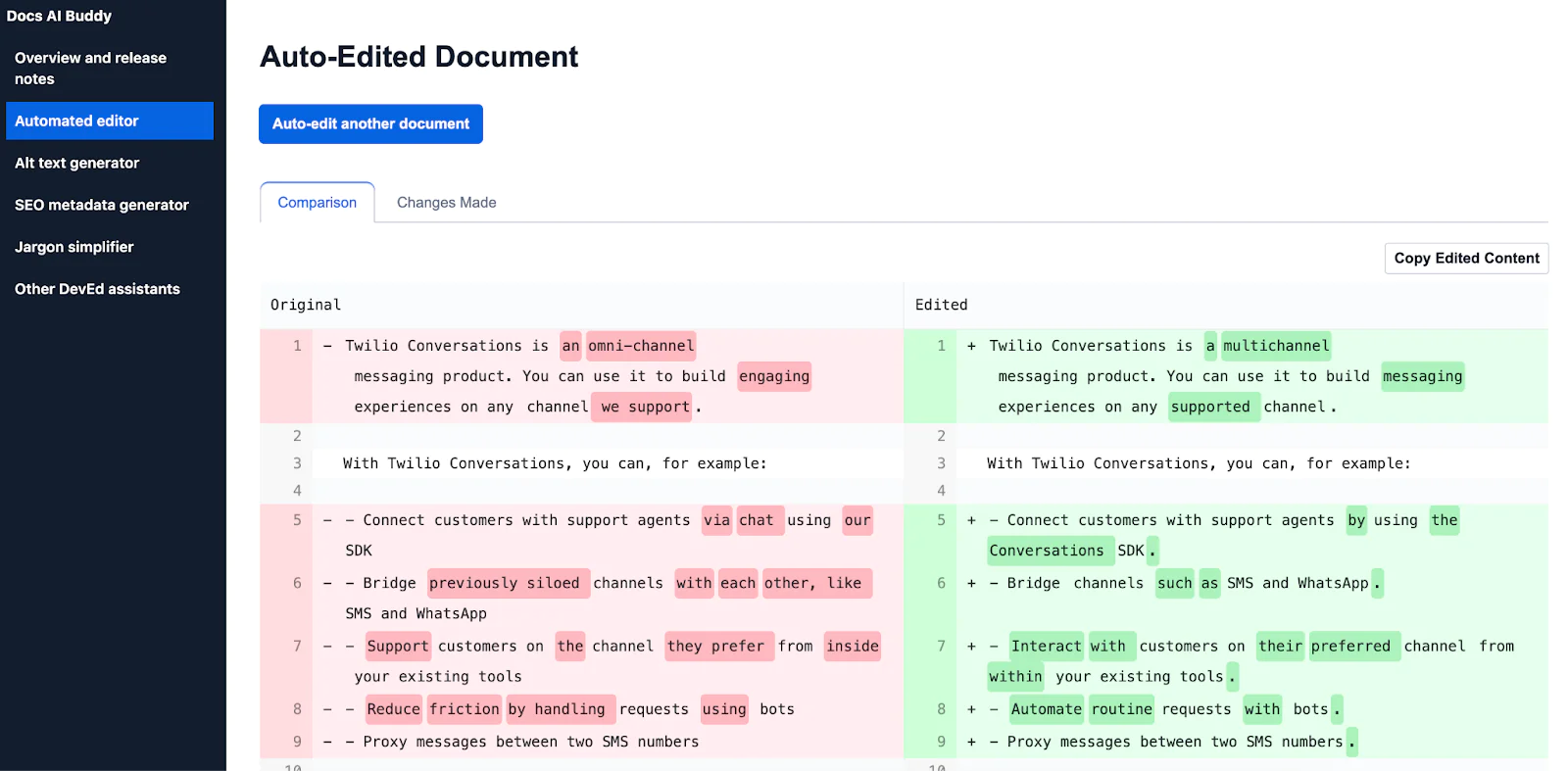
- Auto Edit Document: Review docs against style guides and quality rubrics for consistent quality
- Generate Alt Text: Create concise, informative image descriptions to improve accessibility. Read more about how it works here
- Simplify Jargon: Identify and revise complex technical language, making content more accessible
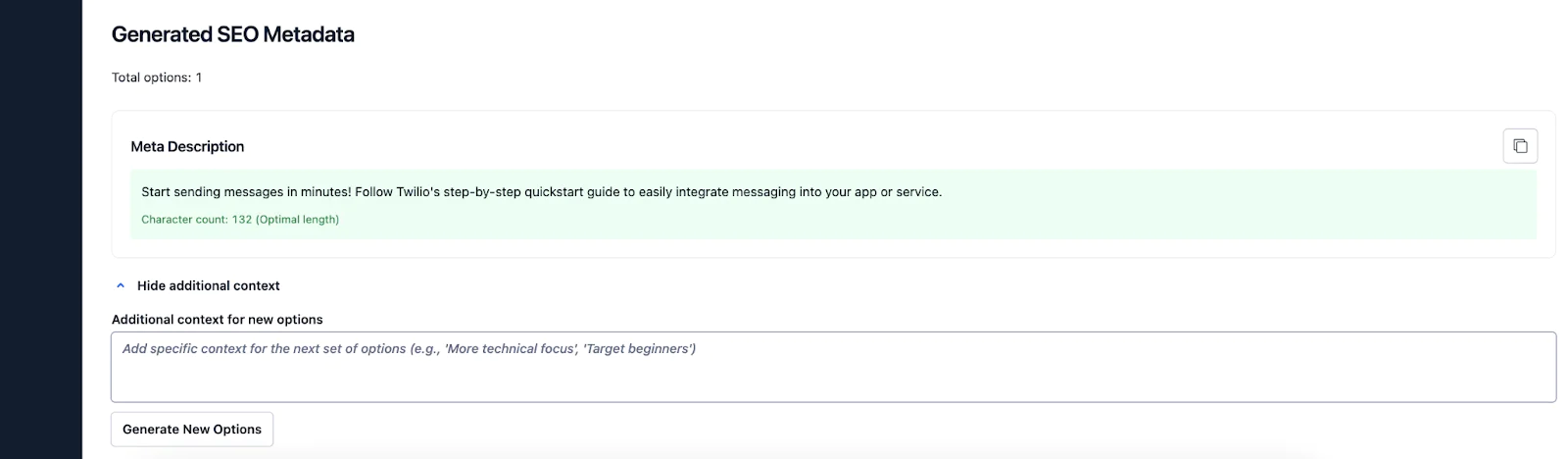
- Generate Metadata: Produce SEO-appropriate meta descriptions and titles for documentation pages
OpenAI-powered design
- Uses OpenAI’s AI models: o3 for editing documents, gpt-4o for generating metadata, simplifying jargon, and creating alt text.
- Prompts designed to follow Twilio’s documentation standards and quality guidelines.
- Agent-based design with role separation for consistent, reliable results
Why this matters for developers
Whether you maintain SDK docs, build internal platforms, or ship public APIs, better documentation boosts adoption and reduces support load. These AI prompt templates can help you:
- Improve technical documentation with AI while maintaining voice and accuracy
- Automate repetitive editing tasks so you can focus on content substance
- Create consistent examples across languages and frameworks
Inside the repository
Here's how the repo is organized:
What's in each prompt file
Each prompt template includes:
- Instructions and variables to guide the AI
- Evaluation notes for quality assessment
- Recommended model parameters (temperature, max tokens, etc.)
Quickstart
You can try the templates in minutes with your preferred model.
- Clone the repository
- Browse the
prompts/folder and choose a prompt (e.g.,auto-edit-document.mdx) - Set your model provider credentials as environment variables
- Integrate the prompt with your LLM provider's SDK (OpenAI, Anthropic, etc.)
- Adapt the system instructions to your style guide and use case
Example usage
Here's a quick example using the Simplify Jargon prompt with the OpenAI SDK (you can sign up and get an OpenAI API key here):
How to contribute
We’d love if you tried out the Docs AI Buddy prompts – and we welcome all contributions! Whether you're fixing a typo, refining a prompt, or submitting an entirely new template, your input helps the community (and us here at Twilio).
Please see CONTRIBUTING.md for detailed contribution guidelines.
Conclusion
Strong developer docs come from good processes. By open-sourcing our Docs AI Buddy's prompt templates, we're aiming to give teams a practical foundation to improve technical documentation with AI – without starting from scratch. Use them as-is, tailor them to your voice, and help us make documentation AI tools more reliable and useful for everyone.
Try the open-source prompt templates today. Clone the repository, run a prompt on your docs, share your feedback, and contribute! Join the community, and help shape the future of AI-assisted technical writing.
- Explore the GitHub repository
- Star the repo and open your first issue or PR
- Share your results and learnings with the community
Ana Maria Benites Rodriguez is a Developer Educator at Twilio. She is passionate about the intersection of docs and code—constantly looking for ideas to make the user onboarding process easier and smoother. If not reviewing docs or code, you can find her drinking a coffee in any cool coffee shop in Berlin. She can be reached at arodriguez [at] twilio.com or https://github.com/anitabenites.
Maria Bermudez is a Developer Educator at Twilio. She is passionate about solving technical problems in a pragmatic and practical fashion—lately, this involves a lot of AI for scalability and productivity wins. She can be reached at mbermudez [at] twilio.com or https://github.com/bermudezmt .
Farah Aly is a Developer Educator at Twilio. She is passionate about breaking down complicated concepts into clear, accessible documentation that help developers build confidently. When not working, you can find her at a local cinema! She can be reached at faly [at] twilio.com or https://github.com/farah-aly .



Related Resources
Twilio Docs
From APIs to SDKs to sample apps
API reference documentation, SDKs, helper libraries, quickstarts, and tutorials for your language and platform.
Resource Center
The latest ebooks, industry reports, and webinars
Learn from customer engagement experts to improve your own communication.
Ahoy
Twilio's developer community hub
Best practices, code samples, and inspiration to build communications and digital engagement experiences.