The new Twilio Console: Your mission control for customer engagement
Time to read:
May 06, 2026
Written by
Reviewed by
AI generated summary
- The new Twilio Console centralizes communications, identity, and data in one place.
- Features include an intuitive UX, frictionless product trials, unified sender onboarding, and a single developer workbench.
- A new AI assistant provides real-time support, and there are enhanced tools for billing and compliance management.
This summary was generated by AI.
The new Twilio Console: Your mission control for customer engagement
Building great customer experiences is complex. At any given moment, you’re bouncing between multiple tabs and tools, managing compliance, and troubleshooting when something breaks. It’s a context-switching nightmare for most builders, who already spend too much time playing Tetris with their tabs.
This is exactly why we’re introducing a new Twilio Console: a single mission control center that brings your communications, identity, and data into one experience. In other words, we’ve completely redesigned the front door to Twilio, so you can spend less time on infrastructure, and more time on impact.
A new platform for builders
The new Twilio Console isn't just a visual refresh – it’s an entirely new way to build, manage, and scale with the Twilio Platform.
Key features of the new Twilio Console
Intuitive UX
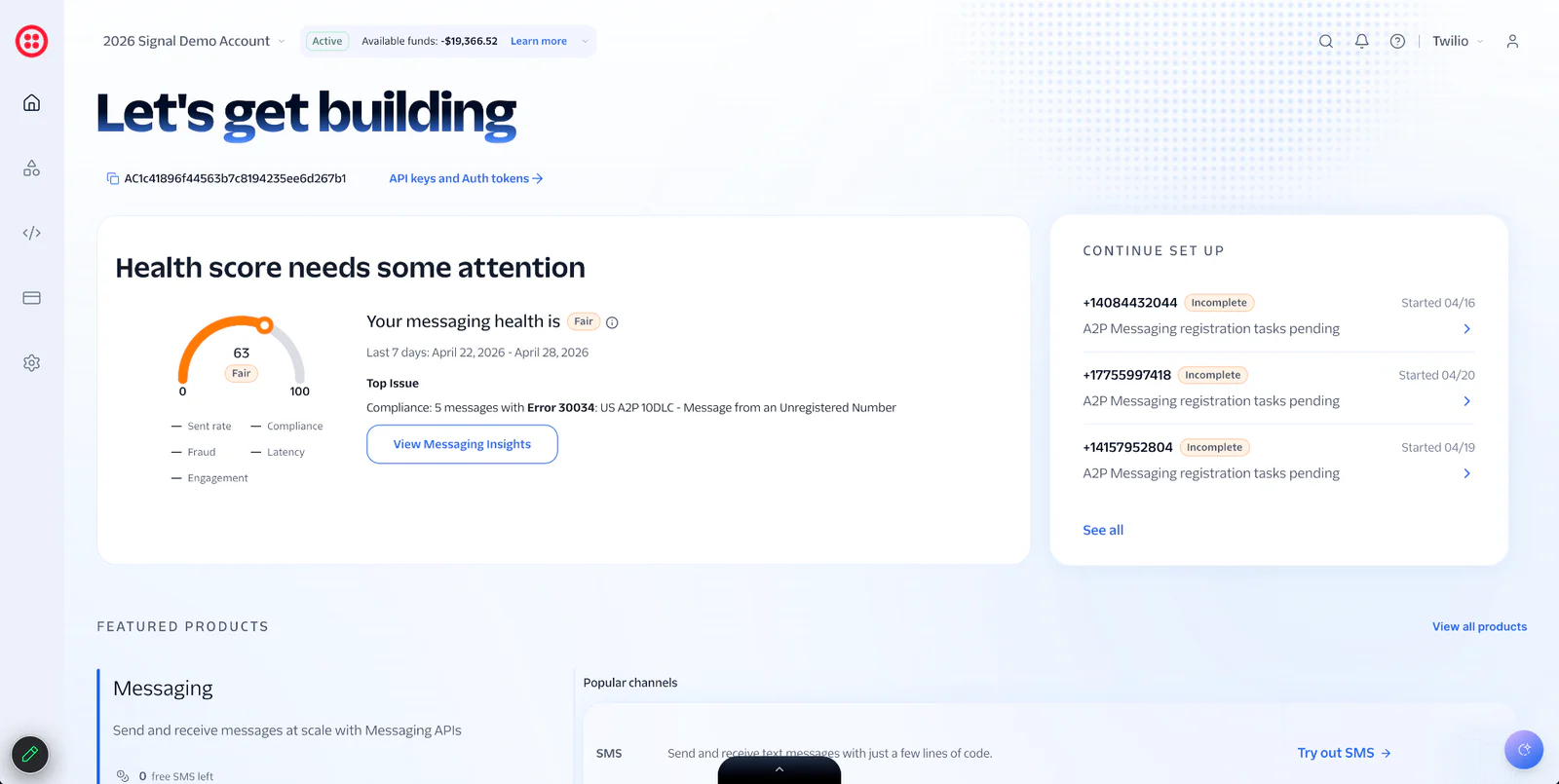
When you log in, you’ll find a new, dynamic home page and global search that puts the products you need right where you expect them. If you need to access SendGrid or Segment, a console switcher allows you to navigate seamlessly between products without managing separate logins.
Frictionless trials and channel expansion
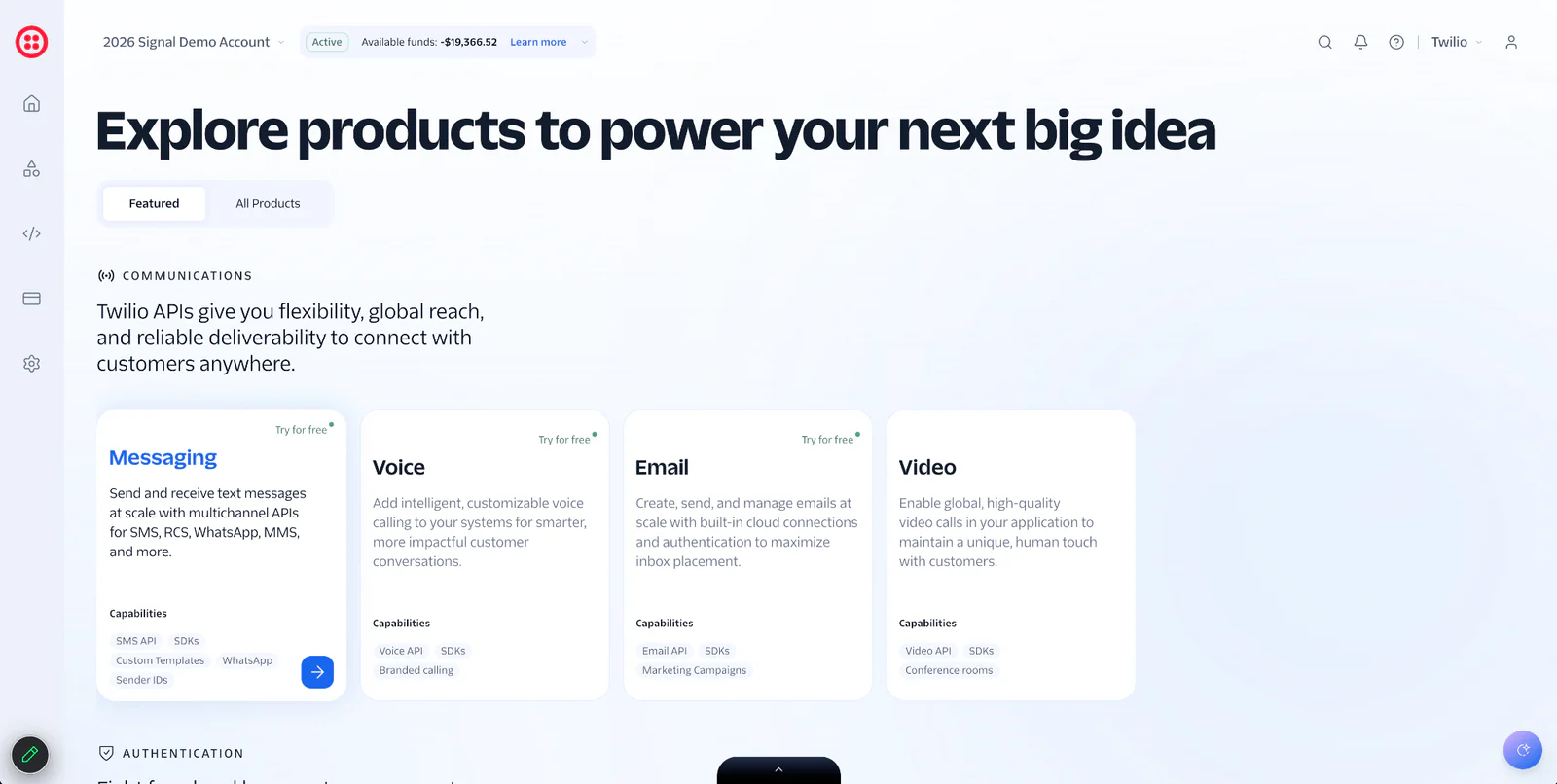
For teams looking to try out new products quickly, the new Explore Products experience offers frictionless, built-in trials. That way, you can test out new channels like Twilio Email, or try out our newest platform capabilities. Not to mention, we’ve also added some free trial units so you can kick the tires before you fully commit.
Unified sender onboarding
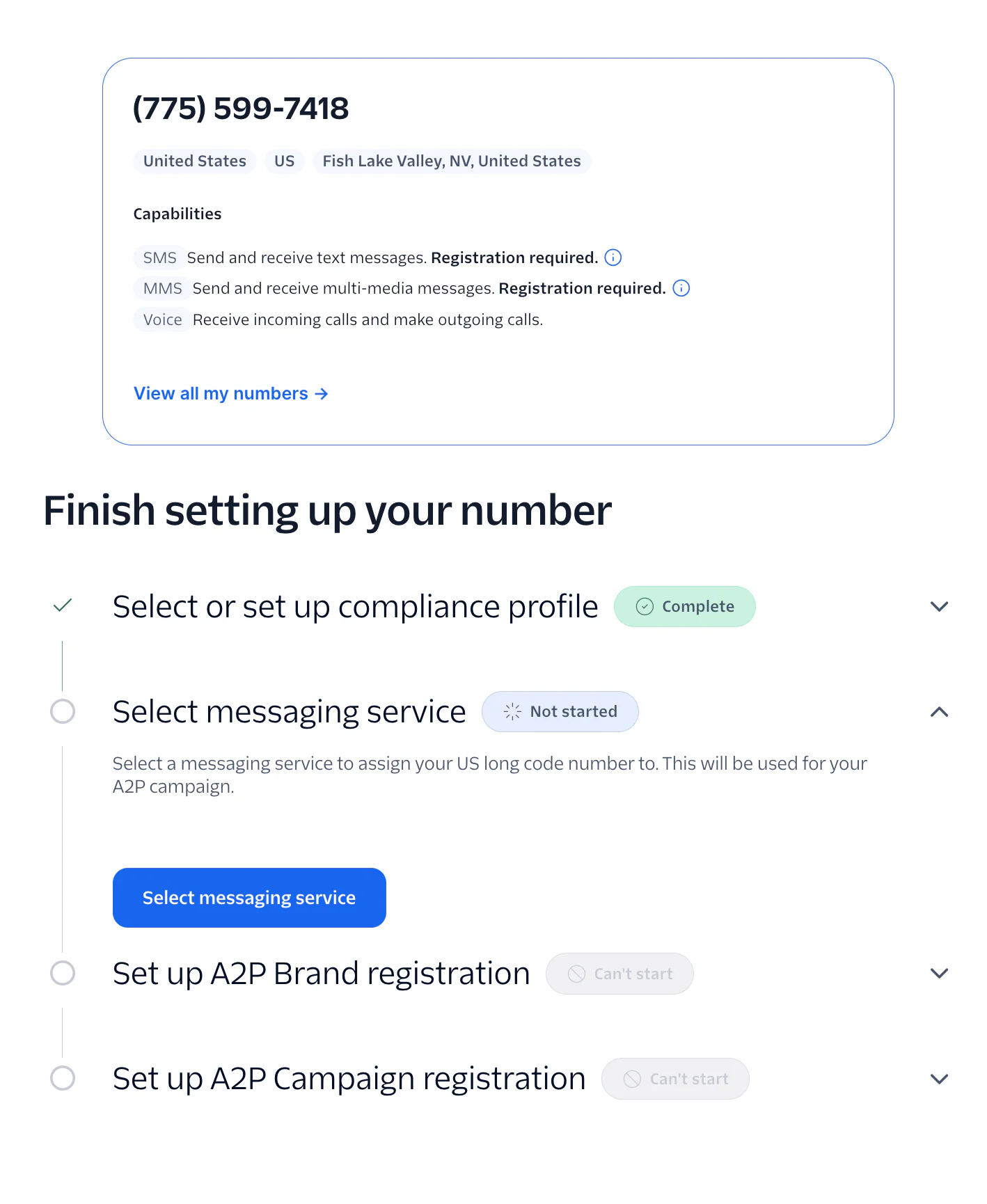
Compliance and regulatory management shouldn't be a roadblock to launching your campaigns. That’s why we’ve introduced a new Numbers & Senders hub that provides one guided flow to purchase numbers and complete compliance requirements. Backed by Trust Hub profiles, this turns a massive regulatory headache into a simple, guided setup.
One workbench for builders
To help you debug faster, we’ve created a single developer workbench. It brings your API keys, webhooks, logs, and alarms into one shared space. Now, developers can troubleshoot across products without having to escalate to internal experts or turn to support for help.
Smarter support
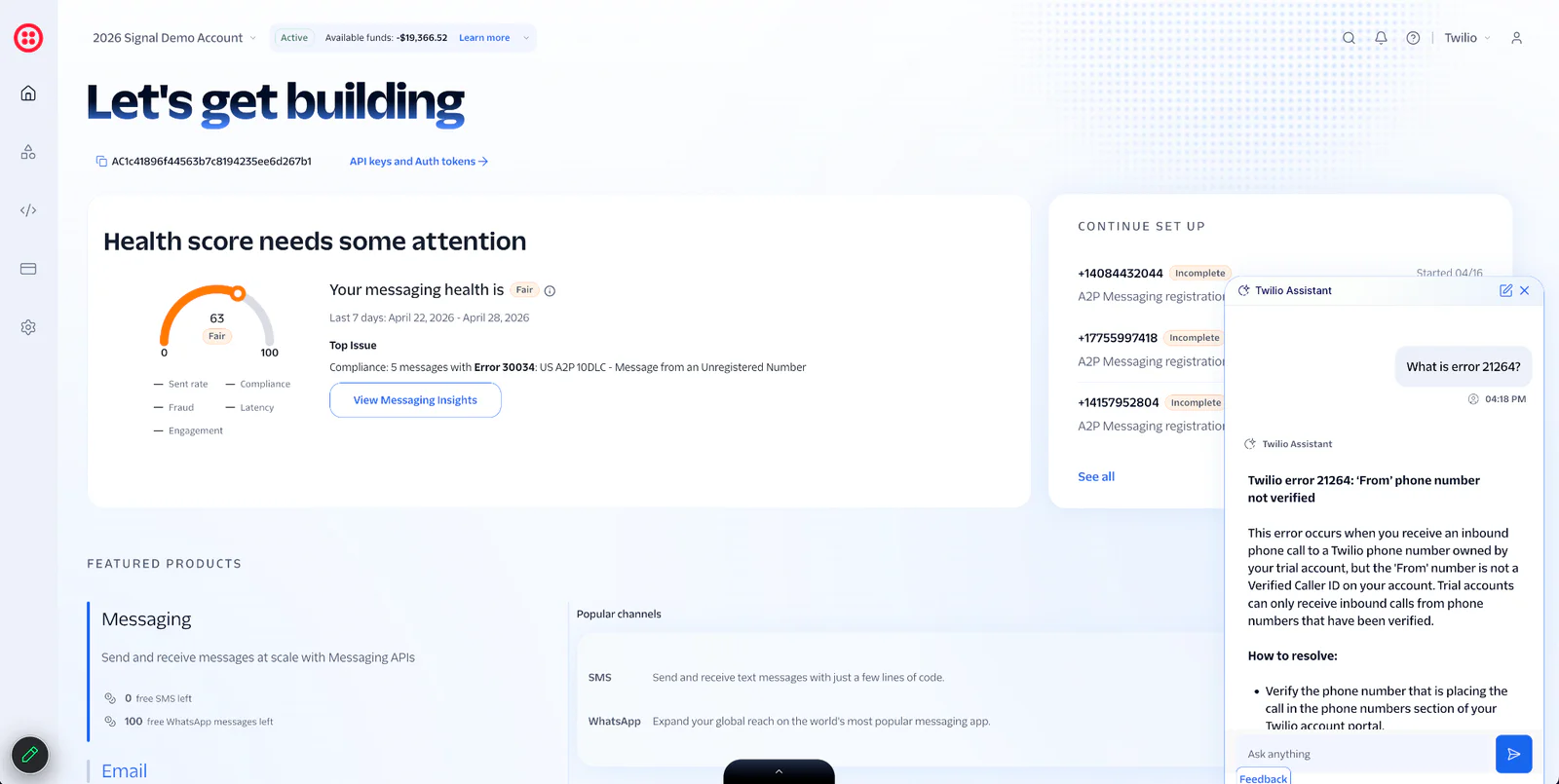
When you do need help, an integrated AI assistant is on standby for real-time support. The Twilio Console Assistant provides natural-language answers grounded directly in Twilio Docs, and can also troubleshoot delivery issues. If you do end up needing human support, the new built-in Support Center lets you manage your support tickets without ever leaving the console.
Centralized billing
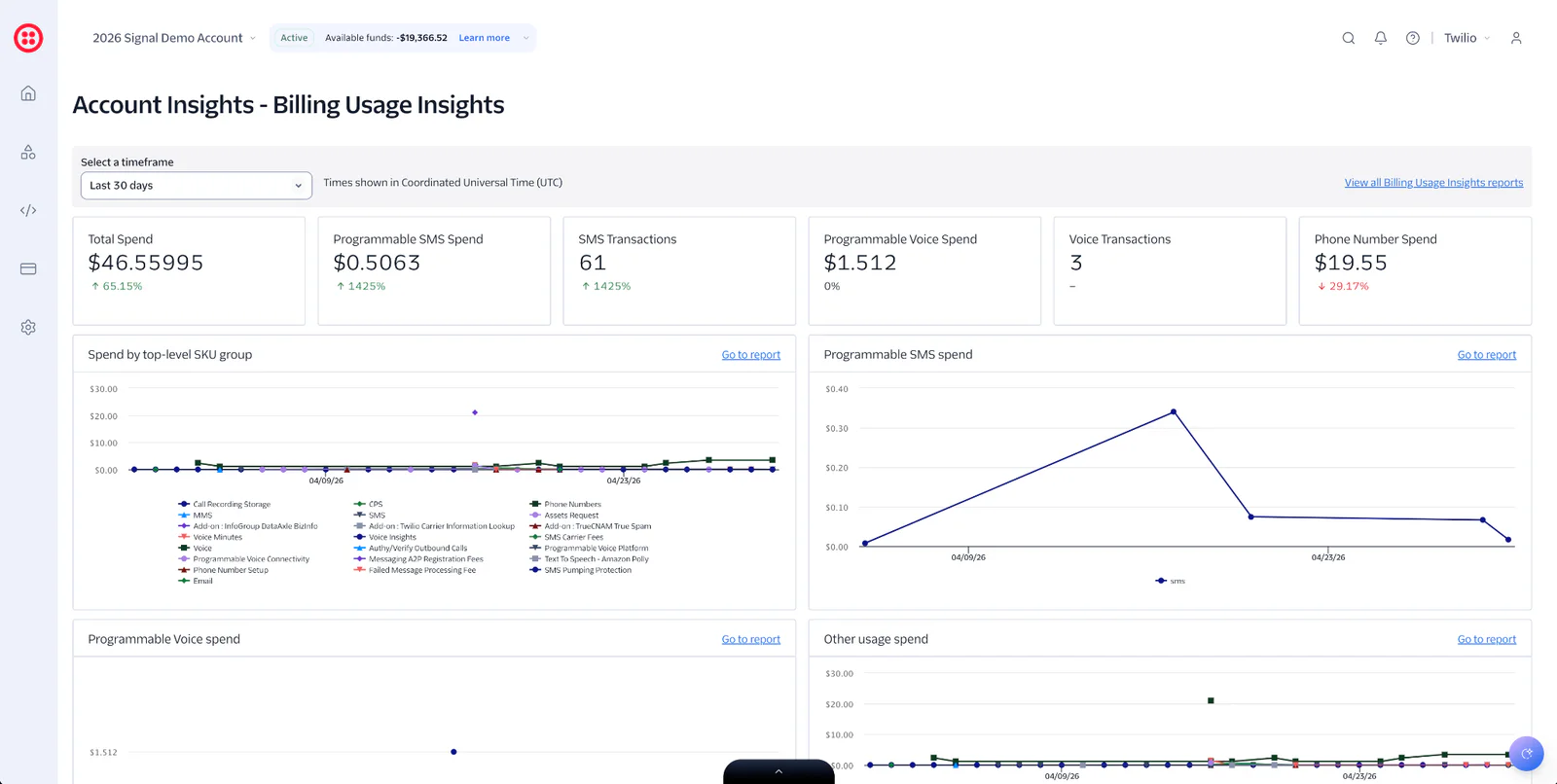
While billing may not make the headline news for most builders, finance and operations teams care deeply about it. That’s why we’ve introduced an organization-level billing experience that provides a single view of usage, payment methods, auto-recharge controls, and statements to eliminate billing surprises.
Frequently Asked Questions
What is the new Twilio Console used for?
The new Twilio Console is the redesigned front door to the Twilio platform. It serves as a single mission control center where you can log in, explore products, manage regulatory compliance, check billing, and build your customer experiences without bouncing between multiple tools.
How is the new Twilio Console different from the Legacy Console?
The new console brings all Twilio products into a single platform. It also introduces a centralized developer workbench for debugging, a single Numbers & Senders hub for unified sender onboarding, and an organization-level billing home. To make building even faster, it features a unified search and an integrated AI assistant to help answer questions and troubleshoot delivery issues.
How do I get access to the new Twilio Console?
To get access, log into your Twilio account and look for the product banner.
How does pricing work?
The new Twilio Console itself is not separately priced. However, the new console makes it easier to test new channels by offering frictionless, built-in trials and trial units that let you test out new capabilities before fully committing.
Start building today
Ready to start building? The new Twilio Console is now generally available. Log in now.

Related Resources
Twilio Docs
From APIs to SDKs to sample apps
API reference documentation, SDKs, helper libraries, quickstarts, and tutorials for your language and platform.
Resource Center
The latest ebooks, industry reports, and webinars
Learn from customer engagement experts to improve your own communication.
Ahoy
Twilio's developer community hub
Best practices, code samples, and inspiration to build communications and digital engagement experiences.