Send Bulk SMS With PHP and Twilio
Time to read:
March 06, 2026
Written by
Reviewed by
AI generated summary
- Use Twilio to send bulk SMS in PHP, with phone numbers stored in a SQLite database.
- Twilio's Messaging Services simplify bulk SMS sending but volume limits apply based on number types.
- Important compliance: Obtain user consent and check regional SMS guidelines to avoid message blocks.
This summary was generated by AI.
Send Bulk SMS With PHP and Twilio
While there are a wealth of ways to communicate with customers in 2026, sometimes, nothing beats a good old-fashioned SMS.
Why? Here are three good reasons:
- SMS delivery isn't reliant on the recipient having an internet connection
- They're delivered almost instantly
- SMS works on every mobile phone
But what about sending SMS in bulk? Is that harder than sending SMS individually, or to a small group? Not at all. With Twilio, it’s actually a breeze.
In this post, I will show you how to build a bulk SMS-sending web application using plain old PHP (aided by the Slim Framework), powered by Twilio's Messaging Services.
Messaging Services are a higher-level bundling of messaging functionality organised around a common set of senders, features, and configuration. They allow you to organise your account and message logs into separate Messaging Services. What they also let you do — most importantly — is send messages in bulk!
However, the volume of messages that you can send with them differs, based on whether you're using a standard phone number (long code) or a short code.
Long codes are cheaper and quicker to set up. However, if you send more than 500 SMS per day, you risk your messages being marked as spam when using them. Short codes don't have this limitation. But, as they require a setup charge, quarterly lease, and have per-message usage charges, and because we're not sending too many messages, we'll use a long code in this tutorial.
What are you going to build?
This application that we'll build in this tutorial demonstrates how to send bulk SMS in a PHP application using Twilio, where the recipients' phone numbers are stored in a SQLite database.
When the application's default route is requested, the recipients' phone numbers are retrieved from the application's SQLite database, and sent an SMS using Twilio's Programmable Messaging API.
Prerequisites
Before you begin building the application, make sure you have the following:
- A Twilio account with a phone number that can receive phone calls. Sign up for free today if you don't have an account.
- PHP 8.4 or above
- SQLite's Command Line Shell or an equivalent tool
- Composer installed globally
- Curl or an alternative, such as Resterm
- An active phone number that can receive SMS
- Your preferred code editor or IDE
- Some terminal experience is helpful, though not required
Set up the project directory
The first thing that we need to do is to set up the project directory structure, by running the following commands.
The above command creates a new PHP application from a base PHP/Slim Framework project that I created recently and changes into the newly provisioned application directory.
Add an additional PHP dependency
The provisioned application contains the core dependencies required for the application; the ones that I'll typically use in my Twilio tutorials. However, to interact with SQLite, we need another one: laminas-db, a simple yet powerful database abstraction layer (DBAL).
To add it, run the following command in your project directory.:
Set the required environment variables
Now, you need to retrieve your Twilio credentials, so that the app can authenticate to Twilio to send SMS notifications, and your Twilio phone number, so that Twilio knows who's sending the SMS.
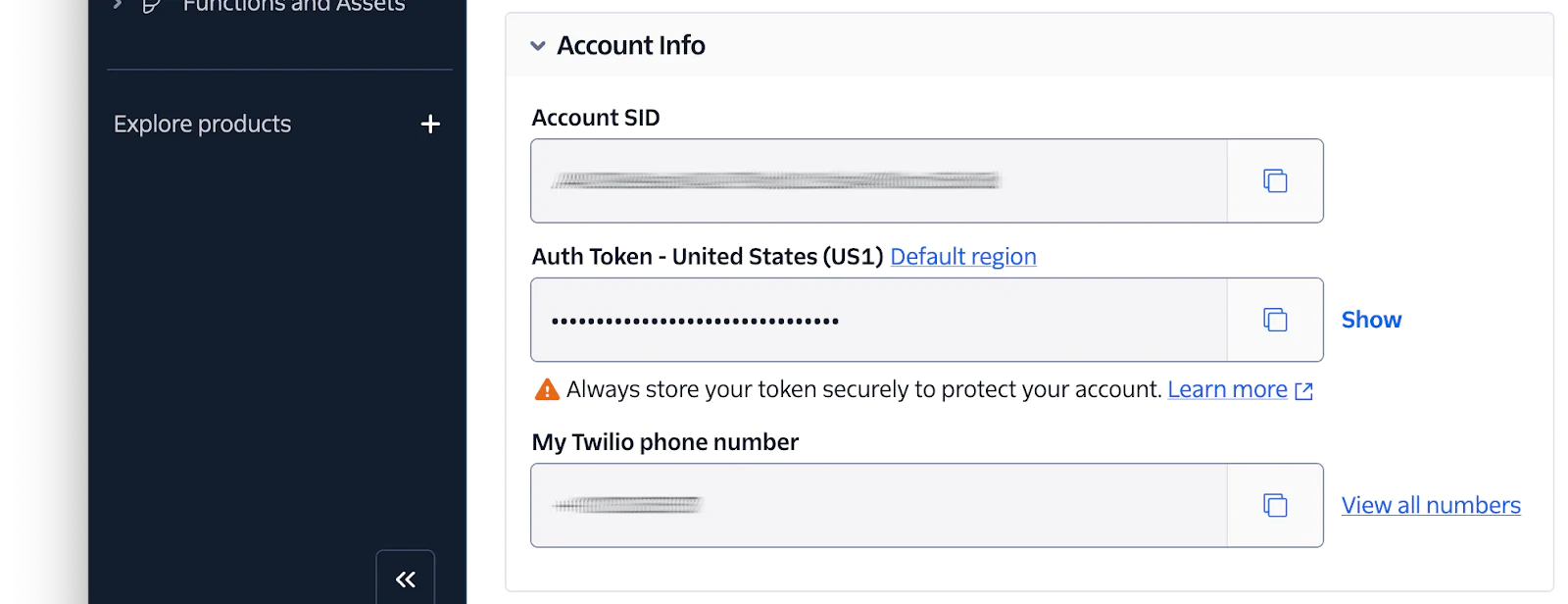
To do that, log in to your Twilio Console, and from the Account Info panel, copy your Account SID, Auth Token, and phone number. Then, open .env in your preferred IDE or text editor, and paste the three values into .env as the values for TWILIO_ACCOUNT_SID, TWILIO_AUTH_TOKEN, and TWILIO_PHONE_NUMBER, respectively.
With that done, add a new variable at the bottom of .env named TWILIO_MESSAGING_SERVICE_SID, which will be set in the next section of the tutorial.
Create a Messaging Service
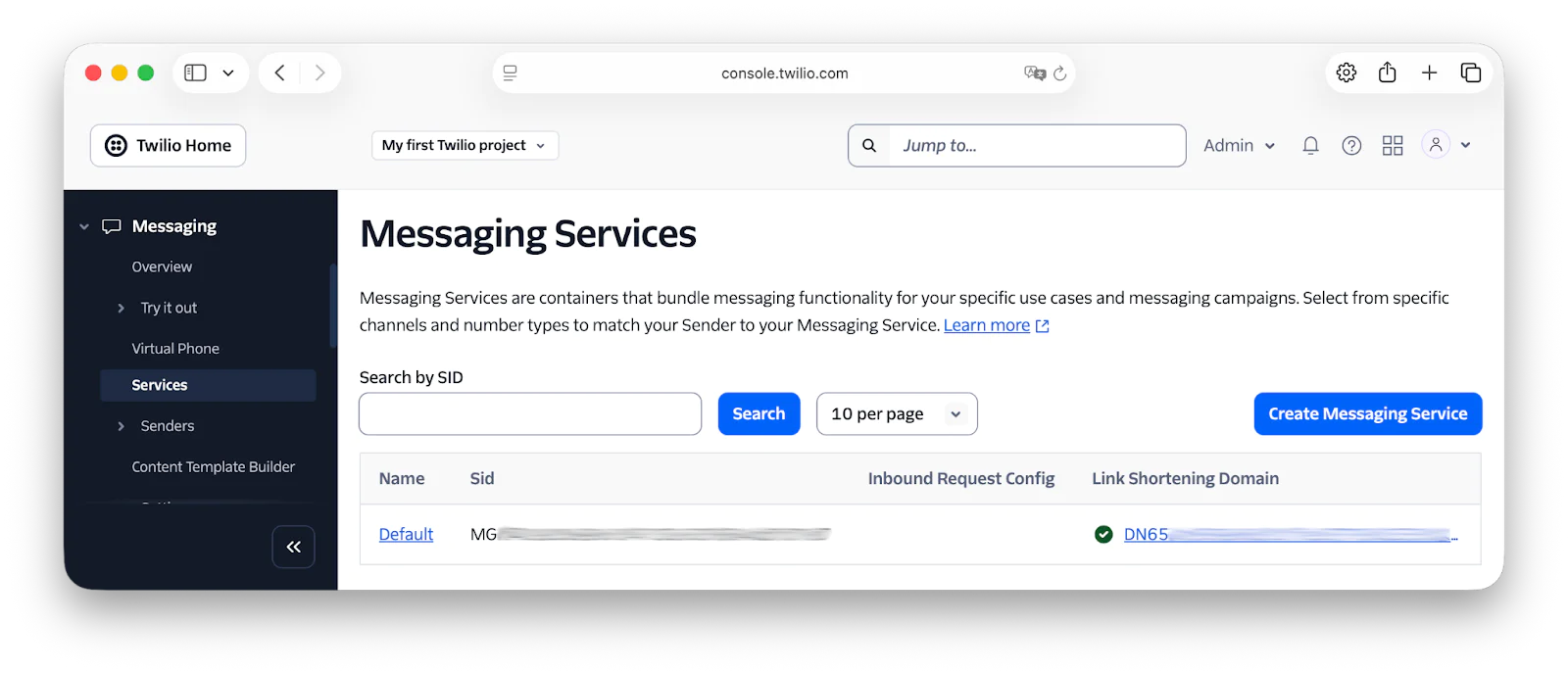
The next thing to do is to create a new Messaging Service and retrieve its SID (the service's string identifier or unique identifier). To do that, in the Twilio Console, under Explore Products > Programmable communications > Messaging > Services click Create Messaging Service.
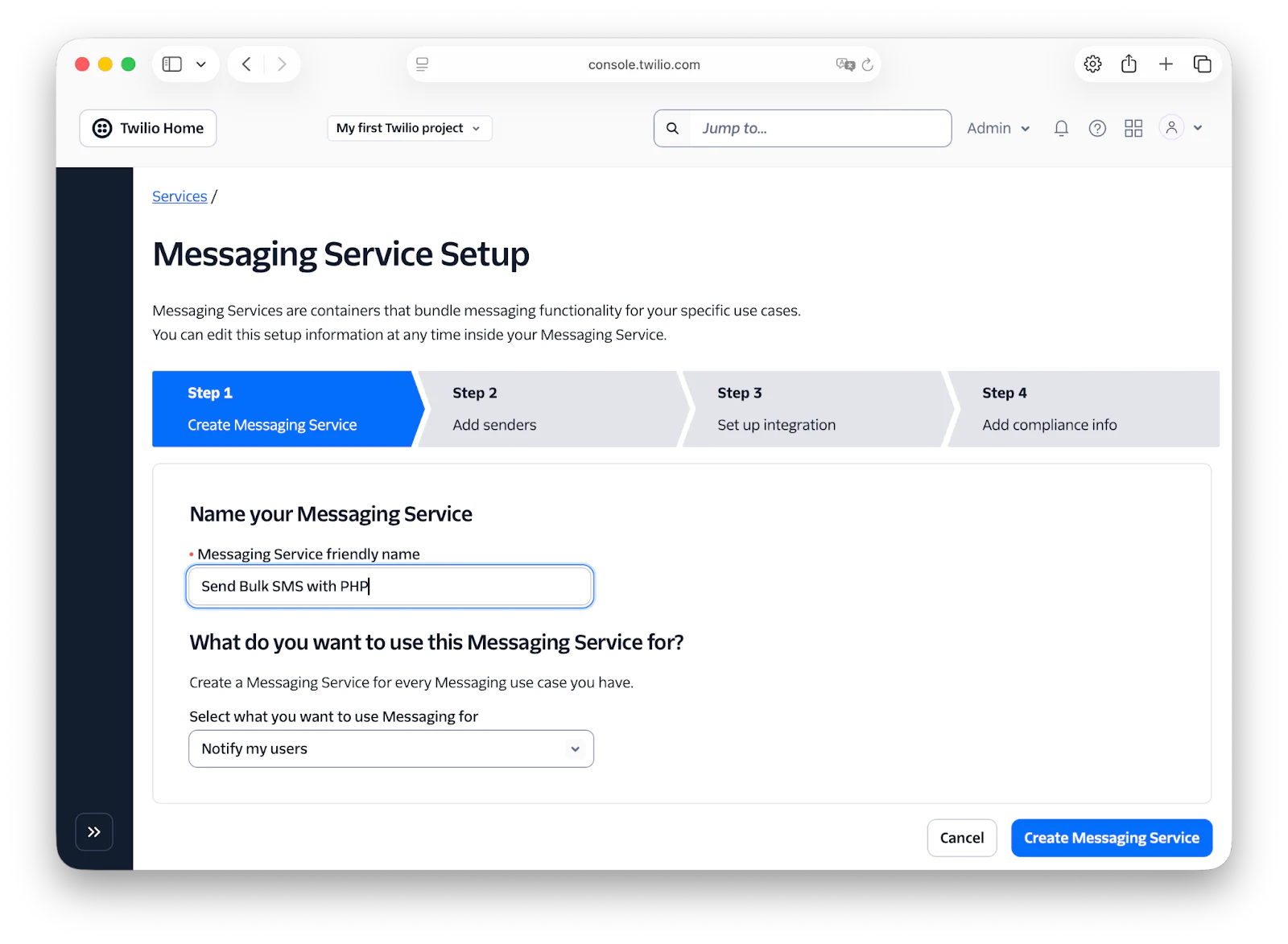
In Step 1, enter a name for the service in the "Messaging Service friendly name" field, then click "Create Messaging Service".
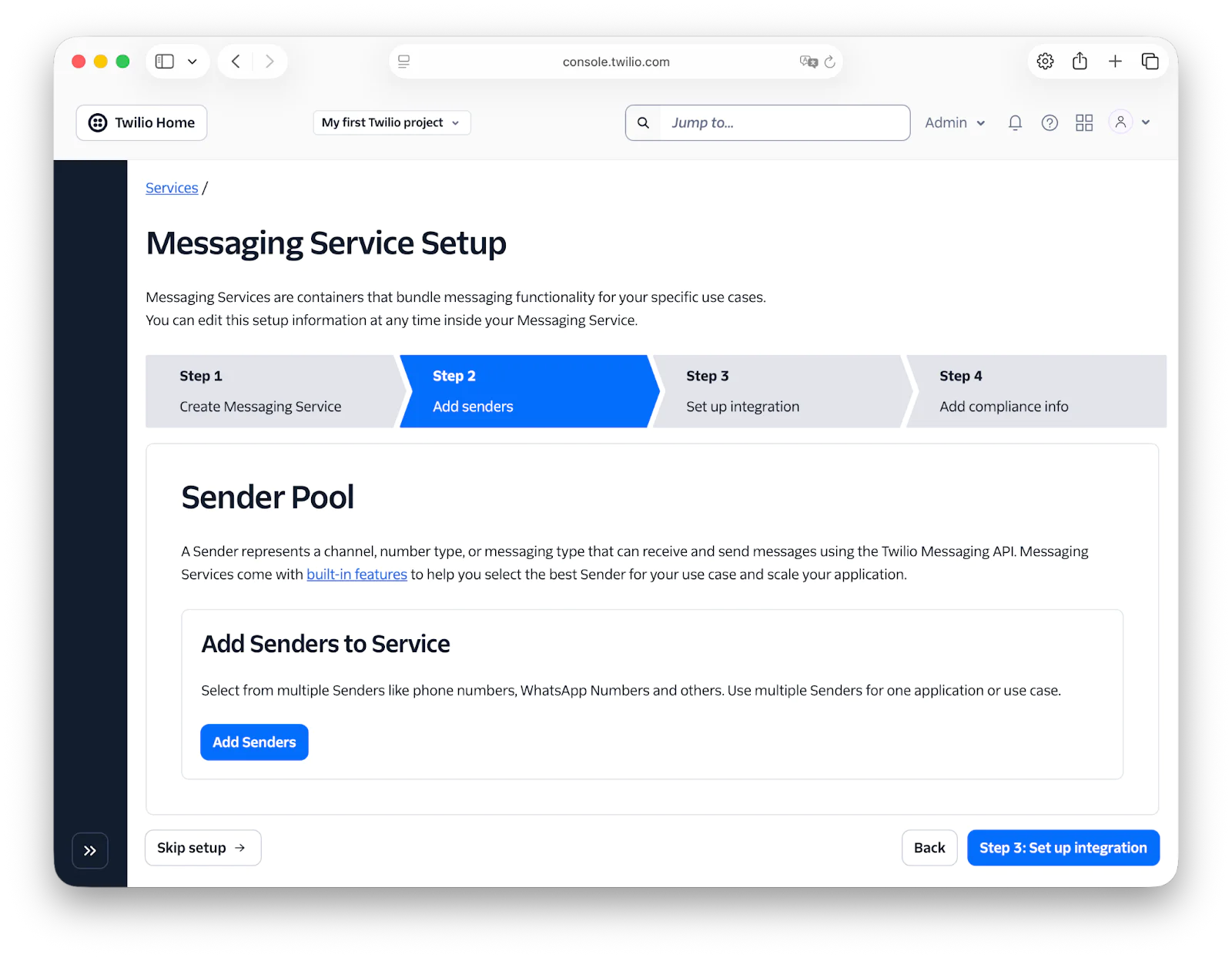
Then, in Step 2, click Add Senders to start adding senders to the service.
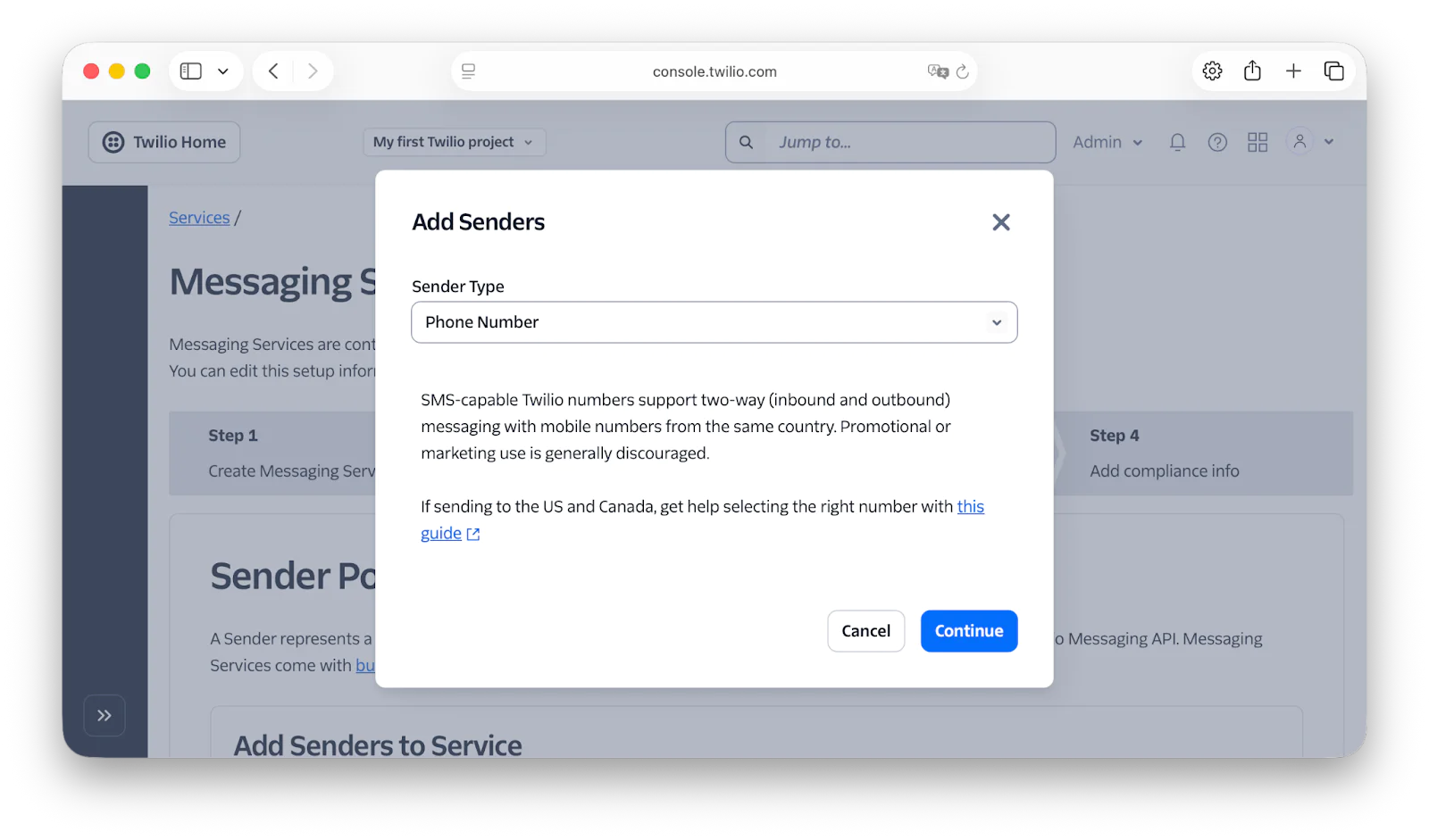
In the Add Senders popup, there are multiple sender types that you can choose from. But, for the purposes of this tutorial, leave the Sender Type dropdown set to "Phone Number" and click Continue.
Next, choose a sender from the list that has SMS capabilities. SMS-capable phone numbers are indicated by the left of the two icons in the Capabilities column in the screenshot below.
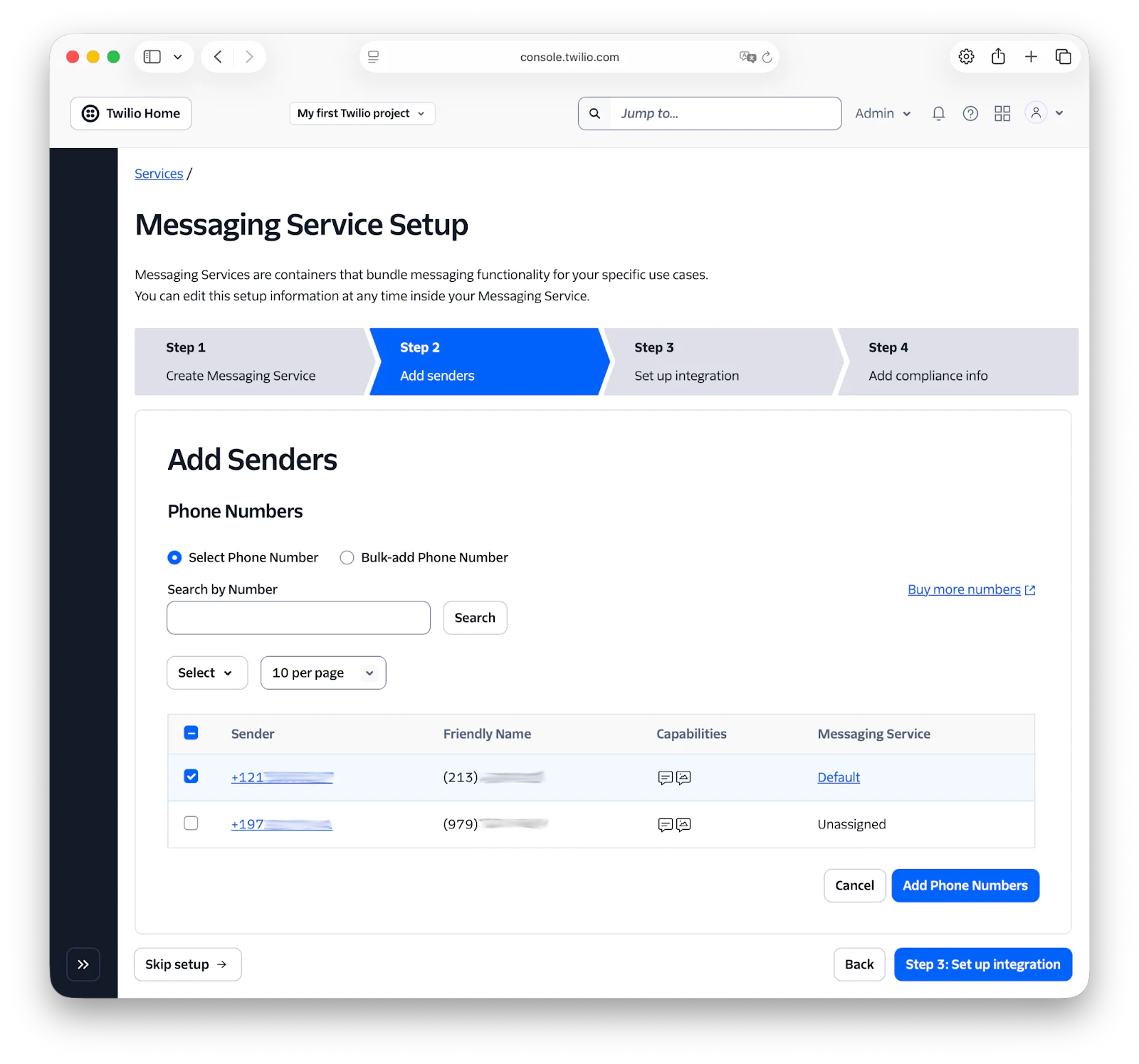
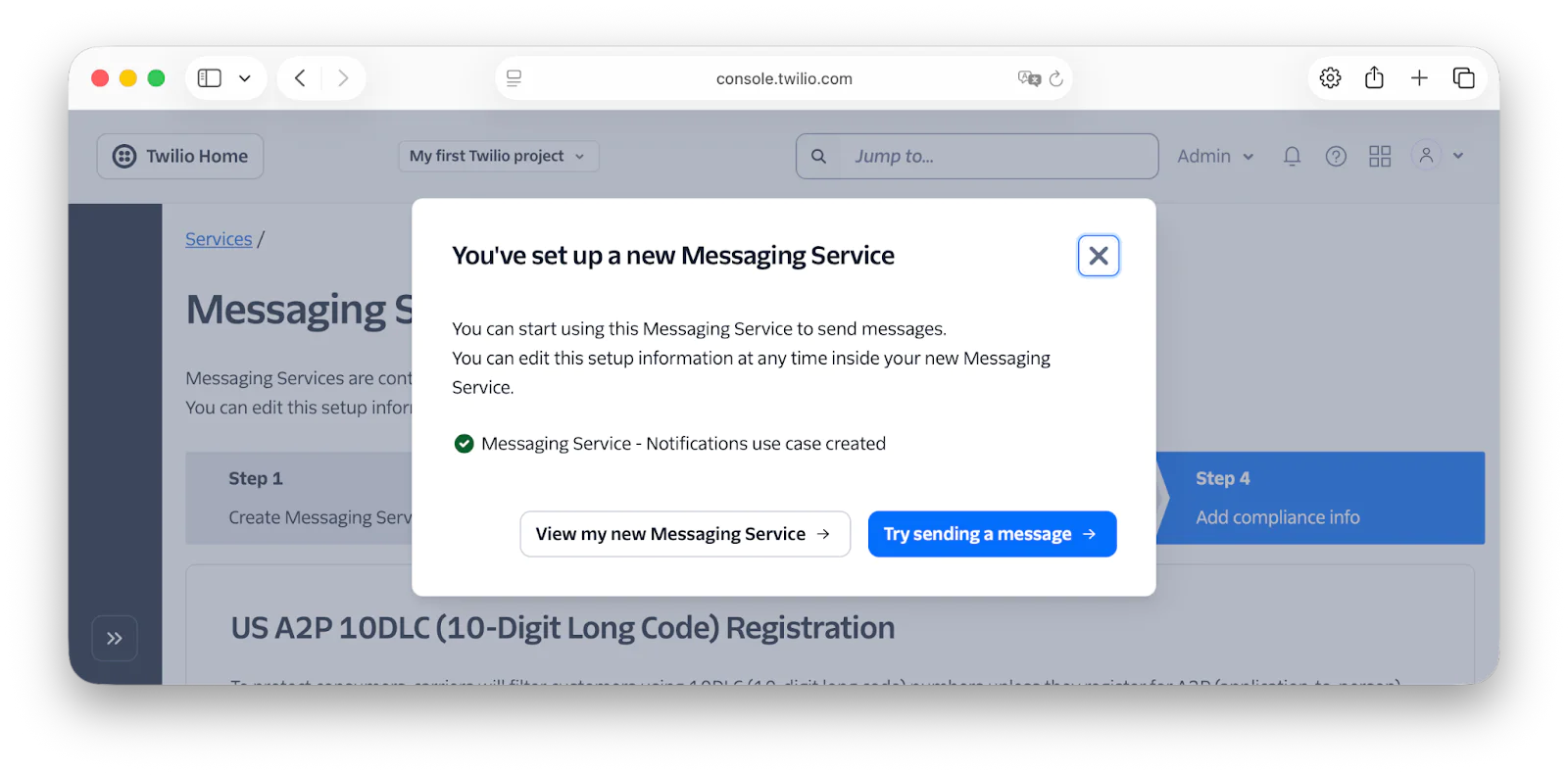
Then, click Step 3: Set up integration. Leave the default option enabled and click Step 4: Add compliance info. In Step 4, you don't need to do anything, so click Complete Messaging Service Setup. Then, click View my new Messaging Service in the modal dialog that appears.
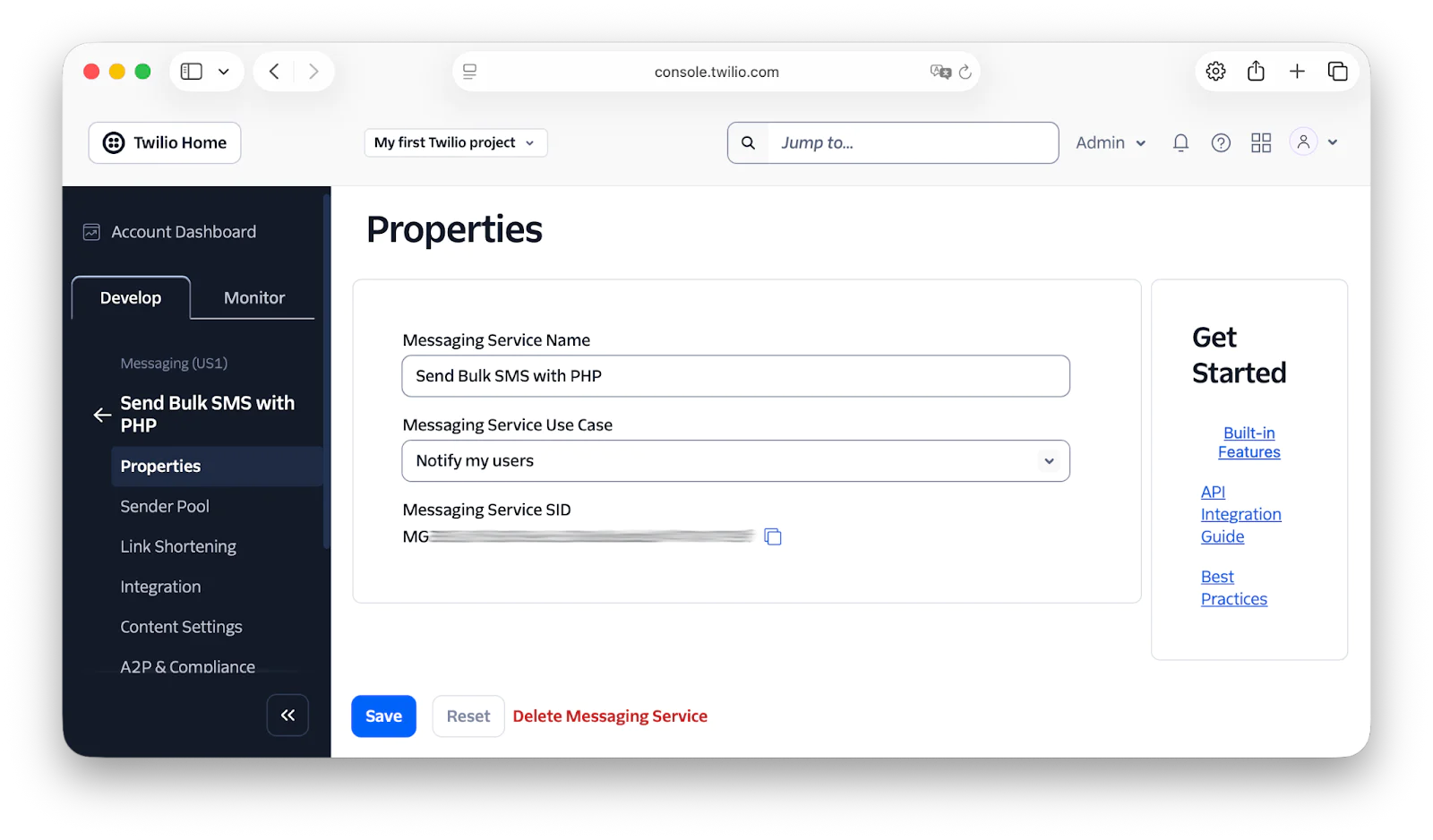
With the Messaging Service created, copy the Messaging Service SID and paste it into .env as the value of TWILIO_MESSAGING_SERVICE_SID.
Create the PHP application
Now, it's time to add the ability to send bulk SMS with PHP to the application. As most of the application's already in place, there's not much to do. We just need to update two files: public/index.php and src/Application.php.
Starting with public/index.php, after $container = new Container(); add the following code.
Now the following use statement at the top of the file.
The first of the two code segments above registers two services. The first, named "config", is an array with one element, twilio_phone_number, that stores your Twilio phone number, retrieved from the TWILIO_PHONE_NUMBER environment variable.
This value is used to tell Twilio which account is sending the SMS notifications. The second service stores a Laminas\Db\Adapter\Adapter object. Without diving too deeply into DBALs or laminas-db in particular, it's the base object that provides access to the application's SQLite database.
Now, add the following function within the Application class in src/Application.php.
Then, update handleDefaultRoute() to match the following version.
Following that, add the following use statements to the top of the file.
Stepping through the new and revised code, getRecipients() uses laminas-db to retrieve and return all phone numbers from the "recipients" table in the SQLite database. The refactored version of handleDefaultRoute() retrieves the Twilio Rest Client and config services from the application's DI container, retrieves all recipients from the application's database, then iterates over them, sending each the same message using the SID of the Messaging Service that you set up before.
Set up the application's SQLite database
The last thing to do, before testing the application, is to set up the application's SQLite database and store your number in the application's database, and perhaps phone numbers of some friends. That way, the application has phone numbers to send SMS to.
In the project directory, create a new folder named data and within that folder create a file named dump.sql. In that file, paste the following SQL:
Then, in the application's top-level directory (send-bulk-sms-with-php), run the command below in your shell/terminal to use SQLite's Command Line Shell to set up the database.
Then, add your phone number to the recipients table in the SQLite database by running the query below — after replacing "<Your Phone Number>" with your phone number. Replace the contents of dump.sql with the following command:
Finally, run the following command again to execute the above sql stored in dump.sql:
Start the application
Now that the application's built, it's time to start it and expose it to the public internet. To start it with PHP's in-built webserver, run the command below.
To test the application, use a tool such as curl or Resterm to make a request to http://localhost:8080. You should then receive an SMS with the message "This is the ship that made the Kessel Run in fourteen parsecs?"
Compliance Considerations and SMS Guidelines
As we conclude the tutorial there are several things that you should be aware of when sending bulk SMS, including:
- In some countries, you need to first obtain opt-in (user consent) before sending any messages. Failure to do so will result in blocks on your messaging traffic and impact your ability to continue messaging across your account. You can find out all about consent requirements in Twilio's Messaging Policy.
- Check Twilio's SMS Guidelines for the country (or countries) where your recipients live, to know how SMS works there. For example, all Alphanumeric Sender IDs must be pre-registered before sending messages to recipients in Australia. And in Finland, gambling and lottery-related content is strictly prohibited by mobile operators.
- For compliance, before sending a message, you must verify that the recipient has not opted out since the last communication, and not message them if they have. However, when a recipient opts out, you may deliver one final message to confirm that the opt-out has been processed. Any subsequent messages are not allowed.
That's how to send bulk SMS with PHP and Twilio
There's not all that much to it, but there is a bit of set up. However, with that done, you can send bulk SMS from your PHP applications as and when necessary.
What's Next?
If you enjoyed learning how to send bulk SMS with PHP, then here are a couple of tutorials to take you further:
- Send Scheduled SMS with PHP and Twilio Programmable Messaging
- How to Reply to an SMS with PHP
- Build a Post-call Transcription System in Laravel with Twilio
- The TwiML™ for Programmable Messaging documentation
Matthew Setter is (primarily) the PHP, Go, and Rust editor on the Twilio Voices team. He’s also the author of Mezzio Essentials and Deploy with Docker Compose. You can find him at msetter[at]twilio.com. He's also on LinkedIn and GitHub.
SMS icon in the main post image was created by Firststyles on Flaticon.



Related Resources
Twilio Docs
From APIs to SDKs to sample apps
API reference documentation, SDKs, helper libraries, quickstarts, and tutorials for your language and platform.
Resource Center
The latest ebooks, industry reports, and webinars
Learn from customer engagement experts to improve your own communication.
Ahoy
Twilio's developer community hub
Best practices, code samples, and inspiration to build communications and digital engagement experiences.