- Provide a customized experience where doctors identify symptoms
- Schedule appointments
- Setup reminders (and notify caregivers)
- Gamify learning for students in the field or ongoing education
- Return account balance
- Collect payments
- Automate customer support
- Show images of rooms
- Compare rooms, offers, or packages
- Confirm booking
- Take payment
- Let users order an item
- Track an order
- Collect product feedback
- Send offer alerts
- Simplify on-boarding
- Training
- Recruiting
- Provide support quickly
- Book meetings or calls automatically
- Deliver the right use cases and examples
- Suggest webinars and content
- Rules-based systems or expert systems encode a set of rules (typically boolean) to use when talking to the user to detect their intent and extract entities.
- Natural language understanding uses machine learning techniques to determine a user’s intent
- Simple rules based systems use regular expressions or other pattern recognition techniques.
- Advanced systems might measure the frequency of words and their position in a sentence or perform sentiment analysis to better determine intent.
- I want to make a reservation
- Play One More Time by Daft Punk
- Would your customers or users want to be served only by real humans?
- Is your use case better served by an alternate channel – for example, a website or a native application
- How will you let the end user know they’re chatting with a bot? (Your users should always be aware they are conversing with a bot, as well as when they are handed off to a live agent)
- How many tasks does the bot need to handle? (Your bot might collect a variety of information but it should fundamentally only have one or two goals per flow, such as booking a reservation.)
- Types of bots you can build
- The critical building blocks your bot needs
- Critical decision points on building a bot from scratch, building with assistance, or using a platform
- Programming languages, frameworks, platforms, and tools you can use to build your bot
- The path to follow while building your bot
- Transactional or Stateless bots don’t require history – every request is treated as discrete, the bot only needs to understand the user’s request to take action. Transactional bots are great for automating quick tasks with simple outcomes.
- Conversational or Stateful bots rely on history and information collection to complete tasks. Conversational bots can have a multi-turn dialogue with a user. The conversational bot cycle usually involves asking a question, parsing the response, and asking the next appropriate question until the task is complete. Conversational bots are great for automating longer tasks with multiple possible outcomes.
- Alexa to turn the lights off or play a song
- Confirming an appointment over SMS
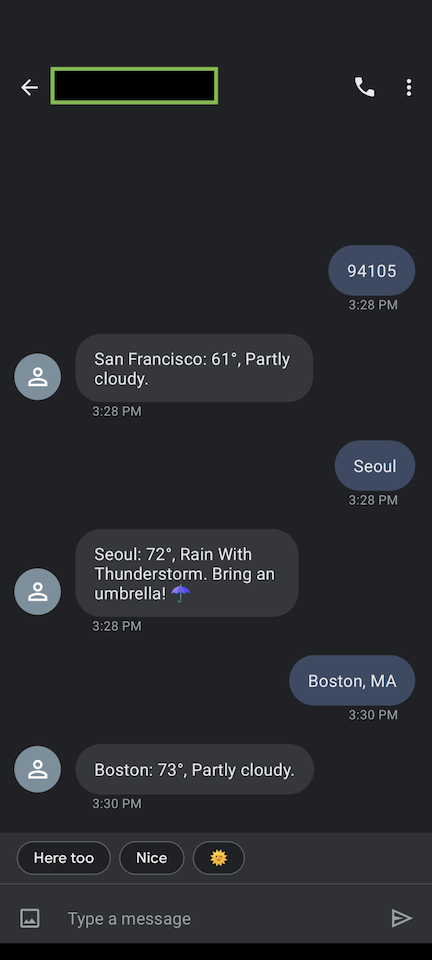
- Google Assistant check and report the weather
- Google Home to arm or disarm alarms
- Google Home turn on or off lights
- Making a reservation at a restaurant - the bot needs to know the reservation time, size of the party, and seating preferences to make a decent reservation.
- Conducting a multiple question survey
- Interviewing users to report issues
- Channel Connectivity
- Text-to-Speech
- Automatic speech recognition
- Natural Language Processing
- Dialogue management
- Human hand-off
- Business logic integration
- Rapid Iteration
- Training and iteration
- Simplicity
- Utterance: phrases the user expresses to refer to a specific intent
- Intent: the problem the user wants to solve or the task they want to accomplish
- Entity: details important to intent, like date, time, location, etc.
- Context: helps save and share parameters across a session
- Session: one conversation from start to finish. A conversation can be interrupted.
- Context: helps save and share the data exchanged between the bot and the user during a session
- Session: one conversation from start to finish. A conversation can be interrupted, and continue over multiple sessions.
- If you code, you will learn the most this way
- You can implement more complex and unique functionality with whatever technologies or development approaches you wish
- You can constantly iterate through regular maintenance and constant improvements
- If you don't code, it will cost way more money to pay someone to build a bot from scratch
- Scratch builds take much more time and code. The total amount of skill and time required varies based on bot complexity, use case, and platform
- You need to find and provision your own server, deployment process, and maintenance strategy – this gets pricey and complex
- Channel APIs allow you to create bots of any size for any kind of business
- Using multiple APIs often allows you to deploy your bot on multiple communication platforms from one codebase
- Your bot can be deployed with different third-party services
- Popular APIs mean there are more tutorials to help you build a bot quickly and easily
- Some APIs are cheap (or free) and may be sufficient depending on what you want your bot to accomplish and how many people it will reach
- Using APIs, you can build simple logic for your bot’s behavior
- You may not have as many customization options as building-from-scratch
- Sometimes – especially if your bot is more niche or specific – you might not have the features that you need and have to settle for less efficient options
- If the channel you’re targeting doesn’t have an API, you’re basically building from scratch anyway
- Google DialogFlow
- Amazon Lex
- IBM Watson
- Twilio Autopilot
- Conversational AI platforms like Twilio Autopilot significantly reduce the overhead of designing, building, deploying and maintaining your bot
- They make it a lot easier to use machine learning for natural language processing
- Platforms abstract most or all of the components required to build a bot into reusable APIs
- They provide UIs and dashboards to create and configure bots, and in some cases offer completely code-free bot-building experiences
- They provide integrations to multiple channels, and in some cases offer other features, such as speech recognition and text-to-speech
- Each platform approaches bot building in a slightly different way, requiring you to learn how to use different concepts when switching platforms
- You have less control over the underlying machine learning models
- Working on a platform might limit the channels you have available
- NLTK: Free, open-source library to play with computational linguistics and natural language
- Python-rtmbot: Framework/bot engine to receive and interact with events from Slack's RTM API
- Keras: High-level neural networks API and Deep Learning library
- Pandas: Data Analysis library
- SpaCY: Library for advanced NLP in Python with pre-trained statistical models and word vectors, very fast tokenization for 49+ languages
- TensorFlow: Open-source ML platform to help you develop and train ML models
- StanfordNLP: Python natural language analysis package
- And more ideas, as shown on this Full Stack Python list
- botbuilder: Easy-to-use modeling frameworks, such as Express & Restify, to build bots to handle both freeform interactions and more guided ones where the possibilities are explicitly shown to the user.
- Botkit: OS developer tool to build chatbots, apps, and custom integrations for multiple messaging platforms.
- TensorFlow.js: Perhaps the most well-known library in this section for developing and training ML models in JS, and deploying in browser or on Node.js
- Nlp.js: General natural language utilities node module
- Synaptic: JavaScript architecture-free neural network library for node.js and the browser
- Stanford Library NLP: NLP tools for statistical NLP, deep learning NLP, and rule-based NLP, written in Java
- Apache Open NLP: Machine learning-based toolkit for processing natural language text
- Weka: Tools for data preparation, classification, regression, clustering, association rules mining, and visualization. Great for small data sets and more simple analyses
- Java Discord wrapper: Java wrapper for the chat & VOIP service, Discord
- Program AB: Reference implementation of the AIML 2.0 draft specification, a widely-adopted standard for creating bots and assistants
- Apache UIMA: Orchestrates analysis engines to detect entities or relations, connecting the unstructured and structured worlds
- NLP4J: NLP tools and frameworks for fast development of efficient and robust NLP components, API for manipulating computational structures in NLP
- CoreML: Library to help you incorporate ML into your iOS apps for such tasks as image recognition or speech detection
- TensorFlow Swift: Platform for deep learning and differentiable programming.
- Telegrammer: Bot Framework written in Swift 5.0 with SwiftNIO network framework
- AlexaSkillsKit: Swift library to develop custom Alexa Skills
- Natural Language: Framework which can perform language and script identification, tokenization, lemmatization, parts-of-speech tagging, and named entity recognition. It works with CreateML to train and deploy natural language models.
- CreateML: Tool to create and train custom ML models to perform tasks. For example, you can train it on recognizing images, extracting meaning from text, or finding relationships between numerical values.
- Ml.net, open-source cross-platform ML framework
- Alexa-skills-dotnet: An Amazon Alexa Skills SDK for .NET
- Sleepy-discord: C++ library for the Discord chat client
- Tgbot-cpp: C++ library for Telegram bot API
- Botman: Framework-agnostic PHP library to build chatbots
- php-tensorflow: A PHP TensorFlow binding
- Php-ml: Library for algorithms, Cross Validation, Neural Network, Preprocessing, Feature Extraction, and more
- SAP Conversational API: API to build bots with complex conversational flows. Also available for other languages such as Ruby, Node.js, Python, PHP, iOS, and Android.
- Watson Assistant: Tool to combine ML, NLU, and more to help developers create conversation flows between their apps and users. Language supports includes Curl, Java, Go, Node.js, Python, Swift, and Ruby
- Facebook Messenger bots can be developed in any language because of the API and webhooks provided by the Messenger platform.
- Slack bots can also be built in almost any language, but most documentation and tutorials are in Node.js and Python (but also Haskell.)
- You can build Amazon Alexa skills in Python, Node.js, Java, and more.
- TensorFlow is an open source ML platform that can be used for a wide variety of purposes. You can write code with TensorFlow in Python, C++, Java, Swift, Go, R, Julia, JS, Haskell, C#, and more.
- Use-cases include:
- Voice/sound recognition
- Neural networks
- Sentiment analysis
- Text-based apps, text summarization
- Image recognition
- Time series
- Video detection
- Use-cases include:
- Azure Bot Service, sometimes known as Microsoft BotBuilder, is open-sourced and provides a comprehensive framework for building enterprise-grade conversational AI experiences.
It easily works with other Microsoft tools, such as Azure Cognitive Services. Language support covers C#, Node.js, Python, and Java. - Wit.ai lets you create bots and mobile apps as well as mobile apps, home automation, wearable devices, and hardware that can interact with humans on messaging platforms.
It provides support for Node.js, Ruby, Go, Objective-C, and more, offering a great quickstart and demo application to get started. - Amazon Lex lets you easily building conversational interfaces into any app with voice and text.
It offers built-in integration with AWS and supports C++, Go, Java, JS, .NET, Node.js, Python, Ruby, and PHP. - Bottery is an open source conversational agent prototyping platform. It acts as a syntax, editor, and simulator for prototyping generative contextual conversations modeled as finite state machines.
- offering value
- meeting expectations
- acknowledging inputs
- not leaving users hanging when things go wrong or in exceptional cases
- Moment 1: Greeting
- Moment 2: Listen
- Moment 3: Acknowledgement
- Moment 4: Answer
- Moment 5: Unhappy path
- Greet the user by their name
- Communicate the value your bot provides
- Give clear directions on how to interact with your bot
- Prompt the user on the next steps
- Train your bot to recognize variations of the same user input
- Prepare for non-verbal and non-text inputs like emojis and images
- Teach your bot to understand profanity, positive and negative feedback, and chit chat
- Identify key pieces of data captured from the user input that will affect the bot’s answer
- Acknowledge what the bot heard before offering an answer so people know what the answer is based off of
- Allow users to change one or all pieces of data to affect the final results
- Inject data and sources that influenced the bot’s answer
- Explain why the bot thinks the results it offers are relevant to the person
- Offer reasons to believe the bot
- Give enough data for people to easily make a decision
- Bot errors: Create specific responses for different types of issues that the business is responsible for. These can be system errors, unsupported user asks, unsupported language, and limitations around the artificial intelligence of the bot. Each of these scenarios are moments to be transparent and offer guidance.
- Human errors: People may misspell words or ask for the wrong thing. Allow people to start over or even correct their mistake. Guide people back on track by offering options that your bot can support.
- Environmental factors: Noise and distractions may break up the conversation. Train your bot to recognize that people may need it to repeat what they just said when interacting with your bot via voice.
- Chatbot
- Holiday text adventure
- Coffee order system
- Restaurant assistant to book reservations and answer customer questions
- Facebook Messenger bot
- Slackbot
- Alexa skills: Part 1
-
Top 5 Things to Consider for Building Better Bots
Read MoreThere's a lot of conflicting information on best practices when building bots, so we set out to make your chatbot-building life easier in our new comprehensive guide to Intelligent Chatbots.
That massive resource provides developers, builders, and DOers with an intelligent bot guide, covering bot use cases, descriptions of how bots work, instructions on building and deploying bots, intelligent bot best practices, and more.
In this post, I’ll summarize some of that guide and tell you what you need to consider to build better bots.
1. Pick your use case and type of chatbots
The purpose of most bots is often to automate tasks, save time, or just to generally make life easier – just like with most other tools and automation. So first, you’ll need to consider your bot’s use case.
Various industries use chatbots in different ways. Here’s a list …
-
Twilio Autopilot is now GA 🤖 🚀
Read More- Twilio Autopilot is now Generally Available.
- Autopilot lets you build, train and deploy AI-powered bots on any communications channel.
- Autopilot bots interface seamlessly with contact center software like Twilio Flex.
- The following features are now available as part of the General Availability of Autopilot:
- Bot Templates: Jump start your development with pre-built bot templates for common use cases and verticals.
- Simulator: Test and troubleshoot bot behavior. The Simulator is available in the console and supports testing over Voice and Chat.
- Custom Channels: Connect Autopilot bots to custom messaging channels like proprietary in-app chat or web chat.
- Event Webhooks: Monitor the performance of your bot in real-time with webhooks for key conversation events.
- Speech Optimization: Improve the accuracy of your IVR by optimizing the speech transcription for the data you’re expecting.
- New task training interface: A set of new training tools in the console to make it easier and …
-
NEW AUTOPILOT FEATURES 🎉 🤖 : Now build Chatbots with Autopilot and Studio
Read More- Programmable Chat: Autopilot now directly supports Programmable Chat, allowing you to build chatbots for your website or mobile app, or deploy Assistants you’ve already built to Programmable Chat with just a few clicks — existing logic and configuration will work in Chat conversations with zero code changes.
- Autopilot Studio Widget: A new Studio Widget that allows you to directly add Autopilot Assistants to your Studio flows. It also makes handing off messaging interactions from your bot to an agent a lot simpler.
The popularity of chat as a customer support channel has exploded as customers are increasingly interacting with businesses using web and mobile apps and messaging channels like SMS, Facebook Messenger and WhatsApp. The asynchronous and informal nature of chat has a lot of advantages for customers and businesses. It delivers a better experience to customers by making it easy to contact support. It allows businesses to …
-
Spaces Not Tabs: Our Favorite Python Tutorials for May 2019
Read MorePython programmers love to help – the community publishes detailed tutorials for their fellow developers every day. Over the last month, we’ve been collecting some of those posts we found most helpful.
Each tutorial is easy enough for beginner-level programmers to follow. More experienced developers should be able to breeze through the code while building a useful project, or use them as convenient refreshers.
Whichever bucket you belong to, enjoy the posts!
Exercising, or Slacking? Build a Python Bot for Either
The term "bot" feels so 2017 in this community. However, they are still a great way to learn how to build Python applications.
- Create Your Own Personal Training Exercise Bot with Python, Zappa, AWS and Twilio SMS by Matthew Vielkind via Twilio
- Build a Slack Bot that Mimics Your Colleagues by Casey Kinsey via Lofty Labs
Use Bokeh to Visualize All the Data!
Bokeh, the wonderful Python visualization library …
-
Introducing Twilio Autopilot — A conversational AI platform to build bots that work
Read More- Conversational AI platform to build intelligent bots, and IVRs.
- Available now in beta.
- Get started with Twilio Autopilot today.
There’s a huge gap between the promise and reality of bots. Bots tend to get stuck in loops and fail to achieve the task at hand. If they do manage to break out of the loop and handoff to agents, they often lose the context of data collected to that point.
Today, developers have to choose between software-as-a-service bot builders focused on particular use cases with limited customizability or, natural language understanding services that are essential but not sufficient to build a complete conversational flow.
Today, we're announcing Twilio Autopilot — a conversational AI platform to build intelligent bots, and IVRs that work.
Twilio Autopilot is made up of three building blocks:
- A Natural Language Understanding engine that analyzes user intent.
- A Conversational Application Platform to build sophisticated …
-
Build and Deploy Twitter Bots with Python, Tweepy and PythonAnywhere
Read MoreThis article will guide beginner Python developers on creating Twitter bots. You will learn the Twitter API while building a your bot and then you will deploy the bot to a cloud platform. The Twitter bot tweets quotes randomly selected from a Random Quotes API service.
Development Environment
To build our Twitter bot, we first need to set up our Python development environment and install the required packages that are needed for us to follow along with this tutorial.
In addition to Python 3, we will be using:
- virtualenv – a development environment
- Requests library – a http library for humans
- Tweepy – an API wrapper for Twitter
- json – a built-in Python library for working with json
- time module – a built-in Python library for working with time
First of all, it is highly recommended and best practice to create a virtual environment before you begin any Python project. …
-
Build Your Own Smart Auto Response Bot with Python, Flask, Twilio SMS and the CleverBot API
Read MoreIf you are looking for a beginner Twilio project or a new texting buddy, this tutorial is for you! Using the Twilio and CleverBot APIs you will make a Flask app that texts CleverBot, which is an AI you can chat with that learns from its conversations.
Getting Started
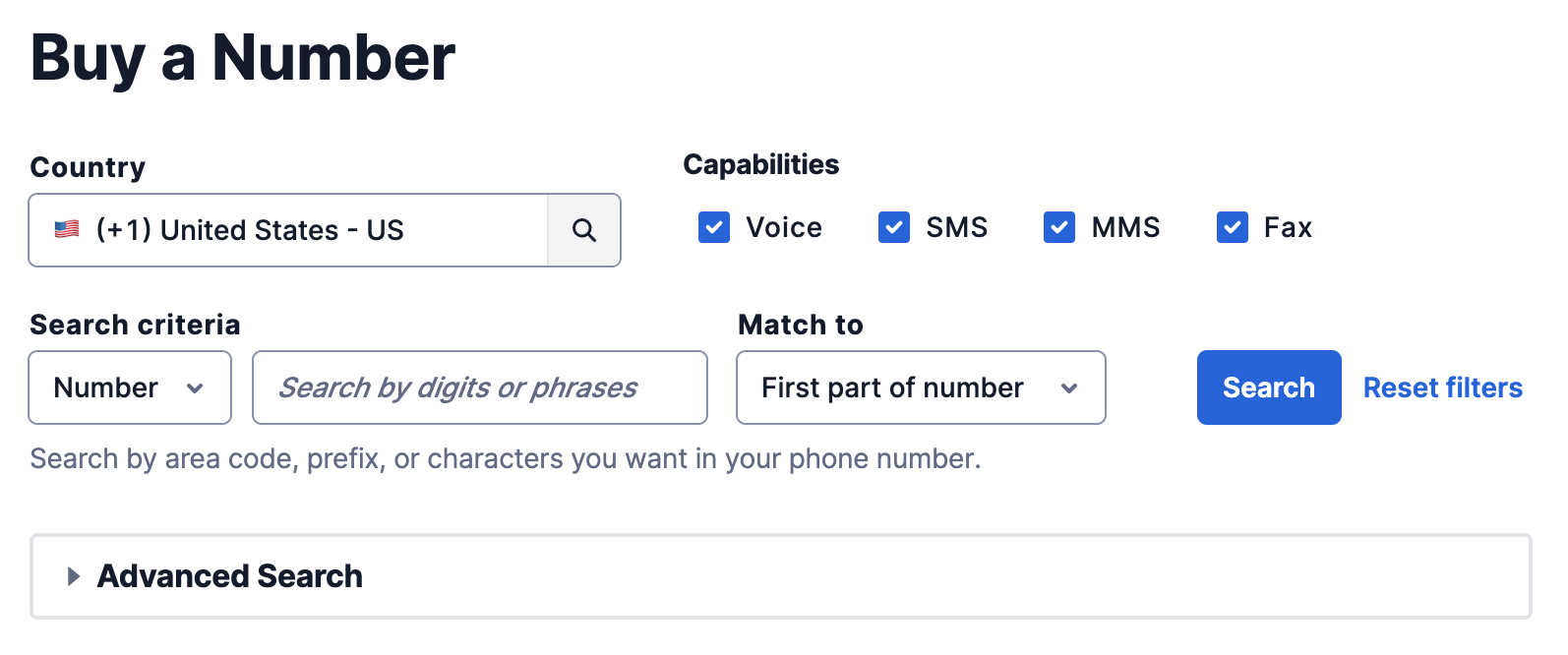
You will need a Twilio account with a phone number that can send and receive SMS. In the console navigate to the "Buy a Number" page. Make sure to check off SMS under capabilities and then hit the search button. Any number will do, so feel free to pick one that speaks to you!
You will also need a CleverBot API key. You will have to input payment information to use the API. Luckily, the first month is free! Just remember to cancel your subscription if you don't plan on using it after this project.
Next, you have …
-
Serving Coffee with Twilio Programmable SMS and React
Read MoreTurning coffee into some sort of API has probably been the dream of a lot of developers. In fact today marks the 20th birthday of the IETF RFC 2324 suggesting the Hyper Text Coffee Pot Control Protocol (HTCPCP). Last year, together with a friend, I hacked a coffee machine using JavaScript, but what do you do if you want to bring a bit more comfort to coffee served by baristas? Nobody wants to stand in a queue, especially at a conference!

For the last couple of years we’ve started serving coffee at various events using Twilio Barista, combining different Twilio APIs, such as Programmable SMS, Twilio Sync, and other web technologies. This way you can send an SMS to order your coffee, and …
-
Introducing Twilio Flex: A Fully Programmable Contact Center Platform
Read MoreAt Twilio we often say, “We can’t wait to see what you build.” That’s because the communications building blocks we provide are only as powerful and innovative as the applications that developers create with them. It’s these builders who have shown us just how far our APIs can be taken, from 3D mapping with AR and IoT potty training, to a life-saving text line and data-driven debt relief.
But there are still some areas that remain a challenge for developers to build better communications experiences using software. Chief among them: the contact center.
That’s why we’re so excited today to introduce Twilio Flex, the first cloud contact center application platform that’s programmable at every layer of the stack.
We’re excited because...well, when’s the last time you called in to a customer support line, dialed dozens of digits, got routed through an infinite loop of automated messages, and thought …
-
Building Facebook Messenger Bots with Python in less than 60 minutes
Read MoreChatbots are magical. Bots can be an amazing product that allow people to create new experiences, from reporting personal news to delivering women’s healthcare information. When I first learned about bots, I never imagined I would be able to make one on my own. However, I quickly dug into the Facebook Messenger documentation and began learning how with a bit of Python 3 and Flask, one could get a bot up and running in no time.
We’ll cover everything from the basics of how bots work to building our own basic Facebook Messenger bot. Specifically, we’ll be making a basic version of Black Girl Magic Bot, a Facebook Messenger bot that sends users images, playlists, and generally uplifting messages to remind them just how amazing they are. If you’re interested into digging the code for the bot, you can fork it and play with it via GitHub. …
Intelligent bots have become extremely popular. More websites are writing about chatbots and intelligent agents and advancing varied (and conflicting) opinions on best practices.
We get it – it’s hard to know what information you can trust and what practices will drive users away.
Whether you’re just learning about intelligent bots or you’ve already built a few, this is the guide you need. We cover bot use cases, how bots work, instructions on building and deploying bots, and intelligent bot best practices.
Read on, bookmark, and enjoy Twilio’s intelligent bot guide.
What is an Intelligent Bot or Chatbot?
Intelligent Bots help users accomplish specific tasks by identifying user intent from text or voice conversations using artificial intelligence. They extract key pieces of information using a process called entity extraction leveraging natural language understanding. Common use cases include answering questions, playing music, or making reservations.
Most intelligent chatbots today are powered by natural language processing and machine learning, enabling them to get smarter over time by learning to identify variations of the same request.
Intelligent bot use cases
Fundamentally, bots are like other tools and automation, they are deployed to automate tasks, save time, and make life easier.
Let’s take a look at a variety of bot use cases, as well as how consumers want to use chatbots.
How people and businesses are using chatbots
There's a definite correlation between consumers' frustrations and how they want to use bots.

Drift’s 2018 State of Chatbots Report [PDF]
Through Autopilot and through implementations we’ve seen and consulted on industry-wide, we at Twilio have seen many novel intelligent bot use cases. Here we’ve grouped them into some common cases by industry.
|
Industry |
Potential Uses |
|
Healthcare |
|
|
Finance |
|
|
Hospitality |
|
|
Retail |
|
|
Human Resources |
|
|
Sales/marketing |
|
See a use case you like or want to explore more hands-on? Try Twilio for free and start building today.
How do bots understand what a user wants?

Regardless of whether a bot is transactional or conversational, it needs to recognize what the user wants – or the user’s intent.
Bots often also need to detect bits of information in the user’s input (referred to as entities) and transform them into a machine readable format to complete the task. This process is commonly known as entity extraction.
For example, when you call a bot to make a reservation, the bot has to complete a number of steps to be successful. It uses intent recognition to determine that it needs to ask you for reservation details, and entity extraction to provide the time, party size, and seating preferences to the reservation management system to complete its task.
There are two main systems in use that bots use to recognize intent and extract entities:
Let’s explore both systems in a little more detail.
Rules-based systems
If a music bot uses a simple rule-based system, it would use the rules available to check if an input contains the word ‘music’. It then uses simple boolean (true and false) logic in conditional statements to determine what action to take based on the output of the rule. In this simple case, if the input matches ‘music’ the bot will start playing music.
Rules-based systems used by most chatbots today tend to be of the simpler variety. They usually require the user to restrict their responses to a limited set of phrases or keywords.
Natural language understanding
Natural language understanding (NLU) is a branch of natural language processing (NLP), which helps computers understand and interpret human language.
For example, let’s say you provide the following phrases to the bot during training:
This training process teaches the bot to associate certain inputs with the appropriate intent. The deep learning algorithm powering the model first breaks down the phrase into smaller parts before applying statistical techniques to guess at the underlying intent and entities.
After the model comes up with estimated intent and entities, it’s important to confirm whether it’s correct. This human feedback during the training phase is a critical part of the training process. This feedback improves the deep learning model, and vastly improves the bot’s accuracy at understanding natural language.
Before the emergence of machine learning, techniques that used rules-based systems dominated. However, over the last ten years, machine learning techniques have shown to perform more reliably with higher accuracy in a wide range of scenarios.
We recommend that if you’re starting a bot today you use NLU instead of rules-based systems to power bots. For the remained of this guide, we will focus on using natural language understanding to power a chatbot.
Do you – or your business – need an intelligent bot?
Intelligent bots are popular.
Half of users polled by Usabilla would talk to a chatbot before a human to save time. Facebook Messenger counts over 30,000 intelligent bots on the platform. And Juniper Research predicts chatbots will touch 85% of business-customer interactions in 2020.
Now that you’ve learned about intelligent bots and seen some of the use cases, you’re ready to explore whether a bot is right for your business.
Let’s look at what you should consider before you start on your bot-building journey, and potential downsides of some bot implementations.
What should you consider before building a chatbot?
In our experience helping customers large and small, there are a number of decision points that come up regardless of niche. Before building or deploying a bot, think through the following prompts and best practices:
Downsides to bots
When you use a bot, you can easily miss how your users and potential customers interact with it. Bots can only simulate human interaction – naively designed bots can be poor communicators, consultors, and coaches.
Twilio Autopilot helps address some of these downsides, and a lot of our documentation addresses the best practices around bot design and interaction. The rest of this guide includes tutorials, references, and examples by bot developers.
To limit the downsides of bots, read case studies, documentation, and reference material from developers and businesses who have learned from their own successes and failures when deploying intelligent bots.
Guide to build an intelligent chatbot
You’ve now learned all about intelligent bots and the types of bots, and have read some downsides to avoid. If you now want to build an intelligent bot, you’re in the right spot.
In this section, we’re going to cover everything you need to plan or consider when building your bot. We’ll cover:
Types of bots you can build

While bots look vastly different in the wild, there are only two broad categories bots fall into: bots are either transactional (stateless) or conversational (stateful).
Examples of Transactional and Conversational bots
|
Transactional bots |
Conversational bots |
|
Transactional bots are like goldfish – they don’t remember previous interactions with the user and can’t maintain extended dialogue with the user. |
Conversational bots are like elephants – they maintain the state of the conversation and carry information between turns of the conversation. |
|
|
|
Critical building blocks of an intelligent bot

We’ll say it again: no two bots and use cases will be exactly the same. However, there are a number of broad decision points and topics you’re going to hit when scoping out your build.
This section walks through each point to provide you with an overview of the 10 things that matter:
Channel Connectivity
Your bot needs to be integrated with the channels your users prefer.
If they use multiple channels – for example, voice and chat – your bot needs to be able to provide a vastly similar experience on each channel. It should be able to transform it’s responses so that they match the format expected for that channel.
Since the number of channels has exploded over the last few years (and doesn’t show any signs of slowing down), design your bot to be omnichannel from the start.
Text-to-Speech
If your bot uses a voice interface, it needs to have text-to-speech (TTS) capabilities.
For example, if you’re deploying your bot as an intelligent IVR, TTS converts the text responses your bot generates into speech that will be played to the user over the phone.
Automatic speech recognition
For voice and telephony, your bot needs to have speech recognition capabilities.
These channels require you to accurately convert the audio from the user into text that the NLP engine can process.
Natural Language Processing
Natural Language Processing (NLP) is how (smart) chatbots understand and respond to messages accordingly. We suggest that if you’re starting a bot today, you use an NLP approach.
NLP systems work off the following keys:
Dialogue management
You need to have dialogue management capabilities to track the state of the conversation, especially with a conversational bot.
Most conversations are multi-turn in nature, and you’ll collect data and share other data with the user at each step. Furthermore, you need to ensure any data you collect from the input or provide back is valid.
The core components of dialogue management are:
Human hand-off
You need fallback and human hand-off capabilities in the event the bot runs into an issue.
These need to be executed seamlessly for the sake of the user experience on any channel your bot uses. You should also clearly inform the user when switching between bot and human conversation.
Business logic integration
Your bot will almost certainly require data only available through business logic.
Whether you are building a bot for appointment scheduling, order tracking, or some other use case, you’ll need to integrate your unique business logic. Consider what your user expects to get out of an interaction when building out your integration.
Rapid Iteration
You also need to be able to rapidly iterate on the bot experience itself.
This is for the sake of your developer(s). It should be easy to manage, upgrade, build, test, and deploy your bot. Changing a greeting or adding a new user journey or bot behavior shouldn’t require major code changes or be held back by a fragile build process.
Training and iteration
If you’re using machine learning for natural language processing, you need to have the right training and iteration tools in place.
NLP training with machine learning requires systematic training and feedback to improve its understanding of customer intents. This requires leveraging real-world conversation data across channels to train the bot.
Simplicity
As a point of general advice, the simpler your bot, the fewer capabilities it needs.
For example, a simple transactional bot only needs to have channel connectivity, natural language processing, and business logic integration, plus text-to-speech and automatic speech recognition if it has a voice interface.
Of course, you should make it as simple as possible… but no simpler. When building your bot, pick an approach that meets your needs today, but sets you up to easily expand its capabilities for things you think you’ll need in the near future.
Building a bot from scratch, with assistance, or using a framework
Now that you know the decision points and features that go into building your bot, we’re ready to talk about the best ways to put it together.
There are really three ways to approach a bot. We’ll cover each, and list out the pros and cons of building in a certain manner.
Build an intelligent bot from Scratch
To build a bot from scratch, we really mean to write some code in your language of choice, perhaps with some libraries or open-source software.
Of course, that leaves a lot unsaid.
Here are some questions you should be asking yourself before building a bot from scratch. Don’t worry, we’ve also included our answers.
What is the use case?
Well… how complicated will your bot be? For very common use cases, there must be similar bots out there. It probably doesn’t make sense to scratch build if you can build on a framework or platform that already fits your niche well.
Building your bot from scratch makes sense when you need extensive customization or to handle a lot of edge cases. Even then, there are so many platforms you can build on it is very hard to justify from-scratch builds.
Proceed cautiously.
On what platforms and channels do you want your bot to be used?
Really, instead of considering the platforms and channels, you should ask who your users are, and then ask where they are.
If you want to build a bot for many different channels, you’re better off using a bot framework and not building from scratch. This way you won’t have to write the code to integrate with all the platforms you want to support.
What platform should you build your bot for?
Facebook Messenger is the most popular platform for chatbots. There are a ton of potential chatbot users on the platform – it counts over a billion monthly active users.

Messenger also provides buttons that your chatbot can offer to users as a shortcut for quicker replies due to limited or no typing, because who likes typing on a mobile phone?
Outside of Messenger, look into social media demographics to figure out which platform you should target.
How much time do you have?
If you’re time-constrained, that’s another strike against scratch building a bot.
If you build from scratch, plan to spend more time researching what libraries to use, how to write the code, and more.
Is NLP/NLU needed?
To get the value you need from a chatbot, a simple rules-based bot with a well-defined question hierarchy might be enough.
For example, a bot could offer multiple choice questions like a first-generation IVR to limit conditional branching. For a simple case like this, building a bot from scratch might be easier. Complex bots almost always should use assistance, a platform, or framework.
What is your preferred language?
You can build chatbots in most languages. Facebook Messenger bots can be developed in any language because of the API and webhooks provided by the Messenger platform.
Python is the most popular language for chatbots for a variety of reasons. For one, you can make HTTP requests very concise with Python's ‘requests` module. For example, getting content from a URL usually requires many more lines in Java than Python. You can also count on amazing community support for bot use cases, varied AI and ML support libraries, and many ML frameworks.
Ultimately, however, you can build a chatbot in many languages.
Pros and cons of building a bot from scratch
Pros
Cons
Given the overwhelming cost of the cons, plus the proliferation of easy to use frameworks and platforms, we do not recommend building a bot from scratch.
Build a bot with assistance: Channel APIs and NLP APIs
An intermediate solution to build a bot is to build on top of APIs.
Communications channels usually have first- or third-party Channel APIs available to build on. For standard channels such as voice calls and SMS, you can find an API provider – for example, Twilio offers a Voice API and SMS API. For standards supported by one company, you can find first-party APIs, such as the Slack API or Facebook Messenger API.
Of course, channel APIs may not have as many customization options as you'd like. Still, many APIs now are like Legos and let you, the builder, customize your bot how you want.
NLP APIs are an additional layer on top of Channel APIs.
NLP APIs aren’t necessary, but can help your bot easily recognize and respond to language. They can help your bot perform sentiment analysis, part-of-speech tagging, phrase extraction, text summarization, and more.
Pros and cons of building on Channel and NLP APIs
Pros
Cons
Build a bot with a Conversational AI platform
So, where do you turn if you don’t want to build a bot from scratch, and you would like to move more quickly than an API-centric approach?
Now that intelligent bots are popular, a number of platforms have launched in the last few years to provide APIs, infrastructure, and tools to facilitate building all kinds of bots. These platforms, commonly referred to as conversational AI platforms, provide all the building blocks described above to reduce the amount of heavy lifting you need to build a bot.
Examples of conversational AI platforms include:
Conversational AI platforms typically provide these building blocks to you at higher levels of abstraction than you would find with NLP APIs. They use machine learning models to power natural language processing and make those available to you at a high abstraction through an API.
Platforms also provide abstractions for all the core NLP components including Intents, Utterances and Entities, and offer dialogue management and channel integration out-of-the-box. They usually provide a nice UI or dashboard to create, configure, and maintain some aspects of the bot’s behavior.
For example, Twilio Autopilot uses ‘Tasks’ to abstract designing and visualizing the entire conversational experience with a bot. Each Task corresponds to a goal or outcome that needs to be delivered to the user, such as booking an appointment. You can connect a series of Tasks together to build a bot capable of doing multiple things for the user.
Autopilot also provides ‘Actions’, a JSON syntax designed to create conversational interactions. For example, the Collect Action lets you build a question and answer flow with validation logic to ask the user for information you need to schedule an appointment.
Most conversational AI platforms today require at least some coding knowledge to use. However, there’s a general trend towards incorporating more ‘no-code’ or ‘low-code’ capabilities to make it possible for non-programmers to design and build bots.
Pros and cons of building bots on Conversational AI platforms
Pros
Cons
We highly suggest building any non-trivial bot on a conversational AI platform. In general, a conversational AI platform lets you focus on building a bot experience that works for your users without worrying about the underlying capabilities or infrastructure.
Intelligent chatbot languages, platforms, and frameworks

Whether you choose to build on a platform, build with assistive APIs, or build a bot from scratch, you’ll still have to think through your development process.
You can build a bot using any programming language, but some languages – particularly Python – are more productive than others.
Ditto for channels. When there’s an API available you can use any language, but usually helper libraries and code samples make it easier to pick certain languages.
Finally, the same is true for assistive tools. Tools target specific languages; it’s best to conform to the popular ones when planning your development.
By language
Here we’ve enumerated some of the top libraries and frameworks in every popular bot-building language.
Even with this in mind, we highly recommend using Python simply due to the number and quality of libraries, community support, and general resources. The language syntax is very beginner-friendly as well.
Python
Python's syntax is fairly easy to pick up, and it’s a versatile language. It is very popular for scientific computing – many early NLP libraries were initially written in Python. In general, it offers a large array of libraries for NLP and ML.
Node.js / JavaScript
JavaScript and Node.js have quite a few good bot-building libraries.
Java
Java has a few good libraries for building chatbots, such as the Stanford Library NLP, Apache Open NLP, and Waka. Overall though, Java libraries lack the support and community of Node and Python.
Swift
Although a younger language than many of the others, there are quite a few useful libraries in Swift.
C#/.NET
.NET has a couple useful libraries.
C++
As an established language with a ton of libraries, C++ also counts a couple good bot-building libraries.
PHP
PHP is a server-side scripting language better known for web development more than machine learning.
Multiple languages
Some libraries are explicitly designed to support multiple languages.
By platform and channel
In some cases, it’s your choice of channel that will push you to a certain language. Here are some channels and the languages they support in helper libraries or otherwise.
Even if a platform doesn't officially have an SDK for a language, usually there are open-source wrappers you can find on GitHub.
By tools
Instead of starting with a language, platform, or channel, sometimes it’s useful to start with a tool.
The following are tools generally useful for building many types of bots.
How (or where) to deploy your bot

Once you’ve outlined what your bot will need, the platforms, frameworks, and APIs you’ll utilize, and the language you’ll use, you’re ready to plan through how to deploy your bot.
With the widespread adoption of smartphones, there are a ton of communication channels available today. They range from channels that have been around for decades, such as Voice and SMS, to newer channels, such as WhatsApp, Slack and Facebook Messenger.
And beyond mobile phones, you have to consider voice assistants.
Voice Assistants, such as Amazon Alexa and Google Assistant, have been around for a relatively short time but are already present in millions of households and supported on hundreds of millions of mobile devices worldwide.
To identify the channels you need to deploy your bot, you need to identify the channel preferences of your users and predict the types of conversations they want to have with your intelligent agent.
Identify your users’ channel preferences
Channel preferences vary drastically across geography and demographics.
Most people today use three communication channels daily: messages, voice calls, and email. Depending on where they are in the world, the apps or protocols they use for messaging differ drastically.
In the US, SMS rules supreme, but in most of Asia and Europe, WhatsApp is the most popular platform.
Different demographics also prefer different channels. Younger people generally prefer to text or chat when communicating with a business, while older generations are more comfortable talking on the phone.
Choosing channels by features and business needs
The types of business conversations users want to have depend on the broader context of the products or service experience you provide.
For example, an online bank with a rich mobile app will have a very different set of conversations than a traditional bank with a limited mobile app. Customers of the traditional bank most likely use the bot for routine customer service requests, while online bank customers often have more complex requests that customers can’t find directly through the app.
Your broader product or service experience ultimately dictates the types of use cases your bot needs to handle. In turn, this also links back with your original choice to build a transactional or conversational bot.
Communication channels also have vastly different features that impact the kinds of bot experiences you can build with them. For example, Facebook Messenger and Slack support rich media and rapid replies, allowing more interactive bot experiences than with, for example, SMS or WhatsApp.
Fortunately, integrating with the channel you end up choosing is easier than it’s ever been.
In the past, businesses had to pick one solution for the chat bot on their website and a completely different solution for the IVR on their phone lines. This is even though they were essentially serving the same purpose.
The unnecessary split led to very different experiences for your customers on each channel. Today, bot platforms like Autopilot make it possible to deploy the same bot on any channel without drastic code changes. This flexibility means you can focus on building the bot your users want without worrying too much about whether you picked the right initial channel.
Intelligent chatbot user experience best practices
At this point, you’ve decided you’d like to build a bot. You’ve planned out your interactions, framework, language, and channels.
You’re not quite finished though – some interactions and practices are universal for all bots. Let’s get specific and discuss some of the best practices to keep in mind when building your flows.
We’re going to discuss user interaction, trust, and engagement in building your intelligent bot.
Increase engagement with intelligent design
Often, people rely on tried-and-true apps, web sites, and human services for productivity. For conversational bots to take their place, they need to prove that they are better and smarter than the current non-conversational tools.
It often takes a tremendous amount of data and training for a new bot to eclipse the current tools and processes. Therefore, most successful conversational bots have very narrow intelligence.
Narrow, niche knowledge bots know how to do a few things well within their domain and compliment what currently exists today. Remember, it is difficult for bots to understand our natural language and interpret implicit intents as well as we can. Trying to do too much leads to frustrating user experiences and decreased engagement with the bot.
How do you increase engagement with your bot?
Engagement gives you the data you need to train your bot to become smarter and make responsible decisions for your users.
Trust is the key factor to increase bot engagement. And trust only comes from respecting the user during their experience with your bot.
Trust comes from:
When people start trusting your bot as valuable and accurate, they are more inclined to continue using your bot to augment their lives.
To that end, you need to treat every moment your bot has with your users as an opportunity to build trust. Specifically, pay attention to these 5 moments when designing conversational flows.
5 moments to build trust in your conversational flows
Now let’s look at a few specific points around each aspect of the conversation.
Moment 1: Greeting
Setup your bot for success by showing people how to interact with your bot and telling them what it can do for them.
Moment 2: Listen
Anticipate everything you can so your bot is better behaved in any situation and minimize blocks in the conversation.
Moment 3: Acknowledgment
Echo back what your bot recognized from a user’s input to show it listened and to give people the opportunity to correct misunderstandings.
Moment 4: Answer
Be transparent and explicit about the work done to get to the answer to give reasons for people to trust your bot.
Moment 5: Unhappy path
Get back on track by preparing for misunderstandings that your bot may have. Expect unexpected responses from people and environmental factors as obstacles to a smooth experience.
Intelligent Bots: A Practical Approach
We’re thrilled that you trusted us to help educate you around intelligent chatbots.
You now know how to design, code, and deploy bots in a way that will best serve your users... and keep them coming back. With these best practices and your unique business knowledge you're ready to start putting together your own agent.
We can’t wait to see the chatbots you build.
Now that you’re ready to build the next great intelligent agent, try these links for practical examples:
Lizzie Siegle is a Developer Evangelist at Twilio currently focusing on AI and developing intelligent bot demos using Autopilot and industry frameworks. She can be found on Twitter @lizziepika, GitHub @elizabethsiegle, and email at lsiegle [at] twilio.com.
Pranav Deshpande is a Senior Product Marketing Manager at Twilio on the AI team, currently focused on developer experience and product marketing for Autopilot. You can find him on Twitter @pranaveight or email at pranav [at] twilio.com.
Elaine Lee is a Principal Product Designer at Twilio on the AI team, currently focused on the conversational AI platform Autopilot. You can learn more about designing for conversational AI on her Medium https://medium.com/@elainelee.
Andrew Baker is Twilio’s Director of Developer Education. He and his team empower developers to build intelligent bots to power the next generation of communications. He can be found on Twitter at @andrewtorkbaker or email at abaker [at] twilio.com.
By