How to Implement Call Forwarding in Go
Time to read:
January 05, 2026
Written by
Reviewed by
AI generated summary
- Set up a Go project to handle incoming Twilio calls by installing necessary packages and configuring a MySQL database.
- Create an API endpoint in Go to forward incoming calls to another number using Twilio's Voice API and TwiML.
- Configure Twilio's webhook to direct incoming calls to your API, test the call forwarding setup, and ensure seamless communication.
This summary was generated by AI.
How to Implement Call Forwarding in Go
Call forwarding is a valuable telecommunications feature that enables the redirection of incoming calls to another phone number.
A major advantage of call forwarding is its ability to ensure that no customer inquiry goes unanswered, even when the primary recipient is unavailable. This feature enhances accessibility, improves customer service, and ensures that calls are directed to the appropriate person or team, ultimately boosting overall business efficiency.
With Twilio’s Voice API, implementing call forwarding in a Go application becomes straightforward by using TwiML (Twilio Markup Language) and Twilio's Voice API.
Twilio's Voice API allows developers to manage and control voice calls programmatically. And the TwiML <Dial> verb forwards incoming calls to another phone number. This is done in real time through webhooks that Twilio triggers whenever there is an incoming call to your Twilio phone number.
In this tutorial, you will learn how to forward an incoming Twilio call to a different phone number in a Go application.
Prerequisites
Before you get started, ensure you have the following requirements:
- Go version 1.22 or above
- Access to a MySQL database
- A Twilio paid account is required to complete this tutorial. If you're new to Twilio, click here to create an account
- Ngrok and a free ngrok account: This is for exposing the locally running Go application to the public internet, allowing Twilio's Call webhook to forward the calls in real-time
- Two mobile/cell phone numbers that can make and receive calls
- Your web browser of choice
Create a new project
We'll start off by creating a folder named call-forwarding for our Go project, change into it, and initialize a Go module, by running the following commands.
Install the Go Gin package
To simplify creating an API endpoint for handling Twilio's incoming call webhooks, install the Go Gin package using the command below.
Setup the application's database
Now, log in to your MySQL server and create a new database named "callforwarding". Then, run the SQL query below to define the database's schema.
Next, to allow the Go application to connect to the database, install the MySQL Go package by running the following command in your application's terminal.
Create the call forwarding logic
Now, let’s create an API endpoint to handle incoming Twilio calls and forward them to another phone number. To do that, create a new file named main.go inside the project's top-leveldirectory and add the following code to the file:
With the code in place, replace <db_username>and <db_password> with the username and password for your database.
In the code above,
- The
main()function initializes the application by setting up the MySQL database connection and starting the web server using Gin - The "/incoming-call " route handles incoming calls and forwards the call to the available agent's phone number.
- The "/admin" route retrieves all agent phone numbers from the database and renders the admin.html template with the list of agents.
Create the admin interface
Let’s create the application template where the admin can enter an agent's support phone number to enable the easy forwarding of incoming customer calls. To set up the admin interface, create a folder named templates and within it create an HTML file named admin.html. Then, add the following content to the file.
Make the application accessible over the internet
Now, let’s start the application and make the endpoint accessible over the internet using ngrok. To do this, open another terminal session and run the command below.
The command above will generate a Forwarding URL, as shown in the screenshot below. Keep it handy, as you'll need it in just a moment.
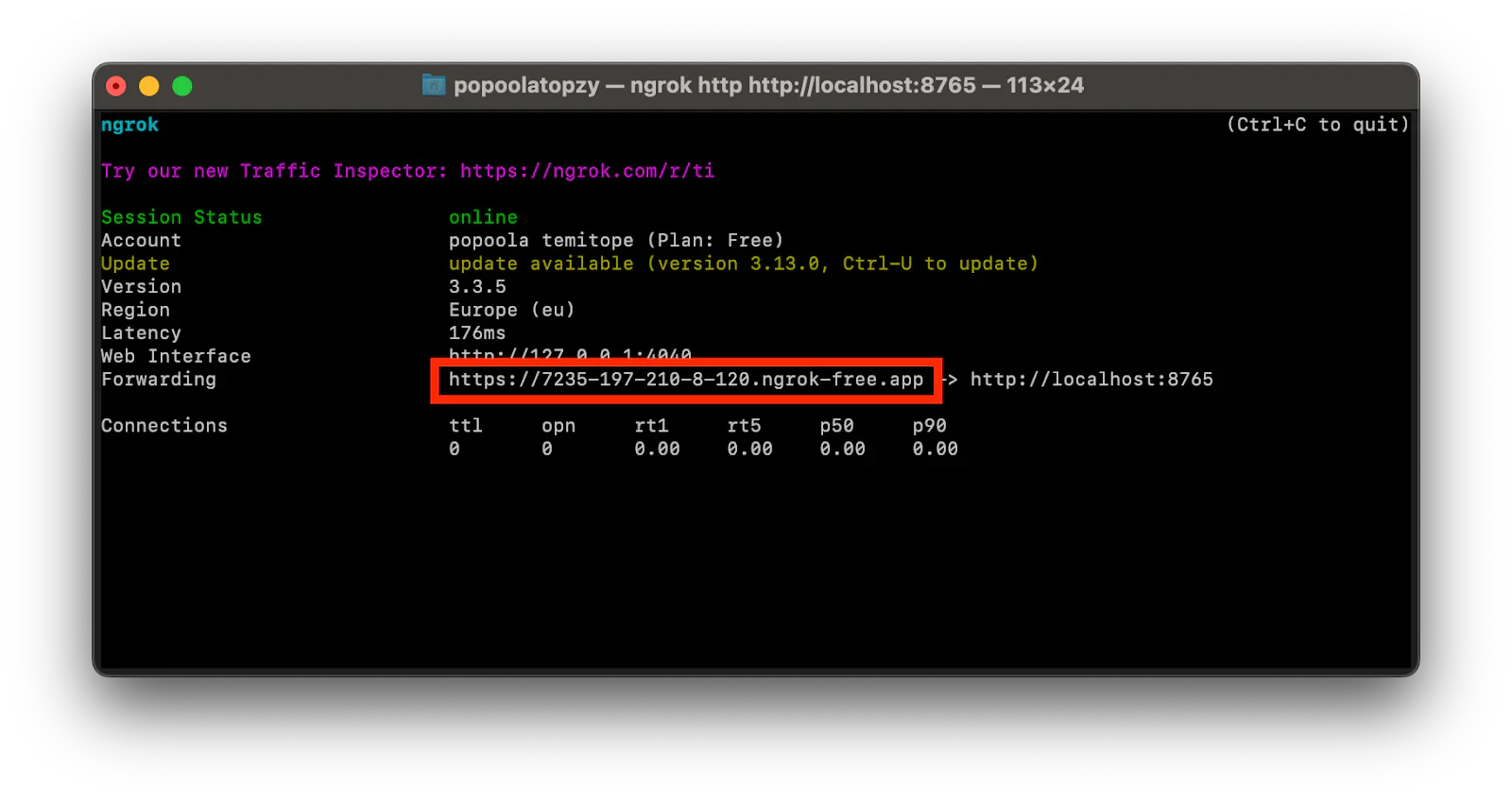
Configure the Twilio webhook for incoming calls
Let’s configure Twilio to send incoming call requests to our application endpoint via Twilio's incoming webhook. To do this, from your Twilio Console dashboard, navigate to Phone Numbers > Manage > Active Numbers, select your Twilio number, and click the Configure tab, as shown in the screenshot below.

Then, in the Voice Configuration section, set up the incoming call with the following settings.
- A Call Comes In: Select "Webhook"
- URL: Paste the generated ngrok Forwarding URL and append "/incoming-call" at the end
- HTTP Method: Select "HTTP POST".
Then click on the Save configuration button, at the bottom of the page, to save the configuration.
Test the call forwarding
To test the application, you first need to start the application by running the command below.
You should see output similar to the following printed to the terminal:
Now, open "http://localhost:8080/admin" in your browser. Then, add your agent's phone number, as shown in the screenshot below, so that incoming calls from your users will be forwarded to that number.
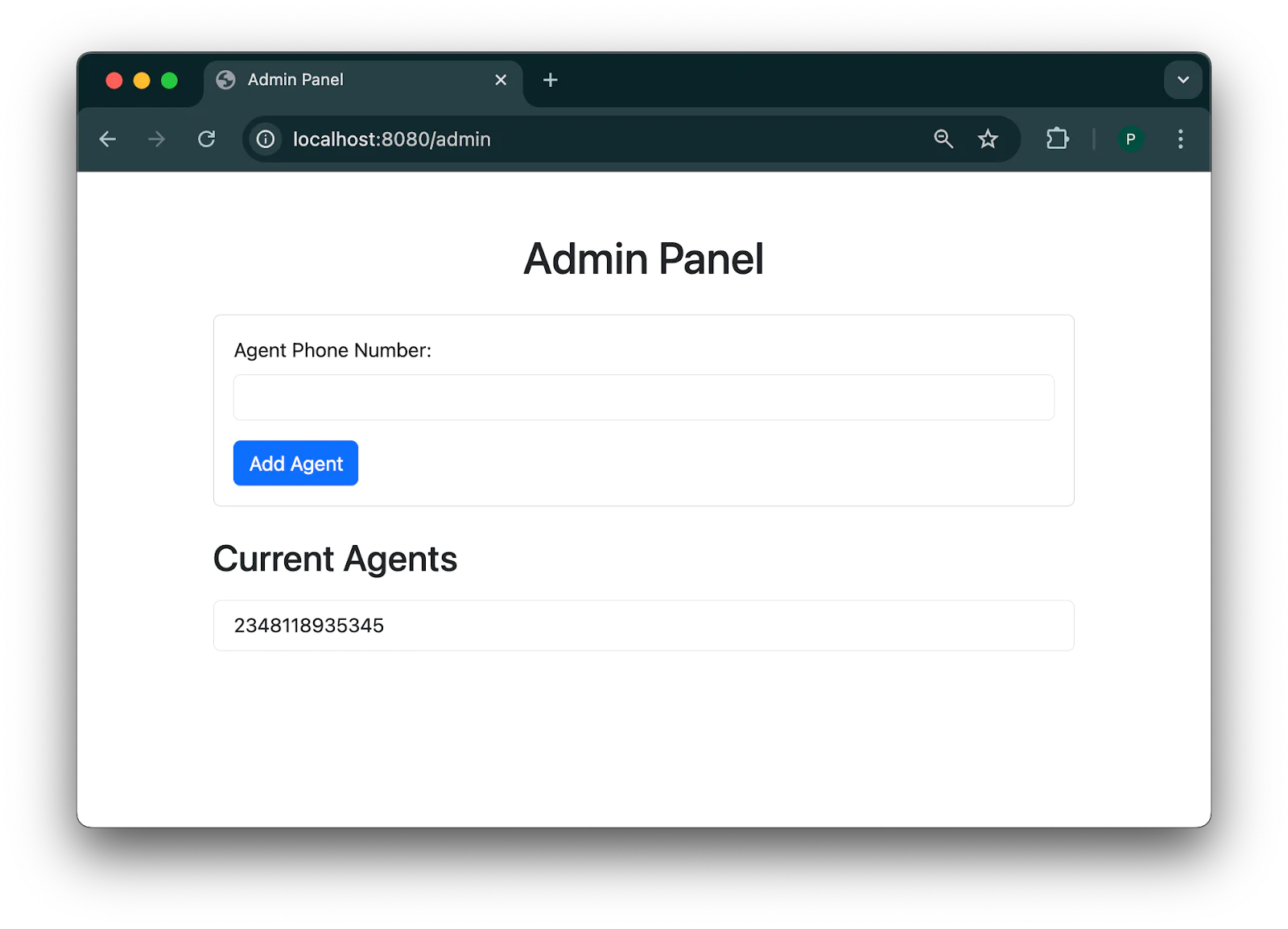
Next, call your Twilio number. Once the call reaches your endpoint, you will hear the message, "Please wait while we connect your call to an agent". After the message, your call will be forwarded to one of the agent's phone numbers.
That's how to build a Twilio call forwarding using Go
Call forwarding is an essential feature for businesses, facilitating seamless communication by redirecting incoming calls to the appropriate department or team member. It ensures that no customer inquiry goes unanswered, improves response times, and enhances overall customer satisfaction.
In this tutorial, you learned how to implement call forwarding using Twilio and Go. You set up an endpoint that responds to Twilio's incoming calls and connect the application to Twilio's webhook to handle incoming calls effectively.
Popoola Temitope is a mobile developer and a technical writer who loves writing about frontend technologies. He can be reached on LinkedIn.
Call forwarding icons created by Flat-icons-com on Flaticon.



Related Resources
Twilio Docs
From APIs to SDKs to sample apps
API reference documentation, SDKs, helper libraries, quickstarts, and tutorials for your language and platform.
Resource Center
The latest ebooks, industry reports, and webinars
Learn from customer engagement experts to improve your own communication.
Ahoy
Twilio's developer community hub
Best practices, code samples, and inspiration to build communications and digital engagement experiences.