All-in-one builder toolbox for the SendGrid Email API
From setup to scaling, this hub brings together the tools, guides, and inspiration you need to master the Twilio SendGrid Email API.
All-in-one builder toolbox for The SendGrid Email API
From setup to scaling, this hub brings together the tools, guides, and inspiration you need to master the Twilio SendGrid Email API.
Get started fast
What will you build next? Here are some resources to get started on your first SendGrid Email API project.

3,2,1... Liftoff and learn
Our Liftoff series breaks down the basics of how to start sending email with the Twilio SendGrid Email API.
Get Building
Dig into our up-to-date docs, tutorials, and guides to get started with your Twilio project.
Docs
Tutorials & guides
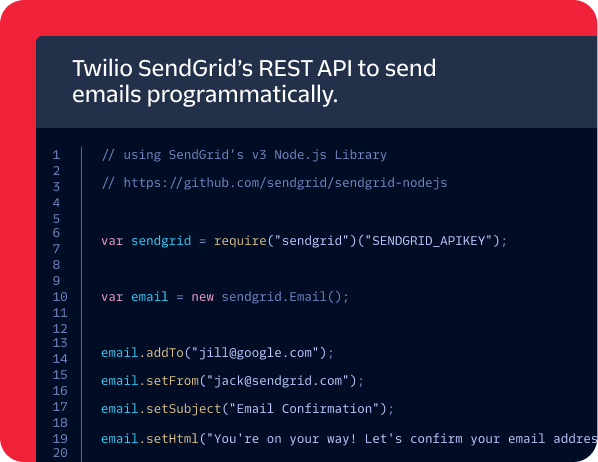
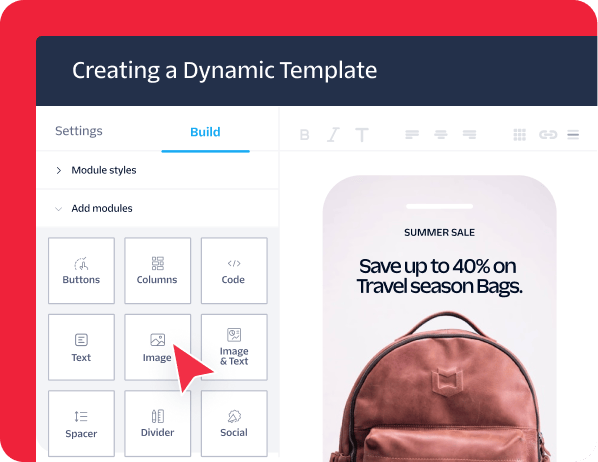
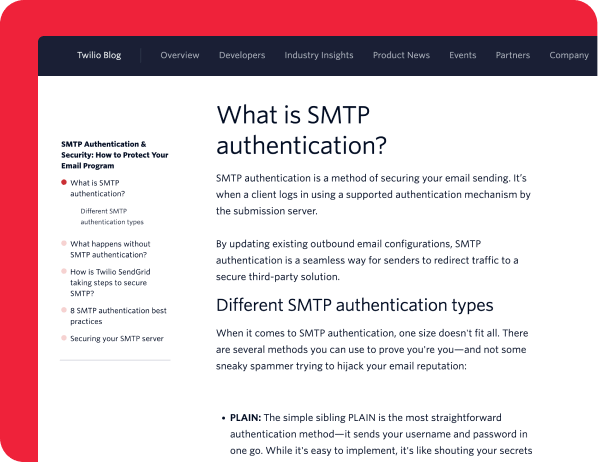
Everyone can be a builder
Twilio is for every kind of builder. Get started with our guides or explore partners for pre-built solutions.
Guides



Partner Spotlight


Innovation & trends
Stay ahead of the curve with the latest industry innovations and insights
What we’ve been building lately


What’s coming up next

Twilio 2025 State of Customer Engagement Report
There’s a growing gap between what customers expect and the experiences business deliver. Learn how customers prefer to be reached, why personalization matters more than ever, and how top-performing companies combine data, AI, and communications.
Best practices & continued learning
We’ve already done the exploration, prototyping, testing, and troubleshooting so you don’t have to.






Product Mastery
Become an expert Twilio builder with advanced tutorials and guides.





Community & Collaboration
Connect, share, and grow with other developers who build with Twilio tools.




3,2,1... Liftoff and learn
Our Liftoff series breaks down the basics of how to start sending email with Twilio SenGrid Email API.
Email API Onboarding
Set your email program up for success and integrate with the Twilio SendGrid Email API with our comprehensive onboarding guide.
Tutorials & guides
Setting Up Your Email Infrastructure with Twilio SendGrid
Get guidance on configuring your sending domain, authentication (SPF, DKIM, DMARC), IP warming, and architecture.
Guides
The Smart Scaling Guide to Send High-Volume Email
Grow your email program correctly—increase your email volume without falling into deliverability pitfalls.
Partner Spotlight
Send email with Microsoft Azure
Create and configure your Twilio SendGrid account through Microsoft Azure so you can start sending with our Email API at scale.
Twilio 2025 State of Customer Engagement Report
There’s a growing gap between what customers expect and the experiences business deliver. Learn how customers prefer to be reached, why personalization matters more than ever, and how top-performing companies combine data, AI, and communications.
7 Email List Management Best Practices
Get set up for success and ongoing compliance with the right list management practices.
Email Marketing Checklist
Review this 22-point checklist before sending for more polished email campaigns.
Email Automation Best Practices
Build better automated email flows with expert guidance and lots of examples.
Email Deliverability Guide
How to make it to the customer’s inbox and improve your email deliverability in 2025.
Build Generative AI Email Experiences
Learn how to process inbound emails you gather with Twilio SendGrid's Inbound Parse and respond with generative AI.
Integrate Twilio SendGrid with Twilio Segment for First-Party Data
Learn how to send SendGrid data to Segment and then activate that data to personalize emails.
Twilio Blog
Find developer stories, product updates, technical tutorials, and use cases from the Twilio community.
Open Source at Twilio
See all of Twilio’s open‑source projects that you can check out and contribute to.
FAQs
The Email API lets you send and manage email through a modern RESTful interface with JSON support, templates, and detailed event tracking. It’s flexible, scalable, and built for automation. SMTP relay connects your app to Twilio SendGrid’s SMTP server to send messages, no coding required. It’s simpler but less customizable and harder to scale. Learn more here.
Sign up for a SendGrid account, create an API key, and use an official SDK (like Python, Node.js, or Java) to make a POST request to the /mail/send endpoint. You’ll get a status code response confirming your email was accepted for delivery, and you can usually send your first one in under 10 minutes. Our quickstart guides walk you through each step in your preferred programming language.
Create API keys with only the permissions you need, label them clearly, and rotate them regularly. Store keys in environment variables or a secret manager (never in source code or public repos). You can manage scopes and revoke compromised keys anytime in the Twilio SendGrid dashboard to keep your access safe and under control.
Use Twilio SendGrid’s Email Activity API, Event Webhook, or the Activity dashboard to monitor performance in real time. You can track deliveries, opens, clicks, bounces, unsubscribes, and spam reports. Plus, you can filter by message ID, event type, or date. Integrate the Event Webhook to stream delivery and engagement data directly into your own systems for analysis or alerts.
Start by building trust with inbox providers. Warm up dedicated IPs, authenticate your domain (SPF, DKIM, DMARC), and keep marketing and transactional sends on separate subdomains. Maintain a clean, engaged contact list and avoid spammy language or design tricks. Use Twilio’s Deliverability Center to track performance, spot issues, and stay in the inbox. Download our Deliverability Guide to learn more.
Yes. Use separate subdomains for different email types to protect your sender reputation. Marketing emails tend to get lower engagement, which can affect inbox placement. Keeping them apart (for example, news.example.com for marketing and alerts.example.com for transactional) helps inbox providers judge each stream on its own and keeps your important messages flowing reliably.
The Email API uses rate limits to keep traffic stable and fair. If you hit an error, slow down and retry with exponential backoff. Monitor your responses, spread out large sends, and avoid sudden spikes. For high-volume traffic, segment sends over time or across IPs.
Absolutely. Use dynamic transactional templates with Handlebars syntax to personalize emails for each recipient. Create and manage templates in the UI, then reference them in your API calls with a template ID. You can inject custom data per message to scale personalized content like order confirmations, password resets, or onboarding emails without writing each one manually.
FAQs
The Email API lets you send and manage email through a modern RESTful interface with JSON support, templates, and detailed event tracking. It’s flexible, scalable, and built for automation. SMTP relay connects your app to Twilio SendGrid’s SMTP server to send messages, no coding required. It’s simpler but less customizable and harder to scale. Learn more here.
Sign up for a SendGrid account, create an API key, and use an official SDK (like Python, Node.js, or Java) to make a POST request to the /mail/send endpoint. You’ll get a status code response confirming your email was accepted for delivery, and you can usually send your first one in under 10 minutes. Our quickstart guides walk you through each step in your preferred programming language.
Create API keys with only the permissions you need, label them clearly, and rotate them regularly. Store keys in environment variables or a secret manager (never in source code or public repos). You can manage scopes and revoke compromised keys anytime in the Twilio SendGrid dashboard to keep your access safe and under control.
Use Twilio SendGrid’s Email Activity API, Event Webhook, or the Activity dashboard to monitor performance in real time. You can track deliveries, opens, clicks, bounces, unsubscribes, and spam reports. Plus, you can filter by message ID, event type, or date. Integrate the Event Webhook to stream delivery and engagement data directly into your own systems for analysis or alerts.
Start by building trust with inbox providers. Warm up dedicated IPs, authenticate your domain (SPF, DKIM, DMARC), and keep marketing and transactional sends on separate subdomains. Maintain a clean, engaged contact list and avoid spammy language or design tricks. Use Twilio’s Deliverability Center to track performance, spot issues, and stay in the inbox. Download our Deliverability Guide to learn more.
Yes. Use separate subdomains for different email types to protect your sender reputation. Marketing emails tend to get lower engagement, which can affect inbox placement. Keeping them apart (for example, news.example.com for marketing and alerts.example.com for transactional) helps inbox providers judge each stream on its own and keeps your important messages flowing reliably.
The Email API uses rate limits to keep traffic stable and fair. If you hit an error, slow down and retry with exponential backoff. Monitor your responses, spread out large sends, and avoid sudden spikes. For high-volume traffic, segment sends over time or across IPs.
Absolutely. Use dynamic transactional templates with Handlebars syntax to personalize emails for each recipient. Create and manage templates in the UI, then reference them in your API calls with a template ID. You can inject custom data per message to scale personalized content like order confirmations, password resets, or onboarding emails without writing each one manually.
Build now, buy later.
Start for free. Sign up for a free trial—no credit card required.

Let's find the right products for you
Generating your product picks...
See your product picks
For the best recommendations, tell me your use case, goals, requirements, etc.
Generating...
Complete
Thinking...
Finding the best products for your use case
R.I.P.
Something went wrong.
Generating Toolkit... See your toolkit
Ready, set, build! Resources to get started
Put the toolkit to use
Not quite what you're looking for? You can .
This product recommendation tool is powered by a hybrid AI system (Twilio and OpenAI) and may generate information that is inaccurate or incomplete. Recommendations are algorithmic, not professional advice. You should independently verify this information before use. By using this tool, you agree that your input is processed by both Twilio's internal systems and external OpenAI models to generate a response. You are responsible for any information you share. Twilio is not responsible for your use of this generated information, and this use does not modify your Twilio agreement if one is in place. Review our Privacy Notice for additional details on how we use data.