Twilio Segment Connections

どこからでも顧客データを収集し、有効化が可能に

ウェアハウス、マーケティングツール、コミュニケーションデータを連携して、パーソナライズされたリアルタイムの体験を実現しましょう。
クレジットカードなしで無料体験
柔軟な料金プラン
Flexible pricing
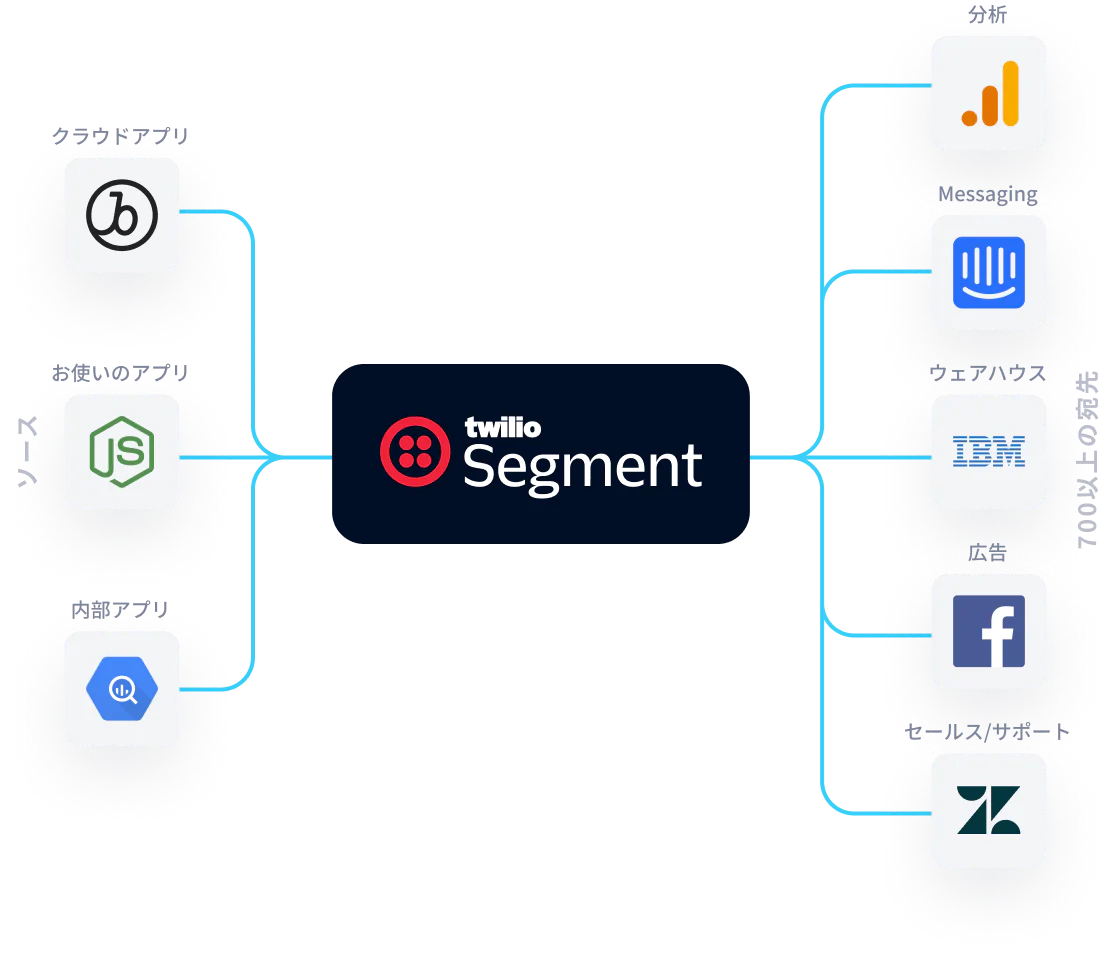
Diagram showing data flow from sources to destinations through Twilio Segment

Twilio Segment Connectionsの仕組み

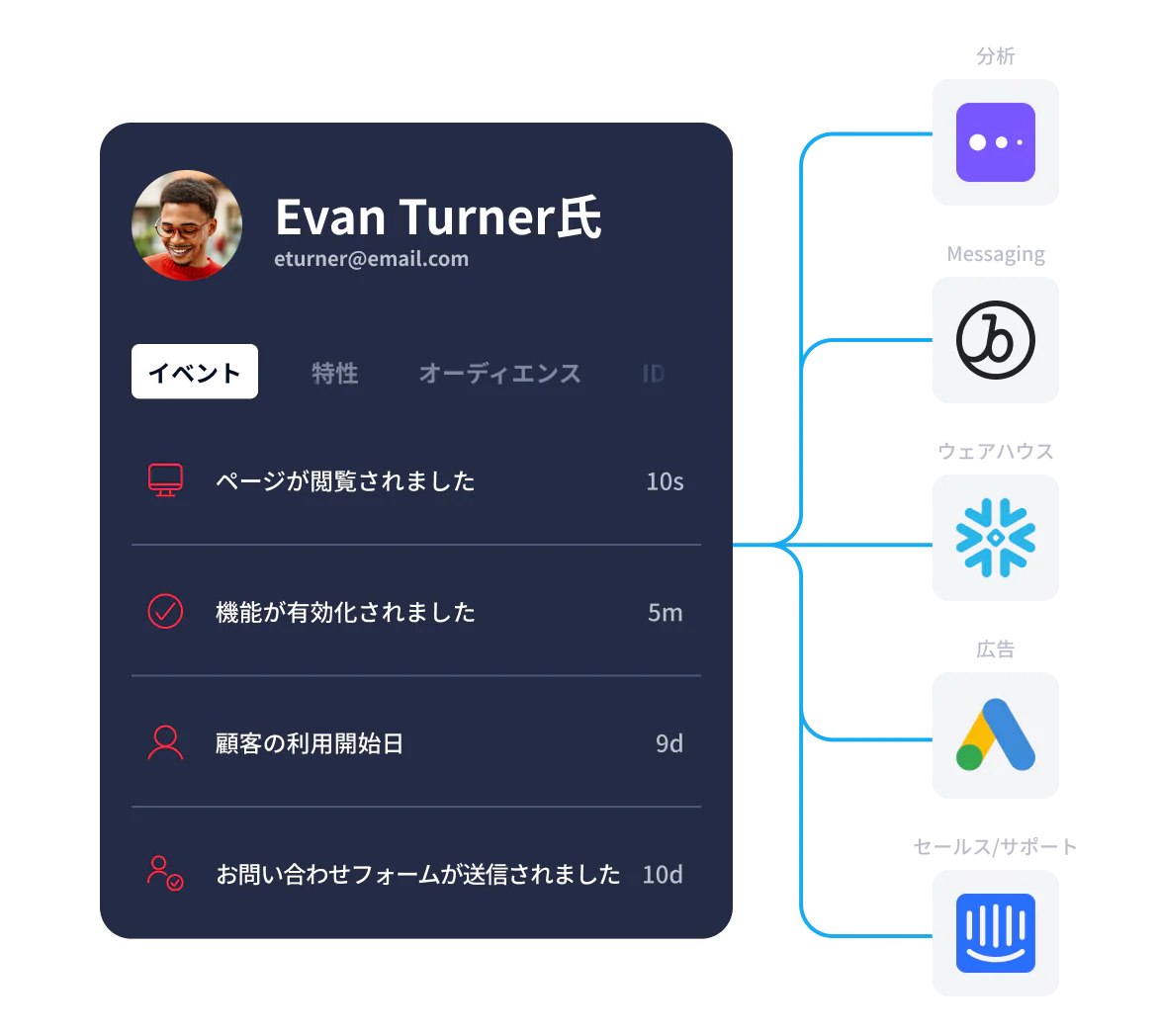
Dashboard displaying user activities, event time stamps, and icons of associated analytics and support platforms.

すべてのタッチポイントからファーストパーティデータを収集し、任意のツールに送信して、アプリ、セールス、サポート、支払い、メッセージングのすべての体験から顧客を完全に把握します。 

  • 新しいツールを迅速に実装

    数週間ではなく、数分で新しいツールを有効化します。セットアップの手間なし、コードのプッシュも不要、App Storeの承認を待つ必要もありません。モバイル用SDKがないツールでも対応可能です。

  • 今すぐ製品作業に集中

    Twilio Segmentは、700以上の統合により、テクノロジースタックに簡単に接続できます。 

  • ガバナンスと管理を維持

    データのライフサイクル全体を通して継続的な品質とセキュリティを確保するためのデータガバナンスと管理ツールを使用して、顧客データのデバッグ、再生、観察を行うことができます。

Connectionsがすべて 

データを統合して顧客プロフィールを作成し、ツールを有効化し、コンプライアンスを促進します。

顧客のデータ収集 

複数のソースからデータを収集することで、顧客をより深く理解できます。ユーザーが製品とどのようにやり取りしているかを追跡し、新規または既存の顧客を特定し、アクションを実行した際にどのページにいたのか、どのデバイスを使用していたのかを把握できます。


FOXはTwilio Segmentを活用し、すべてのブランドを顧客データの唯一の信頼できる情報源に基づいて統一。全ユーザーの統合的な視点を得て、多様なチャネルでのデジタルタッチポイントのパーソナライズを可能にしました。


Clock 1 icon
120万ドル

毎年節約される時間の値

Bar graph with arrow showing a decrease
75%

データエンジニアリング時間の短縮率

Man smiling and holding a laptop in front of a red background with FOX logo.

Connectionsの機能 

顧客データの管理に必要なすべてのツールを入手できます。

  • Twilioの分析APIを使用して、あらゆるプラットフォームからユーザーイベントを収集します。

  • わずか数クリックで700以上のアプリにデータを統合できます。

  • ウェアハウスのデータをアプリケーションへシームレスに移行

  • 10行のJavaScriptを使用して、Segmentとのカスタム統合を構築します。
  • アプリからSegmentに流れるイベントデータのライブストリームにアクセスします。

  • 既存のデータを再生して新しいツールを迅速に試すことで、ベンダーロックインを排除します。

  • イベント配信の各段階でイベントパイプラインのパフォーマンスを表示します。

  • カスタマイズ可能なアラートをトリガーして、ボリュームの変更と配信率を監視します。

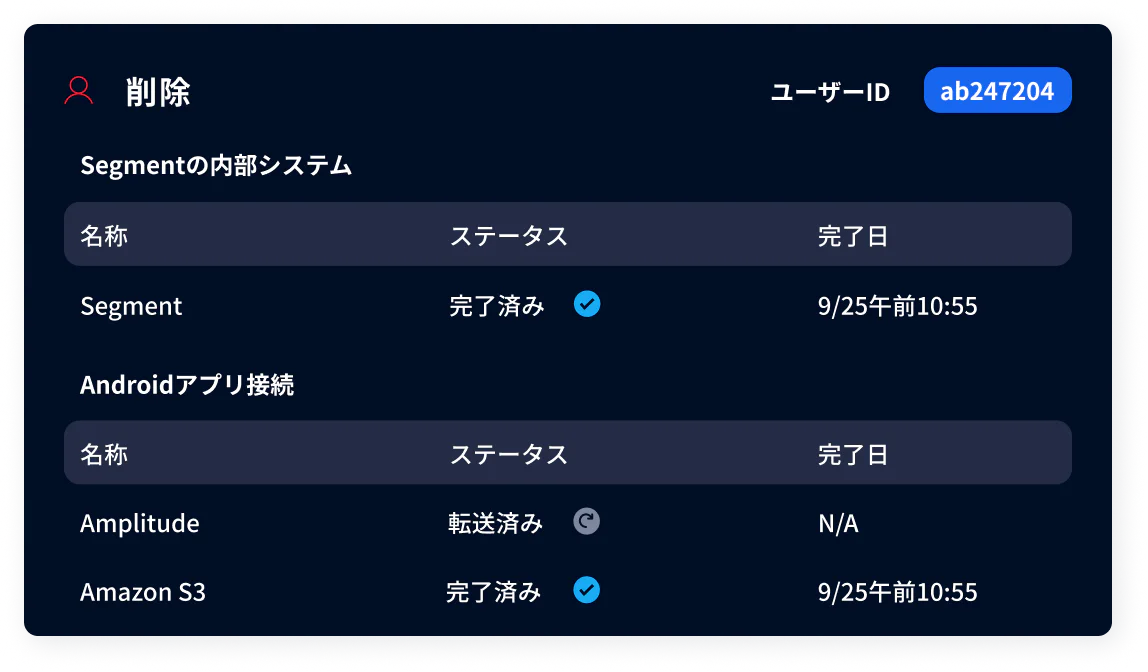
Deletion status panel showing completed and forwarded statuses for various systems and connections

規制遵守と同意管理を合理化

自動化されたデータ権利管理を使用して、GDPR、CCPA、その他の規制へのコンプライアンスを促進します。組み込み型の同意管理を導入して、ユーザーの同意に関する唯一の信頼できる情報源を構築します。これにより、お客様がデータの削除や変更を希望する場合や、データ収集自体を停止したい場合にも対応できます。 

データパイプラインの保証

TwilioのData Observabilityツールを使用して、企業はデータパイプラインをリアルタイムで積極的に監視、検証、トラブルシューティングすることにより、システム間でのデータ品質、整合性、シームレスな配信を保証できます。

顧客データの連携は、わずか10行のコードで実現可能

セットアップに役立つTwilioのドキュメント、記事、その他の主要リソースをご覧ください。

<script type="text/javascript">
(function() {
  // define the key where the global analytics object will be accessible
  // customers can safely set this to be something else if need be
  var globalAnalyticsKey = "analytics"

  // Create a queue, but don't obliterate an existing one!
  var analytics = window[globalAnalyticsKey] = window[globalAnalyticsKey] || [];

  // If the real analytics.js is already on the page return.
  if (analytics.initialize) return;

  // If the snippet was invoked already show an error.
  if (analytics.invoked) {
    if (window.console && console.error) {
      console.error("Segment snippet included twice.");
    }
    return;
  }

  // Invoked flag, to make sure the snippet
  // is never invoked twice.
  analytics.invoked = true;

  // A list of the methods in Analytics.js to stub.
  analytics.methods = [
    "trackSubmit",
    "trackClick",
    "trackLink",
    "trackForm",
    "pageview",
    "identify",
    "reset",
    "group",
    "track",
    "ready",
    "alias",
    "debug",
    "page",
    "screen",
    "once",
    "off",
    "on",
    "addSourceMiddleware",
    "addIntegrationMiddleware",
    "setAnonymousId",
    "addDestinationMiddleware",
    "register"
  ];

  // Define a factory to create stubs. These are placeholders
  // for methods in Analytics.js so that you never have to wait
  // for it to load to actually record data. The `method` is
  // stored as the first argument, so we can replay the data.
  analytics.factory = function(e) {
    return function() {
      if (window[globalAnalyticsKey].initialized) {
        // Sometimes users assigned analytics to a variable before analytics is done loading, resulting in a stale reference.
        // If so, proxy any calls to the 'real' analytics instance.
        return window[globalAnalyticsKey][e].apply(window[globalAnalyticsKey], arguments);
      }
      var args = Array.prototype.slice.call(arguments);
      
      // Add buffered page context object so page information is always up-to-date
      if (["track", "screen", "alias", "group", "page", "identify"].indexOf(e) > -1) {
        var c = document.querySelector("link[rel='canonical']");
        args.push({
          __t: "bpc",
          c: c && c.getAttribute("href") || undefined,
          p: location.pathname,
          u: location.href,
          s: location.search,
          t: document.title,
          r: document.referrer
        });
      }

      args.unshift(e);
      analytics.push(args);
      return analytics;
    };
  };


  // For each of our methods, generate a queueing stub.
  for (var i = 0; i < analytics.methods.length; i++) {
    var key = analytics.methods[i];
    analytics[key] = analytics.factory(key);
  }

  // Define a method to load Analytics.js from our CDN,
  // and that will be sure to only ever load it once.
  analytics.load = function(key, options) {
    // Create an async script element based on your key.
    var t = document.createElement("script");
    t.type = "text/javascript";
    t.async = true;
    t.setAttribute("data-global-segment-analytics-key", globalAnalyticsKey)
    t.src = "https://cdn.segment.com/analytics.js/v1/" + key + "/analytics.min.js";

    // Insert our script next to the first script element.
    var first = document.getElementsByTagName("script")[0];
    first.parentNode.insertBefore(t, first);
    analytics._loadOptions = options;
  };
  analytics._writeKey = "YOUR_WRITE_KEY";


  // Add a version to keep track of what's in the wild.
  analytics.SNIPPET_VERSION = "5.2.1";

  // Load Analytics.js with your key, which will automatically
  // load the tools you've enabled for your account. Boosh!
  analytics.load("YOUR_WRITE_KEY");

  // Make the first page call to load the integrations. If
  // you'd like to manually name or tag the page, edit or
  // move this call however you'd like.
  analytics.page();
})();
</script>

構築にサポートが必要ですか? 
大丈夫です。

信頼できるパートナーと連携して、コーディングのサポートを受けたり、あらかじめ構築された顧客データソリューションを活用したりできます。 パートナーを表示 

無料トライアルをお試しいただけます。クレジットカードは不要です。 

Twilio Segment CDPは広範囲で実証され、信頼されています。Twilio Segmentの無料アカウントを使用して、すべての顧客データを今すぐ連携しましょう。

700以上

事前構築済みのコネクタ

40万

1秒間に取り込まれたイベント

4,000億

1日に同期された行

99.9%

システムアップタイム

Connectionsに関するFAQ

顧客データパイプラインとは、アプリ、Webサイト、サーバーから顧客の行動データやイベントデータを収集し、それらのデータを必要とする各種ツールに配信する仕組みです。その一つがTwilio Segment Connectionsです。ファーストパーティデータを一度収集し、700以上の送信先にルーティングして、どのツールでも同一のクリーンなデータソースを利用できるようにします。

それはもちろん可能ですが、新しいツールを導入するたびに連携用コードの新規作成や継続的な保守が必要になり、エンジニアは製品開発に集中できなくなります。単一のパイプラインで700以上のツールと連携できるTwilio Segment Connectionsなら、こうした作業は不要になります。FOXはTwilio Segment Connectionsへの切り替えにより、データエンジニアリングの作業時間を75%削減し、年間$120万を節約しました。

はい。Twilio Segment Connectionsには、GDPR、CCPAなどの規制に対応する自動化されたデータ権利管理機能と、同意情報を信頼できる単一の情報源として管理・適用する機能が組み込まれています。このため、顧客からデータの削除や共有停止の要請があった場合も、連携しているすべてのツールで要請に対応できます。

月間トラッキングユーザー(MTU)とは、請求月中にTwilio Segmentがデータを収集したユニークユーザーを指し、これには識別済みユーザーと匿名ユーザーの両方が含まれます。プラン料金はMTU数に応じて変動し、実際にトラッキングしたユーザー数に基づいて料金が決まります。匿名の訪問者もカウント対象となるため、利用者数が多くなる月のMTU数は慎重に見積もってください。

すぐに必要、というわけではないかもしれません。1つか2つのツール間でデータをやり取りしており、すでに問題なく連携できているなら、Connectionsを導入する必要はないでしょう。複数のデータソースや送信先を扱うようになった場合や、壊れやすいデータ連携の仕組みを維持するためにエンジニアの工数がかかるようになった場合は、Connectionsの導入によるメリットが大きくなります。

予想されるほど多くはありません。Twilio Segment Connectionsなら、新しいツールとの連携も数分で有効化できます。コードプッシュも、App Storeでの待ち時間もありません。各ツールが独自のモバイルSDKを提供していない場合も同様です。データを接続すると、約10行のコードが実行されます。