WhatsApp Businessプラットフォーム

グローバルなつながりを、まるでローカルのような感覚で。それが、WhatsAppの威力です。

データ主導型の顧客エンゲージメントを、Twilioを利用したWhatsAppメッセージングを通じて世界中に展開できます。
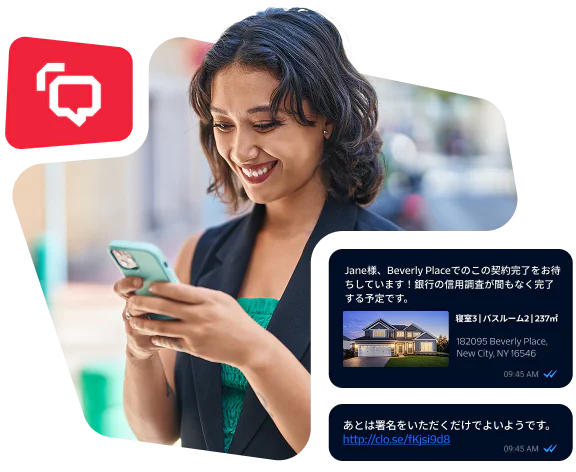
Woman smiling and texting with message about house contract being finalized and a link for signatures

混乱を減らし、スピードを上げて、WhatsAppの魅力的な体験を構築します。

世界で最も人気のあるメッセージングアプリ、WhatsAppで顧客とのエンゲージメントを開始しましょう。WhatsApp Business PlatformとTwilio Messaging APIを使用することで、サポート、通知、認証、パーソナライズされたプロモーションなど、カスタマージャーニー全体にわたるあらゆるユースケースに対応するソリューションを構築できます。

どんなやり取りにも対応するシンプルなAPI

トランザクションメッセージング

APIを利用し、アラートや通知、プロモーション、マーケティングメッセージ用の単方向のWhatsAppメッセージを送信します。

対話型メッセージング

1つのAPIを通じ、WhatsAppをカスタマーケアや会話型コマースの対話に使用します。

コンタクトセンター

WhatsAppや、メール、音声、SMSなどの一般的なチャネル上で、顧客にパーソナライズしたサービスを提供します。

パーソナライズされたコミュニケーション

データを所有し、ターゲットを入念に絞り込んでパーソナライズしたコミュニケーションをWhatsAppやその他のチャネルで提供します。

アカウント検証

不正利用を防止し、顧客の信頼を築くため、WhatsAppや、SMS、音声、メール、プッシュ、OTPでユーザーを検証します。

「いくつかのソリューションを分析した後、Twilioは、当社が求める信頼性、セキュリティ、高パフォーマンス、インフラストラクチャを備えていると感じました。もちろん、業務を1つのパートナーでまとめつつ、他のコミュニケーションソリューションを検討することもできます。」

Vinícius Reis Tech Lead

「WhatsAppのインフラストラクチャとアーキテクチャの構築を考えているなら、開発者は3人以上必要です。ところが、Twilioを使用するととても簡単に構築でき、開発者2人で、しかも迅速に進みました。」

Connor Cirillo Senior Conversational Marketing Manager

構築済みモード、起動済み。

クイックスタートガイド、コードスニペット、SDKなど、Twilioの包括的なリソースライブラリーをご覧ください。WhatsAppソリューションの活性化に役立ちます。

WhatsAppメッセージの作成

// Download the helper library from https://www.twilio.com/docs/node/install
// Find your Account SID and Auth Token at twilio.com/console
// and set the environment variables. See http://twil.io/secure
const accountSid = process.env.TWILIO_ACCOUNT_SID;
const authToken = process.env.TWILIO_AUTH_TOKEN;
const client = require('twilio')(accountSid, authToken);

client.messages
  .create({
     body: 'This is a message that I want to send over WhatsApp with Twilio!',
     from: 'whatsapp:+14155238886',
     to: 'whatsapp:+15005550006'
   })
  .then(message => console.log(message.sid));

あなたのビジネスが、WhatsAppのチャットに登場

WhatsApp上で顧客とつながる準備をしませんか。料金は、会話ベースの従量課金制です。

新機能

WhatsApp Business Callingが一般公開中

WhatsAppの会話から直接通話やメッセージを発信する選択をお客様に提供します。電話の相手と会話するためにアプリを終了する必要はありません。

Whatsapp Business Platform

Global reach with a local feel. That’s the power of WhatsApp.

Engage your customers across campaigns, promotions, and live support through WhatsApp messaging and calling—powered by Twilio’s programmable APIs.

Free trial
No credit card required
Flexible pricing
Woman smiling and texting with message about house contract being finalized and a link for signatures
A woman in a white shirt smiling and holding a tablet with WhatsApp Business interface on screen.

FAQ

WhatsAppメッセージを有効にするには、まずTwilioアカウントが必要です。まだアカウントがない場合は、無料トライアルに登録して開始することができます。アカウントにログインしたら、電話番号を登録し、テスト用のサンドボックスを設定(任意)、メッセージの送受信ができるようにWebhook URLを設定します。 

ステップごとの手順については、 WhatsAppセルフサインアップ用ドキュメントをご覧ください。

Metaで新しく「WhatsAppビジネスプロファイル」を作成するには「WhatsAppビジネスアカウント名」と、顧客が確認できる 「WhatsAppビジネス」表示名の両方を入力する必要があります。さらに、ビジネスのカテゴリーを選択し、ビジネスの説明とウェブサイトのリンクを提供する必要があります。 

その後、いくつかの確認手順を完了します。これには、電話番号の所有権の確認や、「Metaビジネスポートフォリオ」の確認プロセスが含まれます。確認プロセスの完了には、5~20日かかります。 

詳細な説明は、「WhatsApp送信者登録」のドキュメントをご覧ください。

テンプレート化メッセージ

送信メッセージには、3種類のWhatsAppメッセージテンプレートを使用できます。

  • 認証:ワンタイムパスコード

  • ユーティリティ:特定の合意済みトランザクションに関連する、トランザクションやサブスクリプションの確認、停止、変更のためのメッセージ

  • マーケティング: 販促用オファーや製品の発表。また、Metaは、マーケティング要素を含むメッセージをすべて「マーケティング」テンプレートと見なします。 

これらのテンプレートは、WhatsAppに提出して承認を受ける必要があります。これらのテンプレートには、製品カタログ、カルーセル、リスト、位置情報、テキストや画像およびボタンを含むカードメッセージ、動的ボタンなどのリッチコンテンツを含めることができます。 

WhatsAppのメッセージ機能の詳細をご確認ください

自由形式のメッセージ 

自由形式のメッセージは、テンプレート化されていないメッセージで、顧客が直接問い合わせてきた場合や、テンプレート化メッセージに返信してきた場合に、その返信として送信できます。 

着信メッセージ

着信メッセージには、テキストやJPG、JPEG、PNG、音声ファイル、PDFファイルなどのメディアが含まれる場合があります。 


メッセージテンプレートをWhatsAppに提出して承認を受けたら、当社のAPIを使ってメッセージを送信できます。テンプレートを使ったWhatsAppメッセージの送信に関する詳細をご確認ください。 

最初にメッセージテンプレートを承認してもらう際は、Twilio ConsoleまたはAPIでテンプレートを作成し、それをWhatsAppに提出して承認を受けます。ほとんどのテンプレートは、機械学習支援のプロセスで審査され、数分で承認されます。人による審査が必要なテンプレートの場合、承認まで最大48時間かかることがあります。

メッセージテンプレートの承認およびステータスに関するガイドをご覧ください。

顧客がWhatsAppであなたと会話を開始した後、「 カスタマーサービスウィンドウ」と呼ばれる24時間の期間があります。この期間中は、自由形式のメッセージを送信できます。

カスタマーサービスウィンドウは、顧客から最後にメッセージを受信した後24時間有効です。カスタマーサービスウィンドウが終了した後に、再度ユーザーとやり取りするには、承認済みのテンプレートを使用する必要があります。

Twilioは、メッセージごとに$0.005の料金を請求し、さらに国やテンプレートタイプに応じたMetaのテンプレートごとの料金が加算されます。 

Twilioの計算ツールを使えば、WhatsAppメッセージングの料金の見積もりができます。または、Metaのレートカードで、テンプレートごとの料金の詳細をご確認ください。

顧客にWhatsAppメッセージを送信するには、まず顧客から明確なオプトインを取得する必要があります。オプトインは、ウェブサイト、モバイルアプリ、音声通話、SMSによって、または対面で収集できます。相手があなたのビジネスからのメッセージを受け取ることにオプトインしていることを明確に示すようにします。さらに望ましいのは、異なる種類のメッセージごとにオプトイン、オプトアウトの選択肢を提供することで、不要または予期しないメッセージの送信を避けられます 

オプトイン要件の詳細については、WhatsApp Business Platformのドキュメントをご覧ください。

送信したWhatsAppメッセージのステータス更新をリアルタイムで受信するために、ステータスコールバックURLを設定できます。 

送信したWhatsAppメッセージのステータスのモニタリングに関する詳細情報をご確認ください。

送信メッセージのスループットにおける1秒あたりメッセージ数(MPS)の上限は、デフォルトで80 MPSです。テキストのみのメッセージのMPSは、承認を得ることで最大400 MPSまで引き上げることができます。レート制限を上げることを希望する場合は、「Twilioサポート」チームにお問い合わせください。

WhatsAppメッセージのMPSに関する詳細をご確認ください。

当社のWhatsApp Business APIのクイックスタートを使えば、Node.js、Python、Java、C#、PHPまたはRubyでわずか数行のコードを使ってWhatsAppメッセージを送信することができます。 

基本操作に慣れたら、より高度な統合を行うために「API リファレンス」に進んでください。

Build WhatsApp experiences with less hassle, more hustle

Build WhatsApp experiences with less hassle, more hustle

Deliver rich, interactive experiences on WhatsApp to connect with 3+ billion users on the world’s most popular messaging app. With the WhatsApp Business Platform, Twilio Messaging and Voice APIs, you can build a complete solution that moves seamlessly from chat to voice in the same thread. 

Twilio simplifies WhatsApp onboarding, creating templates, automating workflows, and meeting compliance so you can get from zero to done faster.

Deliver rich, interactive experiences on WhatsApp to connect with 3+ billion users on the world’s most popular messaging app. With the WhatsApp Business Platform, Twilio Messaging and Voice APIs, you can build a complete solution that moves seamlessly from chat to voice in the same thread. 

Twilio simplifies WhatsApp onboarding, creating templates, automating workflows, and meeting compliance so you can get from zero to done faster.

The right tool for every situation

Create a connected experience on WhatsApp that switches from text to calls without losing context.

Real-time alerts and notifications

WhatsApp messaging (primary)

Send critical updates, order statuses, and appointment reminders instantly with an API for WhatsApp. Add in two-way messaging so customers can respond, self-serve, or escalate to a call if necessary.


When Magalu noticed its onboarding messages were getting ignored in email inboxes, it moved the sequence to WhatsApp and then watched its registration rate climb.

>2x

seller onboarding conversion rate

20%

increase in sales volume

Woman holding headphones while looking at smartphone with Magalu logo in the background.

Simple APIs that support any interaction

Reliable, scalable, programmable APIs that give you more control of your WhatsApp workflows.

Programmable Messaging API

Send one-way WhatsApp messages for alerts, notifications, marketing, and promotions. 

Conversations API

Turn WhatsApp messages into two-way conversations so customers can respond in a thread for customer support and sales interactions. 

Programmable Voice API

Instantly enable WhatsApp Business Calling to extend customer engagement from chat to live calls by activating our Voice API. 

WhatsApp messaging and calling features

For WhatsApp messaging

  • Senders API

    Programmatically create, delete, or retrieve your WhatsApp senders

  • Utility direct send (Beta)

    Send Utility messages without submitting for pre-approval for faster set up, testing, and scaling

  • Marketing Messages API

    Increase deliverability for marketing templates you send on WhatsApp with no code changes

  • Messaging feature support

    Set up WhatsApp Flows, typing indicators, PIX payments, and more

For WhatsApp calling

  • Flexible integrations

    Integrate a WhatsApp calling stream into an IVR, bots, call recording, or speech-to-text tool

  • Interactive call templates

    Set up templates to gain customer consent for calls

  • Click-to-call buttons

    Set up call-to-action buttons in templates and free-form interactive messages

  • Consumer or business-initiated calls

    Accept, reject, or terminate consumer-initiated calls within WhatsApp. Or request permission via WhatsApp to enable outbound calling.

Build mode, activated

Explore quick-start guides, code snippets, SDKs, and more in our comprehensive resource library to accelerate your WhatsApp solution.

Create a WhatsApp message

// Download the helper library from https://www.twilio.com/docs/node/install
// Find your Account SID and Auth Token at twilio.com/console
// and set the environment variables. See http://twil.io/secure
const accountSid = process.env.TWILIO_ACCOUNT_SID;
const authToken = process.env.TWILIO_AUTH_TOKEN;
const client = require('twilio')(accountSid, authToken);

client.messages
  .create({
     body: 'This is a message that I want to send over WhatsApp with Twilio!',
     from: 'whatsapp:+14155238886',
     to: 'whatsapp:+15005550006'
   })
  .then(message => console.log(message.sid));

Your business has entered the WhatsApp chat

Start connecting with customers on WhatsApp with pay-as-you-go, conversation-based pricing.

Woman smiling while looking at her smartphone indoors