Hull Destination
Warning
This destination is deprecated.
Hull is the one place to collect, transform, enrich, filter, search and segment customer data in all your tools.
It helps you creates a single actionable profile and uniform segments that sync to all your tools and make cross-channel, end-to-end personalization easy.
Hull receives data from Segment using the Segment Ship. Here's how to install it:
Install the Segment Ship on your organization. If you just installed Hull, click on "Add a ship" on the overview page.
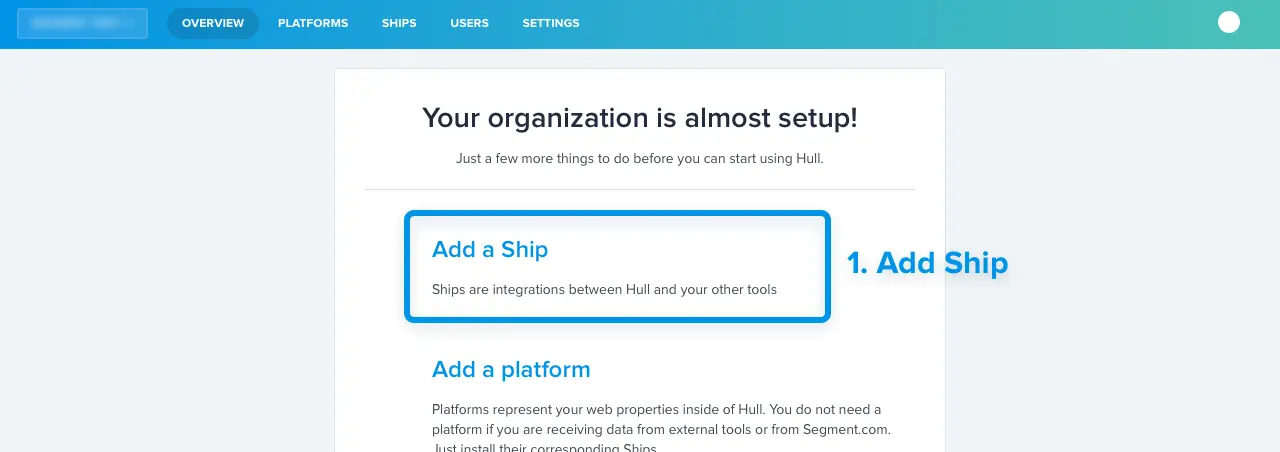
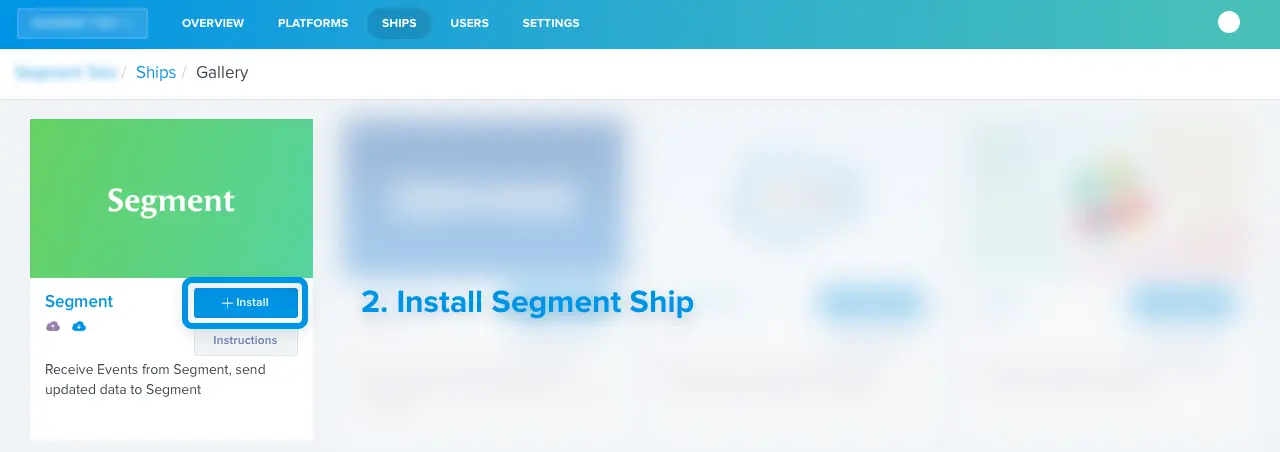
Pick the Segment Ship from the list.
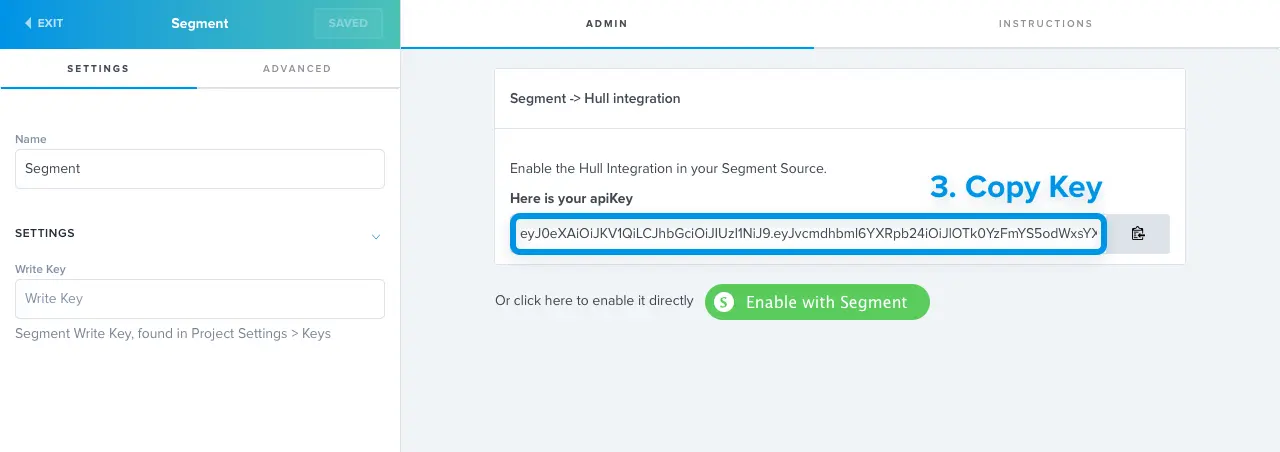
Enter the Segment ship Settings, Copy the API Key
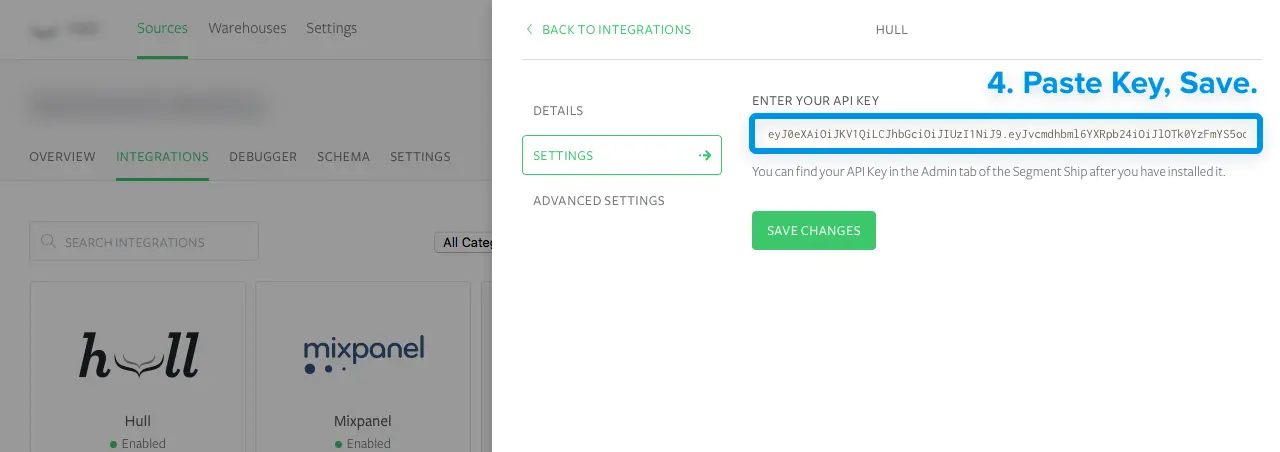
Paste it into your destinations page. Alternatively, just click the "Enable with Segment" button.
Enable Guest Users in your Dashboard's Settings > User Authentication > Login Options. This will create users for each identify call, even those without a User ID which is useful to track Leads.
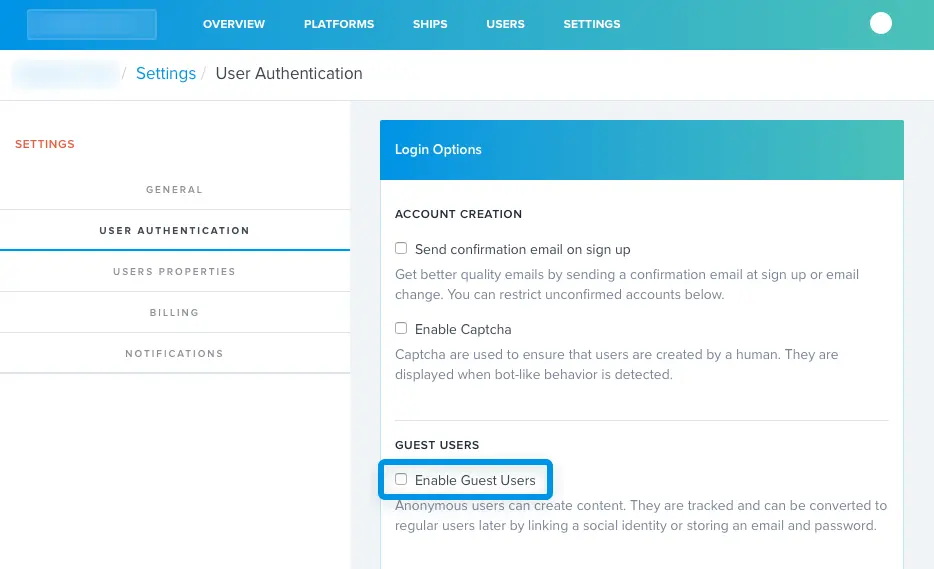
This is disabled by default because it can greatly increase the number of users in your database. When enabled, users will be tracked from their very first visit and action, allowing you to build segments based on complete customer journeys.
If you enter your Segment Write Key in the Ship's settings, then Hull will send customer data to Segment. When a user enters or leaves a Hull segment, a new identify call with be sent with the following traits :
1analytics.identify(userId, {2"hull_segments": ["all","matching","segment","names"],3"custom_1": "value_1",4"custom_2": "value_2",5},{6"groupId": "user's group Id if he has one"7})
In the Ship settings, you can choose which traits are sent to Segment.com. This lets you send any trait that has been computed or collected from enrichment steps to other tools.
You can also filter in the Ship Settings the customer segments will be sent back to Segment.com to those matching one or more of your Hull segments.
Hull supports the identify, page, screen, track, and group methods.
Hull stores customer properties and events and makes them available for segmentation in the Dashboard.
From there you can create and save audiences, transform and enrich customer data with Ships.
Every user identified on Segment with a userId will be created as a User on Hull. Segment's userId will be mapped to Hull's external_id field.
The following traits will be stored as first level fields on the User object
- address
- created_at
- description
- first_name
- image
- last_name
- name
- phone
- picture
- username
All other attributes from the identify call will be stored as custom traits on Hull.
Every track in Segment will create a new Event on Hull with "source":"segment".
Every screen in Segment will create a new Event on Hull with "source":"segment" and "event":"screen".
Every page in Segment will create a new Event on Hull with "source":"segment" and "event":"page".
Group calls in Segment will apply the group's traits as traits on the users that belong to the group.
For instance:
analytics.group("123", { name: "Wonderful", city: "Paris" });
will add the following traits on all users that belong to the group :
1{2"group": {3"id": "123",4"name": "Wonderful",5"city": "Paris"6}7}
Internally, we flatten objects and use '/' as a separator. They're really stored as traits_group/name. Our sources handle nesting for you when you receive data coming from Hull
Note: This feature is optional and not enabled by default. You should only enable it if your users can only belong to one group.