OneSignal New Destination
Destination Info
- Accepts Identify and Track calls.
- Refer to it as OneSignal New, or OneSignal (New) in the Integrations object
- This integration is partner owned. Please reach out to the partner's support for any issues.
OneSignal is the market leader in driving customer engagement with multi-channel messaging across Web and Mobile Push, In-App Messages, SMS, and Email subscribers.
This destination is maintained by OneSignal. For any issues with the destination, contact the OneSignal support team.
Info
The OneSignal Destination is available to customers on OneSignal Growth, Professional, and Enterprise plans.
- Log in to the OneSignal dashboard.
- Navigate to Segment App > Settings > Analytics > Segment.com and click Activate.
- The Segment App opens in a new window. Log in to authenticate the connection from OneSignal.
- Select the workspace and source to connect with OneSignal.
Info
OneSignal maps the userId field to the External User ID field in OneSignal.
OneSignal supports the following methods, as specified in the Segment Spec.
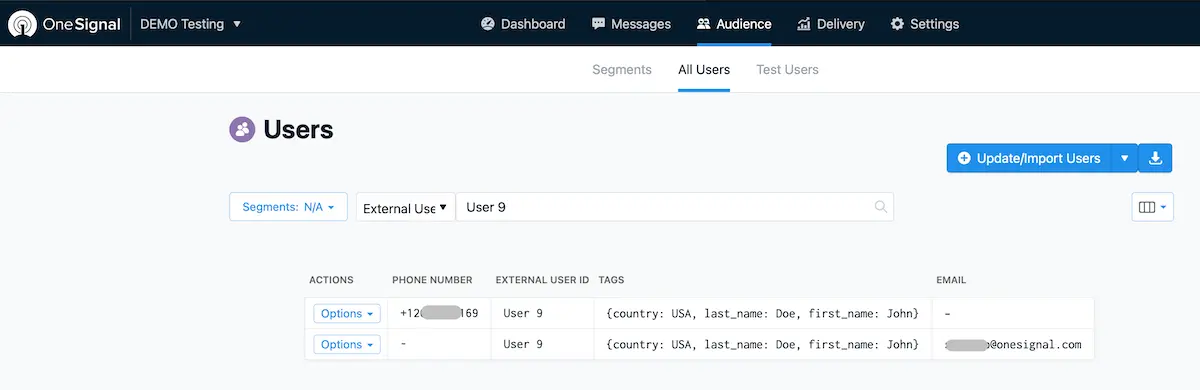
Send Identify calls to update users. For example:
1analytics.identify('userId123', {2firstName: 'John',3lastName: 'Doe',4country: 'USA'5});
Segment sends Identify traits as Player Data Tags in OneSignal.
Warning
OneSignal doesn't accept nested objects or arrays as user properties.
Data Tag Limits
Your OneSignal plan may cap incoming Data Tags. Once you've reached your Data Tag limit, your user traits won't update in your OneSignal destination.
Send Track calls to update Data Tags. For example:
1analytics.track('Add to Cart', {2product_name: 'Sunglasses',3brand: 'Rayban'4})
OneSignal stores Track properties as Data Tags but drops the event name. In the example, Add to Cart is dropped.
To keep the event names on OneSignal Data Tags, append the event name to the properties. For example, Add_to_Cart_brand instead of brand.
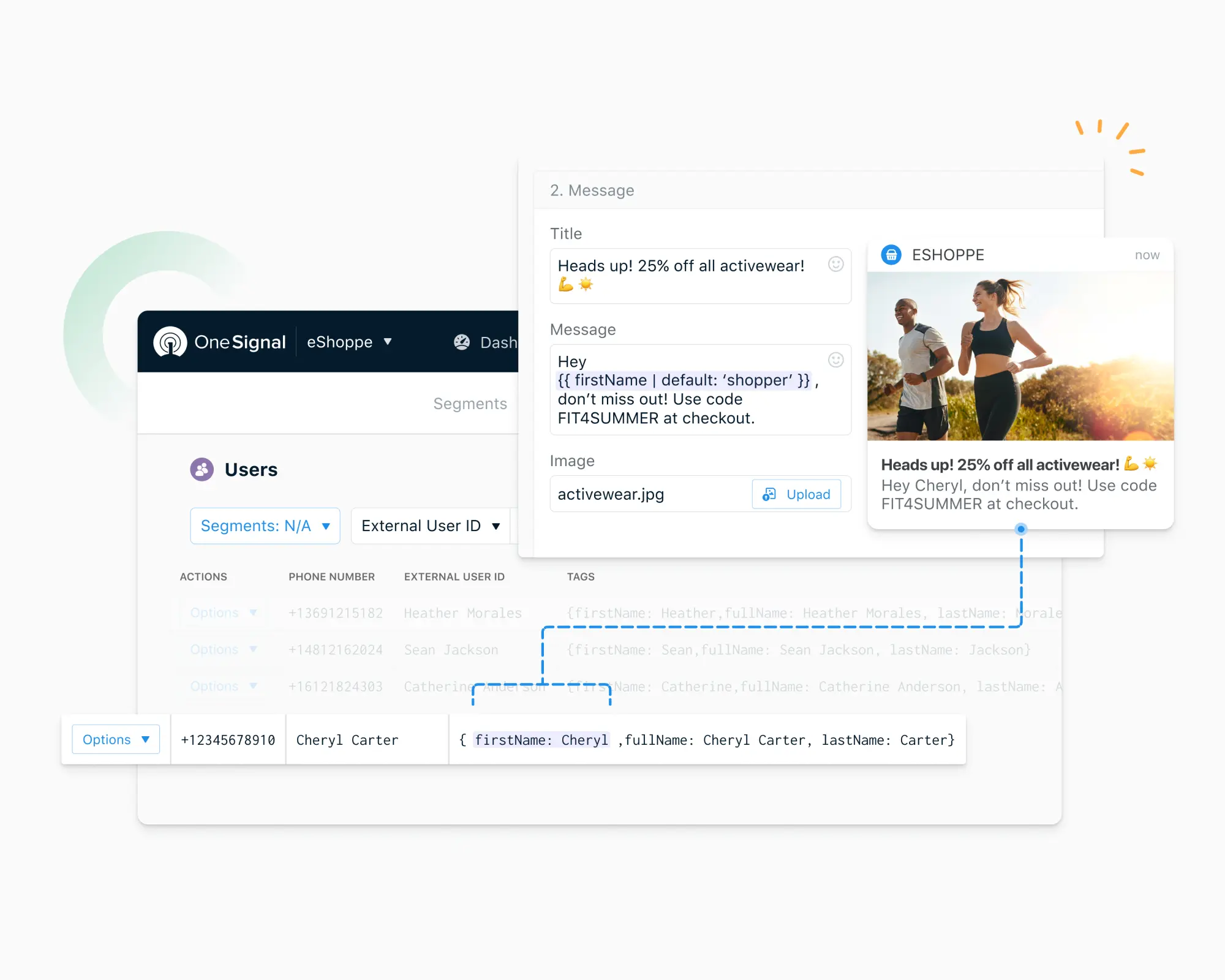
You can send Computed Traits and Audiences generated using Engage to OneSignal.
Engage audiences appear as a segment in OneSignal.
Track calls from Audiences create a OneSignal segment with the audience name.
Identify calls from Audiences create a OneSignal segment with the audience name and add Data Tags on all the matching user records.
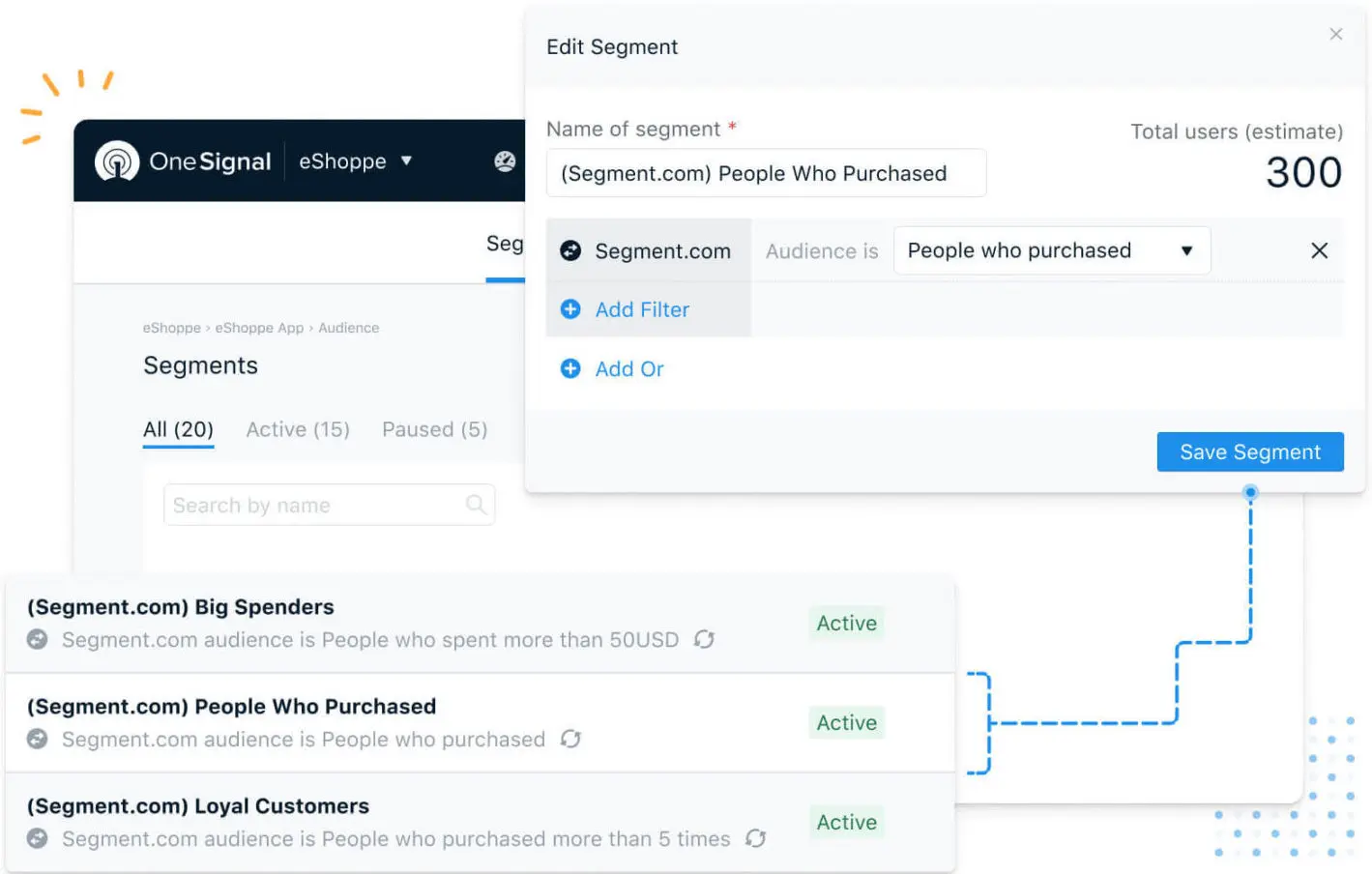
Audiences sends Identify and Track calls to OneSignal when a user enters or exits the Audience.
OneSignal stores Track and Identify calls from Engage Computed Traits as Data Tags for the OneSignal User/Player's records.
- Segment sends user traits to OneSignal as Data Tags. The number of data tags OneSignal allows depends on your OneSignal pricing plan. OneSignal drops the data tags that go over your set number.
- OneSignal always updates the
firstNameand thelastNameproperties for matching users. All other traits are added or updated on a first-come basis.firstNameandlastNametags are stored asfirst_nameandlast_name. - Send User properties to OneSignal with blank or
nullvalues to remove the corresponding Data Tag from the OneSignal user record. - OneSignal doesn't store
emailandphoneproperties. To updateemailandphoneproperties in OneSignal, create a player record with the email address and/or a phone number and map those records with the External_User_ID. Additional properties from Segment map across all your matching records, including email and phone number records.
Segment lets you change these destination settings from the Segment app without having to touch any code.
You can find your API Key in your OneSignal app settings page
You App Id