Lytics Destination
To send data to Lytics, follow these steps:
- Lytics uses Segment's JavaScript library so make sure to go through our quickstart guide to get set up on that first.
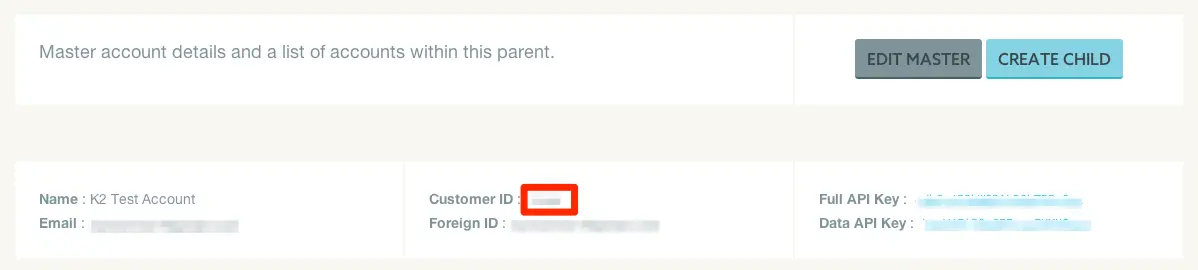
- Once you're recording data enable Lytics on your destination page using your Customer ID number, which can be found in the admin section of your Lytics account: Account -> Manage Accounts.
You can also enter your Data API Key under Advanced Options. The data API Key can send data to Lytics, but not edit your account info. The Full API Key has access to edit all of your account info, so it should not be used for sending data.
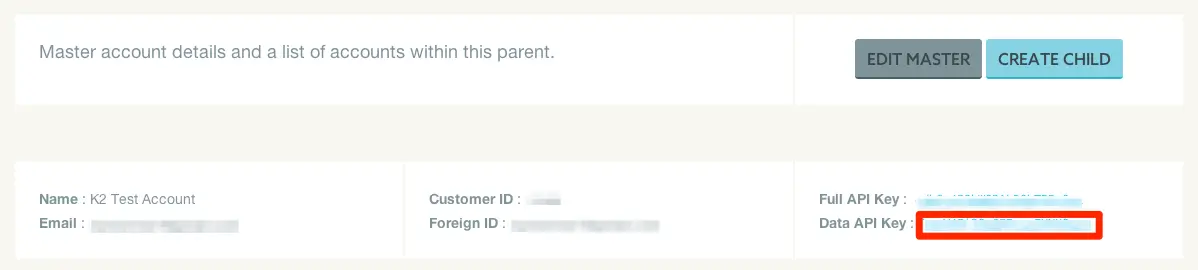
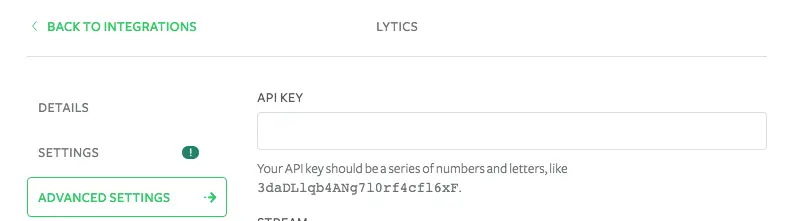
Paste into your Destination page:
You can see what data fields Lytics pulls in by default.
You can send computed traits and audiences generated using Engage to this destination as a user property. To learn more about Engage, schedule a demo.
For user-property destinations, an identify call is sent to the destination for each user being added and removed. The property name is the snake_cased version of the audience name, with a true/false value to indicate membership. For example, when a user first completes an order in the last 30 days, Engage sends an Identify call with the property order_completed_last_30days: true. When the user no longer satisfies this condition (for example, it's been more than 30 days since their last order), Engage sets that value to false.
When you first create an audience, Engage sends an Identify call for every user in that audience. Later audience syncs only send updates for users whose membership has changed since the last sync.
Real-time to batch destination sync frequency
Real-time audience syncs to Lytics may take six or more hours for the initial sync to complete. Upon completion, a sync frequency of two to three hours is expected.
Segment lets you change these destination settings from the Segment app without having to touch any code.
Optional
Your API key should be a series of numbers and letters, like 3daDLlqb4ANg7l0rf4cfl6xF. This is only required if you are using the Lytics server side integration.
Optional
If true, ensures entity returned from Lytics personalization api reflects all events from current page view.
falseYour CID should be a series of numbers, like 9289.
Optional
If true, allows for the Lytics _uid to load the same across multiple domains.
falseOptional
A brief, but informative name for organizating your data in Lytics. Only necessary when you are tracking multiple websites.
default