Nudgespot Destination
Destination Info
- Accepts Identify and Track calls.
- Refer to it as Nudgespot in the Integrations object
Components
When you enable on Nudgespot from the Segment web app, your changes appear in the Segment CDN in about 45 minutes, and then Analytics.js starts asynchronously loading the Nudgespot code on your site.
If you're using Nudgespot for the first time, sign up and choose the Segment option under Destinations on Nudgespot's Getting Started with Nudgespot page. Once you reach the Segment onboarding page, click Enable with Segment option.
If you already use Nudgespot, go to the Settings page and click Enable with Segment.
Nudgespot is supported on mobile, web browsers and on the server side.
Use the Identify method so Nudgespot knows who your users are. Identify takes the unique user ID of a user, their first name, and any other traits you know about them.
When you call Identify from any of Nudgespot's server-side libraries, they'll create or update the users in Nudgespot with the traits provided.
The Segment Track method maps events and event properties directly to Nudgespot events and event properties, and identified traits appear as properties on any events you track.
Call Identify for a user before you call Track. A Track without an Identify won't create a user.
Nudgespot is a communication tool you can use to communicate with your users after you Track their action (or inaction). The more events you track, the better Nudgespot will work for you.
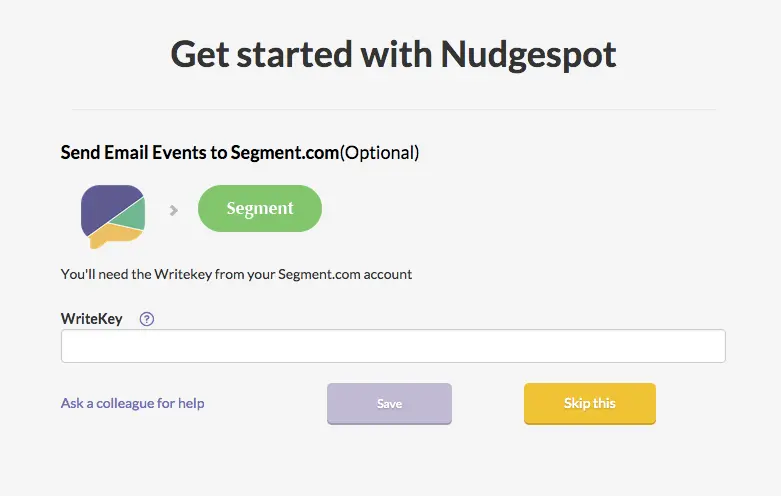
Nudgespot supports sending email events to other tools on the Segment platform. These events will be sent as track calls to the other destinations you've turned on. To enable this feature, enter in your Write Key when setting up your account.
If you already have an app deployed with the Segment source, and you just turned on Nudgespot, it will take up to an hour for all your mobile users to refresh their Segment settings cache, and learn about the new service that you want to send to. After the settings cache refreshes, our source will automatically start sending data to Nudgespot.
You can send computed traits and audiences generated using Engage to this destination as a user property. To learn more about Engage, schedule a demo.
For user-property destinations, an identify call is sent to the destination for each user being added and removed. The property name is the snake_cased version of the audience name, with a true/false value to indicate membership. For example, when a user first completes an order in the last 30 days, Engage sends an Identify call with the property order_completed_last_30days: true. When the user no longer satisfies this condition (for example, it's been more than 30 days since their last order), Engage sets that value to false.
When you first create an audience, Engage sends an Identify call for every user in that audience. Later audience syncs only send updates for users whose membership has changed since the last sync.
Real-time to batch destination sync frequency
Real-time audience syncs to Nudgespot may take six or more hours for the initial sync to complete. Upon completion, a sync frequency of two to three hours is expected.
Segment lets you change these destination settings from the Segment app without having to touch any code.
Your Server-side API Key can be found in your Nudgespot dashboard under Settings
Your Javascript API Key can be found in your Nudgespot dashboard under Settings