Algolia Insights (Actions) Destination
With the Algolia Insights (Actions) destination, you can send Insights Events. Insight Events are required to use these Algolia features:
- Click and conversion analytics
- Algolia Recommend
- Personalization
- Dynamic Re-Ranking
- A/B Testing
- Query Categorization
- NeuralSearch
This destination is maintained by Algolia. For any issues with the destination, contact the Algolia team.
- From the Destinations catalog page in the Segment App, click Add Destination.
- Search for Algolia in the Destinations Catalog and select the Algolia Insights (Actions) destination.
- Choose which Source should send data to the Algolia destination.
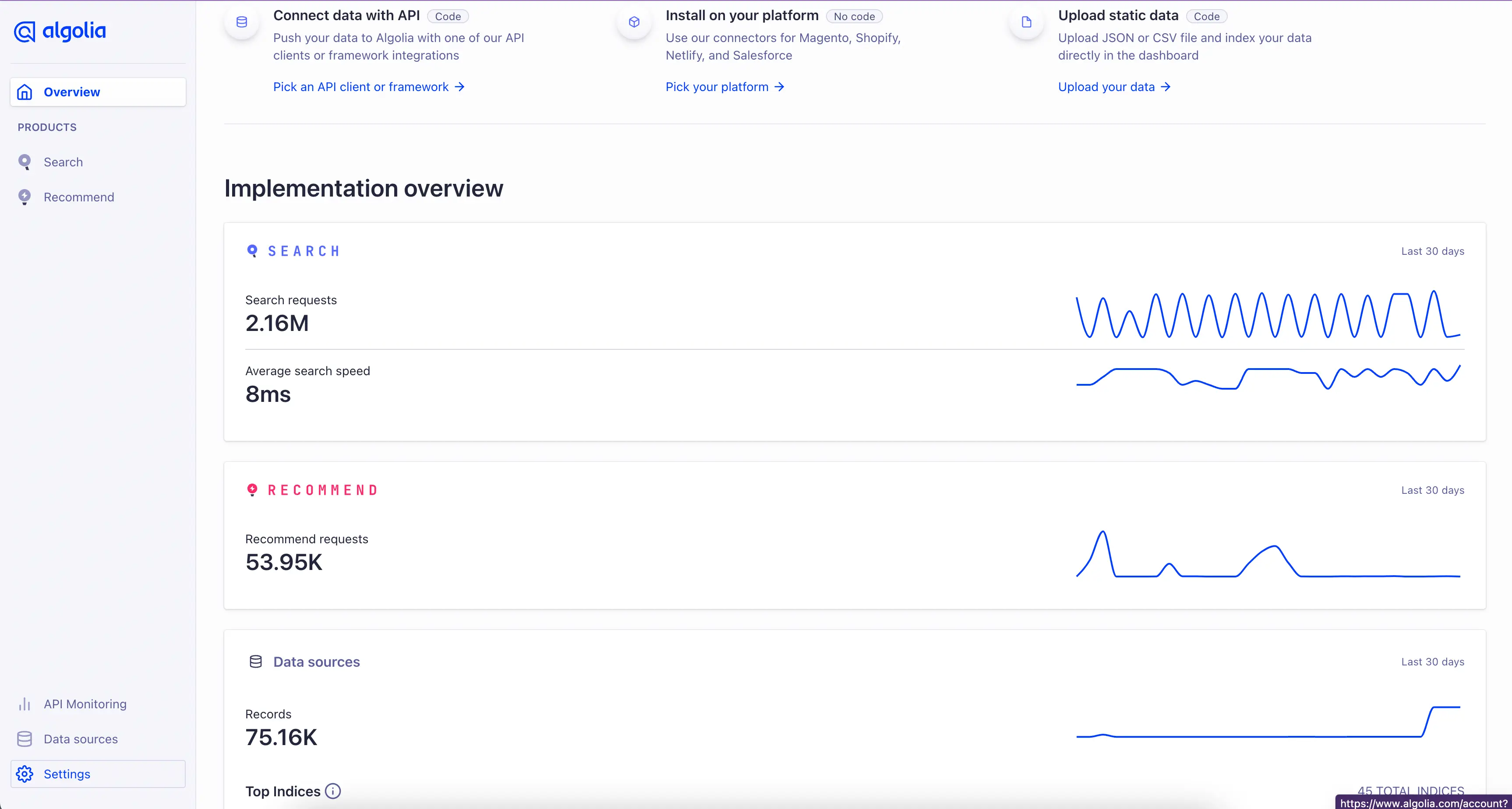
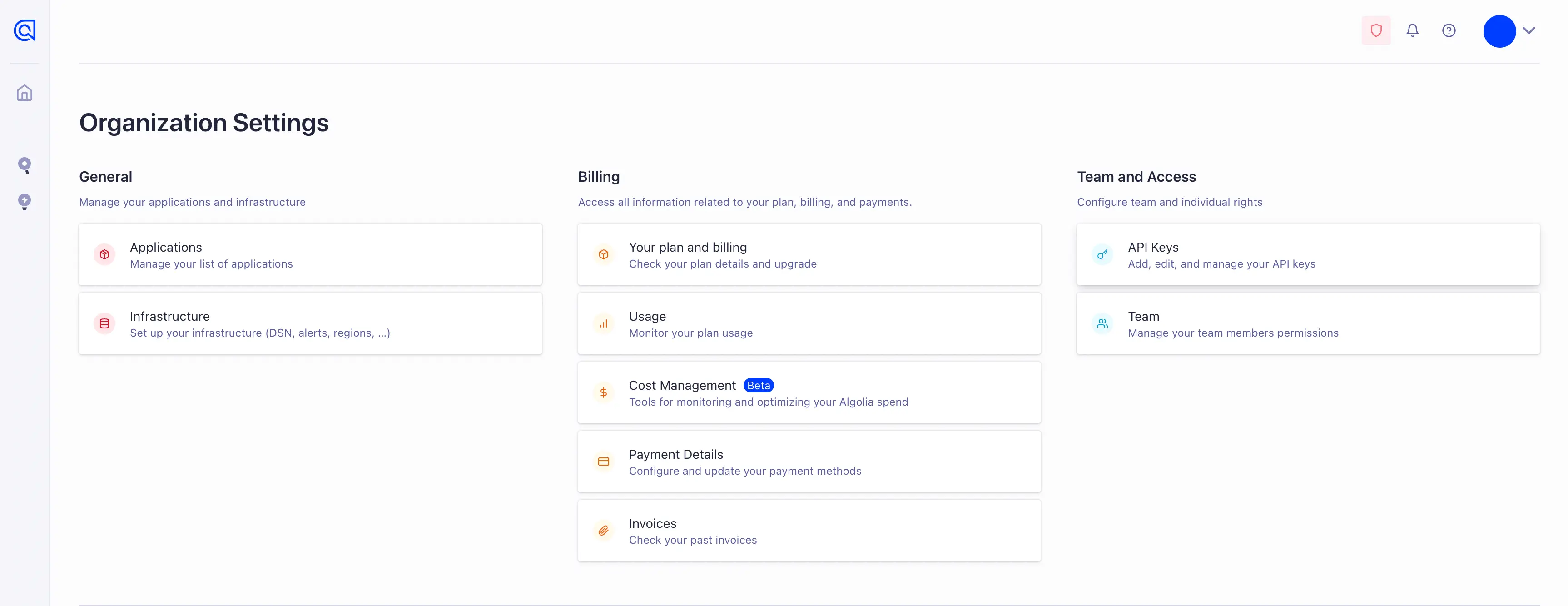
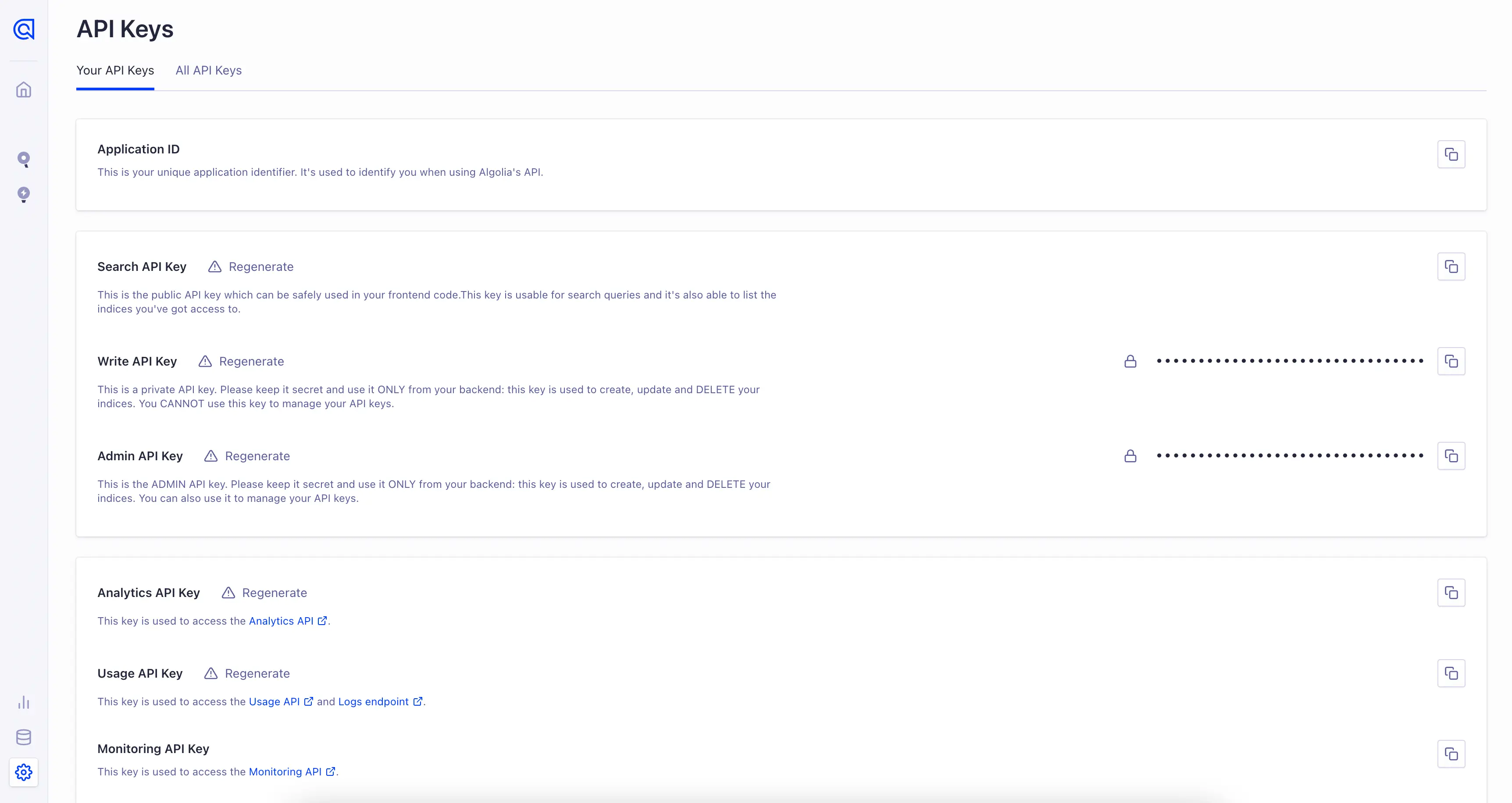
- Sign in to the Algolia dashboard and retrieve your App ID and API Key for the application you'd like to connect. See Getting your Algolia credentials below for details on where to get these values.
- Enter the App ID and API Key in the Algolia destination settings in Segment.
Your app ID and API key can be found in the API Keys section of your account settings in the Algolia dashboard. You need a search API key to set up the destination.
By default, Algolia has set up mappings for Product List Filtered, Product List Viewed, Product Viewed, Product Clicked, Product Added and Order Completed events. If your event structure doesn't match Segment's Ecommerce Spec, you can update this in the destination mappings section of the Segment app.
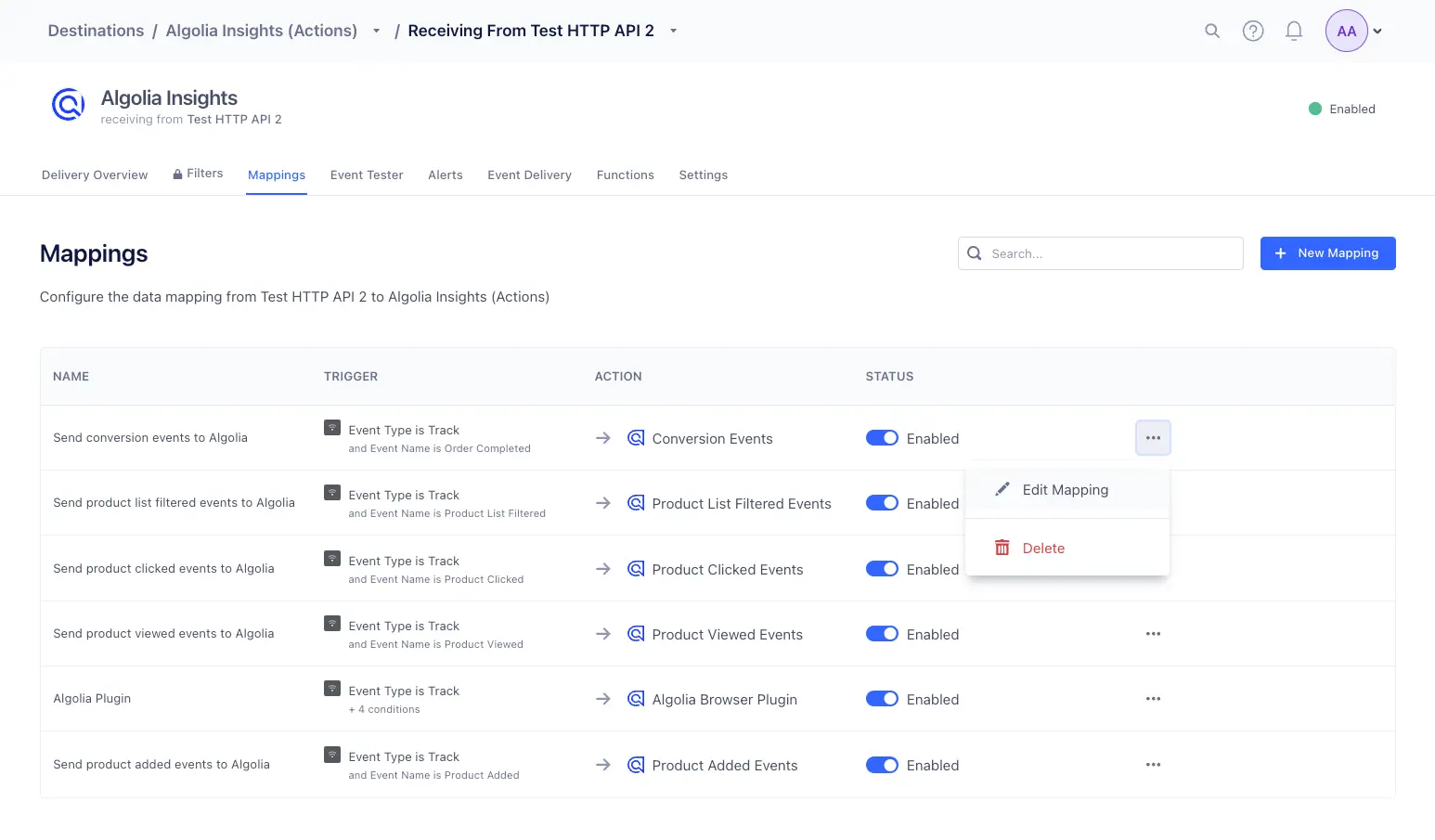
When mapping user identifiers, Algolia recommends using the Authenticated User Token field to map authenticated user IDs and the User Token field for anonymous user IDs. For more detail, see the Algolia documentation.
If you're not familiar with the Segment spec, take a look to understand what the Track method does.
Algolia supports the following Segment events out of the box:
| Supported Events | Description |
|---|---|
Product List Filtered | Send this event when a visitor filters a product list or category. |
Product List Viewed | Send this event when a visitor views a product list or category. |
Product Viewed | Fire this event when a visitor views a product. |
Product Clicked | Fire this event when a visitor clicks a product. |
Product Added | Fire this event when a visitor adds a product to their shopping cart. |
Order Completed | Fire this event whenever an order/transaction was successfully completed by the customer. |
For a full list of required properties for each event type, see Spec: V2 Ecommerce Events
1analytics.track('Product List Filtered', {2search_index: "my-index-name",3filters: [4{5attribute: "color",6value: "yellow",7}8],9query_id: "Algolia queryID", // required only for Click Analytics,10// ... other required properties from the spec11})1213analytics.track('Product List Viewed', {14search_index: "my-index-name",15products: [16{17product_id: "hit objectID",18},19{20product_id: "hit objectID 2",21},22],23query_id: "Algolia queryID", // required only for Click Analytics,24// ... other required properties from the spec25})2627analytics.track('Product Viewed', {28search_index: "my-index-name",29product_id: "hit objectID",30query_id: "Algolia queryID", // required only for Click Analytics,31// ... other required properties from the spec32})3334analytics.track('Product Clicked', {35search_index: "my-index-name",36product_id: "hit objectID",37position: hitPositionOnIndex, // number38query_id: "Algolia queryID", // required only for Click Analytics,39// ... other required properties from the spec40})4142analytics.track('Product Added', {43search_index: "my-index-name",44product_id: "hit objectID",45query_id: "Algolia queryID", // required only for Click Analytics,46// ... other required properties from the spec47})4849analytics.track('Order Completed', {50search_index: "my-index-name",51products: [52{53product_id: "hit objectID",54queryID: "Algolia queryID",55// ...56},57// ... other required properties from the spec58]59})
Info
If you send anonymous activity to Algolia, Algolia does not connect it to activity attributed to that same user once they are identified.
You can send computed traits and audiences generated using Engage to this destination as a user property. To learn more about Engage, schedule a demo.
For user-property destinations, an identify call is sent to the destination for each user being added and removed. The property name is the snake_cased version of the audience name, with a true/false value to indicate membership. For example, when a user first completes an order in the last 30 days, Engage sends an Identify call with the property order_completed_last_30days: true. When the user no longer satisfies this condition (for example, it's been more than 30 days since their last order), Engage sets that value to false.
When you first create an audience, Engage sends an Identify call for every user in that audience. Later audience syncs only send updates for users whose membership has changed since the last sync.
Real-time to batch destination sync frequency
Real-time audience syncs to Algolia Insights (Actions) may take six or more hours for the initial sync to complete. Upon completion, a sync frequency of two to three hours is expected.
Segment lets you change these destination settings from the Segment app without having to touch any code.
An API key which has write permissions to the Algolia Insights API
Your Algolia Application ID.
Optional
QueryString name you use for when storing the Algolia QueryID in a page URL.
queryID