Librato Destination
Destination Info
- Accepts Page and Track calls.
- Refer to it as Librato in the Integrations object
Components
- Server
When you enable Librato in the Segment web app, your changes appear in the Segment CDN in about 45 minutes, and then Analytics.js starts asynchronously loading the custom Librato provider on your website.
- Since Librato only records custom events, no metrics appear in Librato until you start using the API explained below.
Librato supports the Segment track method for both client-side and server-side.
When you make a Track call, Segment adds a gauge measurement to Librato. The gauge is named after your event.
Here's an example using Node.js
1analytics.track({2userId: '507f191e81',3event: 'Event Triggered'4properties: {5value: 26}});
And here's an example with Python
1analytics.track('507f191e81', 'Event Triggered', {2'value': 23})
The value event property allows you to set the magnitude of the data point. All other event properties will be ignored.
To get the most out of your event gauges, enable the following options in the Librato interface for each Segment gauge:
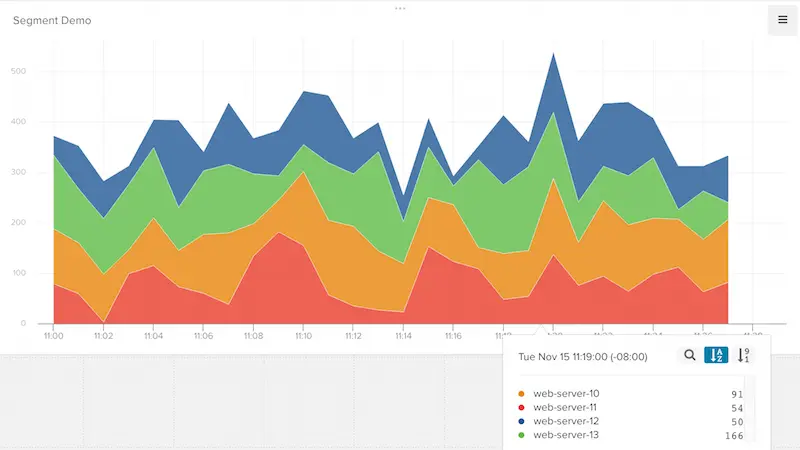
Period - if set to 60 seconds, each data point on the graph represents the sum of the total number of events that happened in the last 60 seconds.
Source Aggregation - allows you to aggregate your gauge metrics over a period of time.
Average: Sum - sums measurement values over time.
You may want to be able to split your time series metrics by the source, such as the computer which the event is coming from. By default, the source is set to the event, but you can override it by setting context.Librato.source.
Here's an example using Node.js
1analytics.track({2userId: '507f191e81',3event: 'Event Triggered'4properties: {5value: 26},7context: {8'Librato': {9'source': 'your-web-server-X.X.X.XX'10}11}12});
And here's an example with Python
1analytics.track('507f191e81', 'Event Triggered',2{3'value': 24},5{6'Librato': {7'source': 'your-web-server-X.X.X.XX'8}9})
You can send computed traits and audiences generated using Engage to this destination as a user property. To learn more about Engage, schedule a demo.
For user-property destinations, an identify call is sent to the destination for each user being added and removed. The property name is the snake_cased version of the audience name, with a true/false value to indicate membership. For example, when a user first completes an order in the last 30 days, Engage sends an Identify call with the property order_completed_last_30days: true. When the user no longer satisfies this condition (for example, it's been more than 30 days since their last order), Engage sets that value to false.
When you first create an audience, Engage sends an Identify call for every user in that audience. Later audience syncs only send updates for users whose membership has changed since the last sync.
Real-time to batch destination sync frequency
Real-time audience syncs to Librato may take six or more hours for the initial sync to complete. Upon completion, a sync frequency of two to three hours is expected.
Segment lets you change these destination settings from the Segment app without having to touch any code.
This should be the email you signed up for your Librato account with.
You can find your API Token on the Librato Account page.