MoEngage (Actions) Destination
Info
This page is about the Actions-framework MoEngage Segment destination. There's also a page about the non-Actions MoEngage Destination. Both of these destinations receive data from Segment.
This destination is maintained by MoEngage. For any issues with the destination, contact the MoEngage Support team.
MoEngage (Actions) provides the following benefits over the MoEngage Classic destination:
- Data Consistency. Data is consistent between device-mode and cloud-mode, preventing the mismatched and duplicated properties that could occur with the classic destination.
- Better Mapping. Using MoEngage Actions, you can map incompatible properties to MoEngage-compatible properties. This significantly reduces your development bandwidth.
- Region Support. Support across all data clusters. Moengage provides an option to choose your Data Region where your app is present.
- Better Configuration. There are additional configurations for the JavaScript integration like custom Service Worker.
-
From the Segment web app, click Catalog, then click Destinations.
-
Search for MoEngage (Actions) and select it.
-
Click Configure MoEngage.
-
Select an existing Source to connect to MoEngage (Actions).
-
Finish the setup.
-
Configure the settings. See the table below for more information.
Field Name Description Name The name of the Moengage destination such as MoEngage prod, MoEngage test. App Id Navigate to Settings > API > General on your MoEngage dashboard to access the App ID. App Key Navigate to Settings > API > General on your MoEngage dashboard to access the App Key. Endpoint Region This is your MoEngage data center. Read more. -
Enable the toggle option to Enable the destination and click Save changes.
Do not change the preset values
Moengage provides preset values to all mappings and hence no changes are required in the Identify User Actions, and Track Event Actions.
Your Moengage API Id
Your Moengage API Key
The region to send your data.
Build your own Mappings. Combine supported triggers with the following Moengage-supported actions:
Mapping limits per destination
Individual destination instances support a maximum of 5 mappings.
Send an event to Moengage.
Track Event is a Cloud action. The default Trigger is type = "track"
The type of the event being performed.
The name of the event being performed.
Optional
The unique identifier of the user.
Optional
The unique identifier of the anonymous user.
Optional
The name of the mobile operating system or browser that the user is using.
Optional
The version of the mobile operating system or browser the user is using.
Optional
The version of the mobile operating system or browser the user is using.
Optional
The timestamp of the event. If time is not sent with the event, it will be set to the time our servers receive it.
Optional
An object of key-value pairs that represent event properties to be sent along with the event.
Optional
Enter the Project Name from MoEngage Settings > Portfolio. Values must match exactly. Mismatched events stay at the portfolio level and are unusable for project-level analysis. Leave this field blank if Portfolio is not enabled for your workspace.
Optional
If set to true, events from the Segment will only trigger updates for users who already exist in Moengage.
Set the user ID for a particular device ID or update user properties.
Identify User is a Cloud action. The default Trigger is type = "identify"
The type of the event being performed.
Optional
The unique user identifier set by you
Optional
Setting this to true will not create new users in MoEngage. Only existing users will be updated
Optional
The generated anonymous ID for the user
Optional
The name of the mobile operating system or browser that the user is using.
Optional
The version of the mobile operating system or browser the user is using.
Optional
The version of the mobile operating system or browser the user is using.
Optional
The timestamp of the event. If time is not sent with the event, it will be set to the time our servers receive it.
Optional
Properties to set on the user profile
- Navigate to Connections > Destinations> MoEngage.
- Go to the Event tester tab.
- Test your
trackandidentifymethods.
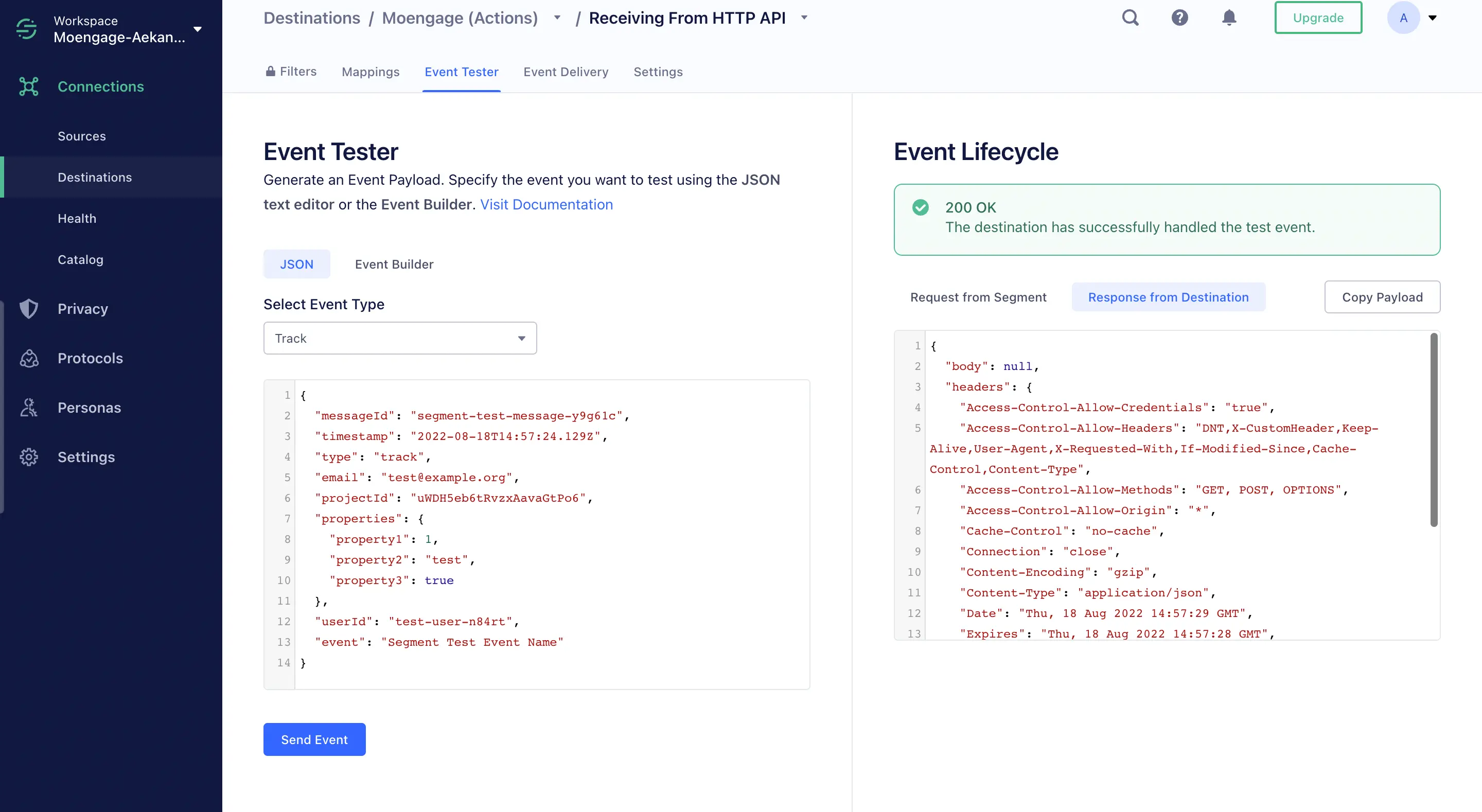
If successful, the data starts flowing into your MoEngage account in 3-5 minutes. You can log in to your MoEngage dashboard and go to Test & Debug > Recent events to verify.