Olark Destination
Destination Info
- Accepts Page, Identify and Track calls.
- Refer to it as Olark in the Integrations object
Components
When you enable Olark in the Segment web app, your changes appear in the Segment CDN in about 45 minutes. Analytics.js then starts asynchronously loading Olark's loader0.js onto your page. This means you should remove Olark's snippet from your page.
Olark's chat box appears on your page, as configured in your Olark account, and you can start chatting with visitors.
Olark is only supported in device-mode (on the client).
When you call Page, Segment calls Olark's sendNotificationToOperator function as looking at *url*. You must enable this option with the pageview flag, because it can sometimes be bothersome.
When you call Identify on analytics.js, Segment sends the following data to Olark:
- Segment calls
api.chat.updateVisitorNicknamewithtraits.nameandtraits.email, or just theirtraits.nameor just theirtraits.emailor theiruserId. In that order of preference. - Segment calls
api.visitor.updateEmailAddresswithtraits.emailif you send it, oruserIdif that's an email. - Segment calls
api.visitor.updateFullNamewithtraits.nameif you send it, ortraits.firstNameandtraits.lastNameappended with a space in between, if you send both first and last name. - Segment calls
api.visitor.updatePhoneNumberwithtraits.phoneif you send it. - Segment calls
api.visitor.updateCustomFieldswithtraits.
More documentation on the Olark API can be found in Olark's docs.
When you call Track or one of its helpers on analytics.js, Segment calls Olark's sendNotificationToOperator function as visitor triggered *eventName*. You must enable this option with the track flag.
All the settings you can change from your Olark settings pages, like targeted chat and your chat box design, still work exactly the same when Olark is enabled using Segment.
If you'd like to use the native Olark JavaScript functions after turning on Olark using Segment, the ready function allows you to do that. Since Segment still loads the Olark library in the background, you can access those functions like this:
1analytics.ready(function(){2olark('api.box.shrink')3});
See the ready docs for more details.
Using Olark through Segment gives you the ability to automatically record Track events for live chat conversations. If you select this option, Segment collects the following events:
Live Chat Conversation Started.Live Chat Message Sent.Live Chat Message Received.
These events are sent to other tools in your stack that can accept Track calls, so you can do things like analyze if users who chat spend more money over time.
To learn more about the live chat events you can capture with this destination, see the Live Chat spec docs.
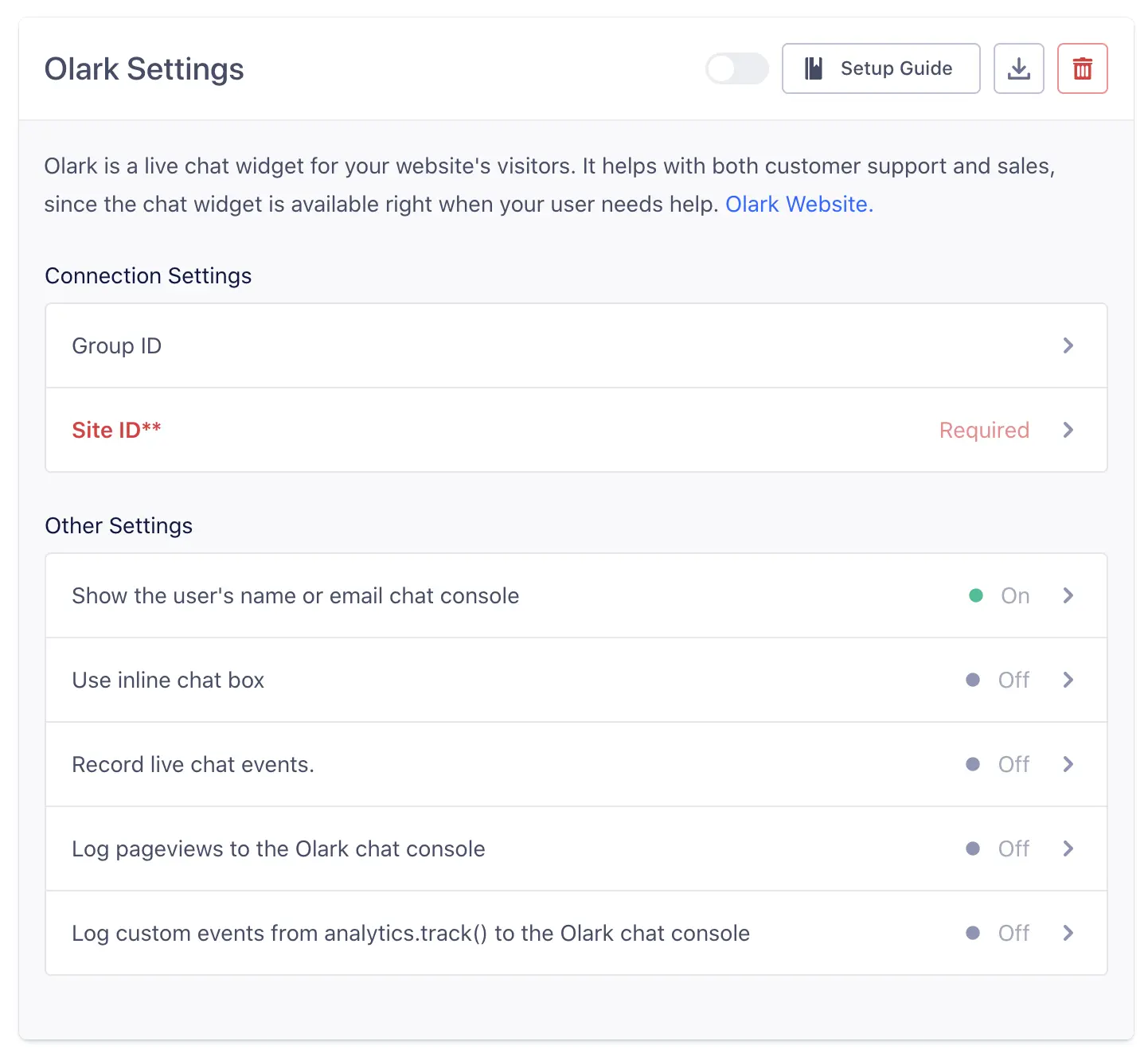
Segment lets you change these destination settings from the Segment app without having to touch any code.
Optional
If you want to use Olark across multiple different websites under the same account, create an Olark Group and add the ID here.
Optional
Show the user's name or email from analytics.identify() in the Olark chat console
trueOptional
Configures whether the chat box should be inlined or not
falseOptional
Automatically send Live Chat message events, conversation starts and ends to other tools you have enabled.
falseOptional
Log pageviews to the Olark chat console
falseYou can find your Site ID on the Olark Install page. It should look something like this: 9385-174-10-1457.
Optional
Log custom events from analytics.track() to the Olark chat console
false