Tray.io Destination
Once your application is set up and instrumented with Segment, turn on tray in your Segment destinations page. After that, log in to your tray account and create a new workflow, using Segment as your trigger.
You can target up to 10 discrete tray workflows from within Segment.
Tray supports all message types. You can filter the message type when you configure the trigger within tray.
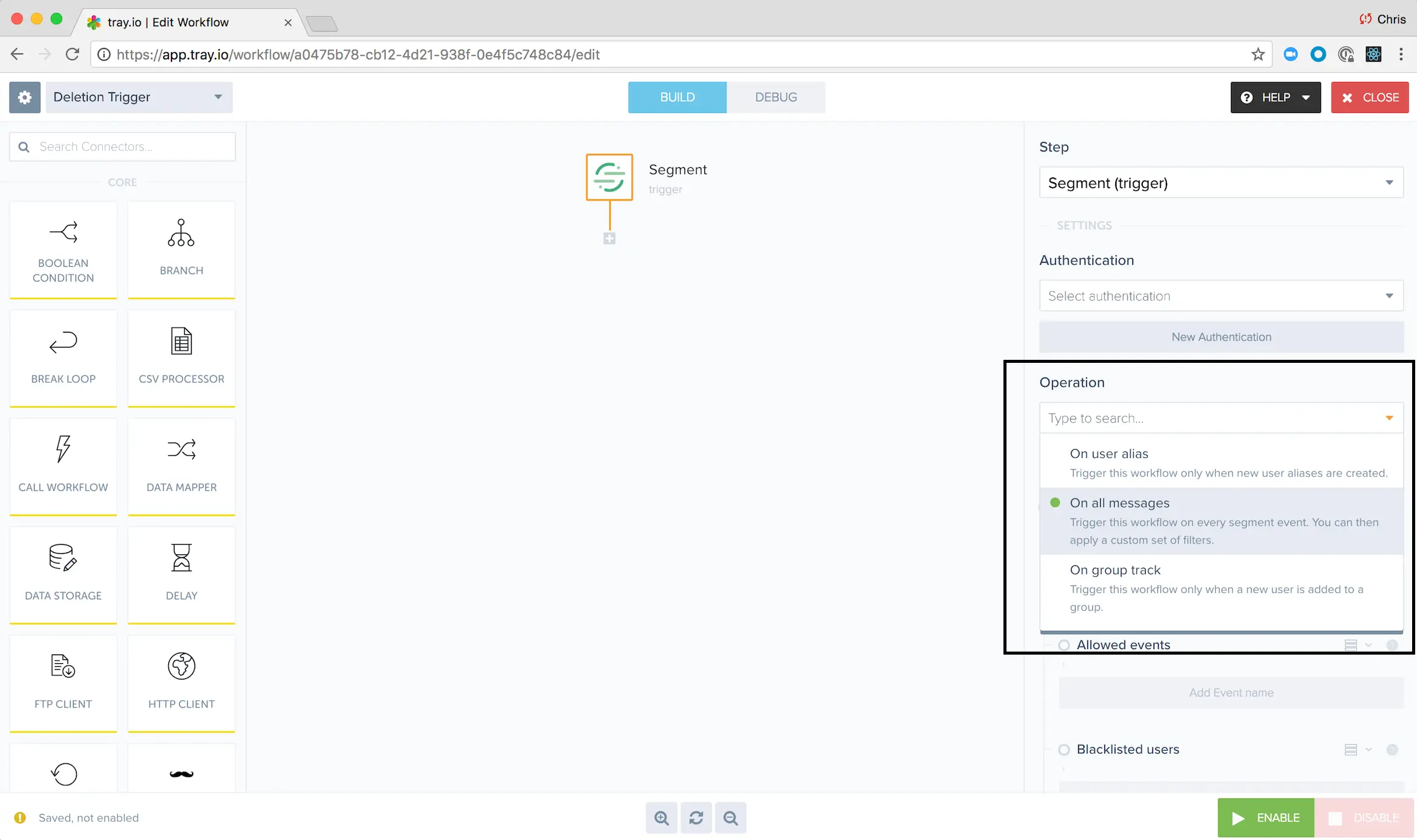
When you trigger a user deletion using our Privacy features, we will forward a delete notification to tray so that you can automate further deletion and compliance workflows using tray.
The payload will consist of:
type:"delete"userID:"the deleted userID"timestamp:"the time of deletion"
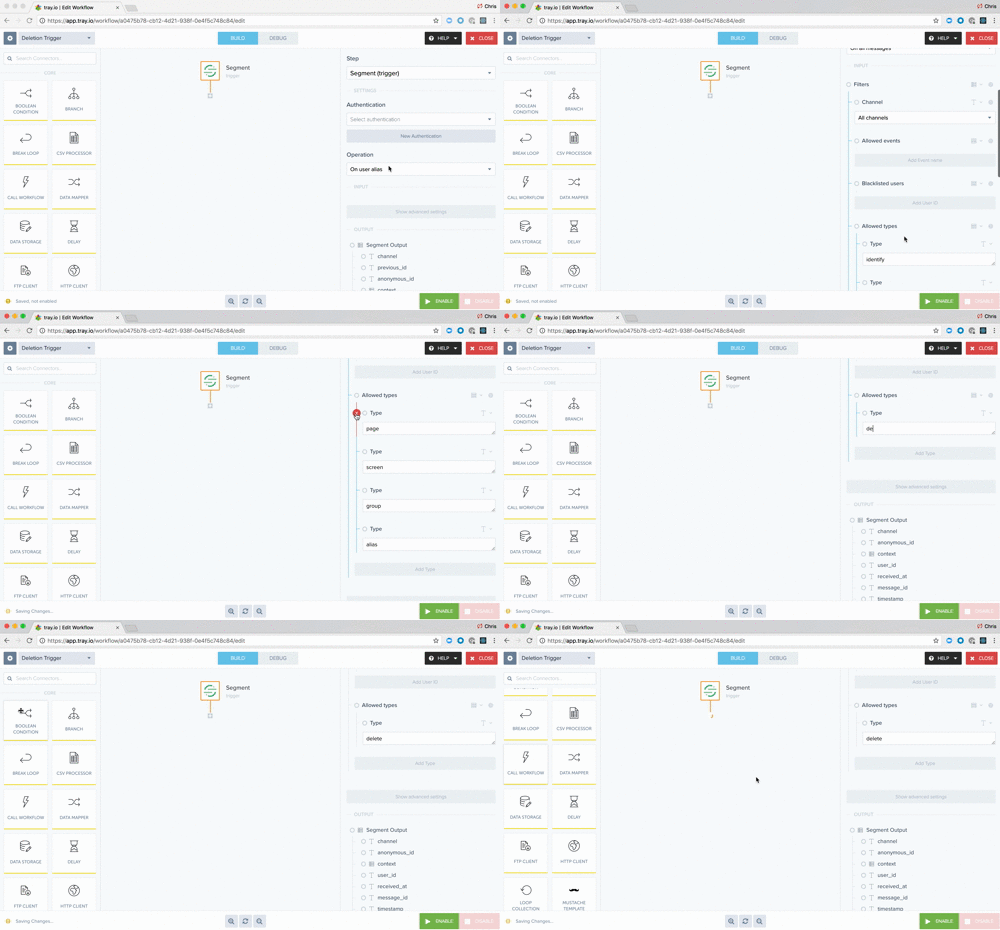
In order to receive and process the message, we recommend starting with an "All Message Types" filter, and then removing all the default types and adding "delete" manually. We're working with tray to add a dedicated "delete" message type filter in the dropdown pictured above.
You can send computed traits and audiences generated using Engage to this destination as a user property. To learn more about Engage, schedule a demo.
For user-property destinations, an identify call is sent to the destination for each user being added and removed. The property name is the snake_cased version of the audience name, with a true/false value to indicate membership. For example, when a user first completes an order in the last 30 days, Engage sends an Identify call with the property order_completed_last_30days: true. When the user no longer satisfies this condition (for example, it's been more than 30 days since their last order), Engage sets that value to false.
When you first create an audience, Engage sends an Identify call for every user in that audience. Later audience syncs only send updates for users whose membership has changed since the last sync.
Real-time to batch destination sync frequency
Real-time audience syncs to Tray.io may take six or more hours for the initial sync to complete. Upon completion, a sync frequency of two to three hours is expected.
Segment lets you change these destination settings from the Segment app without having to touch any code.
Optional
A optional key used when sending events to tray, to keep data flowing securely. You'll need to also enter this secret in the Segment connector settings in the tray dashboard.
Optional
List of the full URL (with http/https protocol) that we can send data to. eg. https://507f1352-cbc7-4abb-8dd2-538d3c09787d.trayapp.io. Limited to 10.